
1:45
Explore
00:00:00 / 02:00:03
- Length
- 2:00
- Scenes
- 36 · 3.3 s avg
- Product on screen
- 0:00
- Features shown
- 3
- Call to action
- 1:51 · 93%
- Voiceover
- Yes
- Views
- 2.9M on X
as of November 18, 2026
HeyClicky’s 2:00 launch film runs 36 scenes, about 3.3 s each. The product is on screen from the first frame and 3 features are revealed, with social proof. The call to action lands at 1:51 (93% in), over a voiceover. A single host narrates over alternating live-action and 3D-rendered Mac mockups, cut on the beat of his speech so each caption line lands with a new shot. The desert desktop wallpaper and a recurring red accent (table bottle, cursor, voice waveform) unify the two visual worlds.
Footage neededEstimated needs: 3 capture groups — your screens or recordings · 1 official logo — reused across the film · 18 filmed passages — shoot, supply or replace · 6 3D passages — build or supply
Is this your launch? to your site or press kit.
More like this
1:45

The new Microsoft Planner: Manage all your tasks and plans in one simple, familiar experience
Microsoft · AI · Nov 2023
1:35

Zach Roseman - We just killed cold email: Introducing Draftboard. The world’s first
Draftboard · Apr 2026
Similar soundtrack
Films whose music sounds like this one, voice left out
3:32

Introducing Project Bloks
Google · Upbeat, modern electronic background music with a positive and optimistic mood.
2:07

Introducing ChatGPT agent
OpenAI · Upbeat corporate tech explainer
0:58

Light Anchor (YC P26): The Store that Never Sleeps
Light Anchor · Electronic, Narrative
Farza 🇵🇰🇺🇸 - Today we're shipping screen-aware dictation. First, we built a speed, scene by scene
· 36 scenes as text
01 · Product intro · 0:00–0:04
A bearded man in glasses sits at an outdoor table behind a laptop, gesturing with both hands as he talks. The street and trees behind him stay softly blurred. A red bottle rests at the right edge of the table. White subtitles sit centered at the bottom.
On-screen text: “Hey, so today we're adding”, “dictation to HeyClicky.”, “All you gotta do is press and”
Camera: Static
02 · Product intro · 0:04–0:06
A locked-off close-up of a silver laptop keyboard. Two fingers enter from below and press the fn and control keys together while white caption text sits centered at the bottom of the frame.
On-screen text: “All you gotta do is press and”, “hold fn + control,”, “start talking, and”
Camera: Static
03 · Product intro · 0:06–0:11
A bearded man in glasses sits at a wooden table outdoors, gesturing with his right hand while speaking to a laptop. White subtitles swap line by line at the bottom of the locked-off frame.
On-screen text: “start talking, and”, “whatever you're saying,”, “we'll stream in as text into”, “whatever text box”, “your cursor is on.”
Camera: Static
04 · Feature reveal · 0:11–0:12
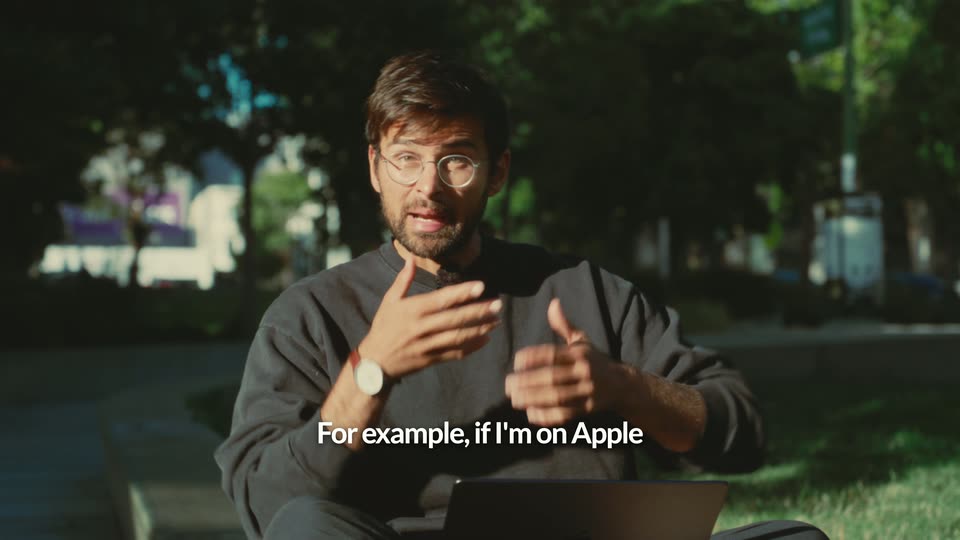
A bearded man with glasses sits outdoors with a laptop on his lap, gesturing with both hands while speaking. The background is a soft-focus park in daylight. A white caption sits at the bottom of the frame.
On-screen text: “For example, if I'm on Apple”
Camera: Static
05 · Feature reveal · 0:12–0:13
A locked-off shot of a MacBook in a room: the screen shows a desert wallpaper and an empty dark Notes window with a cursor, while white subtitles read “Notes, I can just say,”.
On-screen text: “For example, if I'm on Apple”, “Notes, I can just say,”
Techniques: 3D mockup
Camera: Static
06 · Feature reveal · 0:13–0:13
Top-down close-up of a MacBook keyboard as two fingers press a two-key shortcut on the bottom row. The locked-off frame holds while a white subtitle line sits at the bottom.
On-screen text: “Notes, I can just say,”
Camera: Static
07 · Feature reveal · 0:13–0:15
A dark Notes app window on a desert wallpaper shows dictated white text filling the note and scaling as the speaker talks, while a Dictating pill with moving dots sits in the top menu bar.
Techniques: Kinetic type
Camera: Static
08 · Feature reveal · 0:15–0:20
An angled Mac in 3D perspective fills the frame, its desert-wallpaper desktop and dark Notes window shown against a brick-walled room. A cursor with a yellow triangle rests in the empty note. White subtitles swap line by line along the bottom.
On-screen text: “First, skills, second, memory,”, “and third, this bug that this”, “one user gave about dictation.”
Techniques: 3D mockup
Camera: Static
09 · Feature reveal · 0:20–0:21
A dark Notes window sits over a desert wallpaper, showing a typed list ending in a dictation bug note, with a white caption below. It cuts to a bearded man in glasses at a table with a laptop, gesturing as he speaks, a new caption at the bottom.
On-screen text: “one user gave about dictation.”, “So that's pretty”
Camera: Static
10 · Problem · 0:21–0:30
A bearded man in round glasses and a dark sweater sits at a wooden table outdoors, gesturing while speaking to a laptop; the street behind is blurred. A red bottle sits at the right edge. The locked-off shot dissolves into a desk scene at the end.
On-screen text: “So that's pretty”, “cool, and honestly,”, “many products already do this”, “exact thing today.”, “But here's the”, “thing, when I'm writing,”, “I often don't really know what”, “I even want to say.”
Camera: Static
11 · Feature reveal · 0:30–0:37
A man with round glasses and a dark sweater sits outdoors in a leafy park, a laptop open on his lap. He gestures with both hands while speaking to camera. White subtitles roll across the bottom of the locked-off frame as he introduces a new dictation feature.
On-screen text: “So check this out, we're”, “shipping”, “screen-aware dictation.”, “It's pretty cool, I've never”, “seen anything like it before,”, “and I want to show you.”, “Let's say I want to write a”, “reply to this email,”
Camera: Static
12 · Feature reveal · 0:37–0:38
A Gmail window shows an open email thread on the left and a reply compose box on the right with a text caret. A small red pointer hovers in the empty compose area. White caption text appears at the bottom center, phrase by phrase, matching the voiceover.
On-screen text: “reply to this email,”, “but I'm not quite”
Techniques: Kinetic type
Camera: Static
13 · Feature reveal · 0:38–0:41
A bearded man in round glasses sits outdoors with a laptop on his lap, gesturing with both hands as he speaks. White subtitles sit at the bottom of the locked-off frame against a soft-focus park background.
On-screen text: “sure what I want to say.”, “I can just say, “HeyClicky,””
Camera: Static
14 · Feature reveal · 0:41–0:47
A static Gmail screen shows an email thread on the left and an open reply compose box on the right, a red voice waveform pulsing beside the text cursor. White caption lines appear at the bottom, replacing each other phrase by phrase.
On-screen text: “I can just say, “HeyClicky,””, “type a reply to this email,”, “and say something like,”, ““Thanks, appreciate you,””, “and ask him what his use cases”, “are for the product.””
Techniques: Kinetic type
Camera: Static
15 · Feature reveal · 0:47–0:54
A Gmail reply window on a Mac desktop: a red cursor hovers over the empty compose field, which fills with a generated reply as the subject line changes to Draft saved. The camera zooms into the reply box. White subtitle captions track the voiceover along the bottom.
On-screen text: “are for the product”, “like five seconds,”, “actually generate a reply”, “directly in my”, “text box in Gmail,”, “pasted your reply.”, “and it'll be in my voice,”
Techniques: UI zoom
Camera: Push in
16 · Feature reveal · 0:54–0:55
A bearded man in glasses sits at an outdoor table, gesturing at a closed laptop while speaking. The street and trees behind him stay softly out of focus. A red bottle rests at the right edge. A white caption is locked to the lower frame.
On-screen text: “and it'll be in my voice,”
Camera: Static
17 · Feature reveal · 0:55–0:57
A locked-off screen recording of an email client shows a 'Draft saved' compose window over a thread, with a red play icon centered. White caption text at the bottom updates phrase by phrase to match the voiceover.
On-screen text: “and it'll be in my voice,”, “based on HeyClicky's”, “memories of me.”
Camera: Static
18 · Feature reveal · 0:57–1:07
A man with round glasses and a beard in a dark sweater sits on a bench outdoors, a laptop on his lap, gesturing with both hands while speaking to camera. The park background stays softly blurred. White captions change at the bottom.
On-screen text: “This is magical, because one,”, “we're using the”, “context of the actual screen”, “to write the reply, and two,”, “it's as if I can write while”, “having a conversation,”, “even if I don't know”, “what I want to say.”
Camera: Static
19 · Feature reveal · 1:07–1:12
A terminal window floats in 3D perspective over a desert photo with a photographer on a dune. White captions replace each other line by line at the bottom while a red audio icon pulses in the terminal.
On-screen text: “HeyClicky, I'm non-technical,”, “and I have no idea what Claude”, “is talking about here”, “Can you type a follow-up prompt”
Techniques: 3D mockup
Camera: Push in
20 · Feature reveal · 1:12–1:14
A man with round glasses and a black sweatshirt sits at an outdoor wooden table behind a laptop, gesturing toward himself as he speaks. White subtitles swap in line by line over the laptop lid. Locked-off medium shot with a soft-focus street background.
On-screen text: “in the terminal,”, “and also explain it”, “to me so I can learn?'”
Camera: Static
21 · Feature reveal · 1:14–1:20
A dark terminal window with chat and code text hovers over a desert dune backdrop, easing into frame with a brief motion blur before locking. A mouse cursor drifts across the prompt line while white captions cycle at the bottom.
On-screen text: “I've pasted in a good follow-up”, “prompt. Claude said the next step”, “is to build the app in Xcode.”
Techniques: Cursor demo
Camera: Static
22 · Feature reveal · 1:20–1:23
A man with glasses sits at an outdoor table behind a laptop, gesturing with both hands while talking. White captions read, then the scene cuts to a 3D laptop showing a macOS desktop with a desert wallpaper and dock.
On-screen text: “And this whole”, “screen dictation feature”
Techniques: 3D mockup
Camera: Static
23 · Feature reveal · 1:23–1:24
A 3D perspective mockup of a Mac desktop with a desert wallpaper sits against a blurred room. A dark skills panel drops in from the top while bottom captions swap from screen dictation feature to gets so much more.
On-screen text: “screen dictation feature”, “gets so much more”
Techniques: 3D mockup
Camera: Static
24 · Feature reveal · 1:24–1:24
A dark HeyClicky panel floats over a desert desktop wallpaper. The cursor glides to hover the plus button as a red play mark pops in, while a bottom caption swaps from 'gets so much more' to 'powerful with skills.'
On-screen text: “gets so much more”, “powerful with skills.”
Techniques: Cursor demo
Camera: Static
25 · Feature reveal · 1:24–1:27
A 3D laptop in a brick-walled room shows the Skills Library interface; the shot pulls back from a tight crop to a wide view as the selected skill changes to Y Combinator, with white captions appearing at the bottom.
On-screen text: “powerful with skills.”, “You can activate a skill”, “like our Y Combinator skill”
Techniques: 3D mockup
Camera: Static
26 · Feature reveal · 1:27–1:28
A close-up of the Y Combinator skill card fills the frame, then the view zooms out to reveal the full HeyClacky app window with its skills list on a desktop background. A white caption sits at the bottom.
On-screen text: “like our Y Combinator skill,”
Techniques: UI zoom
Camera: Static
27 · Feature reveal · 1:28–1:30
A 3D-rendered laptop sits angled in a living room, its screen showing a macOS Skills Library window. A cursor clicks the Activate skill button, which flips to Skill Active, then hovers a small preview card in the corner. White caption text sits at the bottom.
On-screen text: “directly in the product,”, “and then you can”
Techniques: 3D mockup, Cursor demo
Camera: Static
28 · Feature reveal · 1:30–1:35
A front-on Mac desktop shows a Google Slides deck in Chrome, the title slide “Introducing MuseYard” with its body text highlighted. The blurred living-room backdrop stays static as white subtitles swap in at the bottom of the frame.
On-screen text: “say, “HeyClicky,””, “this is the”, “one-liner from my pitch deck.”, “Type something good that YC”, “would appreciate”, “as the first opener slide on my”
Camera: Static
29 · Feature reveal · 1:35–1:37
A man with glasses and a black sweatshirt sits at a wooden table outdoors, speaking to the camera with a laptop in front of him. A street with trees and parked cars fills the blurred background. White captions appear centered over the laptop.
On-screen text: “as the first opener slide on my”, “Google Slides here.``”
Camera: Static
30 · Feature reveal · 1:37–1:39
A Mac screen sits angled in a blurred loft room, showing a MuseYard pitch slide in an editor. A text box on the dark slide is being edited, its paragraph reshuffling, while white subtitle captions swap at the bottom of the locked-off frame.
On-screen text: “And it'll just do it.”, “We've been seeing our users use”
Techniques: 3D mockup
Camera: Static
31 · Social proof · 1:39–1:42
A bearded man in round glasses and a dark sweater sits outdoors against a soft green bokeh, gesturing with both hands while speaking. White subtitle captions appear centered at the bottom in three successive lines.
On-screen text: “We've been seeing our users use”, “screen-aware dictation”, “for tons of different things.”
Camera: Static
32 · Social proof · 1:42–1:48
A man with glasses and a beard in a black sweater sits at an outdoor table with a laptop, gesturing with both hands while speaking. White subtitles appear at the bottom center. A blurred street with trees and a red bottle fills the background.
On-screen text: “People using it in Google Ads”, “to help them”, “write better ad copy,”, “people getting help on”, “writing their resume,”, “for tons of different things.”
Camera: Static
33 · Social proof · 1:48–1:51
A bearded man with round glasses sits in a sunlit park, gesturing with both hands as he speaks to an off-screen interviewer. Subtitles swap at the bottom of the frame in sync with his words. Shallow depth of field, locked-off medium shot.
On-screen text: “and lots of people”, “just using it to reply”, “to messages on Slack, LinkedIn,”, “stuff like that.”
Camera: Static
34 · CTA · 1:51–1:53
A man with glasses and a black sweater sits at an outdoor wooden table behind a closed laptop, gesturing with both hands while speaking. The background is a soft-focus street with trees and benches. White subtitles appear centered at the bottom of the frame.
On-screen text: “So that's it, this is in”, “production right now.”, “stuff like that.”
Camera: Static
35 · CTA · 1:53–1:58
A bearded man in round glasses and a dark shirt sits outdoors with a laptop on his lap, gesturing with both hands while speaking. Static medium shot, shallow focus on blurred trees behind. White subtitles read his words at the bottom.
On-screen text: “production right now.”, “It's a little bit buggy,”, “but we're making it better”, “every single day.”, “Let us know what”, “you think, and enjoy.”
Camera: Static
36 · Outro · 1:58–2:00
A white lowercase wordmark on a black field. The first part, hey, is visible, then clicky completes the brand name, holding for a beat before the whole mark fades to black.
On-screen text: “heyclicky”
Techniques: Kinetic type
Camera: Static