0:55
Explore
Zach Roseman - We just killed cold email: Introducing Draftboard. The world’s first
Draftboard · Apr 2026 · 1:35 · AI-annotated
- Length
- 1:35
- Scenes
- 46 · 2.1 s avg
- Product on screen
- 0:09
- Features shown
- 2
- Call to action
- 1:19 · 83%
- Voiceover
- Yes
00:00:00 / 01:35:23
Draftboard’s 1:35 launch film runs 46 scenes, about 2.1 s each. The product shows up at 0:09 and 2 features are revealed, with social proof. The call to action lands at 1:19 (83% in), over a voiceover. The video alternates locked-off live-action spokesperson beats with 3D-tilted UI mockups on a violet grid, moving from a broken-trust problem through a step-by-step workflow demo to a launch offer. Signature moves are the glitch tear, the letter-by-letter logo reveals, and continuous camera pushes through stacked interface cards at a steady 117 BPM cut rate.
Footage neededEstimated needs: 5 capture groups — your screens or recordings · 1 official logo — reused across the film · 7 filmed passages — shoot, supply or replace · 2 graphic passages — draw or supply · 8 3D passages — build or supply
Is this your launch? to your site or press kit.
More like this
1:09
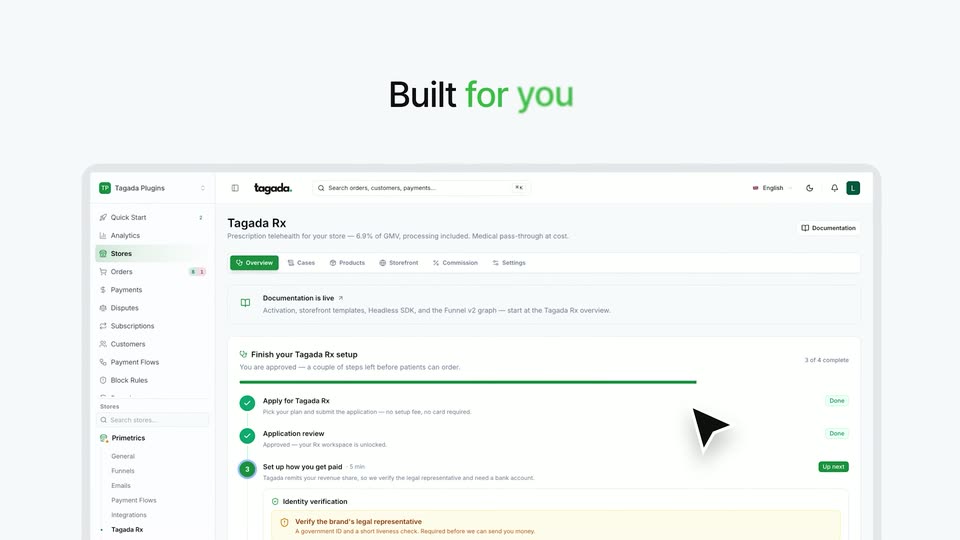
TagadaRx motion design video: launch the next Hims & Hers
TagadaRx · Oct 2026
1:43
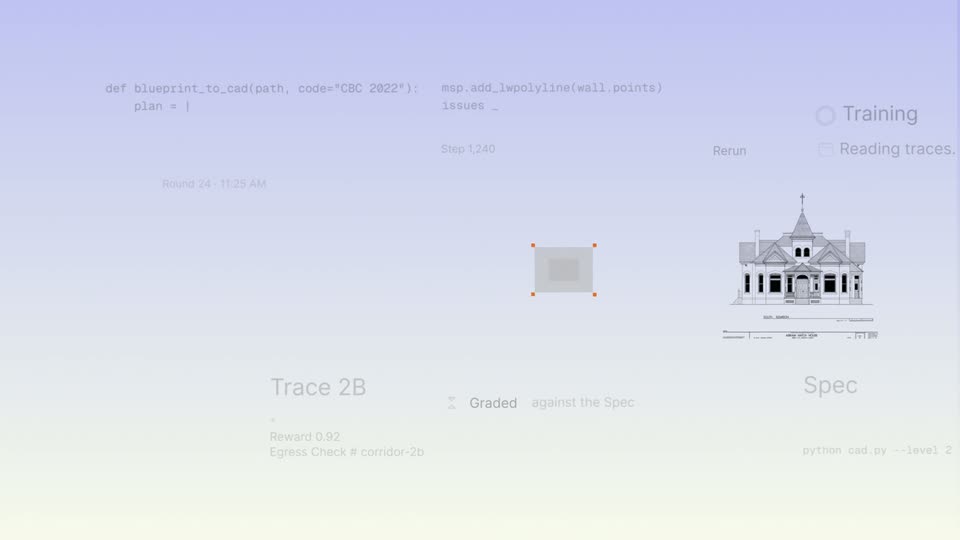
Ronak Malde - Imagine if everyone had the tools to shape intelligence itself. That
Trajectory · Nov 2026
Zach Roseman - We just killed cold email: Introducing Draftboard. The world’s first, scene by scene
· 46 scenes as text
01 · Problem · 0:00–0:03
A bald man in a black zip-up jacket stands centered in a bright, blurred office lobby, speaking to the camera on a locked-off frame. White subtitles sit on a dark bottom bar, then a horizontal glitch tears the frame at the end.
On-screen text: “Today, all trust in sales is broken.”, “Voices can be cloned, faces can be faked,”
Camera: Static
02 · Problem · 0:03–0:04
A man in a black zip-up sweater stands in a bright modern interior, speaking to the camera in a locked-off medium shot. A white caption on a dark bar reads his words along the bottom of the frame.
On-screen text: “Voices can be cloned, faces can be faked,”
Camera: Static
03 · Problem · 0:04–0:05
A woman in a black zip-neck top stands in a sunlit modern kitchen, speaking to a locked-off camera. The background of windows and pendant lights is softly blurred. White subtitles on a dark bar at the bottom carry her line about cloned voices and faked faces.
On-screen text: “Voices can be cloned, faces can be faked,”, “and email addresses”
Camera: Pull out
04 · Problem · 0:05–0:09
A bald man in a black zip-up sits in a bright modern room, talking to camera. Three columns of dark “New Email Received” notification cards with avatars pop up around and behind him, then blur and dissolve. White subtitles sit in a black bar at the bottom.
On-screen text: “and email is dead”, “as inboxes are flooded with AI slop.”
Camera: Pull out
05 · Product intro · 0:09–0:09
A bald man in a black zip-up jacket faces the camera in a bright office, the windowed background softly blurred. He speaks while white subtitles on a dark bar sit at the bottom of the frame.
On-screen text: “as inboxes are flooded with AI slop.”, “That's why I'm proud to introduce Draftboard,”
Camera: Static
06 · Product intro · 0:09–0:11
A purple chevron mark scales in at the center of a white grid, then the lowercase wordmark draftboard fades in to its right, completing the lockup. A dark caption bar carries the voiceover line along the bottom edge.
On-screen text: “That's why I'm proud to introduce Draftboard,”
Camera: Static
07 · Product intro · 0:11–0:15
A bald man in a black zip jacket with the Draftboard logo speaks to camera in a bright modern office. The shot washes to white as a circular avatar of a suited man with a purple ring fades in over his chest, while captions run along the bottom.
On-screen text: “That's why I'm proud to introduce Draftboard,”, “the first AI sales director that outperforms”, “any human.”, “Let's say you want to book”
Camera: Push in
08 · Problem · 0:15–0:17
A suited man's avatar and a purple oval float above a white calendar UI. The camera pulls back as the month view tilts into 3D on a purple grid, filling with blue event blocks. Captions read 'Let's say you want to book' then '100 sales calls this month.'
On-screen text: “Let's say you want to book”, “100 sales calls this month.”
Techniques: UI zoom, 3D mockup
Camera: Pull out
09 · Problem · 0:17–0:18
A tilted 3D calendar for April 2026, filled with blue event blocks, floats over a purple grid. The whole interface slides upward and out of frame, and the bottom caption switches from one line to the next.
On-screen text: “100 sales calls this month.”, “Right now”
Techniques: 3D mockup
Camera: Static
10 · Problem · 0:18–0:21
A Gmail mockup sits on a purple grid. The frame opens tight on an open email's Send button with a cursor hovering, then zooms out to reveal the full inbox list of outreach messages. White captions on black pills roll along the bottom edge.
On-screen text: “Right now,”, “it takes thousands of cold emails,”, “hundreds of LinkedIn messages,”
Techniques: UI zoom
Camera: Pull out
11 · Problem · 0:21–0:21
A Gmail window and a LinkedIn chat card float in 3D perspective over a purple grid, then the Gmail recedes and the chat card flattens and centers. A black caption bar at the bottom reads hundreds of LinkedIn messages.
On-screen text: “hundreds of LinkedIn messages,”
Techniques: 3D mockup, UI zoom
Camera: Pull out
12 · Problem · 0:21–0:22
Two white LinkedIn message cards float stacked on a purple field, the lower one in sharp focus showing a chat with Zach Roseman. The top card's greeting, Hi Lucas, scales into place as the frame sharpens. A dark caption pill at the bottom reads hundreds of LinkedIn messages.
On-screen text: “hundreds of LinkedIn messages,”
Camera: Pull out
13 · Problem · 0:22–0:26
A white chat card on a purple field zooms into a messaging thread; gray client bubbles and blue reply bubbles pop in one by one, then the view tightens on the client's final message.
On-screen text: “hundreds of LinkedIn messages,”, “and endless follow ups to close just one deal.”
Techniques: UI zoom
Camera: Pull out
14 · Feature reveal · 0:26–0:27
A purple abstract mark on a dark grid background scales up, then morphs into the Draftboard arrow logo as the white lowercase word draftboard reveals letter by letter. A white subtitle in a black bar runs along the bottom.
On-screen text: “Draftboard eliminates this turning your network”, “draftboard”
Techniques: Morph, Kinetic type
Camera: Pull out
15 · Feature reveal · 0:27–0:28
The purple and white draftboard logo sits on a dark grid background, then scales up and blurs as a tilted LinkedIn messaging window slides up from the bottom edge, covering it. A black caption bar holds at the bottom throughout.
On-screen text: “Draftboard eliminates this turning your network”
Techniques: 3D mockup
Camera: Static
16 · Feature reveal · 0:28–0:28
Two overlapping LinkedIn messaging windows sit tilted in 3D on a purple grid background. The frame pulls back to reveal the conversation list and an open chat thread, while a dark caption bar holds a line of text along the bottom.
On-screen text: “Draftboard eliminates this turning your network”
Techniques: 3D mockup, UI zoom
Camera: Pull out
17 · Feature reveal · 0:28–0:32
A browser window on a purple background shows a messaging list with floating contact cards that morph into a dashboard roster, then the view zooms into a purple Add button as a cursor points at it.
On-screen text: “into sales calls through trusted introductions.”, “First, we'll drop in a list of people”
Techniques: UI zoom, Cursor demo
Camera: Push in
18 · Feature reveal · 0:32–0:33
A light New Search panel floats on a lavender grid. The frame zooms into the panel while a stack of person cards slides in from the right. A dark caption pill at the bottom reads First, we'll drop in a list of people, then we want to sell to.
On-screen text: “First, we'll drop in a list of people”, “we want to sell to.”
Techniques: UI zoom
Camera: Static
19 · Feature reveal · 0:33–0:35
A search dialog card sits on a pale grid background. A column of contact rows with round avatars and a cursor slide over the form, then clear away as the CSV drop zone fills with a purple upload button and tag suggestion chips fade in. A dark caption box reads at the bottom.
On-screen text: “we want to sell to”, “First, we'll drop in a list of people”
Camera: Static
20 · Feature reveal · 0:35–0:37
A central avatar with a purple ring sits at the middle of a white field as thin lines radiate outward to circular headshots. The web of people multiplies and spreads across the frame, with a few colored lines drawing in, while a dark caption bar holds at the bottom.
On-screen text: “Draftboard's agent scans your network”
Camera: Pull out
21 · Feature reveal · 0:37–0:39
The draftboard dashboard fills the frame, showing a targets list and a mutual connections panel. The view zooms in on the list as a cursor moves to the purple Mark as requested button, while a bottom caption carries the line.
On-screen text: “and shows you exactly who you should ask for intros”
Techniques: UI zoom, Cursor demo
Camera: Push in
22 · Feature reveal · 0:39–0:40
A cross-dissolve blends two states of the LumaScale interface: a targets list on the left and a mutual-connections panel on the right showing a templated intro message and a Mark as requested button. A dark caption bar at the bottom carries the narration.
On-screen text: “and shows you exactly and you should ask for intros”, “and why.”
Camera: Pull out
23 · Feature reveal · 0:40–0:42
A grid of blurred Gmail compose windows fills the frame; one sharp central window types out the body of a follow-up email line by line. A dark caption bar at the bottom reads the line, then leaves as a cursor rests on the Send button.
On-screen text: “Here you've sent 60 emails to Nick,”
Techniques: Cursor demo
Camera: Pull out
24 · Feature reveal · 0:42–0:46
A tilted Gmail inbox mockup sits on a faint grid background, packed with emails from Nick, while the view zooms in. A dark caption bar at the bottom updates phrase by phrase.
On-screen text: “Here you've sent 60 emails to nick,”, “the founder of Workgrounds,”, “But Draftboard just found the perfect”, “path to the sale.”
Techniques: 3D mockup, Kinetic type, UI zoom
Camera: Static
25 · Feature reveal · 0:46–0:47
A blurred Gmail inbox sits behind a sharp draftboard card with a purple Start sale button, while a cursor hovers over the button and the frame pans right to reveal more of the list. A dark caption bar holds the line at the bottom.
On-screen text: “But Draftboard just found the perfect path to the sale.”
Techniques: Cursor demo
Camera: Push in
26 · Feature reveal · 0:47–0:54
A white card with a purple glow on a faint grid shows a path from You to Jason, then expands to add Nick G. A match pill counts up from 15% to 87% and two green bullets fade in; the card ends tilted in a slight 3D angle.
On-screen text: “But Draftboard just found the perfect path to the sale.”, “It knows that your college roommate, Jason,”, “and Nick have worked on the same team”, “for 3 years.”, “Draftboard automatically crafts”
Techniques: 3D mockup
Camera: Pan
27 · Feature reveal · 0:54–0:59
A LinkedIn-style outreach card tilts flat on a light grid as a green progress ring climbs from 20% to 99%. A cursor clicks Generate and a message types itself into the field. Dark caption boxes at the bottom carry the voiceover, then the card fades out.
On-screen text: “Draftboard automatically crafts”, “a hyper personalized intro request to Jason”, “in one click.”
Techniques: 3D mockup, Cursor demo
Camera: Static
28 · Feature reveal · 0:59–1:01
A video call screen fills the frame: a large tile shows a bearded man in a spaceship interior, a smaller tile of a second man sits above, and a chat panel runs down the right. A dark caption bar reads at the bottom while the man speaks.
On-screen text: “Now you finally have that meeting with Nick.”
Camera: Pull out
29 · Feature reveal · 1:01–1:02
A bearded man in a video call window holds the center of a Zoom-style screen. The call window scales down, revealing a purple calendar grid of colored event blocks behind it, as a dark caption bar reads at the bottom.
On-screen text: “Now you finally have that meeting with Nick.”
Techniques: UI zoom
Camera: Pull out
30 · Feature reveal · 1:02–1:06
A calendar interface zooms into a specific date block. A cursor hovers over a meeting, and a purple AI Assistant badge pops up beside it.
On-screen text: “While you sleep it scans your calendar.”, “It sees the meeting you just booked with Nick”
Techniques: UI zoom, Cursor demo
Camera: Push in
31 · Feature reveal · 1:06–1:08
A blurred month calendar sits behind a yellow event block labeled Zach <> Nick, which highlights at center. A white Draftboard AI card scales in over it, listing five contacts with avatars and green match percentages, while a dark caption bar at the bottom swaps its line of text.
On-screen text: “It sees the meeting you just booked with Nick”, “and sends you a message”
Camera: Static
32 · Feature reveal · 1:08–1:10
A pale interface grid of message-template cards scrolls slowly downward on the left, while a Draftboard AI panel on the right holds still, listing five contacts with green percentage scores. A dark pill caption at the bottom reads the line about the five strongest intros.
On-screen text: “with the 5 strongest intros he can make.”
Camera: Pull out
33 · Feature reveal · 1:10–1:11
A white UI card with a purple glow on a grid background displays a 'Stripe' logo and a 'STRONGEST PATH' label above a line extending from a 'You' avatar. A dark caption at the bottom reads 'Now every sales call turns into 5 more.'
On-screen text: “Now every sales call turns into 5 more.”
Camera: Pull out
34 · Feature reveal · 1:11–1:13
A flat Stripe card on a pale grid shows a network graph. The card scales up as the single You-to-Sarah connection fans out into five labeled contacts, the green pill switching from 1 path found to 5 path found. A dark caption bar sits at the bottom.
On-screen text: “Now every sales call turns into 5 more.”
Techniques: UI zoom
Camera: Pull out
35 · Social proof · 1:13–1:17
A purple rounded-square icon with a white arrow symbol sits centered over a grid of profile photos. The grid scales out, the photos shrink and multiply to fill the frame while the icon recedes. A dark caption bar runs along the bottom.
On-screen text: “Every month Draftboard outlines hundreds of warm intros,”
Camera: Push in
36 · Social proof · 1:17–1:19
A light dashboard bar chart titled Total Deals shows gray Q1 and Q2 bars and purple Q3 and Q4 bars that fill from pale to saturated. A dashed line leads to a 10x badge, and a dark caption box at the bottom swaps text.
On-screen text: “Every month Draftboard outlines hundreds of warm intros,”, “causing you 10x more deals.”
Camera: Static
37 · CTA · 1:19–1:23
A bald man in a black quarter-zip with a small chest logo sits centered and speaks to camera in a blurred modern office. The shot stays locked off with shallow depth of field while two caption lines swap at the bottom.
On-screen text: “In the age of AI cold email is dead.”, “Draftboard solves this.”
Camera: Push in
38 · CTA · 1:23–1:25
On a purple grid background, white text types out letter by letter in the center, ending with a blinking cursor. A dark rounded caption box at the bottom holds the line, and a small draftboard logo sits in the lower-left corner.
On-screen text: “To celebrate the launch”, “To celebrate this launch,”
Techniques: Kinetic type
Camera: Push in
39 · CTA · 1:25–1:27
A receding 3D grid of Workgrounds connection cards fills the frame, each card showing avatar paths, match scores and purple stat blocks. A dark rounded caption pill with white text rests at the bottom center as the grid drifts slowly.
On-screen text: “To celebrate this launch,”
Techniques: 3D mockup, Parallax
Camera: Pull out
40 · CTA · 1:27–1:28
A grid of Workgrounds match cards fills the frame, each pairing two profile photos with a connection path and a large match percentage in purple or green. The grid softens into a blur as a dark rounded caption reading Warm Intro Scanner fades in at the bottom center.
On-screen text: “Warm Intro Scanner.”
Camera: Push in
41 · CTA · 1:28–1:29
A white X post card on a light gray background shows an embedded video of a man in a black jacket, captioned 'Warm Intro Scanner'. The view pulls back and scrolls to reveal the post's engagement counts and a second post as the caption changes to 'Drop your website below'.
On-screen text: “Warm Intro Scanner”, “Drop your website below”
Camera: Push in
42 · CTA · 1:29–1:29
A light social-post card fills the frame: an embedded video of a person in a black quarter-zip sits above a row of engagement counts. Below, a reply field types out a URL while a dark pill CTA and a black Reply button hold the bottom, the Reply button gaining a soft white glow.
Camera: Static
43 · CTA · 1:29–1:30
A close-up of a social media post scrolls downward, revealing a reply box with a profile photo and a dark button whose text shifts from “Drop your website below” to “and I'll map intros to.”
Camera: Static
44 · CTA · 1:30–1:33
A light dashboard interface sits in 3D perspective with layered copies stacked behind it. The camera pushes in as the front panel rotates flat toward the viewer. A dark caption pill at the bottom carries the voiceover line.
On-screen text: “and I'll map intros to”, “10 of your dream prospects right now.”
Techniques: 3D mockup, Parallax, UI zoom
Camera: Static
45 · Outro · 1:33–1:35
On a white grid, a purple brand mark hovers above a product dashboard panel. The panel slides down and out, the mark reconfigures into a horizontal arrow lockup, and the lowercase wordmark types in to its right.
On-screen text: “draftboard”
Techniques: Morph, Kinetic type
Camera: Static
46 · Outro · 1:35–1:35
The draftboard logo, a purple arrow mark beside a black wordmark, holds centered on white. The lockup remains static for the short clip.
On-screen text: “draftboard”
Camera: Static