0:46
Lattice Health: Your AI Governance Team
Lattice Health · Healthcare · Jun 2026
GovGuard · May 2026 · 1:02 · Full motion · AI-annotated
GovGuard’s 1:02 launch film runs 20 scenes, about 3.1 s each. The product shows up at 0:21 and 1 feature is revealed. There is no explicit call to action; a voiceover carries the film. The video runs a problem-to-product arc: a perspective scatter of floating interface cards states the manual-compliance pain, then the circuit shield logo and wordmark reveal GovGuard, followed by a flat UI tour of the request-to-response workflow. Signature moves are 3D-floated mockups on a fine dotted grid, scale-in headline cards, and sliding panel transitions held at a steady, unhurried pace.
Is this your launch? to your site or press kit.
Lattice Health · Healthcare · Jun 2026
Google · AI · Jan 2026
NVIDIA · Jun 2026
Films whose music sounds like this one, voice left out
Loom · Upbeat modern electronic
Anthropic · Electronic
CodeRabbit · Modern electronic
On a white dotted background, the bold black word Public records scales in at center, then is replaced by the sentence Compliance is still painfully manual, which types in word by word. Two PDF file cards slide up from the bottom corners.
On-screen text: “Public records”, “Compliance is still painfully manual”
Techniques: Kinetic type
Camera: Static
White PDF document cards float in 3D perspective over a dotted grid, scattered around the bold headline. An inbox interface window slides down from the top in perspective, partially covering the text and the cards.
On-screen text: “Compliance is still painfully manual”
Techniques: 3D mockup
Camera: Pull out
A cluster of tilted product windows, a Gmail inbox, Drive, Sheets, and a records table, floats in 3D perspective with red PDF file cards. The camera pulls back to reveal the spread of interfaces drifting at different depths.
Techniques: 3D mockup, Parallax
Camera: Pull out
A tilted 3D field of floating interface mockups: a Gmail inbox window left, a request-tracker card right, fanned document pages and a spreadsheet window along the bottom. A Gmail icon with a red badge sits top right, its count ticking from 12 to 13. Layers drift at different speeds.
On-screen text: “Legacy records”, “Spreadsheet”
Techniques: 3D mockup, Parallax
Camera: Pull out
On a white dotted grid, the word Local sits at left while a blue circle with a white bank glyph slides in beside it. Then governments fades in at right as the whole line scales up gently.
On-screen text: “Local governments”
Techniques: Kinetic type
Camera: Static
A dark blue bold counter rolls up from $1.26Billion to $2.46Billion over a white dotted grid, while a blue area line with a round dot climbs from lower left to upper right beneath it.
On-screen text: “Local governments”, “$1.26Billion”, “$2.46Billion”
Techniques: Kinetic type
Camera: Static
A white icon card labeled Unstructured sits on a dotted grid, then two more cards, Redacting and Fighting to, scale in beside it as the row re-centers. A white FOIA request panel with a blue header slides up from the bottom to cover the cards.
On-screen text: “Unstructured”, “government data”, “Redacting”, “sensitive information”, “Fighting to”, “meet legal deadlines”
Camera: Push in
A records-request notification card with a blue header and a blue action button sits on a light dotted background and scales up as a cursor glides in to hover over the button.
On-screen text: “Unstructured”
Techniques: Cursor demo
Camera: Static
On a light dot-grid background, a row of white status cards slides slowly right: Request Parsed and Sources Identified with green checks scale in, then Collecting Records and Review Workflow enter from the right, while a blue progress bar fills below.
On-screen text: “Request Parsed”, “Scope extracted - 4 categories”, “Sources Identified”, “8 systems matched”, “Step 3 of 4”, “Collecting Records”, “Review Workflow”
Camera: Pull out
A white shield logo with circuit nodes holds the center as layered interface windows, a PDF list, a redaction email, a spreadsheet, a video call and a meeting recap, float in 3D perspective behind it, shifting at different depths on a dotted white background.
Techniques: 3D mockup, Parallax
Camera: Pull out
A dark blue shield logo with a stylized 'T' sits in the center, surrounded by floating, semi-transparent UI panels in 3D perspective. The panels show a spreadsheet, an email client, a document, and a video call interface, all arranged in a layered composition against a light dotted background.
Techniques: 3D mockup
Camera: Pull out
A dark-blue circuit shield badge on a white tile hovers over a blurred file list on a dotted grid. The list fades out, the badge shrinks and shifts left, and the wordmark GovGuard slides in from the right beside it.
On-screen text: “GovGuard”
Techniques: Kinetic type
Camera: Static
The GovGuard shield logo and bold wordmark slide in at center on a dotted grid background that shifts from light gray to pale blue, on a locked-off frame.
Camera: Static
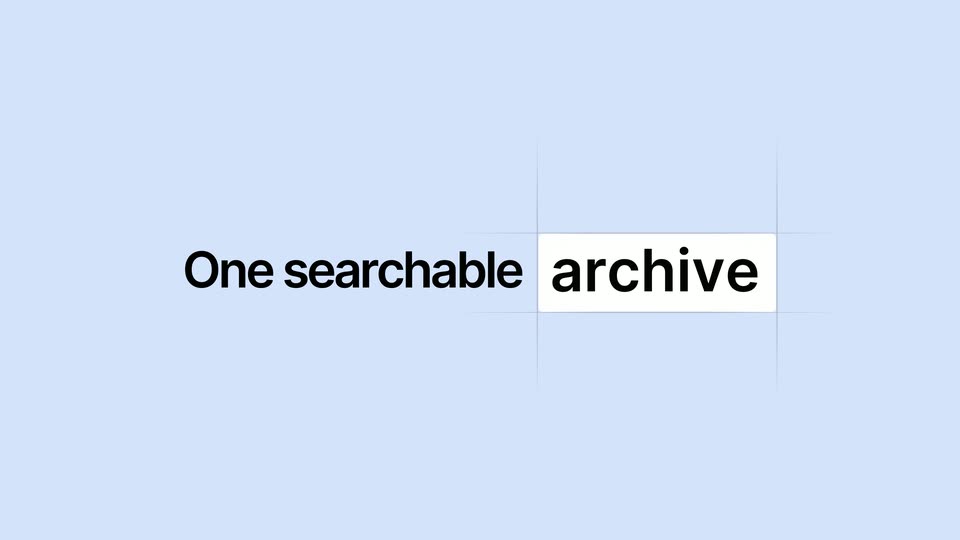
On a pale blue field, the black headline One searchable archive scales into the center. The word archive pops into a cream highlight box framed by thin gray grid lines, which then fade out, leaving the plain line.
On-screen text: “GovGuard”, “One searchable archive”
Techniques: Kinetic type
Camera: Static
A headline scales in over a document table that re-sorts its rows by relevance as the relevance bars fill, then a cursor glides up from the bottom toward the Redaction tab.
On-screen text: “One searchable archive”
Techniques: Cursor demo
Camera: Static
A light document-review screen fills the frame. A cursor rests on the top breadcrumb. Pink outlines snap around the email and phone number in the contract, and a notification card appears in the right-hand review panel.
Techniques: Cursor demo
Camera: Static
A redaction interface shows a contract page with PII underlined in red. The cursor clicks the red Apply Redactions button, the fields become black bars, and the right panel fills with three checked detections. The cursor then moves to the Response tab.
Techniques: Cursor demo
Camera: Static
A document-drafting UI panel slides left and shrinks, revealing a letter body and a light-blue side panel. A dark-slate headline animates in as 'Drafted for approval', then swaps to 'Response language prepared'.
On-screen text: “Drafted for approval”, “Response language prepared”
Techniques: Kinetic type
Camera: Pull out
A drafted FOIA letter sits in a flat UI beside the tagline Built for compliance review, then the view slides to a dashboard of stat cards and activity feeds. A cursor hovers as a due count ticks down and a request turns green.
On-screen text: “Built for compliance review”
Techniques: Kinetic type, UI zoom, Cursor demo
Camera: Push in
A dark blue shield icon with circuit nodes and a T monogram draws itself in at center on a light blue-to-white gradient, then the GovGuard wordmark fades in to its right.
On-screen text: “GovGuard”
Camera: Static