
1:37
Explore
Introducing a new Google Docs
Google · Apr 2010 · 1:47 · Full motion · AI-annotated
- Length
- 1:47
- Scenes
- 26 · 4.1 s avg
- Product on screen
- 0:00
- Features shown
- 3
- Call to action
- 1:40 · 93%
- Voiceover
- Yes
- Views
- 990K on YouTube
as of November 21, 2026
00:00:00 / 01:47:14
- Length
- 1:47
- Scenes
- 26 · 4.1 s avg
- Product on screen
- 0:00
- Features shown
- 3
- Call to action
- 1:40 · 93%
- Voiceover
- Yes
- Views
- 990K on YouTube
as of November 21, 2026
Google’s 1:47 launch film runs 26 scenes, about 4.1 s each. The product is on screen from the first frame and 3 features are revealed. The call to action lands at 1:40 (93% in), over a voiceover. Tone: friendly, upbeat, and reassuring, with a clean corporate warmth that keeps the dense feature list feeling light. Background: a near-white flat field with soft gray drop shadows, so every 3D prop and UI window reads as a floating object. Fonts: the multicolor serif Google wordmark with a blue lowercase docs, plus a neutral humanist sans for UI and the black sans URL card. Music mood: a light, steady, optimistic underscore that matches the moderate cut rate. Structure: a logo open, a problem
No filming indicatedEstimated needs: 4 capture groups — your screens or recordings · 1 official logo — reused across the film · 9 graphic passages — draw or supply · 3 3D passages — build or supply
Is this your launch? to your site or press kit.
More like this

1:46
Introducing Bad Joke Detector
Google · AI · Apr 2018
0:32

Higgsfield AI 🧩 - You can now make a mobile game from a single prompt. Introducing Hig
Higgsfield AI · Oct 2026
Similar soundtrack
Films whose music sounds like this one, voice left out
3:09

Factory - Today, @humanlayer_dev is joining Factory. HumanLayer is a multiplay
Factory · Modern electronic and rock
2:32


3:02


Introducing Airbnb Rooms – featuring the new Host Passport
Airbnb · Promotional, Documentary
Introducing a new Google Docs, scene by scene
· 26 scenes as text
01 · Product intro · 0:00–0:02
The multicolor Google docs wordmark sits centered on a plain white background, then blurs and slides left as a white 3D device enters from the right edge.
Camera: Static
02 · Product intro · 0:02–0:05
The Google docs wordmark slides in at left beside a white desk with a blue monitor and chair. A white cloud holding five app icons drops above the screen, linked by dotted lines, and the view zooms into the cloud as the icons rotate.
On-screen text: “Google docs”
Techniques: Kinetic type, UI zoom
Camera: Pull out
03 · Problem · 0:05–0:10
Two gray monitors on a brown desk, flanked by office chairs, sit at the bottom of a white frame. Light blue envelopes and gray paper clips drift in from the edges and swirl above the screens, growing denser.
Techniques: Particles
Camera: Pull out
04 · Problem · 0:10–0:11
Two gray CRT monitors sit on brown desks flanked by office chairs against a white background. A fast blur of white envelopes and silver paper clips sweeps across the top and scatters outward, conveying a flood of incoming email.
Techniques: Particles
Camera: Static
05 · Demo · 0:11–0:13
The Google docs logo sits centered, soft and out of focus at first, then sharpens. Faint gray cloud shapes, each holding a document window, fade in behind it.
Camera: Static
06 · Demo · 0:13–0:14
Five soft 3D document windows float over puffy white clouds as the multicolor Google docs wordmark sits at center, then the set cuts to blue and white 3D computer workstations while dotted yellow lines arc across the frame.
On-screen text: “Google docs”
Techniques: 3D mockup
Camera: Pan
07 · Demo · 0:14–0:15
Three flat-illustration monitors sit on white desks with blue chairs, each blue screen showing a document of gray text lines. The frame eases from a soft blur into sharp focus while yellow dotted lines dangle from the top edge.
Camera: Static
08 · Demo · 0:15–0:16
Three illustrated white monitors with blue screens sit on desks against a white background, each showing a document window. The view then zooms into the left monitor's screen to reveal the Alastrat document list interface.
Techniques: UI zoom
Camera: Static
09 · Demo · 0:16–0:19
A flat browser window showing the Alloststrat file list tilts into a 3D perspective with a soft drop shadow on a white background. A mouse cursor hovers over the left sidebar before the rotation.
Techniques: 3D mockup
Camera: Pull out
10 · Demo · 0:19–0:19
A faint 3D table block dissolves at top left as a flat white cloud holding a tilted tablet with ruled lines sharpens into view at the left, then holds still on the plain white background.
Camera: Static
11 · Feature reveal · 0:19–0:26
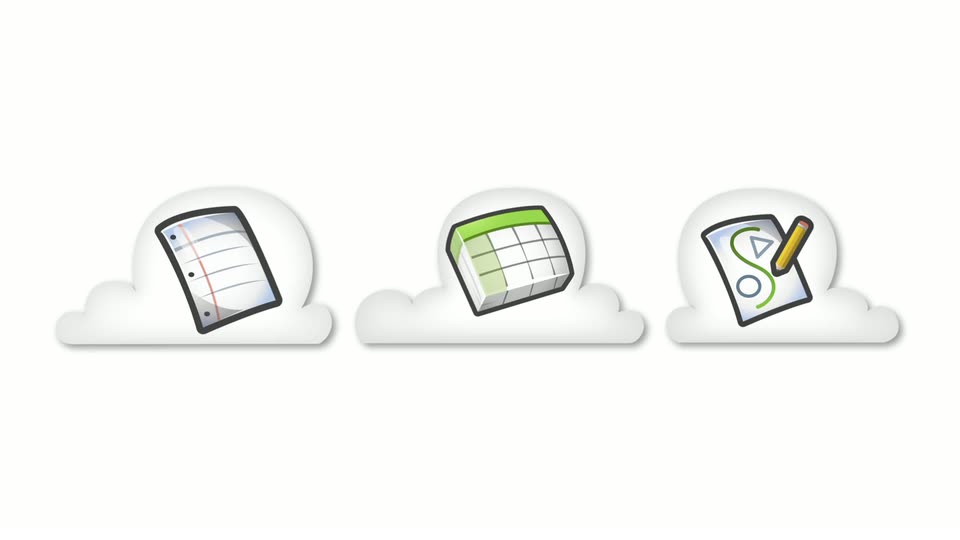
Three white clouds on a plain background each hold a tilted document icon: a lined page, a green spreadsheet grid, and a page with shapes and a yellow pencil. The third cloud pops in, then all three blur and slide across a Google Docs resume screen.
Camera: Static
12 · Feature reveal · 0:26–0:57
A Google Docs window in a browser shows a resume being edited: a cursor drags a ruler tab stop to center the name, then drags a lava lamp photo to the right margin. The view scrolls to a feedback line where three named users type comments at once.
Techniques: Cursor demo
Camera: Pull out
13 · Feature reveal · 0:57–0:59
Three white clouds sit in a row on a plain white background, each cradling a tilted icon: a lined document, a green spreadsheet grid, and a sheet with a yellow pencil. The icons wobble and tilt, then blur into a fast spin as the scene exits.
Techniques: Speed ramp
Camera: Static
14 · Feature reveal · 0:59–1:07
A full-screen Google spreadsheet titled Food Sales by Region fills the browser window. A cursor clicks through cells, edits formulas in the formula bar, and drags the Units column header left to reorder the columns.
Techniques: Cursor demo
Camera: Static
15 · Feature reveal · 1:07–1:17
A browser window shows a Google Docs spreadsheet of US state data. The rows scroll up fast with motion blur, then stop at the top, revealing the header row and extra forecast columns. A hand cursor drags the right scrollbar.
Techniques: Cursor demo
Camera: Static
16 · Feature reveal · 1:17–1:21
A Google Docs spreadsheet in a browser window fills in as food names type themselves into the Food column across several rows at once. A blue banner at the top right reads 'bfkran and 2 others are viewing', and a hand cursor hovers near the sheet tabs.
Camera: Static
17 · Feature reveal · 1:21–1:21
A Google Docs spreadsheet fills the frame, then the view dives into the grid, zooming onto a pale green highlighted cell and the white column lines.
Techniques: UI zoom
Camera: Static
18 · Feature reveal · 1:21–1:24
Three white cloud shapes sit in a row on a white background. A tilted lined document, a green spreadsheet grid, and a drawing sheet with a pencil rise out of each cloud, motion-blurred, then settle into a locked frame.
On-screen text: “D”
Camera: Pull out
19 · Feature reveal · 1:24–1:25
Three tilted app icons (a document, a green spreadsheet, a chart with a pencil) rest on white clouds, then the view cuts to a Google Docs window showing a multi-column flowchart diagram with arrows linking labeled boxes.
Techniques: 3D mockup
Camera: Static
20 · Feature reveal · 1:25–1:26
A full browser window of Google Docs shows a flowchart with colored boxes and arrows. The document content cuts to a second plan diagram listing two launch options with pros and cons, then returns to the first. A cursor rests at the left edge.
Camera: Static
21 · Feature reveal · 1:26–1:27
A browser window fills the frame, showing a Google Docs drawing titled Product Launch Plan. The flowchart pairs a green Option A box with a yellow Option B box, each split into PROs and CONs panels, above a blue Requirement box and two sticky notes. A mouse cursor rests on the left margin.
Camera: Static
22 · Feature reveal · 1:27–1:29
A Google Docs interface displays a Platform Roadmap diagram of two orange timelines. A yellow banner at the top right types a chat line, then switches to a viewer count, as the frame zooms into the diagram.
Techniques: UI zoom
Camera: Push in
23 · Feature reveal · 1:29–1:39
A browser shows a Google Docs roadmap diagram that completes itself, the frame zooming out from a close crop of the timeline to the whole sheet as orange, gray and green quarter bands and a blue launch checkmark drop in. A side chat panel types out collaborator messages.
Techniques: UI zoom, Cursor demo
Camera: Pull out
24 · Feature reveal · 1:39–1:40
A Google Docs screen showing a Platform Roadmap drawing and a live side chat holds, then clears to white as three faint cloud icons with document, spreadsheet, and drawing symbols fade in in a row.
On-screen text: “D”
Camera: Static
25 · CTA · 1:40–1:44
Three white clouds sit in a row on a plain white background, each holding a tilted icon: a lined document, a spreadsheet grid with a green header, and a sketch page with a pencil. The frame stays locked-off and static for the full duration.
On-screen text: “D”
Camera: Static
26 · CTA · 1:44–1:47
Three tilted document mockups (a page, a green spreadsheet, a pencil sketch) float inside soft white clouds above a gray URL. The clouds fade out, leaving the URL in black centered on a plain white background.
On-screen text: “docs.google.com”
Techniques: 3D mockup
Camera: Static