1:22


Speko Launch Video
Speko · B2B
Higgsfield AI · Oct 2026 · 0:32 · AI-annotated
Higgsfield AI’s 0:32 launch film runs 17 scenes, about 1.9 s each. The product shows up at 0:03 and 1 feature is revealed, with social proof. The call to action lands at 0:30 (93% in), over a voiceover. The video is built as a pipeline story: a playable-ad clip, a brand title card, a generation demo, a Promote flow, and counting-up metrics, with each beat separated by quick zoom-blurs and sliding white cards. Pacing runs fast at 172 bpm with hard cuts every few seconds, using scale-in cards and cursor taps as its signature moves.
Is this your launch? to your site or press kit.
Speko · B2B
Tana · Productivity · Nov 2026
Confetti · Consumer · Oct 2026
A 3D game view tracks a character from behind across a red bridge, blasting enemy swarms as the camera pushes forward. Flashing yellow status words cross the center, while a blue install ad banner stays fixed along the bottom edge.
On-screen text: “Cute Defenders”, “4.7”, “Install Now”
Techniques: 3D mockup
Camera: Static
A full-screen game view of a mech running down a red bridge, with a boss bar and a Cute Defenders install ad at the bottom, scales down into a centered rounded card on a green gradient, leaving a blurred trailing copy to the right as a cursor appears.
Techniques: UI zoom
Camera: Pull out
A green gradient backdrop holds a white rounded panel on the right where a winking 3D woman in a yellow top points upward. On the left, a tilted game screenshot card showing a bridge battle shrinks rapidly into a small thumbnail.
Techniques: 3D mockup
Camera: Pull out
A 3D cartoon woman winks and points up at the title on a green halftone background. A white rounded panel beside her holds a small game thumbnail that cycles through different playable-ad clips. The shot ends in a fast zoom-blur.
On-screen text: “Playable”, “Create games & interactive Ads”
Techniques: Speed ramp
Camera: Push in
A white rounded card carrying a small 3D game screenshot and a single line of black text slides left across a green gradient background. The caption, cut off at first, settles into the full sentence as the card's left edge exits the frame.
On-screen text: “make a game as engaging as this one”
Camera: Static
A lime-green circle holding two black four-pointed sparkles and a white cursor arrow rests on a white rounded card. The circle slides from the right edge to the center as a ring of small green squares radiates outward around it.
Techniques: Particles
Camera: Static
A tablet mockup on a green field that turns purple scales up and sharpens as a loading bar fills from 4% to 93%. Wireframe character models hover on glowing rings around the device while a wizard and a green goblin render solid on the bridge inside.
Techniques: 3D mockup
Camera: Pull out
A flat tablet frame on a purple background shows a 3D tower-defense game: a wizard on a brick bridge, orcs on the right, power cards on the left. A white hand pointer with a drag-to-aim label appears, then the frame scales up to fill the screen.
Techniques: Cursor demo
Camera: Pull out
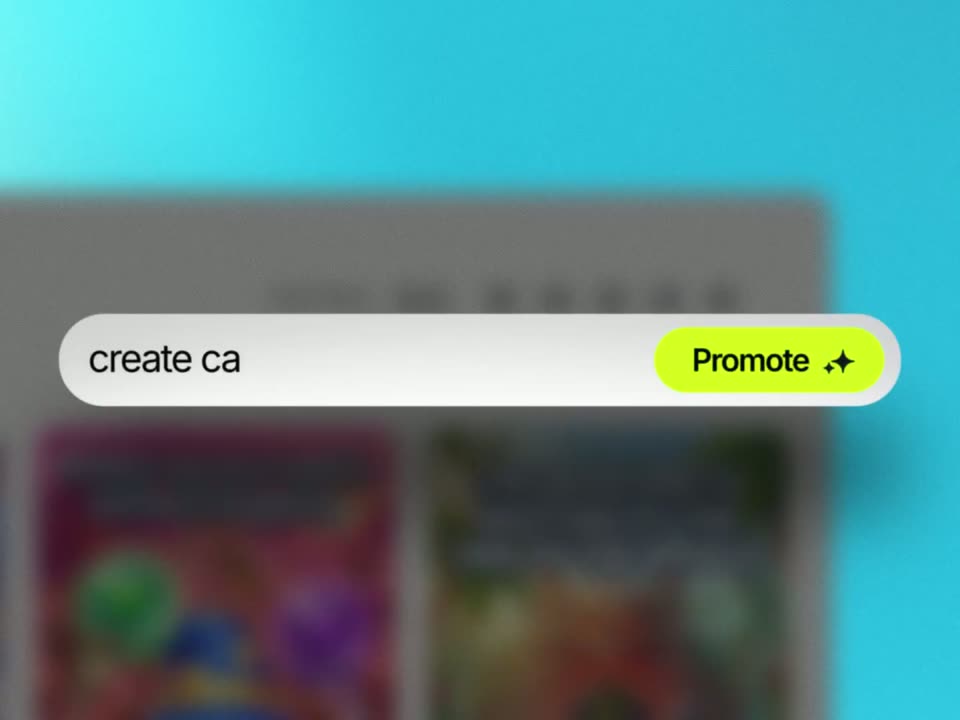
A light app-store page for Wizard Siege fills the frame, then the view pushes in on the title as the page blurs. A white prompt bar appears over it and types out create catchy playable ads beside a yellow Promote button.
Techniques: UI zoom, Kinetic type
Camera: Push in
A close-up of a white rounded bar holding a lime-green pill button labeled Promote with a black sparkle icon, set against a blurred teal backdrop and a defocused app window. The button's outer glow brightens over the shot while the frame stays locked off.
Camera: Static
A hand holds a smartphone in a bright living room, tilting it slightly; the screen shows a photo of a cat while the glossy glass reflects the room, a table and red tulips. A finger taps the screen and a vertical icon toolbar appears.
On-screen text: “Promote”
Camera: Static
A hand holds a phone in portrait, the thumb tapping the screen where a 3D runner game flashes red and shows a HURRY UP banner. The locked-off close-up sits against a soft-focus living room.
Camera: Static
A hand holds a smartphone upright in a blurred living room, the thumb tapping the screen as a 3D runner game plays, a blue wizard character moving along a brick path over water while in-game prompts flash. The camera stays locked off on the device.
Camera: Push in
A hand holds a smartphone against a blurred living-room background. The screen shows a top-down mobile game, and a yellow INSTALL NOW button sits at the center, its glow pulsing brighter between frames.
On-screen text: “INSTALL NOW”
Camera: Push in
A close-up of an app store listing for Wizard Siege resolves from a soft blur into sharp focus. The blue GET button and download counter tick upward from 2,0K to 5,6K while two promo cards sit below.
Camera: Pan
A white app-store card zooms into frame on a teal background, its rating counting up from 4.4 to 5.0 as five stars light up with a yellow glow. Two game screenshots sit below, each carrying in-game caption text.
Techniques: UI zoom
Camera: Pan
A single line of black uppercase text sits centered on a plain white field, holding perfectly still for the full duration of the locked-off shot.
On-screen text: “HIGGSFIELD PLAYABLE AVAILABLE NOW ON HIGGSFIELD.AI”
Camera: Static