0:54

Runtime - Robots shouldn't need to be fine-tuned for every new task. Introduci
Runtime · B2B · Nov 2026
Google · Jun 2012 · 0:48 · AI-annotated
Google’s 0:48 launch film runs 16 scenes, about 3.1 s each. The product shows up at 0:04 and 1 feature is revealed. There is no explicit call to action. The video opens with a single-line text card on white, then hands off to a long run of 3D aerial flyovers that begin as stylized green-and-yellow wireframe volumes and settle into photorealistic city meshes, all under a persistent corner watermark. Its style is defined by slow gliding camera moves, a clean white bookend, and a single fade-to-white that resolves into the Google logo.
Is this your launch? to your site or press kit.
Runtime · B2B · Nov 2026
OpenAI · AI · Oct 2026
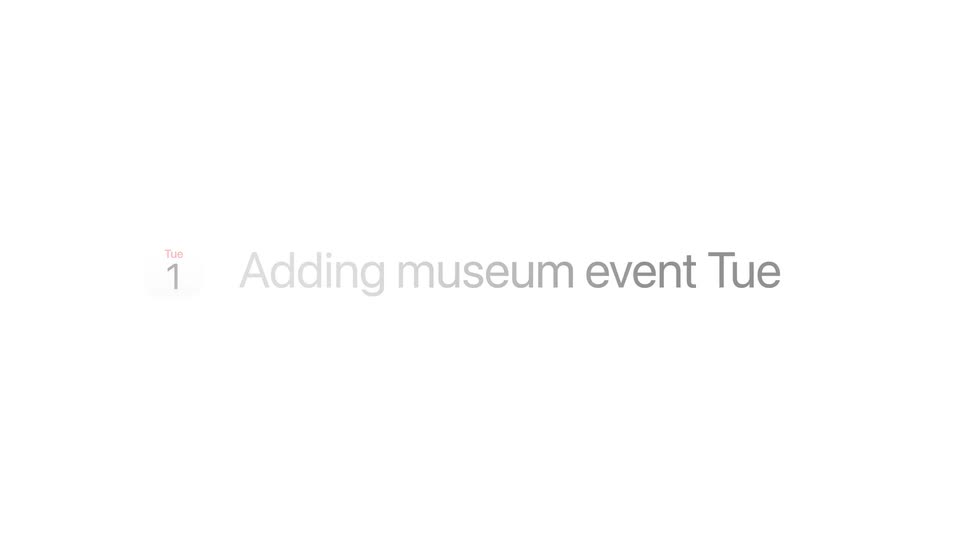
A plain white frame holds two centered lines of light-gray text that read about creating 3D cities from aerial imagery. The text stays locked in place for the full duration, with no motion or camera movement.
On-screen text: “Using new technology, we can now create entire 3D cities from 45-degree aerial imagery.”
Camera: Static
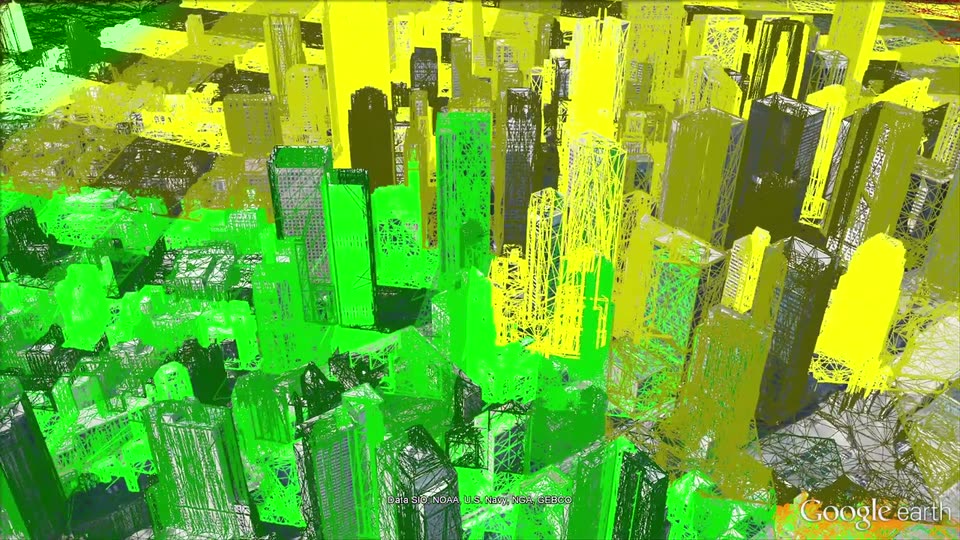
A stylized 3D city of solid green and yellow volumes mixed with wireframe towers fills the frame. The camera pulls back and rises, widening the view to reveal the dense skyline stretching to the horizon.
On-screen text: “Using new technology, we can now create”, “entire 3D cities from 45-degree aerial imagery.”
Camera: Push in
A 3D satellite model of a dense downtown skyline fills the frame. The camera glides forward and tilts down, sliding across glass towers and rooftops in a slow aerial flyover.
On-screen text: “Data SIO, NOAA, U.S. Navy, NGA, GEBCO”, “Google earth”
Techniques: Parallax
Camera: Pull out
A high-angle 3D satellite view of a dense downtown skyline glides forward over the rooftops. A tiny data-credit line holds the bottom center while the Google Earth wordmark scales in at the bottom right.
On-screen text: “Data SIO, NOAA, U.S. Navy, NGA, GEBCO”, “Google earth”
Techniques: 3D mockup, Parallax
Camera: Static
A 3D aerial view of a dense coastal city, with a lake and wooded park in the foreground. The camera slowly pulls back and rises, widening the frame to reveal the shoreline and port cranes on the horizon. A white “Google earth” wordmark holds the bottom right corner.
On-screen text: “Google earth”
Techniques: 3D mockup
Camera: Pull out
A 3D aerial model of a dense city skyline fills the frame, the lakefront at the top left. The camera pushes forward and tilts down through the towers, the stepped Willis Tower passing on the left. A Google earth watermark holds the lower right corner.
On-screen text: “Google earth”, “Image © 2012 TerraMetrics”
Camera: Push in
A 3D aerial view of a dense city slowly orbits around a domed building beside a lake, revealing surrounding blocks, roads and a red-roof campus.
On-screen text: “Google earth”
Techniques: 3D mockup
Camera: Pan
A 3D satellite map of a red-roofed campus with a central green oval moves forward and tilts down, framing the lawns and walkways. The Google Earth wordmark remains in the lower right corner.
On-screen text: “Google earth”
Techniques: 3D mockup, UI zoom
Camera: Push in
A 3D aerial mesh of a dense city skyline, with a lake and hills behind, drifts slowly forward as the camera pushes in over the rooftops. The Google Earth logo holds in the lower right corner.
Camera: Push in
A 3D satellite terrain view of a coastline, highway and golf course flies forward along the road, tilting toward a green lake; the Google Earth logo and data credit stay fixed at the bottom.
On-screen text: “Google earth”, “Data CSUMB SFML, CA OPC”
Camera: Push in
A satellite view of green lakes, a golf course and a dense suburb pans slowly across the terrain, the camera drifting left to right, with the Google earth wordmark and a data credit fixed at the bottom edge.
On-screen text: “Data CSUMB SFML, CA OPC”, “Google earth”
Camera: Push in
A high-angle 3D view shows a coastal highway curving along a rocky cliff face, with a sandy beach and ocean waves on the left.
On-screen text: “Google earth”
Camera: Static
A 3D satellite model of a coastline drifts forward and tilts down, following a curving highway along cliffs into a sandy beach and breaking surf; a white building sits on the headland. The Google earth wordmark holds in the corner.
On-screen text: “Google earth”
Techniques: 3D mockup
Camera: Pull out
Aerial view of a rocky coastline with turquoise surf and a sandy beach. A road with parked cars and a low building sit on the headland. The frame fades to white toward the end while the Google Earth wordmark holds in the corner.
On-screen text: “Google earth”
Camera: Static
A plain white field holds a small, centered Google wordmark in soft pastel letters. The mark fades in at very low opacity, the colored glyphs barely emerging from the background over the short clip.
On-screen text: “Google earth”
Camera: Static
A centered Google logo fades from faint to full color on a plain white background, then remains static for the rest of the clip.
Camera: Static