1:22

Hai Ta - We’re launching Lumi by @userlens_hq. Lumi is an adoption agent tha
Userlens · Sep 2026
Gemini Enterprise Agent Platform · Apr 2026 · 1:15 · Full motion · AI-annotated
Gemini Enterprise Agent Platform’s 1:15 launch film runs 36 scenes, about 2.1 s each. The product shows up at 0:06 and 4 features are revealed. The call to action lands at 1:06 (89% in), over a voiceover. The film opens on a black field of terminal errors and a shouting 'Make it work' card, then flips to white and runs four gradient-titled chapters (Build, Scale, Govern, Optimize), each pairing a blurred wordmark reveal with a tilted 3D tour of the Google Cloud console. Its signature moves are the rack from soft blur to sharp focus on the dashboard, the warm glow along the top edge of the tilted UI, and the blue-to-purple gradient title cards that resolve from a horizontal smear.
Is this your launch? to your site or press kit.
Userlens · Sep 2026
Jinko · Nov 2026
Opti · Oct 2026
A dark terminal window on a black background types the command Make AI Work, then a block of white code text floods in below it and two error dialog boxes pop in on the right.
Camera: Static
On a black field, a terminal window, three error dialogs and a code block float and drift apart while a small video of hands on an RGB keyboard plays bottom right. The terminal types a command line character by character as the dialogs slide to new positions.
On-screen text: “Make AI Work”, “Out of Tokens”, “InconsistentStateException”, “400 ERROR (BAD REQUEST)”, “Just make it w”
Techniques: Parallax, Kinetic type
Camera: Push in
A dark terminal window mockup and a white card with a red close button sit over large white monospace text on black. The window and card drop away while the headline scales up to fill the frame, ending on the centered line.
On-screen text: “Make it work!!!!”
Techniques: Kinetic type, 3D mockup
Camera: Static
A lowercase white serif word, work!!, slides left across a black background while scaling up, its first and last letters cropped by the frame edges.
On-screen text: “work!!”
Techniques: Kinetic type
Camera: Push in
A plain white background carries the black headline, which types in from the left, then the whole line slides left across the frame while a row of small colored dots grows after the period.
On-screen text: “Let AI agents do the work.”
Techniques: Kinetic type
Camera: Static
On a white background, rainbow gradient segments converge from a loose arc and line into a closed circular ring, while a multicolor gradient shape fills the center to form a logo mark.
Techniques: Morph
Camera: Static
A rainbow four-pointed star sits centered on a light gray field, then slides left and shrinks as the wordmark fades in beside it, settling into a centered lockup.
On-screen text: “Gemini Enterprise Agent Platform”
Techniques: Kinetic type
Camera: Static
A tight crop on the Gemini Enterprise logo and a faint Welcome to Agent Platform heading pulls back to reveal the full Google Cloud dashboard, with a left navigation sidebar and a Python code panel on the right.
Techniques: UI zoom
Camera: Pull out
A Google Cloud Agent Platform dashboard, tilted slightly with a glowing multicolor border, starts out of focus and sharpens into a clear view. The Overview page shows a left sidebar, a Python code snippet, and model cards.
Camera: Pull out
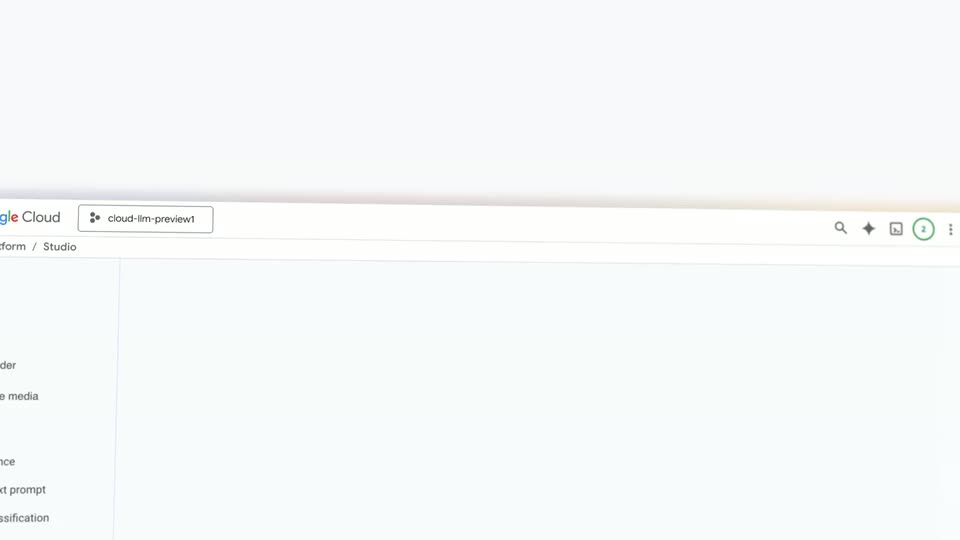
The word Build in blue sits centered on a light field, then the Google Cloud Studio interface frames in around it: a top bar and a left sidebar slide in while the word turns black, settling as the view's heading.
On-screen text: “Build”
Camera: Static
The Agent Studio web page is shown in a tilted 3D perspective with a warm glow along the top edge. The screen fades from a soft white blur into sharp focus, revealing the title, a prompt bar and a grid of model cards.
Techniques: 3D mockup
Camera: Pull out
A tilted Google Cloud documentation page opens out of focus, then racks sharp on the purple Agent Development Kit heading and a Get started card. The page scrolls down to reveal a row of sample agent cards.
Techniques: 3D mockup
Camera: Pull out
A purple chip labeled root_agent sits centered on a white canvas, then the view pulls back to a graph layout: three agent chips stack on the left while a column of function chips with lightning icons fills the right, beneath a Graph tab.
Techniques: UI zoom
Camera: Pull out
A node graph on a light background zooms in on the flight_agent node. A green arrow traces from the node to a tool pill, which fills with a green-yellow gradient, then jumps to the next tool in sequence.
Techniques: UI zoom
Camera: Push in
A purple gradient rounded card sits on a white background. A mint robot icon winks its left eye while the white lowercase text flight_agent scales into place beside it.
On-screen text: “flight_agent”
Techniques: Kinetic type
Camera: Static
The word Scale sits centered on a pale gray field. Its purple gradient fill settles into a flat indigo over the short clip, the frame locked off throughout.
On-screen text: “flight_agent”, “Scale”
Camera: Static
The Agent Platform console shows a deployments table; a Runtime details panel slides in right as the view zooms onto it. A cursor sets minimum instances to 5 and opens the memory dropdown, then cuts to the Studio editor where the cursor hovers the Deploy button.
Techniques: UI zoom, Cursor demo
Camera: Pull out
A soft-blurred product window reframes onto the Instructions card, which recenters with a blue Looking chip and an input bar while the left navigation panel slides in.
Techniques: UI zoom
Camera: Pull out
A chat interface with light blue message bubbles on white. The top bubble asks about running a patch at 4AM; below it a progress line counts from 14% to 100%, a Done! bubble appears, and the view zooms in on the two bubbles.
Techniques: Kinetic type, UI zoom
Camera: Static
The word Govern in a blue-to-purple gradient resolves from a horizontal blur into a clean centered wordmark on a plain off-white background, then holds still.
On-screen text: “Govern”
Techniques: Kinetic type
Camera: Static
A Google Cloud Agent Platform dashboard fades in from a white blur into a locked, slightly tilted view. The overview page shows a left menu, a welcome heading, a Python code panel, and a model list, all holding still.
Camera: Pull out
The Google Cloud Agent Platform screen cross-dissolves from a tight registry header into a full agents table, then holds on a stable list of agent rows beside a left icon rail.
Techniques: UI zoom
Camera: Pull out
A light Google Cloud console shows a gateways list with a cursor hovering over one row. The view then switches to the selected gateway detail page, showing overview, access authorization, and AI security sections.
Techniques: Cursor demo
Camera: Static
A Google Cloud policies screen shows a list of AI agents on the left and an Add IAM Policy panel on the right. A cursor opens the condition builder and types the title Travel Concierge into the title field.
Techniques: Cursor demo
Camera: Push in
A light blue rounded card titled Model Armor on white holds a black prompt bubble. A thin vertical line, yellow fading to red, sweeps from left to right across the card while the card drifts left; the prompt text recolors from white to green behind the line.
Techniques: Masking
Camera: Static
A light gray chat bubble sits centered on white, its prompt in dark gray with the injection line in red. A blue reply bubble expands below it, revealing white text that reads This action has been blocked.
Camera: Static
The word Optimize sits centered on a plain off-white field, set in a blue-to-purple gradient sans. The frame holds still with no motion across the clip.
On-screen text: “Optimize”
Camera: Static
The word Optimize in a blue-to-purple gradient sits centered on a light field, then a tilted Google Cloud evaluation screen with a trace table slides in behind it as the word turns solid black.
On-screen text: “Optimize”
Techniques: 3D mockup
Camera: Pan
A Google Cloud Agent Platform screen shows an Evaluation input panel with three options; a cursor moves across them and clicks Simulate sessions, which highlights pink and reveals an agent description field and a test-case table.
Techniques: Cursor demo
Camera: Pull out
A software interface shows a Metric details dialog centered over a dimmed test-case table. A cursor clicks the metric dropdown, opening a list of evaluation options, then hovers down to highlight Tool use quality.
Techniques: Cursor demo
Camera: Push in
A Google Cloud agent evaluation dashboard fills the frame, showing metric chips and a traces table. A hand cursor glides to the Hallucination of tool cluster chip, and a tooltip with the cluster definition opens above the table.
Techniques: Cursor demo
Camera: Push in
A light interface displays a topology graph of diamond nodes labeled as agents and MCP servers, with a tooltip card describing a hallucination metric. The view zooms in on the network as a cursor glides across the screen.
Techniques: Cursor demo, UI zoom
Camera: Pan
A white network graph of blue diamond nodes linked by gray arrows fills the frame, each labeled with an agent or MCP server name. A partial left panel and a black cursor sit at the edges. The shot holds steady with no motion.
Camera: Static
A Google Cloud agent dashboard fills the screen with a left nav and a grid of evaluation widgets. The view pushes in on the widgets, framing two line charts that plot response quality and safety as blue and pink traces over a time axis.
Techniques: UI zoom
Camera: Push in
A small rainbow four-pointed star glides from the center to the left of a white frame as the light gray words Gemini and Enterprise fade in beside it, settling into a centered lockup.
On-screen text: “Gemini Enterprise Agent Platform”
Camera: Static
A pale off-white card holds the Gemini sparkle mark and the title Gemini Enterprise Agent Platform. A black QR code and the line Start your journey today fade in beneath, then the frame holds still for the rest of the clip.
On-screen text: “Gemini Enterprise Agent Platform”, “Start your journey today”
Techniques: Kinetic type
Camera: Static