1:37


Introducing ChatGPT Atlas
OpenAI · AI · Oct 2025
Fish Audio · Aug 2026 · 3:48 · AI-annotated
Fish Audio’s 3:48 launch film runs 72 scenes, about 3.2 s each. The product shows up at 0:10 and 4 features are revealed. The call to action lands at 3:30 (92% in), over a voiceover. Warm, conversational tutorial tone that alternates a locked-off talking head in a cozy set with full-screen UI recordings, punctuated by black waveform cards and peach title cards. Pacing is steady at about fifteen cuts a minute, with the dark chevron wipe, rounded clip cards on cream, and the circular presenter inset as the recurring signature moves.
Is this your launch? to your site or press kit.
OpenAI · AI · Oct 2025
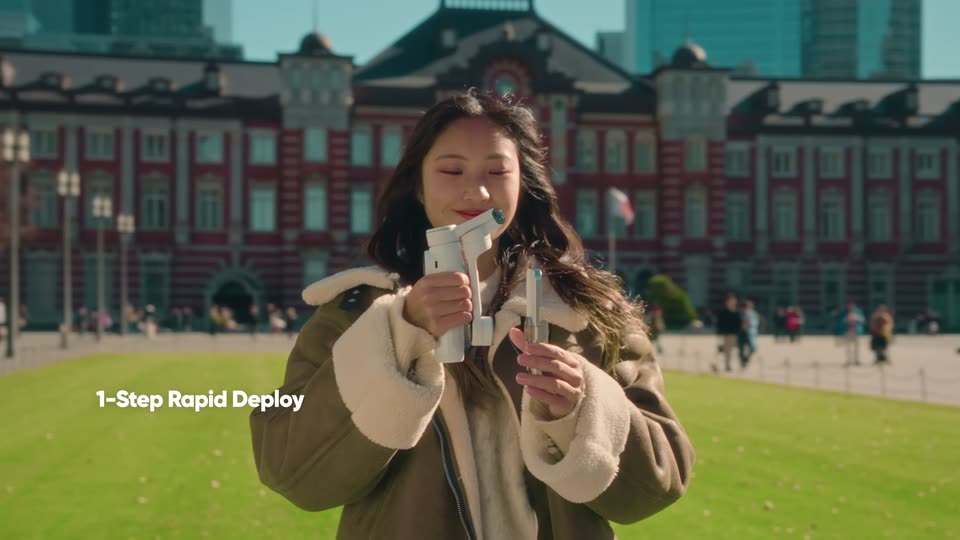
Insta360 · Jan 2025
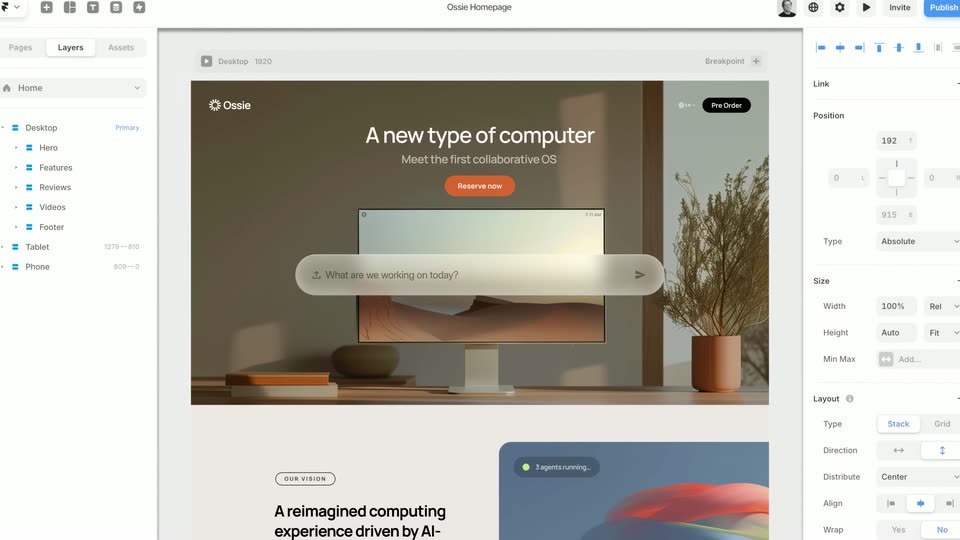
Framer · Design · Jul 2024
Films whose music sounds like this one, voice left out
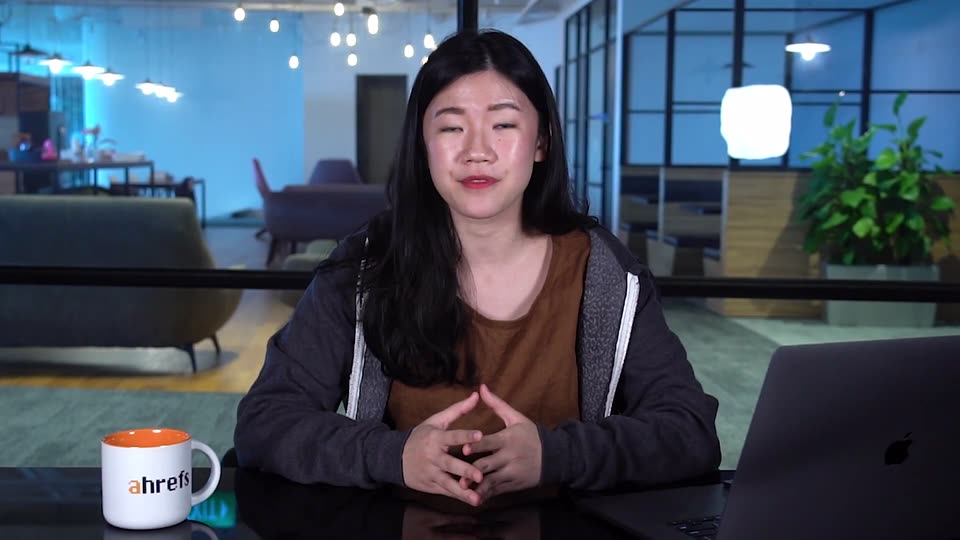
Ahrefs · Upbeat electronic
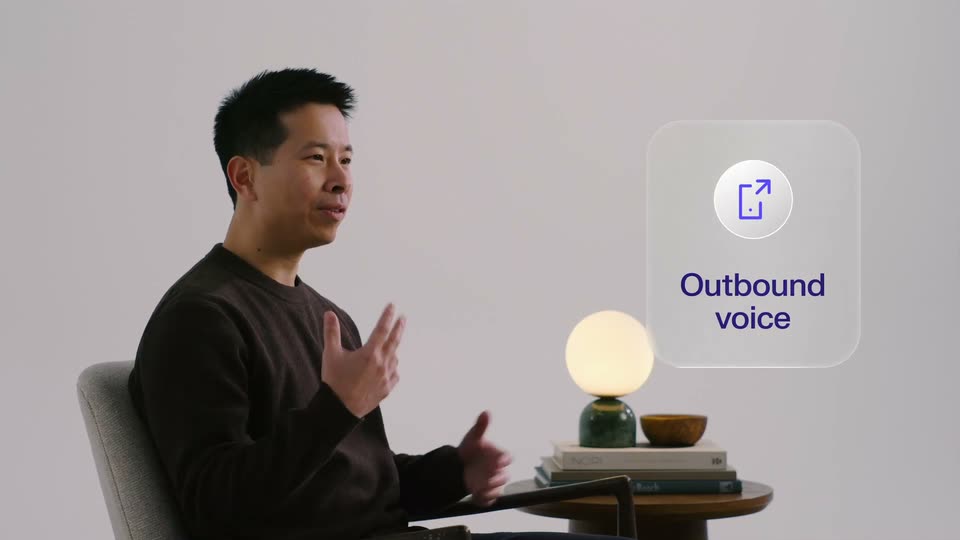
Decagon · Corporate tech advertisement with a comedic intro and a funk outro
Cursor · Upbeat electronic music
Two women with shoulder-length dark hair, one in a black top and one in a white shirt, sit side by side in a warm room, speaking to camera. The frame splits into two equal vertical panels. White captions appear top and bottom as they pose a question.
On-screen text: “We've got a question for you.”, “Which one is the”, “REAL me?”, “Is it me?”
Techniques: Split screen, Kinetic type
Camera: Static
Split screen: on the left a woman with dark hair talks to camera in a warm room; on the right the same woman appears in grayscale with a neon edge outline and a gray bar covering her eyes. A white caption poses the question at the lower left.
On-screen text: “Which one is the”, “REAL me?”, “Is it me?”
Techniques: Split screen
Camera: Static
Split screen compares two women: left a desaturated still with a gray bar over the eyes, right a color clip of the same woman pointing at herself. White outlined captions 'Is it me?' and 'Or is it me?' sit at each bottom. A face-scan reticle flashes over both faces midway.
On-screen text: “Is it me?”, “Or is it me?”
Techniques: Split screen
Camera: Static
A white face-tracking reticle with corner brackets and a center crosshair overlays a woman speaking to camera, framed by a dark circular vignette; both drop away to leave a clean live-action shot of her in a warm-lit room.
On-screen text: “I was filmed with a real camera.”
Techniques: Masking
Camera: Static
A woman in a white shirt speaks to the camera inside a rounded rectangle on a cream background, with a dark gray label above and white subtitles below that swap as she talks. The frame stays locked-off.
On-screen text: “Kling O3 Pro”, “I was filmed with a real camera.”, “I'm an AI clone.”, “Hi, this is Zoe from Phish.”
Camera: Static
A woman in a black top speaks to camera in a warmly lit room with a desk lamp and an orange canvas behind her. The subtitle “Hi, this is Zoey from Fish.” sits at the bottom, then the shot fades to black as a small white line draws in at center.
On-screen text: “Hi, this is Zoey from Fish.”, “I'm an Al clone.”, “Kling O3 Pro”
Camera: Static
A white audio waveform of rounded vertical bars pulses at the center of a black background. Bold white captions at the bottom swap in time with the voiceover, each line blurring and drifting up as it exits.
On-screen text: “Hi, this is Zoey from Fish.”, “We started with audio,”, “but now we are bringing”
Camera: Static
On a black field, white rounded vertical bars pulse like an audio waveform around a thin central slit, which reveals black-and-white footage of a helmeted rider crouching. A white caption sits static at the bottom of the frame.
On-screen text: “but now we are bringing”
Techniques: Masking
Camera: Static
A black-and-white video plays in a narrow vertical window at center, cutting from a skier to a dragon statue, while the words Image and Video slide past each other over it; thin grid lines and pale side pills frame the layout on black.
On-screen text: “but now we are bringing”, “Image”, “image, video, voice, and lip sync together”, “Video”
Techniques: Masking, Kinetic type
Camera: Static
A black-and-white clip plays in a centered 4:3 window on black with a rule-of-thirds grid: a 3D bear on a skateboard cuts to a dog surfing a wave. The words Video, Voice, Lip-Sync cycle in the center while a caption line runs along the bottom.
On-screen text: “Video”, “Voice”, “image, video, voice, and lip sync together”, “Lip-Sync”, “video, video, create by synchro”
Techniques: Kinetic type
Camera: Static
A grayscale montage of filmed clips, first a harbor with moored boats then a train at a platform, plays inside a thin white grid frame while the label Lip-Sync holds centered and a caption sits at the bottom.
On-screen text: “Lip-Sync”, “so you can create everything”
Camera: Static
A thin white grid frames a montage of grainy clips: a 3D head render on a turntable, then a black-and-white woman with windblown hair. A centered white label reads Lip-Sync while a bottom caption swaps from so you can create everything to in one place.
On-screen text: “Lip-Sync”, “so you can create everything”, “in one place.”
Camera: Static
On a warm peach gradient, the dark brown headline Fish Creative sits centered, its first letter still mid-reveal, while the small white caption in one place. at the bottom fades out.
On-screen text: “Lip-Sync”, “in one place.”, “Fish Creative”
Techniques: Kinetic type
Camera: Static
A dark brown chevron slides down over a warm peach gradient, revealing the background while brown corner triangles remain. A white subtitle sits at the bottom center throughout the short clip.
On-screen text: “Fish Creative”, “So today, I'll show you how”
Techniques: Masking
Camera: Static
A woman in a black top speaks to the camera in a warmly lit room, a desk lamp and orange wall frame behind her. White subtitles run along the bottom and a white title, MAKE YOUR OWN AI CLONE, sits above her head as she gestures with both hands.
On-screen text: “So today, I'll show you how”, “Fish Creative works through a tutorial”, “on how to make an Al clone of yourself.”, “MAKE YOUR OWN”, “AI CLONE”, “So by the end of this video,”, “you'll have a character that”, “looks like you and sounds just like you.”
Camera: Static
A dark brown chevron mask wipes away from a blurred home interior to reveal a warm peach gradient, leaving brown triangles in the bottom corners and a small white triangle at the bottom center. The still headline text sits on the gradient.
On-screen text: “MAKE YOUR OWN”, “AI CLONE”, “Let's get started.”
Techniques: Masking
Camera: Static
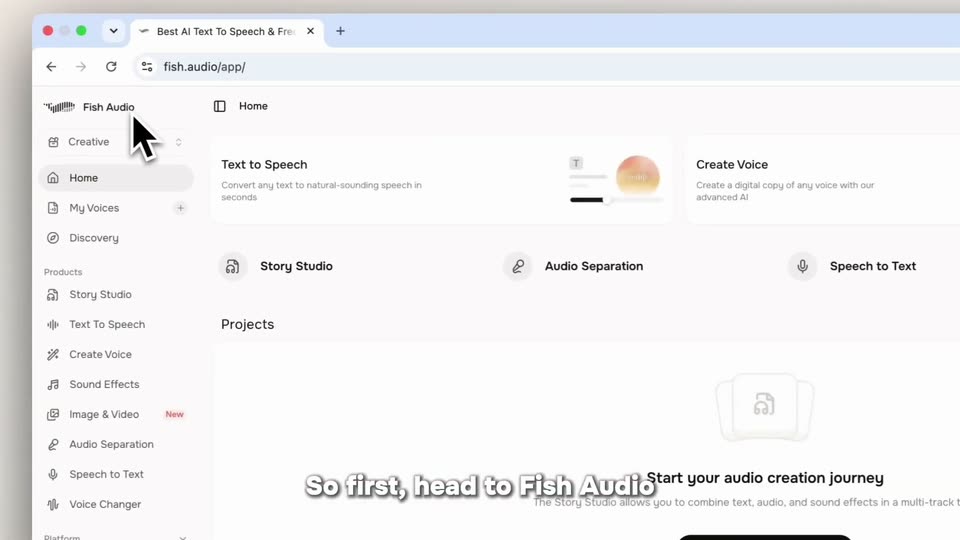
A browser window of the Fish Audio app, tilted in 3D, straightens and zooms as a cursor moves down the sidebar to Image & Video, while a bold white caption builds word by word along the bottom.
On-screen text: “So first, head to Fish Audio and go to Image and Video”
Techniques: 3D mockup, UI zoom, Cursor demo, Kinetic type
Camera: Push in
A product dashboard with a left navigation menu and a projects panel. A hand cursor hovers over the Image & Video item, and a bold caption sits at the bottom. The frame opens motion-blurred and snaps into focus.
On-screen text: “and go to Image and Video.”
Techniques: Cursor demo
Camera: Pan
A product dashboard shows a left sidebar and a grid of video thumbnails. A cursor hovers over the highlighted Image & Video menu item, then the frame blurs into a transition as the caption changes.
On-screen text: “and go to Image and Video.”, “All the latest models are already here.”
Techniques: Cursor demo
Camera: Pan
A grid of generated portraits fills the background behind a white composer card. A cursor clicks the Image tab, a model list dropdown opens with a search field, and the cursor hovers down the entries. Bottom captions swap between two lines.
On-screen text: “All the latest models are already here.”, “Feel free to check them out.”
Techniques: Cursor demo
Camera: Static
A screen recording of an AI image app: a model dropdown lists options, the cursor picks one and it closes, then the view pulls back to show the full window with a sidebar before returning to the prompt bar and image grid. A circular presenter webcam sits in the corner.
On-screen text: “The first thing I'm making is a character sheet.”
Techniques: Cursor demo, UI zoom
Camera: Static
A grid of image thumbnails with checkboxes fills the screen, an upload bar with buttons sits at the bottom. A hand cursor hovers over the Upload image button. A caption runs along the bottom and a small circular webcam feed of a woman sits in the corner.
On-screen text: “So basically, it's one image of you”
Techniques: Cursor demo
Camera: Static
Screen recording of the Fish Audio image panel over a grid of reference photos; a file upload dialog pops over it while a cursor moves across the window. A circular webcam feed of the presenter sits in the corner and subtitles run along the bottom.
On-screen text: “So basically, it's one image of you”, “from a few different angles so your”
Techniques: Cursor demo
Camera: Pull out
A screen recording of a web app displays a woman's video in the main canvas beside a circular webcam overlay. The view then switches to a file browser with an open dialog and a right-hand thumbnail strip, while white captions run along the bottom.
On-screen text: “from a few different angles so your”, “character actually looks like the same”
Techniques: Cursor demo
Camera: Static
A screen recording of a web app's image page shows an open file picker dialog. The cursor highlights a file, then moves to the Open button. A circular webcam of a woman sits in the lower right. A bottom caption swaps between two lines.
On-screen text: “character actually looks like the same”, “person every”
Techniques: Cursor demo
Camera: Static
A browser window shows the Flash Audio image grid; a cursor clicks a panel that expands into a text form while the view zooms in, a circular webcam feed of a woman sits in the corner, and bottom captions read the narration.
On-screen text: “person every time.”, “So I'm uploading a picture of myself here”
Techniques: Kinetic type, Cursor demo, UI zoom
Camera: Push in
A white chat panel with an image reference and prompt text sits over a grid of video thumbnails. A cursor moves to the send button as white captions appear at the bottom.
On-screen text: “So I'm uploading a picture of myself here”, “to create my character sheet with GPT-image 2.”
Techniques: Cursor demo
Camera: Static
A blurred web interface with a cursor and a bottom caption sharpens and zooms out to reveal a full history page. The caption and a circular webcam feed in the corner fade away.
On-screen text: “to create my character sheet with GPT-image 2.”
Techniques: UI zoom, Cursor demo
Camera: Pull out
A 3x3 grid of studio portraits of a woman in a white shirt sits on a peach background under the gray title; the grid stays still while a circular inset in the lower right shows the same woman speaking.
On-screen text: “GPT Image-2”
Camera: Static
A woman in a black top speaks to camera in a warm-lit room, gesturing toward her face. A large white headline types out letter by letter above her, while a caption runs along the bottom edge.
On-screen text: “ANIMATE THE FACE”, “So now let's animate that face.”, “GPT Image-2”
Techniques: Kinetic type
Camera: Static
A screen recording of the Fish Audio history page shows a 3x3 character sheet; a cursor opens its menu, picks Use as reference, then the view zooms and scrolls to the video panel where the cursor taps the Video tab. A circular webcam of the speaker sits bottom-right.
On-screen text: “So now let's animate that face.”, “I'll take the same character sheet and use it as a reference for a video model.”, “So just click here and use the image you generated as your reference.”
Techniques: UI zoom, Cursor demo
Camera: Push in
A screen recording of a video generator's UI. A hand cursor scrolls a model dropdown and clicks Kling O3 Pro, then the menu closes back to the prompt panel. A circular webcam of the presenter sits bottom right. White outlined captions run along the bottom.
On-screen text: “Then choose the model. I'm using Kling O3 here.”, “Some models like Seedance”, “are pretty strict about using real faces,”
Techniques: Cursor demo, UI zoom
Camera: Static
A woman with shoulder-length brown hair faces the camera in a warm, softly lit room, holding a small dark object at her chest. The locked-off medium close-up stays still as white subtitles swap at the bottom of the frame.
On-screen text: “are pretty strict about using real faces,”, “so Kling O3 has given me the”, “best results so far for my clone purposes.”
Camera: Static
Locked-off screen capture of a video-generation interface: a hand cursor opens the Start frame dropdown, selects a reference image, and a long prompt fills the text field. White outlined captions swap across the bottom.
On-screen text: “tag your image here,”, “And then just describe where you want”, “your character to be,”, “best results so far for my clone purposes.”
Techniques: Cursor demo
Camera: Static
Camera pulls back from a close-up of a video preview and hand cursor to a full web app screen: left menu, center column of video thumbnails of a woman, right column of prompts. A circular webcam video of the presenter stays bottom right as a caption updates with the voiceover.
On-screen text: “your character to be,”, “make her sit in a studio,”
Techniques: UI zoom
Camera: Pull out
A woman in a white shirt sits centered against a gray backdrop inside a rounded rectangle on a cream field, with a circular presenter inset at bottom right. The locked-off frame holds as she shifts and smiles slightly.
On-screen text: “Kling O3 Pro”, “make her sit in a studio,”
Camera: Static
A rounded-rectangle frame holds a generated clip of a female reporter in a dark blazer holding a CISN microphone on a rooftop at sunset, a helicopter overhead and a tower collapsing in dust. The title Kling O3 Pro sits above; a small circular photo of a real woman anchors the bottom right corner. A subtitle reads stand on a rooftop, while the voiceover lists prompt variations.
On-screen text: “Kling O3 Pro”, “make her sit in a studio,”, “stand on a rooftop,”
Camera: Static
A rounded card on a pale pink background plays night footage of a woman in a white shirt holding a can, walking past a lit convenience store on a neon Tokyo street, with a small circular presenter inset in the corner. It cuts to a full-frame close-up of the presenter.
On-screen text: “Kling O3 Pro”, “stand on a rooftop,”, “walk through Tokyo at night.”, “I've always wanted to try this.”
Camera: Push in
A woman with shoulder-length brown hair in a black top speaks to a static camera in a warmly lit room, a desk lamp and an orange framed panel behind her. White subtitles sit at the bottom of the frame.
On-screen text: “So one little detail”, “I really like about Fish Creative,”
Camera: Static
A screen recording of an AI video tool zooms from the full browser window into the prompt panel, where a cursor opens the duration and model dropdowns and the credit count updates. Burned-in white subtitles run along the bottom.
On-screen text: “I really like about Fish Creative,”, “right before you hit generate,”, “you'll see how many generations”, “you have left”, “for your current settings”, “So if you change the settings,”, “that number updates too.”, “I think it's a very helpful and clear way”, “to keep track of your credits, especially when”, “you're generating a lot of videos.”
Techniques: UI zoom, Cursor demo
Camera: Push in
A dark brown V-shaped mask wipes down over a UI prompt, revealing a warm peach gradient, with a white caption locked at the bottom center.
On-screen text: “And step 3, give your clone your voice.”
Techniques: Masking
Camera: Static
A woman in a black top faces the camera in a warmly lit room, a desk lamp and an orange framed print behind her. She talks and gestures with her hands while white subtitle lines swap in at the bottom of the frame.
On-screen text: “And step 3, give your clone your voice.”, “So I don't want this person to just look like me.”, “I want her to sound exactly like me.”, “This is where the audio comes in,”, “and that's actually what we've been doing for the longest.”
Camera: Static
A screen recording of the Fish Audio web app shows the home grid as the cursor clicks the Create Voice card, loading a blank page. A circular webcam bubble of the presenter sits bottom right, with white outlined captions along the bottom.
On-screen text: “So inside Fish, you can clone your own voice”, “from a short sample,”
Techniques: Cursor demo
Camera: Static
A browser window shows the Fish Audio Create Voice page. A cursor moves over the Instant Voice Clone card and clicks it, switching to an upload screen. A circular webcam feed of a woman sits in the lower right corner while white subtitles caption the voiceover.
On-screen text: “from a short sample,”, “and the quality is insane.”
Techniques: Cursor demo
Camera: Static
A browser window shows the Fish Audio Text to Speech page with a left sidebar, a Zoey's voice card, and a history list on the right. A hand cursor sits in the center while a large caption states the voice clone line along the bottom.
On-screen text: “VOICE OVER”, “This is Zoe's voice clone. It sounds exactly like her.”
Camera: Static
A pale peach screen shows three YouTube video cards fading in from the top, one after another, while a circular live-action inset of the presenter holds the bottom right corner and white captions swap along the bottom edge.
On-screen text: “Feel free to check these videos out and learn how to do it.”, “Then you can use”, “that voice to generate a clip and use it”
Camera: Static
A browser view of the Fish Audio history page shows a character reference grid and video thumbnails. The frame zooms into the bottom video panel, and a cursor clicks the Audio refs slot. White captions sit along the bottom edge.
On-screen text: “that voice to generate a clip and use it”, “as a reference. You can upload it here. So”
Techniques: UI zoom, Cursor demo
Camera: Push in
A white history list of text-to-speech entries fills the screen; a hand cursor ticks two rows, the panel flips into a 3D tilt, then the view cuts to a video composer with reference thumbnails. A circular presenter feed sits bottom right, white outlined captions run along the bottom.
On-screen text: “as a reference. You can upload it here. So”, “now your character doesn't just have your”
Techniques: Cursor demo, 3D mockup
Camera: Static
An AI video tool interface fills the screen, with a reference grid and clip on the left, a chat panel on the right, and a prompt bar below. A circular talking-head video plays at the bottom right. White captions appear as a cursor moves to the text field.
On-screen text: “now your character doesn't just have your face, it has your voice as well.”, “She talks in your voice as well.”
Techniques: Cursor demo
Camera: Static
A woman with shoulder-length dark hair speaks to the camera in a warm-lit room, a white desk lamp and an orange framed print behind her. She blinks and shifts her head slightly while white subtitles swap at the bottom of the frame.
On-screen text: “But I'll be honest here.”, “Because video models, they have strict”, “duration limits and they get expensive.”
Camera: Static
A woman with shoulder-length dark hair sits centered in a warm room, talking to the camera. A white desk lamp and an orange framed print sit blurred behind her. White subtitle lines appear one at a time along the bottom edge.
On-screen text: “If you want your clone to say more than a”, “couple of sentences, the cost can go up”, “pretty quickly, and that's where lip sync comes in.”
Camera: Static
A screen recording of the Fish.audio history page, zoomed onto the generation list. A cursor clicks the Avatar option and a dropdown with Select from history and Upload image opens. White caption lines swap at the bottom while a circular avatar of a woman sits in the corner.
On-screen text: “You can generate your audio first”, “using the voice clone that you just created,”
Techniques: UI zoom, Cursor demo
Camera: Push in
A macOS file picker overlays the product's upload panel. A cursor clicks the file row, turning it blue and lighting up the Open button, while white captions swap along the bottom edge.
On-screen text: “using the voice clone that you just created,”, “however long you want it to be”
Techniques: Cursor demo
Camera: Static
A file browser and chat panel filled with face-grid thumbnails and prompt cards sit side by side. A cursor taps a prompt row while the view zooms in on the thumbnails, and a white outlined caption holds at the bottom.
On-screen text: “however long you want it to be.”
Techniques: UI zoom, Cursor demo
Camera: Static
A product UI screen displays a dropdown of avatar and lip-sync models. A hand cursor opens the menu, picks Creatify Aurora Avatar, then slides to Sync LipSync v3, while a circular video of a woman plays at right and white captions run along the bottom.
On-screen text: “Then however long you want it to be”, “Then just upload that audio file together”, “with one image of yourself.”
Techniques: Cursor demo
Camera: Static
A text-to-speech list scrolls up in a white panel while a hand cursor hovers over a row. A circular portrait of a woman sits in the lower right corner, and a caption line at the bottom switches from one phrase to the next.
On-screen text: “with one image of yourself.”, “The lip sync model will animate the mouth”
Techniques: Cursor demo
Camera: Static
A list of text-to-speech prompts fills the screen while a hand cursor clicks a row checkbox and slides to the Use button. A caption builds word by word along the bottom, and a small circular webcam feed of a woman sits in the lower right corner.
On-screen text: “The lip sync model will animate the mouth”, “to match the audio.”
Techniques: Cursor demo, Kinetic type
Camera: Static
A light interface shows a feed of generated portraits with a prompt panel on the right. A tabbed settings card scales up over the lower thumbnail as a hand cursor hovers it. A circular talking-head inset sits bottom right. White captions swap at the bottom.
On-screen text: “So probably you won't get the crazy”, “shots that you can get from a video model,”
Techniques: Cursor demo
Camera: Static
A woman with dark hair in a black top talks to camera in a warm-lit room, framed in a rounded rectangle on a pale pink background with a HeyGen Avatar 4 label above. White outlined captions swap line by line at the bottom.
On-screen text: “HeyGen Avatar 4”, “but if you're making a 2-minute”, “talking head video,”, “lip sync is a much easier and more”, “cost-effective option.”
Camera: Static
A dark brown V-shaped mask covers a warm live-action room, then retracts to reveal a peach gradient card. Gray HeyGen Avatar 4 sits at top while white caption cost-effective option. stays at bottom.
On-screen text: “cost-effective option.”, “HeyGen Avatar 4”
Techniques: Masking
Camera: Static
A woman speaks to a locked-off camera in a warm-lit room, chest-up framing. A white QUICK RECAP title sits at the top while pill badges (IMAGE, VIDEO, VOICE, LIP SYNC) pop in one by one beneath it as she talks. White subtitles run along the bottom.
On-screen text: “QUICK RECAP”, “First, use image generation to”, “IMAGE”, “generate a reference. You can change your”, “outfit and your environment in this step,”, “and then you can use that image as a”, “VIDEO”, “reference and use video models to put that”, “character anywhere you want with”, “different emotions, camera movements, and environments. And don't forget to clone your own voice. You can always use that as a reference for video generation or”
Camera: Static
A dark brown rounded diamond with a peach tip at top and a gray tip at bottom sits on a soft peach gradient, then resolves into a white rounded card holding two grids of small gray dots in the top-right and bottom-left corners. A white caption line stays locked at the bottom throughout.
On-screen text: “I never left the tab.”, “I didn't generate my face in one tool, for”
Techniques: Morph
Camera: Static
A rounded card on a cream background holds a studio portrait of a woman in a white shirt. The card splits into two panels: the left keeps the portrait, the right opens a vertical night-street video of her in profile. A white caption sits locked at the bottom.
On-screen text: “I didn't generate my face in one tool, for”
Techniques: Split screen
Camera: Static
Two rounded video panels sit side by side on a cream background. Left, a woman in a white shirt faces the camera against a tan backdrop; right, she walks past a lit convenience store at night holding a can. A subtitle line sits below the panels.
On-screen text: “video in another, and, pay for another”
Techniques: Split screen
Camera: Pull out
A woman in a white shirt appears in two side-by-side clips, a studio portrait left and a night street right, above a gold bar labeled Voice Clone with a $19.99 pill. Subtitles at the bottom switch from one line to the next.
On-screen text: “Voice”, “Clone”, “$19.99”, “video in another, and, pay for another”, “tool to clone my voice. I did everything”
Techniques: Split screen
Camera: Static
On a cream radial-gradient background, a vertical stack of feature labels scrolls upward. The label crossing the center, Voice Clone or Image Generation, scales up and darkens while the others stay small and light. A white caption sits at the bottom throughout.
On-screen text: “Voice Clone”, “tool to clone my voice. I did everything”, “$19.99”, “Video Generation”, “Image Generation”, “Sound Effects”
Techniques: Kinetic type
Camera: Pull out
A vertical list of feature words scrolls up on a cream gradient as “Everything” scales to center and locks. The list fades and a black waveform logo drops in above the “Fish Creative” wordmark.
On-screen text: “Everything”, “Voiceover”, “Sound Effects”, “Video Generation”, “Voiceover”, “Image Generation”, “Sound Effects”, “Voice Clone”, “tool to clone my voice. I did everything”, “just inside Fish Creative, and that's the”
Techniques: Kinetic type
Camera: Static
A cream background holds the Fish Creative waveform logo and wordmark, which shift up and shrink as six white rounded cards with feature names fade in a two-by-three grid. White voiceover captions run along the bottom.
On-screen text: “Fish Creative”, “just inside Fish Creative, and that's the”, “Voice Clone”, “Image Generation”, “Video Generation”, “Sound Effects”, “Voiceover”, “Lip Sync”, “whole point why we built this. So this is”
Techniques: Kinetic type
Camera: Static
A dark brown V-shaped mask slides down over a cream panel holding four feature chips, revealing a peach gradient. A small triangle at the bottom opens to reveal a man in sunglasses, while a white caption stays fixed at the bottom.
On-screen text: “whole point why we built this. So this is”, “Fish Creative”
Techniques: Masking
Camera: Static
A woman in a black shirt speaks to the camera in a warm room with a desk lamp and orange wall art. She gestures with one finger while talking. White subtitles cycle at the bottom of the frame on a locked-off shot.
On-screen text: “whole point why we built this. So this is”, “Fish Creative, where audio, image, voice,”, “and lip sync all come together, and that”, “has saved me a lot of time,”, “which is pretty cool.”, “Try it now in Fish Audio, and”, “I'll see you in the next video.”
Camera: Static
A woman with dark shoulder-length hair speaks to the camera in a warm room, a linear desk lamp and an orange canvas behind her. The subtitle “I'll see you in the next video.” sits at the bottom. The frame is locked-off and still.
On-screen text: “I'll see you in the next video.”
Camera: Static
Vertical bars filled with photos form a wave on white, then the fills crossfade to a marbled texture and the bars condense into a solid black waveform logo on a peach gradient. The wordmark Fish Creative and the URL fishaudio.com appear below.
On-screen text: “Fish Creative”, “fishaudio.com”
Techniques: Morph
Camera: Pull out