1:15

Introducing Canva’s Brand Refresh
Canva · Design · Aug 2024
Figma · Dec 2025 · 2:26 · Full motion · AI-annotated
Figma’s 2:26 launch film runs 17 scenes, about 8.6 s each. The product is on screen from the first frame and 4 features are revealed. The call to action lands at 2:13 (91% in), over a voiceover. The video is a structured tutorial that introduces each grid feature with a brief voiceover explanation followed by a live demo in the Figma interface. The pacing is steady, with frequent cuts and zoom transitions, and the presenter's webcam provides a constant human presence.
Is this your launch? to your site or press kit.
Canva · Design · Aug 2024
Notion · Productivity · Sep 2024
Ramp · Finance · Sep 2026
Films whose music sounds like this one, voice left out
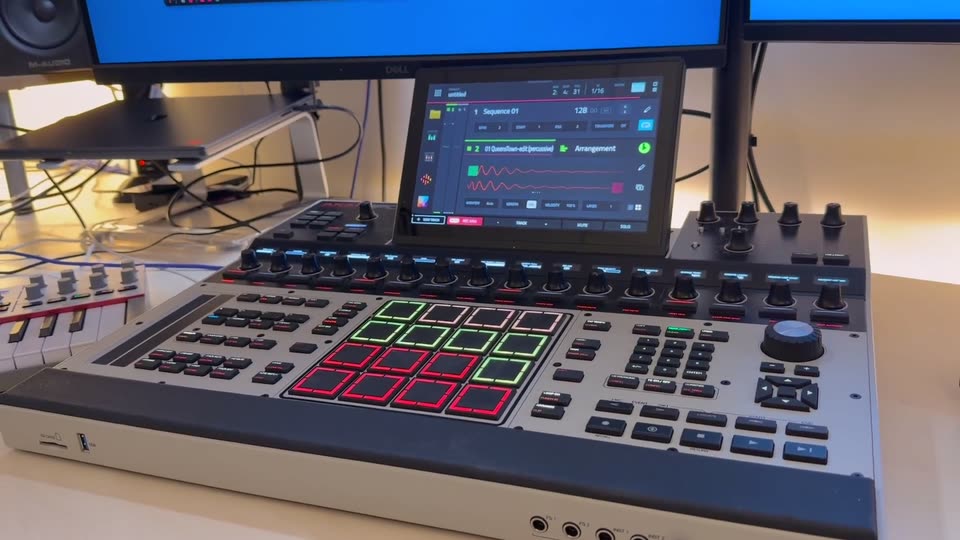
Akai Professional · Electronic
Tavus · Electronic
Orgo · Upbeat electronic
A Figma canvas shows a grid frame, with a circular webcam inset of the presenter in the corner. Green and blue name pills wipe in at lower left, hold, then wipe out. The view zooms out and pans right to a frame of scattered blue and orange shapes.
On-screen text: “Kelly Hu”, “Product Designer, Figma”
Techniques: Masking, UI zoom
Camera: Static
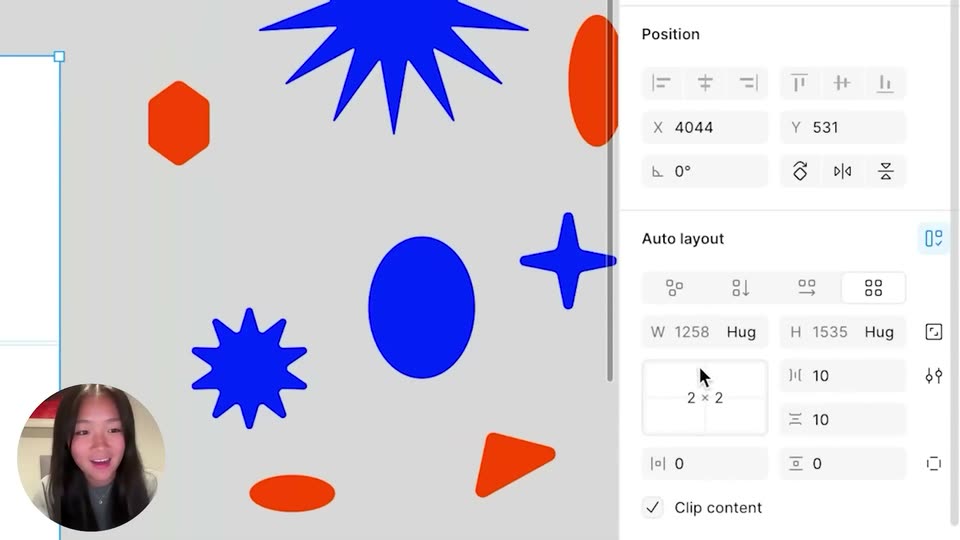
A design tool screen shows a canvas of blue and orange shapes beside a properties panel. A black cursor clicks the grid layout button, then moves to the 2 by 2 field. A circular webcam of a woman sits in the lower left.
Techniques: Cursor demo
Camera: Static
A design tool canvas shows a 2x2 grid frame; a cursor drags blue star shapes into cells and resizes them, the grid expanding to fit each shape. A presenter's webcam bubble sits in the lower-left corner.
Techniques: Cursor demo
Camera: Static
A screen recording of a design tool shows a canvas with a grid of image cards and a heading. The interface features left and right panels for layers and properties, with a video call avatar in the bottom left corner.
Techniques: Cursor demo
Camera: Static
A Figma canvas, with a presenter's webcam in the lower corner, shows a white frame labeled lampz beside a 3 by 4 grid of lamp cards. The cursor clicks the frame, revealing empty auto-layout cells, then selects all twelve cards and drags them up.
Techniques: Cursor demo
Camera: Static
A design-tool screen shows a grid of lamp photos under a GALLERIES heading, with a webcam circle bottom left. The view zooms in as the cursor clicks blue track pills on the grid's top edge. A yellow caption appears, and the right panel switches to a Grid view.
On-screen text: “Shift + click track pills to multi select”
Techniques: UI zoom, Cursor demo
Camera: Static
A design canvas with a grid of lamp thumbnails sits left of a Grid properties panel. A cursor hovers over a Hug dropdown in the Columns row, then clicks it, opening a menu with three layout options. A circular webcam feed of a presenter overlays the bottom-left corner.
Techniques: Cursor demo
Camera: Static
A design tool canvas shows a 12-card lamp grid. A cursor opens width dropdowns in the right panel, then drags the frame edge to resize it. The cards reflow from four columns to two as the frame grows. A presenter's webcam sits in the lower left corner.
Techniques: Cursor demo
Camera: Static
A Figma canvas shows a grid of lamp product cards inside a selected frame. A cursor drags the right edge of the frame leftward, shrinking the width from 1720 to 1697, and the card grid reflows into fewer columns. A small circular webcam feed of a smiling woman sits in the lower left corner.
Techniques: Cursor demo
Camera: Static
A Figma canvas holds a two-row grid of colored blocks. A cursor selects the frame and drags its right edge, the columns stretching in fixed 5-4-3-2-1 fr ratios while the right panel flips between Frame and Grid views. A round webcam feed of the presenter sits bottom left.
Techniques: Cursor demo
Camera: Static
A Figma canvas shows a food-shop web design with a grid of product cards. A cursor drags the right edge of the selected frame inward, shrinking it so the card columns reflow. The view then cuts to a table layout under a large blue caption.
On-screen text: “(FOR_REAL)”, “K, BUT I JUST WANT TO BUILD TABLES”
Techniques: Cursor demo
Camera: Static
A design-tool screen zooms in on a table as the cursor types a name into a cell, drags a row to duplicate it, and uses an AI menu to fill the table with realistic rows. A circular webcam sits bottom-left, and a yellow caption pops in mid-scene.
On-screen text: “cmd + D to duplicate”
Techniques: UI zoom, Cursor demo
Camera: Static
A design app screen shows a gridded canvas with a blue THANK YOU headline and a small four-square icon, while a circular facecam of a woman in the corner talks and gestures. Near the end a blue vertical grid column appears over the canvas.
Camera: Static
A Figma window zooms into a blue artboard as a white capsule turns from vertical to horizontal, its four pink corner squares spreading apart.
Techniques: UI zoom, Morph
Camera: Static
A white pill bar floats centered on a flat blue field. The left button reads Subscribe beside a thumbs-up and thumbs-down icon pair. The left button inverts to black with white Subscribed text while the thumbs-up icon fills solid black.
Camera: Static
The Figma wordmark sits in a lavender selection box with green corner handles. The box shrinks and the letters fade as the multicolor Figma logo mark forms in the center, then three black labels fade in across the bottom.
On-screen text: “Subscribe:”, “Next up:”, “Other videos:”
Techniques: Morph
Camera: Pan
Three black labels, Subscribe, Next up, and Other videos, sit in a horizontal row across the upper third of a plain white background. The frame is locked off and the text holds perfectly still for the full duration.
On-screen text: “Subscribe:”, “Next up:”, “Other videos:”
Camera: Static