
0:29
Explore
Introducing Vocals - Consistent Voices for Your Songs in ElevenMusic
ElevenLabs · Jul 2026 · 0:42 · AI-annotated
- Length
- 0:42
- Scenes
- 26 · 1.6 s avg
- Product on screen
- 0:00
- Features shown
- 2
- Call to action
- 0:35 · 84%
- Voiceover
- Yes
- Views
- 5.8K on YouTube
as of November 27, 2026
00:00:00 / 00:42:01
- Length
- 0:42
- Scenes
- 26 · 1.6 s avg
- Product on screen
- 0:00
- Features shown
- 2
- Call to action
- 0:35 · 84%
- Voiceover
- Yes
- Views
- 5.8K on YouTube
as of November 27, 2026
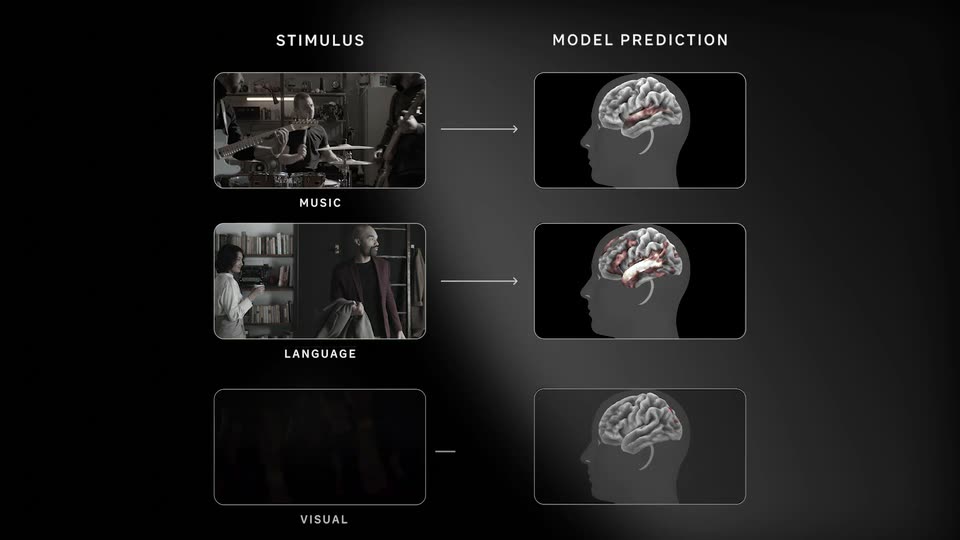
ElevenLabs’s 0:42 launch film runs 26 scenes, about 1.6 s each. The product is on screen from the first frame and 2 features are revealed. The call to action lands at 0:35 (84% in), over a voiceover. The video is built as two back-to-back feature reveals, each opening on a glowing wordmark that dissolves into abstract orb-and-line graphics before cutting to tight, parallax UI demos, and closing on a logo-plus-URL end card. Pacing mixes fast 21-cpm cuts with locked-off holds on the title cards, and its signature moves are the growing teal orb, the line that branches into track rows, and the three-panel live-action montage.
Footage neededEstimated needs: 2 capture groups — your screens or recordings · 1 official logo — reused across the film · 6 filmed passages — shoot, supply or replace · 6 graphic passages — draw or supply
Is this your launch? to your site or press kit.
More like this


Similar soundtrack
Films whose music sounds like this one, voice left out
1:13

Auctor AI (YC X25) Launch Video
Auctor · Modern electronic
0:42
Eight Sleep - Introducing Biological Age: an evolving view of how your body is agin
Eight Sleep · Modern electronic
1:42

Transport One by Delhivery: The Best Product Launch Video? | Beliv8 Motion Breakdown
Delhivery · Modern electronic
Introducing Vocals - Consistent Voices for Your Songs in ElevenMusic, scene by scene
· 26 scenes as text
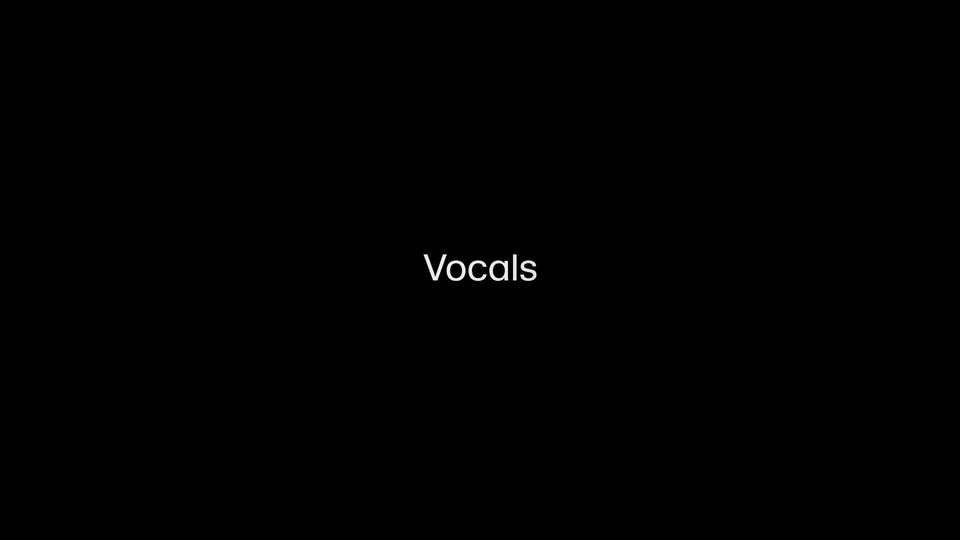
01 · Feature reveal · 0:00–0:02
The word Vocals scales in at the center of a black frame, settling into a static, locked-off hold for the rest of the shot.
On-screen text: “Vocals”
Techniques: Kinetic type
Camera: Static
02 · Feature reveal · 0:02–0:03
A small white logomark sits centered on a black field. Its two vertical strokes curve and reposition, morphing from a flag-topped form into a wave-like S shape.
Techniques: Morph
Camera: Static
03 · Feature reveal · 0:03–0:05
On black, a dark pill button with a cloud icon and the label Upload samples reveals at center, then three media cards with filenames cascade in diagonally toward the lower right.
Techniques: Masking
Camera: Static
04 · Feature reveal · 0:05–0:05
A small pill-shaped button labeled Upload samples with a teal square icon sits centered on a faint black grid. It vanishes and a pale teal circle grows from the center, expanding until it dominates the frame.
Camera: Static
05 · Feature reveal · 0:05–0:06
A blurred teal and white gradient fills a circular window centered on a dark background of wavy teal grid lines. The circle shrinks steadily toward the center while the grid radiates outward.
Techniques: Masking
Camera: Static
06 · Feature reveal · 0:06–0:09
On black with faint wavy grid lines that fade, a rounded card holding a teal sphere and the text Aurora / Ethereal pop soprano forms at center, then slides left as a thin line draws out to the right, ending in a small teal sphere.
Techniques: Morph
Camera: Static
07 · Feature reveal · 0:09–0:10
On a black field, a thin line carries a small teal sphere rightward while a card reading “Aurora” and “Ethereal pop soprano” slides off the left edge. The line forks into a Y with two spheres, then ends in a filled teal square holding the sphere.
Camera: Static
08 · Feature reveal · 0:10–0:12
A thin line on black branches into three paths ending in Aurora track rows. The rows glow cyan, then settle into dark cards as durations and heart icons appear, while the middle row, Unmasked, flashes a highlight.
Camera: Static
09 · Feature reveal · 0:12–0:13
A dark pill button with a mic icon and the label Record a sample sits centered on black and scales up, a small teal waveform appearing beneath it. The button then expands into a full voice recorder card showing a waveform, a red playhead line, time markers and a bottom transport bar with Stop.
Techniques: Morph
Camera: Static
10 · Feature reveal · 0:13–0:17
A dark audio editor panel sits centered on black, locked off. A red waveform draws itself across the middle, growing denser, while a red playhead holds at center and the timecode counts up. The Loop toggle glows at the bottom.
Camera: Static
11 · Feature reveal · 0:17–0:17
A circular mask opens over the dark audio editor, revealing a textured teal sphere as the waveform and controls fade out, leaving a gray recording bar with a red playhead.
Techniques: Masking
Camera: Static
12 · Feature reveal · 0:17–0:20
A grainy teal gradient opens from a circular mask to fill the frame, its soft tones slowly shifting. A translucent now-playing bar for Chasing Shadows by Aurora stays centered and static.
Techniques: Masking
Camera: Pan
13 · Feature reveal · 0:20–0:22
A small frosted music-player row with a square thumbnail, title, artist, duration and heart icon floats over a grainy teal-green surface with soft curved shadows. The row drifts slowly left across the frame, and a white vertical wipe edge appears at the right border near the end.
Techniques: Masking
Camera: Static
14 · Feature reveal · 0:22–0:24
A dark product dashboard slides in with parallax layers; the left menu list settles into place and a gray highlight bar lands on the Vocals row as the Studio panel and two album covers resolve on the right.
Techniques: Parallax
Camera: Pan
15 · Feature reveal · 0:24–0:26
A dark rounded panel scales up from the center and brightens, revealing a Singing Vocals library screen with filter chips and a grid of named voice avatars. The Create Vocal button slides in at the top right.
Camera: Pull out
16 · Feature reveal · 0:26–0:27
The dark Singing Vocals interface, with its voice grid and filter chips, slides down and fades to black as the word Styles fades in large and centered.
On-screen text: “Styles”
Techniques: Kinetic type
Camera: Pan
17 · Feature reveal · 0:27–0:28
The word Styles is centered on a black field in a light sans-serif with a faint teal edge. A soft white glow blooms around the letters and drifts across them, giving the static type a gentle shimmer.
On-screen text: “Styles”
Techniques: Light sweep
Camera: Static
18 · Feature reveal · 0:28–0:30
Colorful album cover tiles overlap in a tight cluster on a dark teal field crossed by a thin elliptical line. The background fades to black and the tiles spread apart into a loose horizontal row, with a lime-green tile bearing a pink circular face holding the center.
On-screen text: “2”
Camera: Push in
19 · Feature reveal · 0:30–0:31
Square album covers of two sizes scroll horizontally across a black background, larger tiles in the foreground and smaller ones behind, blurring as they pass.
Techniques: Parallax
Camera: Static
20 · Feature reveal · 0:31–0:32
Two film photos sit side by side on black: a man at a grand piano on the left, a woman playing an electric guitar on the right. The left photo slides and tilts into frame from the left edge.
Techniques: Split screen
Camera: Static
21 · Feature reveal · 0:32–0:32
Three vertical photo panels sit side by side: a pianist on the left, a drummer on the right, and a center panel that switches from a woman playing bass to a crowded disco dance floor under a mirror ball.
Techniques: Split screen
Camera: Static
22 · Feature reveal · 0:32–0:33
Three vertical photo panels sit side by side. The left and center panels crossfade between live music scenes: a DJ, a cheering crowd, sequined dancers, and an orchestra, while the right panel holds a static lineup of people in band tees.
Techniques: Split screen
Camera: Static
23 · Feature reveal · 0:33–0:33
Three vertical panels run side by side: a festival crowd holding up phones, a conductor raising his arms before an orchestra, and a singer crowd-surfing with a microphone. The left panel cuts from the crowd to a hooded rapper against a brick wall.
Techniques: Split screen
Camera: Static
24 · Feature reveal · 0:33–0:34
Three vertical panels of live footage play side by side: a club DJ at a mixer, an orchestra conductor with raised arms in a gilded hall, and a dense concert crowd under red lights. A flash crossfade overlays a rapper on the left panel.
Techniques: Split screen
Camera: Static
25 · Feature reveal · 0:34–0:35
Three vertical panels show live music scenes: a DJ at a mixer, a trumpet player in a jazz club, and a crowd under red lights. A curved black-and-white mask sweeps across, covering the panels one by one.
Techniques: Split screen, Masking
Camera: Pull out
26 · CTA · 0:35–0:42
A white logo mark scales down to a dot at center on black, inside concentric rounded-square outlines that pulse with teal corner accents. The wordmark then holds centered over the URL and a blinking caret.
On-screen text: “IIEleven Music”, “elevenmusic.io”
Camera: Static