1:14
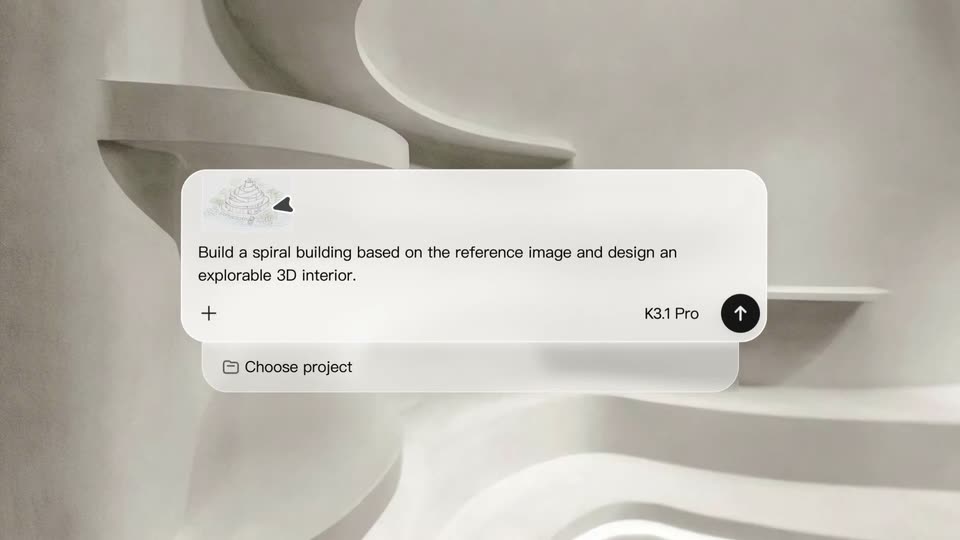

Kimi.ai - Introducing 3D Make in Kimi. Kimi connects to tools like Blender and
Moonshot AI · Oct 2026
ElevenLabs · Nov 2026 · 0:36 · AI-annotated
ElevenLabs’s 0:36 launch film runs 22 scenes, about 1.6 s each. The product shows up at 0:01 and 3 features are revealed. There is no explicit call to action; a voiceover carries the film. The video opens on a live-action mountain shot with a floating stack of color palettes, names the product with an animated wordmark, then walks through three features (extract from a reference, 36 presets, no manual grading) by cutting between the flat UI and the same alpine footage being recolored in real time, and closes on a triptych that shrinks to framed prints before the end logo. Its style is a clean light-gray stage with crisp sans-serif type, where the signature move is the palette swat
Is this your launch? to your site or press kit.
Moonshot AI · Oct 2026
Replit · Developer tools · Apr 2026
Films whose music sounds like this one, voice left out
Eleven Labs · Electronic, Ambient
DJI · Modern electronic and cinematic trailer music
A man in a fur-trimmed hat and red jacket stands on a snowy mountain, holding his hand up as a floating stack of color palette cards scrolls in the air, the white selection outline moving to Violet Dusk.
Techniques: 3D mockup
Camera: Static
A man in a red parka and aviator hat stands in a snowy mountain landscape, raising his hand toward a floating list of color palette cards. The list scrolls upward and the highlighted card shifts from Violet Dusk to Teal Glow.
Camera: Static
A man in a red parka and aviator hat stands in a snowy mountain range under a teal sky. A floating stack of color palette cards hovers at right; his raised hand swipes it, scrolling the cards so the highlighted selection shifts from Teal Glow to Emerald.
Camera: Static
A man in a fur-lined hat and red jacket holds a device up, looking across a snowy mountain peak. A floating list of color palette cards on the right scrolls, the white highlight box sliding from the Emerald row to the Teal & Tangerine row.
Camera: Static
The wordmark Huedini fades in centered on a light gray background. The letter d is replaced by a vertical photo of people in a mountain landscape, which then unfolds into a rotating 3D cross of photo panels as the remaining text fades out.
On-screen text: “Huedini”, “dini”
Techniques: Masking, Morph
Camera: Static
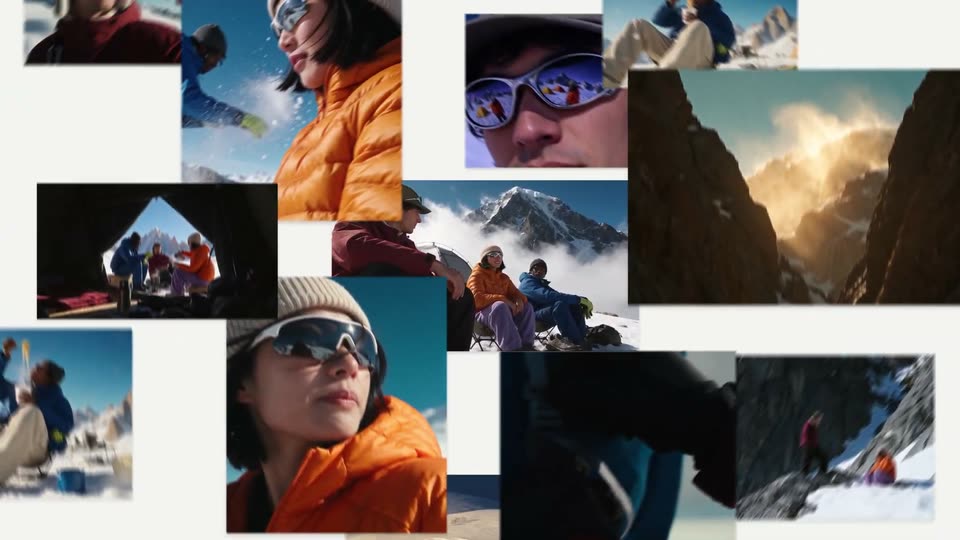
A collage of outdoor video clips, showing people in orange and blue jackets on snowy peaks and inside a tent, rushes in with motion blur and settles into a staggered grid on a light gray background.
Techniques: Speed ramp
Camera: Push in
A collage of rectangular video clips on a white background shows mountain climbers in orange and red jackets, close-ups of reflective goggles, and snowy peaks. The clips drift slowly leftward as a group.
Camera: Pull out
A flat product interface fades in from a white overlay. The left panel shows the Huedini logo, a video thumbnail with a play button, a color palette field and preset thumbnails; the right panel shows a grid of example photos under Examples and Your recolors tabs.
Camera: Static
A flat product interface on a light gray background. The left panel scrolls down, revealing a reference photo dropped into the color palette field while a cursor hovers over the extract button. A grid of recolor examples sits on the right.
Techniques: Cursor demo
Camera: Static
A flat product interface fills the frame. The left panel holds the Huedini tool with a reference photo and a row of color swatches; the right panel holds a grid of photos. As the swatches shift to red, the photos recolor from cool blue to warm orange and purple.
Camera: Pan
A flat product interface shows a grid of colorful thumbnails beside larger photos, with a black tooltip and cursor hovering at the bottom. The view then reframes onto one portrait image, revealing a row of color swatches beneath it.
Techniques: Cursor demo, UI zoom
Camera: Push in
Viewed from inside a dark tent, three hikers in colorful winter gear sit at the open flap with mugs and a steaming pot, a sharp mountain peak rising behind them. A white headline fades in centered over the scene.
On-screen text: “Extract from any reference”
Camera: Static
Three hikers in red, orange and blue jackets sit in folding chairs on a snowfield, a tent behind them and a mist-wrapped peak rising in the background. The frame holds still as the woman in the center turns to face the camera.
On-screen text: “Extract from any reference”
Camera: Static
A man in a maroon jacket walks across a rocky ridge while a woman in an orange jacket sits on the snow. A white border closes in around the frame, then the shot cuts to a gray collage of five clips showing the hikers and the mountain.
Techniques: Masking, Split screen
Camera: Pull out
A five-swatch palette bar in the lower right cycles from brown tones to blue and orange, recoloring a scattered collage of mountain and ski photos on a white background.
Camera: Static
A plain white field holds the centered black text “36 palette presets” while small ski and snow photo thumbnails drift slowly outward around it, each on a thin shadowed card.
On-screen text: “36 palette presets”
Techniques: Parallax
Camera: Push in
Close-up of a person in a cream knit hat, dark ski goggles and orange puffer jacket on a snowy ridge under a clear blue sky, hair blowing in the wind. The caption “No manual grading” sits centered over the face and scales in.
On-screen text: “36 palette presets”, “No manual grading”
Techniques: Kinetic type
Camera: Static
Close-up of a person in a beige beanie and white-framed ski goggles on a snowy slope, wind whipping hair across the face. The locked-off frame holds still as the caption scales in over the chest.
On-screen text: “No manual grading”
Techniques: Kinetic type
Camera: Static
A snowy mountain peak billows with wind-blown snow between two dark rock cliffs, sunlit from behind. The white caption scales in over the right cliff, then fades out as the wind churns the snow.
On-screen text: “No manual grading”
Camera: Static
Two dark rock walls frame a distant snow-capped peak, where a backlit cloud drifts across the summit in warm golden light against a teal sky. The camera holds steady on the natural frame-within-frame.
Camera: Pan
A triptych of mountain photos, a woman in an orange jacket, a peak from a tent, and a man's goggles, sits on a gray background. The grade warms from cool to saturated, then the panels shrink into framed prints on a white desk.
Techniques: Split screen, Morph
Camera: Pull out
On a light gray field, the wordmark splits into Hue and dini around a small rectangular landscape image. The image shrinks away and the two halves slide together to read Huedini, then the tagline IIEleven Creative fades in below in black.
On-screen text: “Huedini”, “IIEleven Creative”
Techniques: Kinetic type, Morph
Camera: Static