1:18
bryan hong - Today we’re launching Cardinal Square, an AI-native tutoring school.
Cardinal Square · Oct 2026
ElevenLabs · Oct 2025 · 1:00 · Full motion · AI-annotated
ElevenLabs’s 1:00 launch film runs 34 scenes, about 1.8 s each. The product is on screen from the first frame and 1 feature is revealed. The call to action lands at 0:53 (88% in), over a voiceover. The video is built as one long feature reveal: a logo sting, a tab announcement, then a black-canvas demo where node cards and self-drawing connector lines assemble a flowchart, interrupted by gradient headline cards and a particle-to-logo reveal before the end card. Its signature moves are lines that draw themselves, cards that scale and slide into place, cyan-to-white gradient type, and locked-off frames where only the elements animate at a slow, deliberate pace.
Is this your launch? to your site or press kit.
Cardinal Square · Oct 2026
Films whose music sounds like this one, voice left out
Alien · Modern electronic
Concourse · Modern electronic
Sekoia · Electronic
On a black background, thin blue neon strokes draw outward and connect, forming a glowing logo mark. The lines pulse softly as the shape completes.
Camera: Static
Two glowing blue vertical bars, the 11 mark, sit centered on black. A thin line rises on the left while a dark rounded panel slides in from the right edge.
Camera: Static
A white two-bar logo rests inside a glowing rounded outline on a black field. A bright highlight travels along the top edge of the outline while the logo scales down slightly, the right panel holding a soft blue gradient.
Techniques: Light sweep
Camera: Static
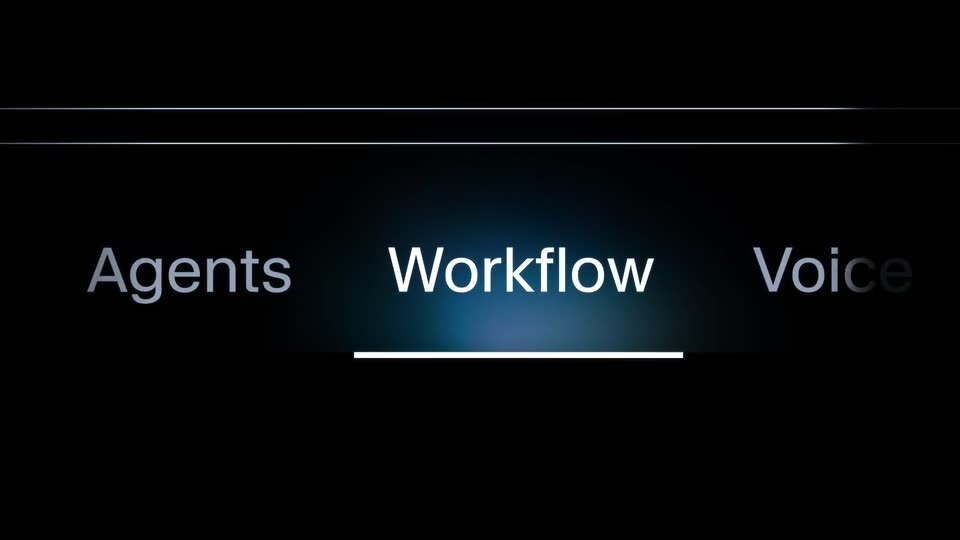
On a black background, the word Workflow forms letter by letter in the center, lit by a blue glow and a white underline, while Agents and Voice slide in from the sides in dim gray. A thin horizontal line runs across the top.
On-screen text: “Workflow”, “Agents”, “Voice”
Techniques: Kinetic type
Camera: Static
A dark navigation bar shows three labels, Agents, Workflow and Voice, in a row. A white underline and a soft blue glow mark the active tab. The row slides left so the highlight shifts from Workflow to Voice while the camera stays locked off.
Camera: Static
On black, a blue-outlined rounded button draws itself in, its flag icon and the word Start sliding in as it lights up. A small white plus node pops onto the button's bottom edge and a thin line trails down, then a ghost copy of the outline drifts in above as the button dims.
Techniques: Kinetic type
Camera: Static
On a black canvas, a teal-outlined Routing Agent node scales in beneath a vertical arrow. Two condition pills and two agent nodes fade in below it, linked by curved connector lines, assembling a branching flowchart while the frame stays locked.
Camera: Pull out
A dark workflow diagram shows three agent nodes, Technical Help, Routing Agent and Pricing Enquiry, linked by cyan lines to two condition pills and two lower nodes. The camera reframes down the flow, zooming until only the curving connector lines and arrowheads fill the frame.
Techniques: UI zoom
Camera: Pan
A thin gradient line, white to cyan, arcs over a black background, tipped by a small arrowhead. The line sweeps and rotates until it stands vertical at the right edge, then fades away.
Camera: Static
Three thin blue lines with arrowheads draw themselves across a black background, extending from the top right towards the bottom left.
Camera: Static
Thin cyan curved lines with small arrowheads drift across a black field, their paths bending and repositioning between frames. The lines suggest flowing connections or directional paths, moving slowly and smoothly.
Camera: Static
On a black field, thin blue curved lines with arrowheads draw in, then settle into a horizontal underline as the title Artificial Intelligence slides into the center with a slight motion blur.
On-screen text: “Artificial Intelligence”
Techniques: Kinetic type
Camera: Static
Black background. 'Artificial Intelligence' in blue sans-serif slides in beneath a thin horizontal rule, then gives way to 'Complex Logic' with a vertical arrow line below. Locked-off frame.
On-screen text: “Artificial Intelligence”, “Complex Logic”
Techniques: Kinetic type
Camera: Static
Black background: the blue phrase “Complex Logic” fades in above a thin line diagram that splits into three upward arrows, then gives way to “Deterministic Action” as the branches draw out. A horizontal line with a left-pointing arrowhead stays fixed at the left edge.
On-screen text: “Complex Logic”, “Deterministic Action”
Techniques: Kinetic type
Camera: Static
A black frame holds the blue gradient headline centered above a thin branching line diagram with upward arrows. The diagram slides down and out of frame while the headline drifts right, leaving the left letters cut off.
On-screen text: “Deterministic Action”
Techniques: Kinetic type
Camera: Static
A dark rounded action card fades in over a black field, its link icon and the title and description line scaling and sliding into place. Below it, a thin white wireframe outline of a human torso and shoulders sits static, with a soft blue glow at the top.
Camera: Static
A dark frame with a blue glow at top holds a rounded callout card with an orange wrench icon, white title Dispatch Shipment, and blue body copy. The card drifts down as a thin white wireframe of a broad rounded shape with a central line rises beneath it.
On-screen text: “Dispatch Shipment”, “Trigger sorting and delivery of product”, “to the customer's location.”
Techniques: Kinetic type
Camera: Static
Thin white lines flow and curve across a dark blue field, then a rounded teal-bordered chip fades in carrying a red sad-face icon and the gray label Verify Customer.
Techniques: Morph
Camera: Static
A dark rounded card with a red shield icon and the title Verify Customer hovers above two thin curved connector lines on a black background. The card drifts slightly while the body text scales into place beneath the heading.
On-screen text: “Verify Customer”, “Search for the user's contact information within knowledge base.”
Techniques: Kinetic type
Camera: Push in
A dark navy field with faint line art. A rounded card with a red face icon, the headline Verify Customer and a gray caption slides in, then condenses into a smaller card reading Transfer to Sales with a red phone icon.
On-screen text: “Verify Customer”, “Search for the user's contact information within knowledge base.”, “Transfer to Sales”
Techniques: Kinetic type, Morph
Camera: Static
A dark teal UI card with an orange phone icon and the title Transfer to Sales sits centered on a dark background, then slides upward as an identical card follows below, like a scrolling list. Thin white lines curve behind the cards.
Camera: Static
A dark flowchart of agent nodes and labeled arrows pulses from dim to full brightness and back. A routing agent at the top branches into technical, pricing, and contract nodes, each leading to smaller action boxes below.
Camera: Static
A dark agent flowchart on black, with cyan highlights stepping from Routing Agent to Pricing Enquiry and Transfer to Sales, while the camera zooms in and pans down to follow the active node.
Techniques: UI zoom
Camera: Push in
On a black background a flow diagram assembles: thin white curved arrows draw themselves from top to bottom, each finishing in an arrowhead, while small dark node cards fade in around them with faint icons and labels.
Camera: Static
A dark “New Subagent” settings panel sits on the right, first showing a document list, then a vertical list of language models scrolls on the left while the LLM field changes. The panel then slides down toward the bottom of the frame.
On-screen text: “Control”
Camera: Push in
The word Control in a cyan-to-white gradient sans-serif sits centered on a black field. A soft blue glow behind it drifts from center toward the lower right over the short clip. The frame is locked off.
On-screen text: “Control”
Camera: Static
On a black background with a soft blue glow, the words Control, Precision, and Escalation appear one after another in the center, each scaling in to replace the previous one.
On-screen text: “Control”, “Precision”, “Escalation”
Techniques: Kinetic type
Camera: Static
The word Escalation in a blue gradient sans-serif holds centered on a black field. A soft blue glow blooms behind it at the start, then dims and drifts down as the letters sharpen into focus over the short hold.
On-screen text: “Escalation”
Camera: Static
A dark field of small white and blue dots drifts outward from a central point against a deep blue gradient. The particles spread across the frame, fading toward the edges as the background brightens from near black to teal.
Techniques: Particles
Camera: Pull out
A soft teal glow sits at the center of a dark gradient field. Dozens of small white and cyan dots drift slowly across the frame, some trailing motion blur, while the central light pulses gently. The dots scatter evenly, reading as a faint starfield.
Techniques: Particles
Camera: Pull out
A grid of small blue and white dots recedes into a dark tunnel as the camera flies forward. At the center a glowing white orb pulses and reveals a blue pinwheel icon spinning inside its bright halo.
Techniques: Particles
Camera: Pull out
A glowing blue sphere with radial metallic streaks spins slowly at the center of a black field. Thin blue corner brackets draw in at the top-left and bottom-right, framing it like a focus reticle.
Camera: Static
A glowing circle filled with a blue radial pinwheel pattern sits centered on black, crossed by vertical light streaks. The disc then compresses and morphs into two vertical glowing bars side by side.
Techniques: Morph
Camera: Static
On a black background, two glowing bars contract to white and the white ElevenLabs wordmark resolves at center. The URL elevenlabs.io/agents fades in beneath, then the lockup holds.
On-screen text: “elevenlabs.io/agents”
Camera: Static