0:38
Explore
siddharth - introducing dusk bot free open source Grok Bot alternative
dusk · Nov 2026 · 0:41 · Full motion · AI-annotated
- Length
- 0:41
- Scenes
- 21 · 2.0 s avg
- Product on screen
- 0:03
- Features shown
- 9
- Call to action
- 0:39 · 94%
- Voiceover
- Yes
- Views
- 254K on X
as of November 21, 2026
00:00:00 / 00:41:54
- Length
- 0:41
- Scenes
- 21 · 2.0 s avg
- Product on screen
- 0:03
- Features shown
- 9
- Call to action
- 0:39 · 94%
- Voiceover
- Yes
- Views
- 254K on X
as of November 21, 2026
dusk’s 0:41 launch film runs 21 scenes, about 2.0 s each. The product shows up at 0:03 and 9 features are revealed. The call to action lands at 0:39 (94% in), over a voiceover. Pixel-art product launch built as a rapid feature montage: a promise headline, then a string of short tagline-driven demos (crew, jobs, memory, computer, permissions, routines, sleep, bring-your-own-AI, free) that cut on the beat, each announced by a bold headline with one word boxed in color. The style is flat pastel panels, a recurring cast of pixel bots and a tagged cursor, monospace accents, and hard pixel wipes, ending on a logo and URL card.
No filming indicatedEstimated needs: 7 capture groups — your screens or recordings · 5 graphic passages — draw or supply · 2 3D passages — build or supply
Is this your launch? to your site or press kit.
More like this
Similar soundtrack
Films whose music sounds like this one, voice left out
1:35
Luke Igel - Introducing Kino: make videos end-to-end with Claude Code and Codex.
Kino · Electronic dance, funk/disco, breakbeat
0:26
Stord - Stord has raised $250M at a $3B valuation. For decades, one company
Stord · Fusion of hip-hop, funk, and electronic music
1:08

Brian Chesky - Introducing the Airbnb 2026 Summer Release
Airbnb · Eurodance, Funk/Soul, Hip-Hop/Electronic Dance
siddharth - introducing dusk bot free open source Grok Bot alternative, scene by scene
· 21 scenes as text
01 · Hook · 0:00–0:03
Headline words scatter across a white field, then snap into two aligned lines with free boxed in magenta. Nine pixel bots pop in a row below, pixel landscapes fill the corners, a nova cursor appears, and a purple pixel shape wipes in with a rocket.
On-screen text: “the best free”, “grok bot alternative.”, “nova”
Techniques: Kinetic type
Camera: Static
02 · Feature reveal · 0:03–0:05
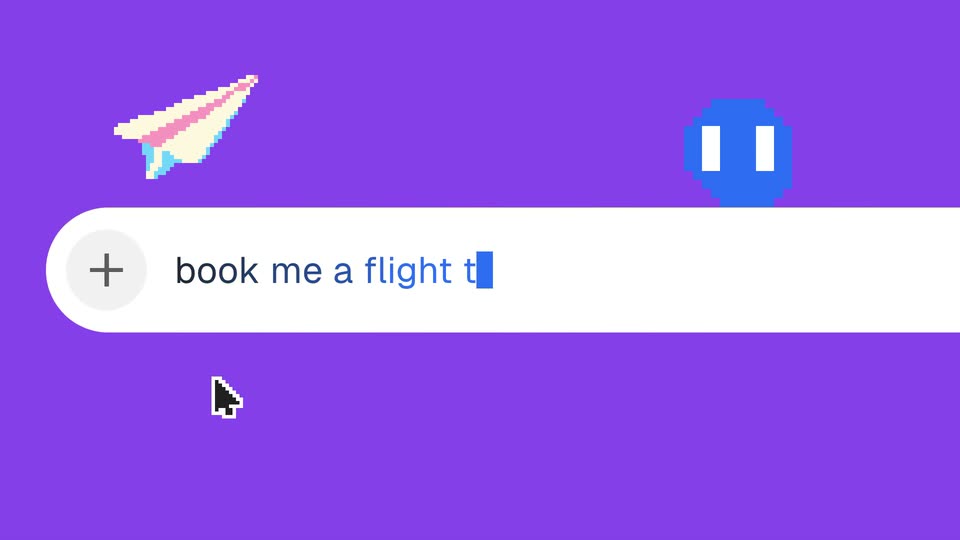
A white command bar on a purple background shows a gray placeholder that clears, then 'book me a flight to lisbon.' types out letter by letter behind a blue caret, while a pixel mouse cursor hovers below and a pixel paper plane and blue face float above.
Techniques: Cursor demo, Kinetic type
Camera: Static
03 · Feature reveal · 0:05–0:07
A messaging app on a purple background. The white chat panel shows the bot Nova with a flight table under a tagline. The cursor moves up the sidebar, the active chat switches to Echo and its email table, and the tagline disappears.
On-screen text: “a crew of bots you text like teammates.”
Techniques: Cursor demo
Camera: Static
04 · Feature reveal · 0:07–0:07
A flat chat interface sits on a purple field under a white headline. A wipe of black blocks sweeps the panel, switching the open conversation from Juno's trip plan to a Quill glaze survey while the sidebar list slides to a new selection.
On-screen text: “a crew of bots you text like teammates.”
Techniques: Masking
Camera: Pan
05 · Feature reveal · 0:07–0:09
A dark chat interface sits on a purple field under a white headline. A cursor hovers the Quill header, then a details panel slides in from the right showing the bot's routines and model while the cursor rests on a purple message bubble.
On-screen text: “a crew of bots you text like teammates.”
Techniques: Cursor demo
Camera: Static
06 · Feature reveal · 0:09–0:10
White headline over a dark chat UI with a left list of bot names and a central Quill thread. The interface pixelates into green, purple and cyan blocks, while the right panel's ghost icon turns into a cyan square holding a white pixel question mark.
On-screen text: “a crew of bots you text like teammates.”
Techniques: Morph
Camera: Static
07 · Feature reveal · 0:10–0:13
A horizontal strip of pixel-art cards scrolls right to left across flat pastel panels. Each card is a rounded square tile holding a small pixel mascot icon with a short caption beneath, so new tiles and labels slide into view one after another.
On-screen text: “QUILL/NOTES”, “RIVET/PRICES”, “TALLY/RECEIPTS”, “PEPPER/RESEARCH”, “MOSS/BACKUPS”, “BASIL/PLANTS”
Camera: Pan
08 · Feature reveal · 0:13–0:16
Split screen. Left: a pixel-art scene cuts to a black card with the headline give each bot a job. over two rows of pixel bots. Right: the app's bot list scrolls down to Moss, where a pink juno cursor rests, then the frame holds.
On-screen text: “give each bot a job.”
Techniques: Split screen, Cursor demo
Camera: Static
09 · Feature reveal · 0:16–0:18
On a white field, scattered pixel-art tiles (flowers, waves, teapot, paper plane, coffee) drift and scale up, then collapse into a fanned stack of cards at center, the top card showing three colored labels. Small gray monospace text reads “every bot has a memory.”
On-screen text: “every bot has a memory.”
Techniques: Morph
Camera: Static
10 · Feature reveal · 0:18–0:20
A centered card swaps from a pixel computer with label chips to a yellow download panel, then a pink calendar, while 'every bot has' on the left pairs with a cycling right phrase: 'a memory.', 'its own computer.', 'a job.' A 3D phone mockup ends the shot.
On-screen text: “every bot has”, “a memory.”, “its own computer.”, “a job.”
Techniques: Kinetic type, 3D mockup
Camera: Static
11 · Feature reveal · 0:20–0:21
Left, a bold black headline 'each bot gets its own computer.' with 'own' in a blue box; a small pixel bot sits below. Right, a black tablet in 3D perspective shows a dusk bot browser page; a blue cursor tagged 'nova' moves over the page and clicks the download button.
On-screen text: “each bot gets its own computer.”, “nova”
Techniques: 3D mockup, Cursor demo
Camera: Static
12 · Feature reveal · 0:21–0:22
A black laptop in 3D perspective shows a browser download page, its 'nova'-tagged cursor resting on the download button, beside the heading 'each bot gets its own computer.' with 'own' on a blue chip. A pink panel then slides in from the left, pushing the laptop off right and revealing the tail of a new line, 'ry.'
On-screen text: “each bot gets its own computer.”, “nova”, “ry.”
Techniques: 3D mockup, Cursor demo, Masking
Camera: Static
13 · Feature reveal · 0:22–0:25
A pixel-art blue blob on a magenta background thinks in a white pixelated bubble that fills with tilted colored memory chips one by one. The tagline 'every bot has a memory.' sits below; the blob's eyes squint into a smile at the end.
On-screen text: “every bot has a memory.”, “replies short”, “decaf after 3”, “invoice on fridays”, “aisle seat”, “oat milk”, “no meetings before 10”, “window in winter”, “pays in euros”, “mum's birthdaygym on tuesdaysno cilantroprefers trainshates mondaysdark mode”
Techniques: Kinetic type
Camera: Static
14 · Feature reveal · 0:25–0:27
A white permission card sits on a purple field with Deny and Allow once buttons. A pixel cursor tagged you glides to the black button as the view zooms in, while the caption it asks before the scary stuff. pops in on the right, the last word boxed in green.
On-screen text: “it asks before the scary stuff.”
Techniques: UI zoom, Cursor demo
Camera: Push in
15 · Feature reveal · 0:27–0:29
A white email card slides off to the left, revealing a blue screen with a white headline and a centered Routines modal. A pixel cursor flips two gray toggles to pink, and the subtitles change from Paused to schedule times. Pixel-art clock and robot sit on the blue field.
On-screen text: “ask once and it becomes a routine.”
Techniques: Cursor demo
Camera: Static
16 · Feature reveal · 0:29–0:30
Split layout on white. Left: a pixel-art yellow crescent moon over a purple sleeping shape, with the black tagline below. Right: a chat planning interface that slides off-screen to the right, leaving the tagline alone.
On-screen text: “the laptop can sleep.”
Techniques: Split screen
Camera: Static
17 · Feature reveal · 0:30–0:34
Split screen: a pixel moon and purple bed on white with black type left; a dark chat window on purple right, with three pixel bot heads popping in over its top edge, bobbing and blinking. White type sits below the window.
On-screen text: “the laptop can sleep.”, “the bots don't.”
Techniques: Split screen
Camera: Static
18 · Feature reveal · 0:34–0:36
A purple pixel laptop and the caption 'the laptop can sleep.' share the frame with a grid of AI provider cards. The left half slides off, revealing the full grid, and the caption swaps to 'bring the ai you already pay for.' with 'already' highlighted in blue.
On-screen text: “the laptop can sleep.”, “bring the ai you already pay for.”, “the bots don't.”
Techniques: Split screen, Masking
Camera: Static
19 · Pricing · 0:36–0:37
A white chat app card sits on a flat blue field while a large white headline builds on the left, then the card slides right and shrinks as the line swaps to a magenta-boxed word and a green pixel robot pops in at the right edge.
On-screen text: “bring the ai you already know.”, “free for personal use.”
Techniques: Kinetic type
Camera: Push in
20 · Pricing · 0:37–0:39
A flat 2D chat interface sits on a blue field under a 'free for personal use.' headline flanked by pixel invaders. The layout then swaps to a white card with a pixel cat and 'dusk bot' while the interface shrinks and drops to the bottom.
On-screen text: “free for personal use.”, “dusk bot”
Camera: Push in
21 · CTA · 0:39–0:41
Centered on a flat blue field, the dusk bot logo, tagline and dusk.bot button hold still while six pixel-art bot icons with white outlines pop in around the frame edges, fading in from the left side to the right.
On-screen text: “dusk bot”, “meet your first bot.”, “dusk.bot”
Camera: Static