1:26

Opti — SaaS Product Explainer Video | SaaS Animate
Opti · Oct 2026
DJI · Apr 2016 · 2:48 · Full motion · AI-annotated
DJI’s 2:48 launch film runs 48 scenes, about 3.5 s each. The product is on screen from the first frame and 8 features are revealed. The call to action lands at 2:33 (91% in), over a voiceover. A flat vector explainer built as a problem-to-solution arc: a brand logo sting, three persona vignettes (Tom, Peter, Eden) each posing a question, then the DJI + Discover reveal and a rapid tour of app features, each announced by a bottom caption and demoed with simple 2D motion. The style is defined by a limited blue/teal/white palette, locked bottom captions, recurring flat icons (globe, drone, phone, avatars) and a steady ~138 bpm pace with short cuts and wipe transitions, closing on a tag-to
Is this your launch? to your site or press kit.
Opti · Oct 2026
Nespresso · Jun 2026
Sparkles · B2B · Feb 2026
Films whose music sounds like this one, voice left out
G LNK · Upbeat electronic
Motives · Upbeat modern electronic
Sierra · Upbeat electronic
On a black field, the DJI logo fades in at the center, its upper edges catching a blue rim light that fades as the mark settles, then the logo dissolves back to black.
Techniques: Light sweep
Camera: Static
A flat white drone sits centered over a blue circle with a dotted ring and a thumbs-up speech bubble. The circle scales up to fill the frame as clouds and a yellow question mark appear, and the bottom caption changes.
On-screen text: “We are all into aerial imaging”, “but sometimes it can catch us out”
Camera: Static
A flat gray drone illustration hovers at the center of a blue sky. Yellow question marks and small dots pop in around it, while white stylized clouds sit in the corners. A black lowercase caption sits at the bottom.
On-screen text: “but sometimes it can catch us out”
Camera: Static
A flat teal room shows a shelf with a laptop and tablet, a framed city print, and a wall clock above a bottom caption. The set clears and a man in a white T-shirt holding a camera stands center frame.
On-screen text: “Tom is a big fan of photography and he bought a drone not long ago”
Camera: Static
A flat vector illustration shows a man in a white t-shirt holding a gray camera, standing in a teal room with shelves, a framed city print and a wall clock. His hands shift subtly as he holds the camera. A black caption runs along the bottom.
On-screen text: “Tom is a big fan of photography and he bought a drone not long ago”
Camera: Static
A flat vector illustration shows a man in a white t-shirt holding a gray camera in a teal room. A framed city print, a wall clock and shelves sit behind him. He drifts slightly side to side while a black caption line stays fixed at the bottom.
On-screen text: “Tom is a big fan of photography and he bought a drone not long ago”
Camera: Static
A flat teal illustration of a room with shelves, a clock and a framed picture, where a white drone fades into the center. It cuts to a close-up of a drone remote as a hand's finger presses the power button. Captions run along the bottom.
On-screen text: “Tom is a big fan of photography and he bought a drone not long ago”, “But even though it 's easy he is struggling to use it”
Camera: Pan
A flat white router with two antennas and dial eyes sits centered on teal as an orange hand taps its buttons. Yellow question marks pop in around it one by one. Near the end the background splits into a diagonal two-tone blue and small spiral doodles fade in.
On-screen text: “But even though it 's easy he is struggling to use it”, “Where can he find an expert to teach him?”
Camera: Static
A thin diagonal teal and white stripe crosses a flat blue field, then a small cartoon man with glasses and a shoulder strap pops in at bottom center, with a caption line beneath him.
On-screen text: “Peter is a tech junkie and he's thinking of getting a drone”
Camera: Static
A flat illustration of a bespectacled man with headphones stands on a blue background as small tech icons, a game controller, keyboard and laptop, float around his head. The camera pans right to reveal a browser window with the DJI logo.
On-screen text: “Peter is a tech junkie and he's thinking of getting a drone”
Camera: Pan
Flat vector illustration of a desktop computer on a blue background. Its screen shows a DJI webpage with a drone image that swaps between three models. A dark caption line at the bottom changes from one sentence to another.
On-screen text: “Peter is a tech junkie and he's thinking of getting a drone”, “With so many products to choose from, which one is the best for him?”
Camera: Static
On a flat blue field with triangle mountains and white clouds, a dashed white path draws itself in an S curve. A red minus badge pops up at its end over a shadow, then two more badges appear along the route. A bottom caption swaps questions.
On-screen text: “With so many products to choose from, which one is the best for him?”, “Where can he try to fly?”
Camera: Static
A light blue panel on the left wipes off, leaving a dark blue field with a flat line-drawn floor lamp at center and a small table edge at right. A black caption line stays locked at the bottom.
On-screen text: “Eden is an aerial photography expert who runs a studio and is an expert pilot”
Camera: Static
A flat vector illustration shows a bearded man in a dark cardigan holding a film clapperboard, standing in a blue studio room with framed certificates, a floor lamp and a shelf. The scene pans horizontally while a black caption stays locked at the bottom.
On-screen text: “Eden is an aerial photography expert who runs a studio and is an expert pilot”
Techniques: Parallax
Camera: Static
A flat illustration of a bearded man in a dark cardigan stands centered in a blue study holding a film clapperboard. The clapperboard's top bar snaps shut, flashing a small yellow star at the hinge, while certificates, a lamp, and a shelf with books and a globe sit behind him.
On-screen text: “Eden is an aerial photography expert who runs a studio and is an expert pilot”
Camera: Static
A white ring draws around a bearded man's flat avatar with a blue V badge, centered on light blue. A caption swaps below as a drone, controller, card and photo icon fade in around it, then the group scales down.
On-screen text: “Eden is an aerial photography expert who runs a studio and is an expert pilot”, “But he is always on the lookout for clients”
Camera: Pull out
A flat yellow trophy on a brown pedestal, centered on a light blue field, scales up from small, then a gold dollar coin pops in above it and two white radial sparkles flash at its sides. The caption stays locked at the bottom.
On-screen text: “But he is always on the lookout for clients”, “How can he turn his photography expertise into an income?”
Camera: Static
A white line stroke draws itself on a dark gray field: a diagonal stroke falls from the top edge to meet a horizontal line, whose left end curls into a small hook. A black caption sits still at the bottom while the background lightens slightly.
On-screen text: “How can he turn his photography expertise into an income?”, “These inconveniences are why we created DJI + Discover”
Camera: Static
A gray field of white line strokes gives way to a white background with the gray DJI logo centered. A plus mark pops in, then the logo shrinks into a light blue circle holding a drone illustration. A black caption holds at the bottom.
On-screen text: “These inconveniences are why we created DJI + Discover”
Techniques: Morph
Camera: Static
Flat illustration on white: a man with a headset on the left and a white drone on the right fade in beside a blue globe stamped with a drone silhouette. Dashed orbit rings draw around the globe while small drone icons circle it, and captions swap at the bottom.
On-screen text: “These inconveniences are why we created DJI + Discover”, “your connection into the world of drones”, “Let's look a little closer”
Camera: Static
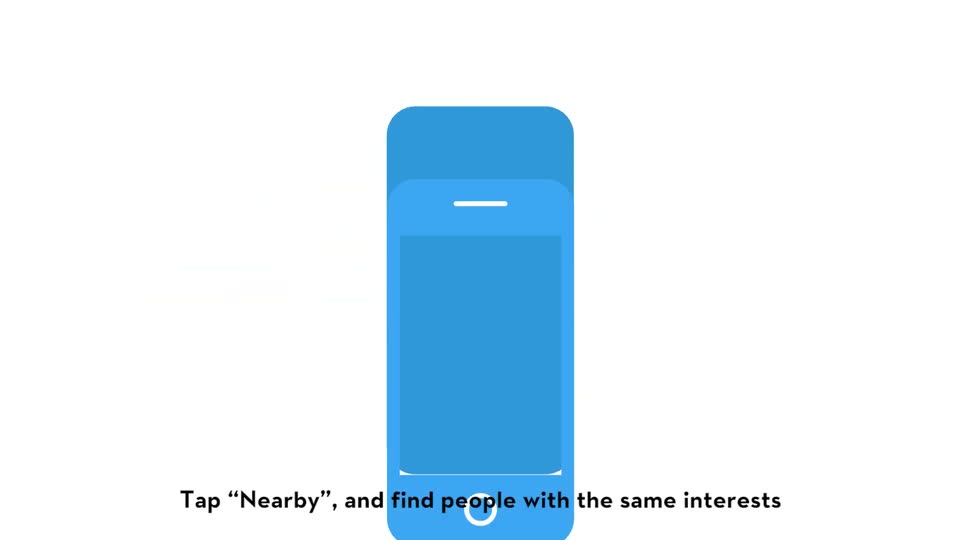
A flat illustration shows a person, a blue globe with drone orbits, and a drone. A blue phone shape slides up from the bottom to cover the center, and a gray caption appears below.
On-screen text: “Tap “Nearby”, and find people with the same interests”
Camera: Pull out
A flat blue phone on a white field zooms into its screen, revealing a light blue street map with a bottom icon bar. Six red map pins pop onto the map as the caption holds at the bottom.
On-screen text: “Tap “Nearby”, and find people with the same interests”
Techniques: UI zoom
Camera: Static
A flat teal mountain landscape with a white drone flying left to right across the sky as the sun and clouds brighten. The scene then settles inside a white frame that becomes a monitor. A single caption line sits centered at the bottom.
On-screen text: “Next time the weather is right, get together and fly”, “Shoot videos and share them in the Forum”
Camera: Pull out
A flat blue phone outline grows to fill the frame while its screen shifts from a landscape illustration to a white forum post with a play button, gray text lines, and a blue thumbs-up icon. A black caption runs along the bottom.
On-screen text: “Shoot videos and share them in the Forum”, “Or find an expert pilot to teach you some tips for flying”
Techniques: Morph
Camera: Static
A flat vector man stands left of a blue-framed panel showing a white drone and a circular pilot avatar. Abstract shapes pop in around the drone while a progress ring fills and the skill readout climbs from 0% to 100% with a check badge, then the panel fades out.
On-screen text: “Or find an expert pilot to teach you some tips for flying”, “So you can go from zero to hero in no time”, “Looking for a new shoot location?”
Camera: Static
A flat light-blue globe with teal pixelated continents rises into frame and rotates, orange map pins with tiny icons popping on and off. Light-blue clouds drift at the sides while black captions swap in at the bottom.
On-screen text: “Looking for a new shoot location?”, “Just search for hot spots on the map”, “Check out other people's aerials on the flight map”
Techniques: Kinetic type
Camera: Pan
A flat blue globe with pixelated continents rises from the bottom as a city skyline with a Ferris wheel and hot air balloon scales up in the center. The background shifts to light blue and a white video frame with a play button pops in above the skyline. Clouds stay fixed in the corners.
On-screen text: “Check out other people's aerials on the flight map”
Camera: Static
A flat blue illustration shows a white video frame with a play button over a city skyline, centered on a light blue field with cloud shapes. A black caption sits at the bottom.
On-screen text: “Check out other people´s aerials on the flight map”
Camera: Static
A flat white drone on a blue field, a red warning triangle above it. The triangle swaps to a yellow bulb as a dashed circle traces the drone, then an expert avatar and a DJI logo badge pop in either side. A vertical white wipe sweeps to the next caption.
On-screen text: “What can I do if I have problems with my drone?”, “You can look for nearby experts or DJI stores to help you out”, “Worry-free flight is also guaranteed by after-sales service support”
Techniques: Masking
Camera: Static
A blue wipe reveals a flat 2D monitor on white. Colored blocks slide into its screen and expand into a blue banner with a shield checkmark, then the layout swaps to a text list and a row of gray icons: heart, QR code, scale, gears, shield. A bottom caption updates.
On-screen text: “Worry-free flight is also guaranteed by after-sales service support”, “from the DJI online store and the DJI Care service”, “Want to try out a new product? Just tap Experience”
Techniques: Masking
Camera: Static
A flat white phone card showing a gray drone illustration rotates in from the top left and settles upright at center. A peach-colored illustrated hand taps its right edge, and the gray placeholder lines fade out.
On-screen text: “Want to try out a new product? Just tap Experience”
Camera: Pan
A flat vector hand holds a phone showing a gray drone above a city map. Street lines fade in, then red pins appear one by one across the map while the caption at the bottom changes.
On-screen text: “Want to try out a new product? Just tap Experience”, “There are hundreds of DJI stores around the world”
Camera: Static
A flat illustration shows a hand holding a phone with a drone photo and a map dotted with red store pins. The frame then cuts to a blue line drawing of a store with the DJI logo, trees and a building.
On-screen text: “There are hundreds of DJI stores around the world”, “visit your nearest one see products in the flesh”
Camera: Pan
A flat teal skyline assembles around a faceted DJI building on white. Two illustrated men step in holding a NEW PILOT EXPERIENCE banner as a crowd of silhouettes and three drones fade in above. The scene scales down, then fades out to white as captions swap at the bottom.
On-screen text: “visit your nearest one see products in the flesh”, “Hundreds DJI New Pilot Experience events are being run”, “NEW PILOT EXPERIENCE”, “giving you a chance to learn more”, “Face to face aerial imaging training is also available”
Camera: Pull out
A blue circle with crosshair ticks expands on white, revealing a flat blue phone whose screen shows a grid of six line icons. The grid fades to one house-robot icon, and a bearded man in a dark jacket slides out from behind the phone's right edge while the caption swaps.
On-screen text: “Face to face aerial imaging training is also available”, “so you can learn under an experienced pilot's wing”
Camera: Static
On a flat blue field, a circular avatar of a bearded man with a V badge scales in at center. A whiteboard with a pointer slides in from the left, a clapperboard from the right, while the bottom caption swaps from the question to the answer.
On-screen text: “How do aerial professionals use this app?”, “You can teach people how to do aerial imaging or provide”, “them with aerial imaging services”
Camera: Static
A flat bearded-man avatar in a white-ringed circle with a blue V badge sits centered on light blue. It stretches into a tall oval, then a brown money bag of gold coins pops in below, flanked by two coin stacks. Black captions swap at the bottom.
On-screen text: “them with aerial imaging services”, “By offering quality services”, “professionals can meet more clients and earn DJI Credits or Cash”
Camera: Static
A flat avatar of a bearded man in a white circle with a blue V badge sits at the center of a web of lines and dots on a light blue field. A money bag with coins below fades out, then the graphic fades to white, leaving the bottom caption.
On-screen text: “professionals can meet more clients and earn DJI Credits or Cash”
Camera: Static
Flat icons pop in around the center: drones, a discount ticket, gears, a gift box, a magnifier. A dashed circle draws around them, then a small phone scales up into a large blue phone with a cart icon as the others fade. The caption swaps from question to answer.
On-screen text: “professionals can meet more clients and earn DJI Credits or Cash”, “Where can I get the latest product updates and promotion campaigns?”, “DISCOUNT”, “More information can be found at any time in the Store section”
Camera: Static
A flat blue phone illustration on a white background shows a shopping cart line icon above a five-icon tab bar. The bottom caption crossfades from one line to the next while the phone drifts slightly left.
On-screen text: “More information can be found at any time in the Store section”, “You also earn DJI Credits when you purchase in the DJI Store”
Camera: Pan
A flat blue phone on the left cycles through drone product cards. Blue line-art coins with dollar signs pop in and stack, then a dotted line branches to icons of a document, a support agent and a gift box. The scene fades to the DJI Discover tagline.
On-screen text: “You also earn DJI Credits when you purchase in the DJI Store”, “and can use it to pay for DJI Discover services”, “DJI +Discover, it 's more than flying”
Camera: Static
Two gray DJI logos with a dot between them slide together and merge into a single logo, then the gray text “DJI+ Discover” fades in to its right. A black tagline stays fixed at the bottom.
On-screen text: “DJI +Discover, it’s more than flying”
Techniques: Morph
Camera: Static
A flat blue globe with an orbit ring and yellow pins sits centered on white. A pilot avatar with a headset slides in from the left, a gray drone fades in on the right, dashed lines link them, and a sun plus clouds fade in as the caption swaps.
On-screen text: “DJI +Discover, it's more than flying”, “Connect to the world of drones”, “The sky is yours”
Camera: Static
A locked-off flat illustration shows a bespectacled man in a blue circle on the left, a blue globe with a dashed orbital ring in the center, and a white quadcopter drone on the right, with clouds and a yellow sun above. The gray caption below fades as the background darkens.
On-screen text: “The sky is yours”
Camera: Static
A flat illustration holds a circular portrait of a bespectacled man at left, a blue globe with gold pins and a dashed orbit ring at center, and a gray quadcopter at right, joined by dashed lines. The locked-off frame then dims to near black.
Camera: Static
The dji logo emerges from black at center frame in a dark blue-gray tone, holds for a beat, then dissolves back to black.
Camera: Static
A solid black screen holds for the full duration. No elements, text, or motion appear; the frame stays uniformly dark from start to end.
Camera: Static
A static YouTube end screen: a gray top bar with the DJI logo, store URL and subscribe button, two video link cards with looping thumbnails and blue titles over a blue globe graphic, and the tagline at the bottom center.
On-screen text: “BUY NOW AT STORE.DJI.COM”, “SUBSCRIBE”, “DJI - Introducing the Phantom 4”, “The Phantom 4 makes flying easier and more fun than ever. Control it with a tap, automatically avoid obstacles or track your favourite subjects effortlessly to ”, “DJI – Phantom 4: The Most Powerful Technology”, “Dive into the heart of the DJI Phantom 4, and see how every advanced component works together to bring you an easy, unparalalled flight experience.”, “The sky is yours”
Camera: Static