1:01
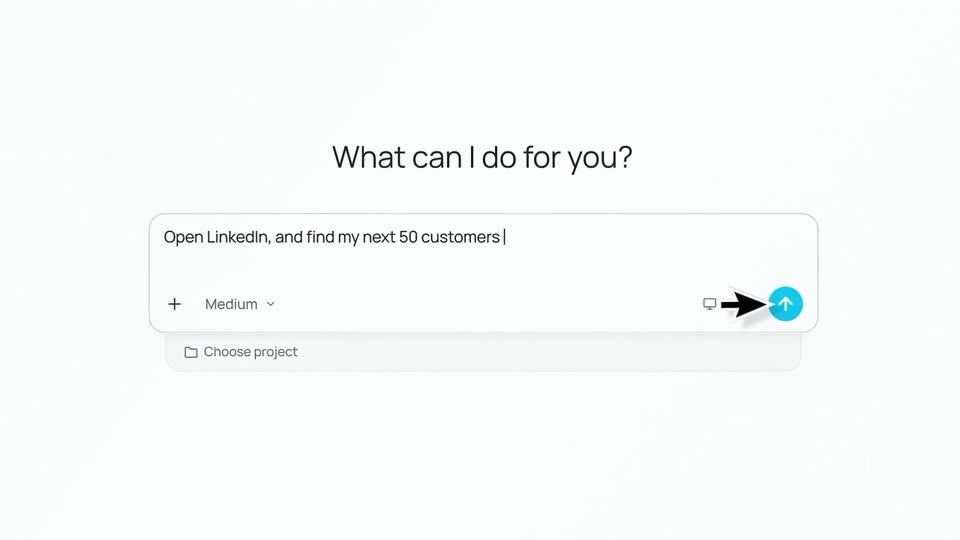

Polar Browser - In the past 90 days, Polar took 1 million actions on LinkedIn for its
Polar Browser · Oct 2026
Didit’s 1:00 launch film runs 26 scenes, about 2.3 s each. The product shows up at 0:00 and 10 features are revealed. The call to action lands at 0:55 (92% in). The video is a search-to-product funnel: a Google query lands on the dashboard, then a rapid parade of single-beat feature headlines plays over scrolling interface, each feature getting one short beat before the next. It closes with a drawn workflow diagram, a globe-to-ID-cards global beat, a live-action verification shot, and a logo card carrying the URL.
Is this your launch? to your site or press kit.
Polar Browser · Oct 2026
Screenpipe · Sep 2026
Bitstack · Apr 2022
Films whose music sounds like this one, voice left out
Lexius · Electronic, Hip-Hop, Trap
Pika · High-energy electronic, blending trap, dubstep, and hyperpop elements.
OpenArt · Electronic, Cinematic, Trap
A white screen fades into the Google homepage as the letters K, Y, C are typed into the search field, a caret blinking after them.
Camera: Static
The Google homepage sits on a white field. A search query types out to 'KYC + phone + email + address verification + IP analyzer', is cleared, then 'Didit.me' is typed as a mouse cursor moves to the I'm Feeling Lucky button.
Techniques: Cursor demo
Camera: Static
A blurred Google homepage with a typed query dissolves into a white interface page. A top bar snaps into focus, showing a project name at left and an organization label with a private tag at right.
Camera: Pan
A verifications dashboard sits behind a large black headline that builds into 'The all-in-one platform', then the view pushes into the session list, which scrolls as a cursor hovers over a row.
On-screen text: “The all-in-one platform”
Techniques: Kinetic type, UI zoom, Cursor demo
Camera: Push in
A light verification dashboard fades in with a left icon rail and a list of records. A detail panel then slides in from the right, showing a selected user's face match images and cost breakdown.
Camera: Push in
A light dashboard with a top row of verified fraud checks and profile panels scrolls downward, bringing two liveness video tiles of a blonde woman into view, the left one marked with a facial scan dot grid.
Techniques: UI zoom
Camera: Push in
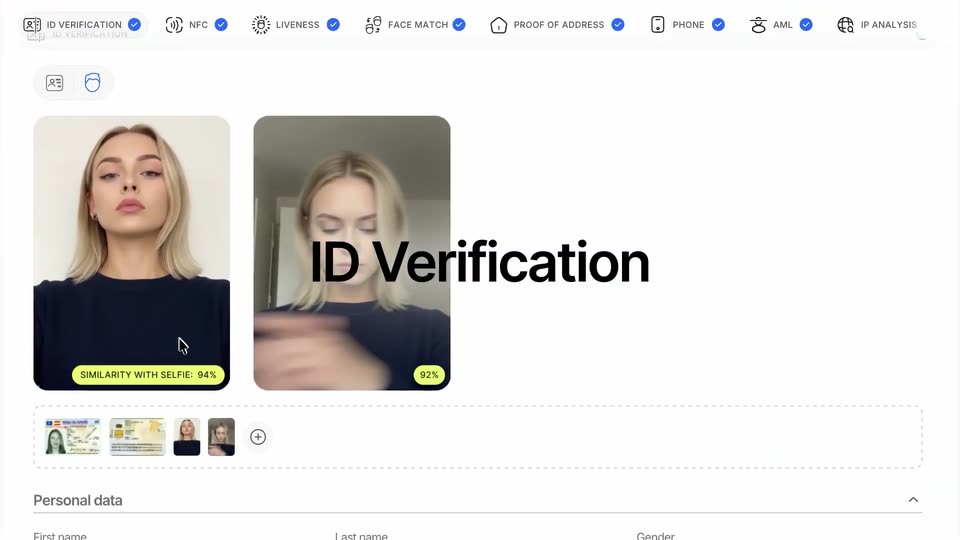
A flat identity-verification dashboard scrolls upward, sliding the top feature bar off frame and revealing a personal-data form with name and birth fields. Two face-matching photo cards with green similarity badges sit under a centered black headline that stays locked in place.
On-screen text: “ID Verification”
Techniques: Parallax
Camera: Pan
A white verification form scrolls down past personal, document, address and custom data rows beneath a fixed row of feature badges with blue ticks. A bold black title, NFC Verification, fades in at the center of the screen.
On-screen text: “NFC Verification”
Camera: Pan
A bold black title 'Proof of address' sits over a faint passport and document UI, then the title fades and the interface sharpens into a bank statement with a verification details panel.
On-screen text: “Proof of address”
Camera: Static
A verification dashboard with a row of green checkmarks across the top. The interface scrolls down from a screened data form to a phone verification panel showing a woman's portrait, risk fields and a Milan map, while the bold caption Database validation holds center.
On-screen text: “Database validation”
Camera: Pan
A blurred identity-verification dashboard sits behind two large black headlines that fade in from a soft blur: 'Liveness', then 'Face verification' over a map view with device panels.
On-screen text: “Liveness”, “Face verification”
Techniques: Kinetic type
Camera: Pan
Two pale interface panels sit side by side, the left cycling through request, webhook and event views while the right shows checks and logs. A bold black headline centered between them switches from Phone verification to AML Screening.
On-screen text: “Phone verification”, “AML Screening”
Techniques: Split screen, Kinetic type
Camera: Static
A blurred KYC dashboard with event logs and device details drifts vertically behind a centered black headline that scales down and snaps into sharp focus.
On-screen text: “IP Analysis”
Techniques: Kinetic type
Camera: Pan
A verification dashboard resolves from a magnified, blurred IP Analysis label to the full interface. A left timeline of workflow events sits beside a right-hand list of applicant sessions, with a row of passed check icons and a checks list panel.
Techniques: UI zoom
Camera: Pull out
A white two-column checks list scrolls upward behind a centered black headline that fades in from gray, with a gray subline appearing below. The frame ends by blurring out of focus.
On-screen text: “Highly detailed check list”, “for each feature”
Techniques: Kinetic type
Camera: Pan
A line-art play button with a green triangle and the word Start scales up from the center of a white background, with a small circle at its base and a soft green glow behind the triangle.
Camera: Static
A vertical flowchart of pill-shaped nodes with green play icons sits on a pale blue field; the nodes scale away, leaving a single gray line as the black headline 'One visual workflow.' appears centered.
On-screen text: “One visual workflow.”
Camera: Static
A thin gray vertical line drops from the top edge above the centered headline, then vanishes as the black text holds fixed on a plain white background.
On-screen text: “One visual workflow.”
Camera: Static
A vertical flow diagram scrolls downward. Rounded cards for Step, Conditional, and Action appear in sequence as blue, purple, and orange connector lines draw down and merge into the next card.
Camera: Pull out
A workflow builder diagram scrolls downward through connected nodes. A blue Step node with a Phone verification dropdown leads into a purple Conditional node that opens into Branch 1, Branch 2 and Else columns showing flag icons and rule counts.
Camera: Pull out
A workflow builder canvas pans downward past a purple conditional block with three flag-based branches, settling on three colored step cards below: green Session approved, orange Session in review, red Session declined.
Camera: Pull out
A white dotted globe rotates on a plain white background, carrying three blue circular avatar pins on its surface. Black bold headlines appear centered in sequence, first “Different country?” then “Different regulations?”. The globe keeps turning beneath the locked-off text.
On-screen text: “Different country?”, “Different regulations?”
Camera: Push in
A white dotted globe with three circular face pins sits behind the centered headline. The globe then gives way to a grid of international ID cards, and the text blurs and fades out.
On-screen text: “Different regulations?”
Camera: Pull out
Four national ID cards form a two-by-two grid on white, linked by thin blue lines. Centered text reads 'Global rules,' then swaps to 'Automated data extraction.' The cards fade out as a white 3D phone mockup fades in.
On-screen text: “Global rules”, “Automated data extraction”
Techniques: Kinetic type, 3D mockup
Camera: Push in
A woman holds a smartphone up to her face as a blue wireframe mesh traces her features. The white headline builds word by word across the frame, then a green VERIFIED badge with a checkmark pops in at the top right.
On-screen text: “The fastest verification ever built”, “VERIFIED”
Techniques: Kinetic type
Camera: Static
The Didit logo scales in centered on a white field. The tagline 'Identity for the next internet' appears below it, then 'Try it now, at business.didit.me' with the URL in blue, and a small '1,000+ customers trust us.' line at the bottom; the lockup fades out to white.
On-screen text: “The fastest verification ever built”, “VERIFIED”, “Identity for the next internet”, “Try it now, at business.didit.me”, “1,000+ customers trust us.”
Camera: Static