1:23

Motion Graphics SaaS Product Launch Video | Loud
Loud · Sep 2026
Cursor’s 0:54 launch film runs 20 scenes, about 2.7 s each. The product shows up at 0:23. The call to action lands at 0:46 (85% in), over a voiceover. The video runs a problem-then-promise arc: a shattering display word and an archival coding montage establish the manual burden, a single centered thesis line pivots the story, and a 3D collage demo of multiplying retro computers presents the agent concept before a one-line URL close. Its signature moves are cut-paper collage on speckled cream stock, black-and-white photo cutouts that split and slide, locked-off centered text cards, and primary-colored geometric confetti that pops around 3D at a
Is this your launch? to your site or press kit.
Loud · Sep 2026
Tohmo · Oct 2026
Films whose music sounds like this one, voice left out
Telepatia · Corporate Tech / Ambient Electronic
Avec · Narrative sound design with ambient music and voiceover
83 Sciences · Cinematic electronic with orchestral elements
The word IDEA in bold black cut-paper lettering holds on a cream speckled background, then pixelates and shatters into scattered black blocks that drift apart.
On-screen text: “IDEA”
Techniques: Kinetic type
Camera: Static
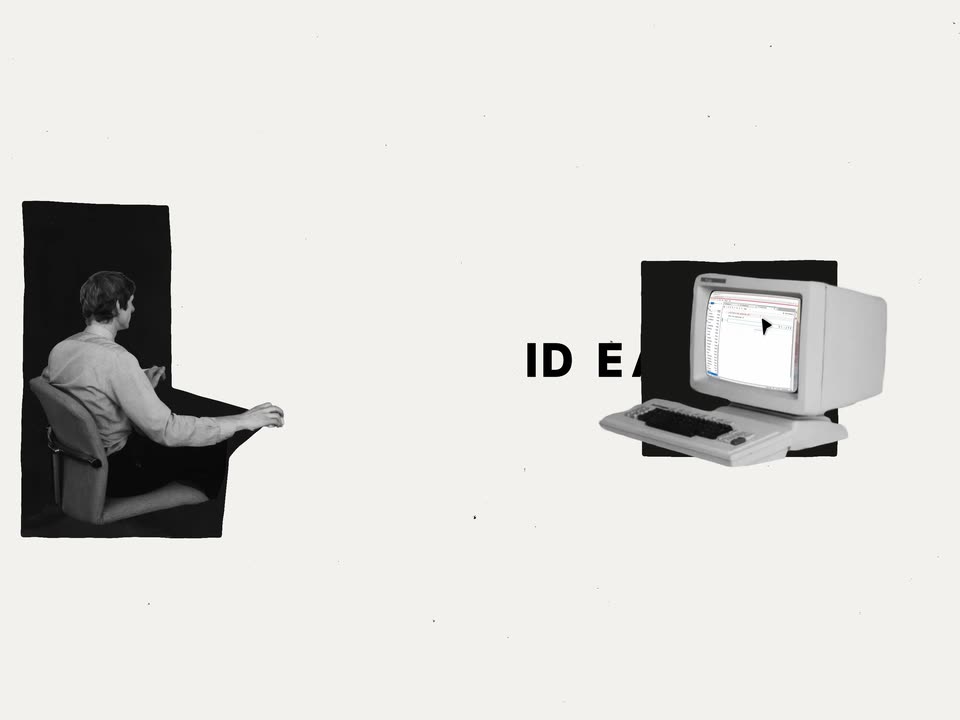
On a cream background, a black-and-white photo of a person seated at a vintage computer monitor starts as one tilted rectangle, then splits into two halves that slide apart to the left and right.
Camera: Static
A black-and-white archival photo on a plain off-white background shows a person's hands holding a punch card over an old tabulating machine, with an open ledger beside it. The image sits in a thin-bordered frame with film grain and dust specks.
Camera: Static
A black-and-white archival photo cross-dissolves from a close-up of hands holding a punch card to a wider shot of a 1960s computer room, where a man works a console and a woman stands at tape drives.
Camera: Static
A black-and-white photograph is centered on a plain off-white background. A woman seen from behind in a striped sweater points a stylus at the text on a vintage computer terminal screen. The frame is locked-off with no motion or camera movement.
On-screen text: “BM”
Camera: Static
A retro Turbo C++ IDE fills a cream, speckled frame: a blue code editor, a teal file list, and a gray About dialog with a green OK button sit centered and still. The shot holds without motion.
Camera: Static
A slightly tilted photo on a cream background shows a person in a red shirt typing on a beige keyboard before an old CRT monitor with blue text, at a cluttered event table. The frame is locked-off and static throughout the clip.
Camera: Static
A Windows desktop shows three stacked windows: a FrontPage Explorer, a FrontPage Editor, and a View or Edit HTML dialog. The dialog displays color-coded HTML source code. The frame holds still with no motion.
Camera: Static
A static browser window sits centered on a white field, showing a GitHub compare page with two stacked diff panels. Red and green lines mark deletions and additions in the MANIFEST and README.md files. The frame stays locked off for the full clip.
Camera: Static
On a plain light gray background, a short list builds line by line: a gray “Thought 6s” label sits above file names with green plus and red minus counts, each new line fading in below the last while the frame stays locked off.
On-screen text: “Thought 6s”, “AppManager.tsx +84 / -12”, “FeatureGate.ts +217 / -43”, “feature-prd.md +612 / -148”
Techniques: Kinetic type
Camera: Static
On a grainy off-white background, a black-and-white cutout of a developer at a desk sits left of a 3D beige CRT monitor. White speech bubbles swap prompt questions in glitchy crossfades, green and red diff counts change, and small colored squares and triangles pop in beside each element.
On-screen text: “Can you start the dev server and paste the console output?”, “Can you pipe the failing command output into me so I”, “Can you verify the dependency request headers in DevTools and”, “Can you run npm audit and paste the output?”, “Can you summarize the TypeScript error list?”, “Do we have multiple TS configs? Which one is authoritative for this file?”
Techniques: Kinetic type, 3D mockup, Morph
Camera: Static
A speckled cream background holds the word Micromanagement at center; it then grows left and right as the remaining words fade in one by one, ending as a single centered line.
On-screen text: “Micromanagement is not the future.”
Techniques: Kinetic type
Camera: Static
A single line of dark text sits centered on a plain off-white background with faint scattered speckles. The frame stays locked and still for the entire clip.
On-screen text: “Micromanagement is not the future.”
Camera: Static
On a speckled cream background, black-and-white photo cutouts of a person at a desk and an old desktop computer sit left and right. The word IDEA slides across the center as the cutouts drift apart and small blue, orange and yellow geometric shapes pop in around the computer.
On-screen text: “IDEA”, “C”
Techniques: Kinetic type
Camera: Push in
A white retro computer with keyboard sits on a black square, ringed by orbiting blue, orange and yellow shapes; a crescent moon drifts across the top. The ring and square drop away, revealing a second computer below.
Techniques: 3D mockup
Camera: Pull out
A beige retro Mac computer with a code editor on its screen sits in 3D perspective at the center; identical machines sharpen into a wide grid behind it while blue, orange and yellow geometric shapes drift around the center.
Techniques: 3D mockup, Parallax
Camera: Pull out
A retro beige desktop computer with keyboard sits on a plain off-white background while the camera orbits around it. Two floating interface cards, one with a blue play button and one showing a diff view with a cursor, drift in front, outlined in yellow and orange.
Techniques: 3D mockup, Parallax
Camera: Static
A black-and-white photo of a person typing is revealed from the left edge, next to a small video player card with a blue play button, while a 3D-rendered vintage computer with a keyboard sits on a black panel at the right, all on a light speckled background.
Techniques: Masking, 3D mockup
Camera: Static
Two black panels on speckled paper: a monochrome photo of a man at a desk with a small UI window, and a white retro computer in 3D. They slide together and merge into one image of the man at the computer, screen showing a black cube logo.
Techniques: Split screen, 3D mockup, Morph
Camera: Pull out
On a speckled cream background, the black line “With Cursor, they can.” holds center frame, then “they” swaps to “you”. The line is replaced by the URL “cursor.com/onboard”, which holds to the end. Locked-off, static frame.
On-screen text: “With Cursor, they can.”, “With Cursor, you can.”, “cursor.com/onboard”
Techniques: Kinetic type
Camera: Static