0:38


Maayan Albert - I was shocked that 3/4s of designers work in coding agents rather tha
Proto · B2B · Nov 2026
Craft’s 1:23 launch film runs 20 scenes, about 4.2 s each. The product is on screen from the first frame and 2 features are revealed. The call to action lands at 1:19 (94% in), over a voiceover. The video alternates the talking-head host with 3D-tilted screen recordings, moving from the start section feature to a 40% annual plan offer, a text selection demo and a montage of smaller updates. Its signature moves are smooth zoom-ins and window tilts over pastel gradients, cut at a brisk 123 BPM pace.
Is this your launch? to your site or press kit.
Proto · B2B · Nov 2026
Cofia · B2B · Feb 2026
A bearded man in a tan cap and plaid shirt sits behind a laptop, speaking to camera in a home office. He smiles and nods; a shelf with a blue app icon stands left, a Scrabble board and plant leaves frame the right. Static medium shot.
Camera: Static
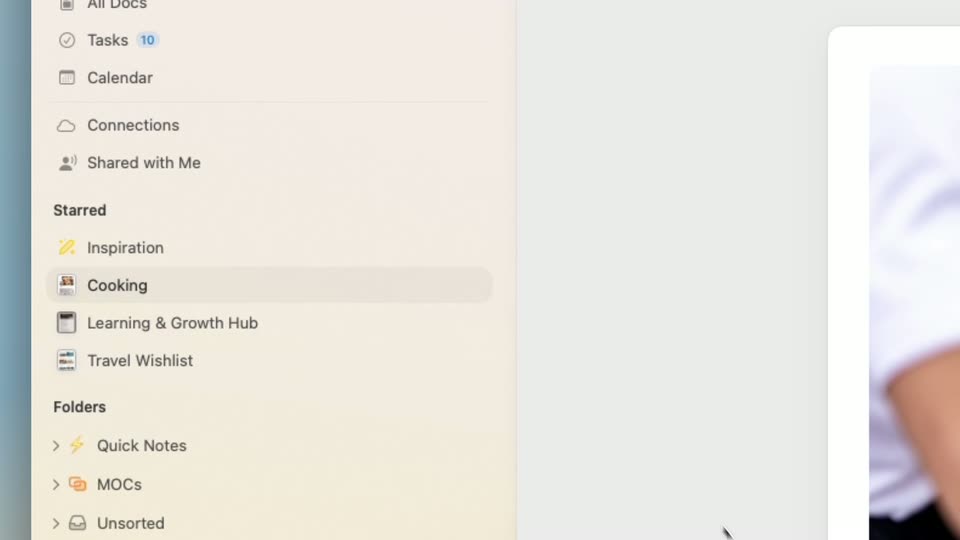
A pale notes app sidebar lists starred items and folders while a cursor hovers over Cooking, then glides down the list. A blurred panel on the right shows a person beside a recipe photo.
Techniques: Cursor demo
Camera: Pull out
A flat app window fades in and scales up to center on a soft blue-to-pink gradient, its sidebar list settling into place. The main pane then scrolls down to reveal content cards beneath a cooking video.
Camera: Pull out
A notes app interface shows a Cooking page listing grocery blocks with small preview cards. A cursor moves from the page body to the top tab bar and opens a small popup beside the Cooking tab.
Techniques: Cursor demo
Camera: Static
In a Notion-style window, the cursor moves to the Personal Development tab and clicks it; the page content crossfades from a Cooking document to a Personal Development document as the view tightens on the tab bar.
Techniques: Cursor demo, UI zoom
Camera: Push in
A note app screen: a cursor hovers a section, a preview card pops in, the page opens and an info panel slides in from the right. The window then tilts into 3D and zooms into the starred sidebar as the cursor moves down.
Techniques: Cursor demo, 3D mockup, UI zoom
Camera: Push in
The app window zooms out from a close-up of the sidebar labels to the full Travel Wishlist gallery, a grid of photo cards with location and season tags. The frame locks off with the cursor resting on the Travel Wishlist item in the sidebar.
Techniques: UI zoom, Cursor demo
Camera: Pull out
A close-up of a kanban board shows a view menu opening as a cursor highlights Sort. The frame then zooms out to reveal the full app window with a folder sidebar, before pushing back in on the sidebar list.
Techniques: Cursor demo, UI zoom
Camera: Pull out
The camera pulls back from a tight crop of the sidebar and kanban cards to reveal the full app window floating in 3D on a gradient desktop, while a cursor glides down the sidebar from Weekly Planning to Inspiration.
Techniques: UI zoom, 3D mockup, Cursor demo
Camera: Pull out
A note-app window is centered on a soft blue-to-peach gradient. A horizontal row of document cards with photos and titles fades in from left to right, the rightmost cards appearing last. The left sidebar holds folders and tags. Locked-off frame.
Camera: Static
A bearded man in a tan cap and plaid shirt sits behind a closed silver laptop, speaking to camera. The locked-off shot frames him in a room with a black shelf, a blue App Store icon, a Scrabble board, and leafy plants on both sides.
Camera: Static
A bearded man in a tan cap and plaid shirt sits behind a closed laptop, speaking to camera in a studio set. Shelves and a black board of wooden letter tiles sit behind him. The locked-off frame holds steady as he talks and nods.
Camera: Static
A notes app window shows a grocery checklist beside an Insert panel of block icons. The view zooms into the panel as a cursor hovers over it and the list scrolls through sections such as Rich Blocks and Collections, then zooms back out and cuts to a text document.
Techniques: UI zoom, Cursor demo
Camera: Pull out
The app window fills the frame, then the view zooms into the document body. A cursor drags a selection across two bullet lines, a floating format bar pops up, the cursor taps bold, and the highlighted words turn bold.
Techniques: UI zoom, Cursor demo
Camera: Push in
A macOS window opens on the Advanced settings page. A cursor moves to the Select text across multiple blocks toggle and clicks it, flipping it blue. The frame then zooms in on the Editing and Storage rows, holding on the active toggle.
Techniques: Cursor demo, UI zoom
Camera: Push in
A light settings panel lists rows for Quick Entry, Editing and Storage. A cursor glides to the blue toggle beside the Editing row and clicks it, the switch already on. The view stays static.
Techniques: Cursor demo
Camera: Static
A note app window sits on a document, with a Style Gallery panel centered over it. The panel scrolls down through rows of colored style thumbnails while a cursor hovers near its lower edge. A style settings sidebar stays fixed on the right.
Camera: Static
A browser window over a cloudy sky background shows a white import card with a grid of app logos. A cursor clicks the Word tile, and the card morphs into a smaller two-step panel with a dashed file drop zone.
Techniques: Cursor demo, Morph
Camera: Static
A flat three-panel journal interface is shown. The left column of dated task cards scrolls vertically to reveal earlier days while a cursor moves within it; the central Today page and the right style panel stay locked.
Techniques: Cursor demo
Camera: Static
A bearded man in a tan cap sits centered behind a laptop lid facing the camera, speaking in a home office. He nods and smiles as he signs off, framed by plants, a shelf and a Scrabble board spelling SUBSCRIBE.
Camera: Static