3:54

Introducing Claude Code
Anthropic · AI · Feb 2025
Craft · Apr 2023 · 2:55 · Full motion · AI-annotated
Craft’s 2:55 launch film runs 52 scenes, about 3.4 s each. The product shows up at 0:03. There is no explicit call to action. The video is one continuous screen montage of a single user, Hayley, moving through personal and team use cases, cut at a steady pace with smooth zooms, pans and crossfades between panels. Its signature moves are the blue named cursor gliding and typing, reframing zooms on white cards over a dotted grid, and named collaborator cursors drifting over shared documents.
Is this your launch? to your site or press kit.
Anthropic · AI · Feb 2025
General Context Labs · Consumer · Aug 2026
Spline · Design · Oct 2024
Films whose music sounds like this one, voice left out
Anthropic · Lo-fi hip-hop, chillwave, vaporwave
Moonshot AI · Funky, upbeat instrumental blend of electronic, jazz, and Latin elements
Engine · Upbeat electronic
A white canvas card sits on a dotted light-gray background. A blue cursor arrow appears with a blue name bubble reading Hayley, and the pair slides toward the top-left corner as the bubble exits the frame, leaving the cursor parked at the edge.
Techniques: Cursor demo
Camera: Static
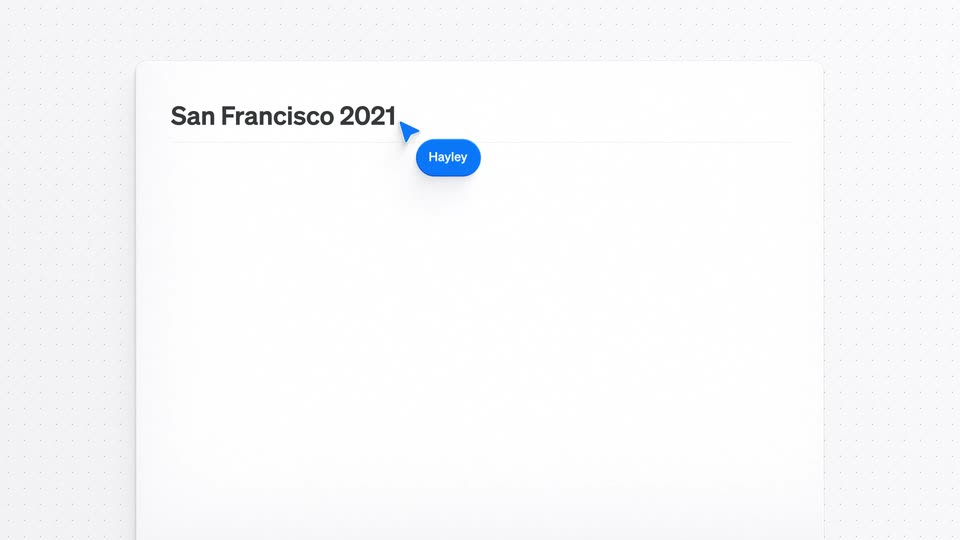
A white card on a dotted grid. The title San Francisco 2021 types in letter by letter at the top left. A blue cursor glides right of the text, a blue pill labeled Hayley slides in below. The camera zooms in to reframe on the card's top.
Techniques: Cursor demo, UI zoom
Camera: Static
A blue cursor labeled Hayley types dates and weather into a San Francisco 2021 trip page, then the frame zooms out to reveal flight and hotel cards below. A comment thread between Hayley and Ryan appears, and the view pulls back to the full app with sidebars.
Techniques: Cursor demo, UI zoom
Camera: Push in
A calendar interface titled Hayley's Space sits on the left beside a bridge photo on the right. A blue cursor with a Hayley tooltip glides from the 12th to the 20th on the March 2021 grid.
Techniques: Cursor demo
Camera: Static
A calendar app shows a March 2021 grid beside a day view with a to-do list. The view zooms into the list as a cursor tagged Hayley clicks checkboxes, and each task turns to a blue check with strikethrough.
Techniques: UI zoom, Cursor demo
Camera: Pan
A close-up of a to-do list, with a blue Hayley cursor hovering over a task, zooms out to reveal the full interface: a March 2021 calendar on the left and a dated task panel on the right.
Techniques: UI zoom
Camera: Pan
A two-panel notes app scrolls downward as a blue cursor labeled Hayley moves from the top toolbar down the left sidebar to the Blog folder. The right panel exposes a To Do list and a Notes block.
Techniques: Cursor demo
Camera: Pan
A blue cursor with a Hayley tag hovers over the Blog folder in the left list. The view then opens the Blog folder, showing a header and a row of document cards that drift left.
On-screen text: “Hayley”
Techniques: Cursor demo
Camera: Pull out
A blue collaborator tag reading Hayley and its arrow cursor slide from the right edge to the top-left corner of a white canvas on a dotted grid, then settle in place.
Techniques: Cursor demo
Camera: Pan
A white card on a dotted grid background. The title types out character by character along the top with a blue caret, then the line drops to the middle of the card and turns light gray.
On-screen text: “[Blog Post] Go go San Francisco”, “Hayley”
Techniques: Kinetic type
Camera: Static
A white blog-post card on a dotted gray background scrolls downward. A Golden Gate Bridge photo and the title sit at the top; below, a Day 1 section types out line by line, then an airport photo appears.
On-screen text: “[Blog Post] Go go San Francisco”
Techniques: Kinetic type
Camera: Push in
A white document card on a dotted gray background scrolls up, bringing a bold heading and a pink link-preview box into view. A paragraph of body text then fades in line by line beneath it.
Camera: Pan
A travel blog post scrolls upward through a white document. Headings, body paragraphs, food photos and a pink highlighted quote block pass by, ending on a photo of the Golden Gate Bridge.
Camera: Pan
A white blog-post card on a dotted background scrolls vertically through a travel diary of photos and captions. A blue cursor tagged Hayley appears and moves to the Shared button, then the view zooms into the top toolbar and a left folder sidebar.
Techniques: Cursor demo, UI zoom
Camera: Push in
Close-up of a notes app interface. A blue cursor tagged Hayley clicks the plus icon beside Folders, types a new folder name, then the folder expands to reveal sub-items as the cursor hovers over Job Hunt.
Techniques: Cursor demo
Camera: Static
A zoomed-in Notion sidebar pulls back to reveal the full workspace with a Job Hunt page and a formatting panel on the right. A blue cursor labeled Hayley drifts from the sidebar onto the Application Tracker card.
Techniques: UI zoom, Cursor demo
Camera: Pull out
A workspace view of the Application Tracker table zooms in on the rows. A caret types @Resu in the Company.do cell, and a purple resume card for Hayley Sommers appears beside it.
Techniques: UI zoom, Cursor demo
Camera: Push in
A job-tracking spreadsheet lists companies and cover-letter links. A resume popup for Hayley Sommers floats over the right rows, then closes as the view scrolls right to reveal colored status cells. A blue cursor labeled Hayley points at the accepted offer.
Techniques: Cursor demo
Camera: Pan
A “Create New Team” modal on a dotted gray background. A blue cursor moves into the input field and types “Company.do”, the Create button turns blue, and the cursor hovers over it. A blue “Hayley” chat bubble with a truck emoji slides in and out.
Techniques: Cursor demo
Camera: Static
A light workspace interface with a sidebar and a document card. A blue cursor labeled Hayley moves to the plus icon beside Folders, the folder list appears, the frame zooms in on the sidebar, and the cursor hovers the Admin folder.
Techniques: Cursor demo, UI zoom
Camera: Static
A light sidebar folder list scrolls up a few rows as a blue cursor tagged Hayley glides from the Admin row to the plus icon beside the Folders header.
Techniques: Cursor demo
Camera: Static
A white document editor with a left sidebar. The Hayley cursor types the title Content Plan and a green goals block; a pink AI assistant card opens, a prompt is typed, generated persona text fills the card, and the cursor moves to the purple Insert in Document button.
Techniques: UI zoom, Cursor demo
Camera: Push in
A flat view of a shared document editor with a sidebar. A blue cursor labeled Hayley opens an invite dialog, types [email protected] and clicks Send Invites. A green cursor labeled Laura then joins, hovers over the persona text and shows a comment bubble.
Techniques: Cursor demo
Camera: Pull out
A document editor view with a left sidebar scrolls down from a goals section to an audit section. Two collaboration cursors, a gray arrow tagged Laura and a blue arrow tagged Hayley, hover over the page.
Camera: Push in
On a dotted whiteboard, a teal Target Audiences card holds a persona document while a text box types a comment and sends it as Laura Simmons's reply. The board then zooms out as two more cards, Existing Content Audit and New Content Types, appear beside it, with named cursors drifting.
Techniques: Cursor demo, UI zoom
Camera: Static
A document editor view zooms out and pans up from teal content cards and a green Content Calendar block to reveal the top toolbar and a right-hand style panel. A blue cursor labeled Hayley moves from the calendar card to the Card group, then to the Share button.
Techniques: UI zoom, Cursor demo
Camera: Push in
A document editor shows a content plan with a Shared button and a Hayley cursor at the top. On the right, a ghosted panel solidifies into a white Analytics card, its blue bar chart filling in, as a Style panel recedes behind it.
Camera: Static
A named cursor labeled Hayley hovers over the Shared button while an Analytics panel shows a bar chart and the reader count ticks from 67 to 28. The panel then closes and the cursor drifts into the document body over the Brand Awareness section.
Techniques: Cursor demo
Camera: Static
The editor zooms from the full app into the Content Plan page, where red and blue named cursors hover over the text. A comment box opens, types a short message, then flips into a posted comment with an avatar and timestamp.
Techniques: UI zoom, Cursor demo, Morph
Camera: Pan
A white content plan card sits on a dotted background. A faint comment overlay with a dog avatar fades out while a blue Hayley chat bubble and cursor slide right off the edge. Three teal section cards line the bottom.
Camera: Push in
A blurred Notion document view crossfades into a sharp workspace screen, the frame tightening on the left sidebar that shows the Company.do Workspace logo and the Home, Starred and Unsorted rows, with a thin content panel at the right edge.
Techniques: UI zoom
Camera: Push in
A floating workspace panel is framed tight on its header; the member count ticks up from 4 to 20, then the view pulls back to reveal the full interface, a folder sidebar beside a document filled with colored cards and bullet points.
Techniques: UI zoom
Camera: Pull out
The Craft app interface scrolls slowly while several colored cursors with name tags drift across the folder list and content cards, simulating a team working together.
Techniques: Cursor demo
Camera: Pull out
A white workspace app scrolls upward through the sidebar folder list and the document card grid, revealing the expanded HR section. Blue and yellow collaborator cursors tagged Raya, Liam and Hayley drift over the items and pause on folder names.
Techniques: Cursor demo
Camera: Pan
Close-up of a document workspace interface. A blue cursor arrow glides left across the top toolbar toward a grid icon, and a blue 'Hayley' presence bubble follows just behind it.
Techniques: Cursor demo
Camera: Static
A flat two-column interface shows a calendar sidebar and a daily note titled Monday Meeting Agenda. A blue cursor hovers over a toolbar icon while a blue Hayley tooltip points to it, and the agenda panel settles into place.
Techniques: Cursor demo
Camera: Pull out
A flat product interface fills the frame: a left sidebar holds a workspace header and an April 2021 calendar, while the right panel lists a Monday agenda and a Marketing note. A blue mouse cursor hovers a top tab beside a blue “Hayley” callout bubble; the scene holds still.
Techniques: Cursor demo
Camera: Static
A static view of a workspace interface: a calendar sidebar on the left and a Monday meeting agenda note on the right. Blue and purple speech-bubble labels reading Hayley and James point to highlighted team names, with blue cursor arrows marking the calendar icon and a name.
On-screen text: “Hayley”, “James”
Camera: Static
A workspace interface displays a calendar sidebar on the left and a daily note on the right with a highlighted updates list. A blue cursor tooltip reading Hayley hovers over a toolbar icon. The view is static.
Techniques: Cursor demo
Camera: Static
A notes app interface: calendar sidebar left, daily-note feed right. The right column advances from the 28 Jun note to the 5 Jul note, swapping the summary list and body text, as a blue cursor labeled Hayley rests on the toolbar.
Camera: Static
Two-panel app interface with a left calendar sidebar and a right meeting-note panel. The right panel crossfades from a Summer Offsite image card to a Monday Meeting Agenda of pink and purple rows, the date rolling 9 Sept to 27 Sept. A blue cursor rests on the calendar tab.
Techniques: Cursor demo
Camera: Static
A workspace app fills the frame, a calendar sidebar fixed on the left. The main panel scrolls down, sliding the meeting agenda card upward to reveal colored section rows and a document snippet. A blue cursor tagged Hayley hovers over the calendar icon at the start.
Techniques: Cursor demo
Camera: Static
Flat view of the Company.do workspace interface. A calendar and weekly note list sit in the left sidebar while a blue cursor tagged Hayley hovers a sidebar icon. The main panel crossfades from a Summer Offsite agenda and Marketing section to a pink Product Update card and a Product Releases note, and the cursor shifts right, now tagged Jane.
Techniques: Cursor demo, Morph
Camera: Static
A workspace interface shows a calendar sidebar and a notes panel. A blue cursor rests on the calendar icon as the right panel swaps from a 6 Feb meeting agenda to a 20 Feb agenda, with the pink note card updating beneath.
Techniques: Cursor demo
Camera: Static
On a workspace app screen, a calendar sidebar sits beside a daily note with colored update cards. A blue cursor labeled Hayley glides from the top toolbar into the Marketing note, dragging a document thumbnail and dropping it into the text.
Techniques: Cursor demo
Camera: Static
Zoomed into a Marketing Strategy document, a workspace app shows a cursor labeled Hayley selecting a sentence, opening a color palette, and recoloring the text blue then pink. The view shifts to a sidebar as the cursor browses team spaces and expands a folder tree.
Techniques: UI zoom, Cursor demo
Camera: Push in
A note app opens on the Names entry under the Baby folder. The view zooms into the page: a photo of a pregnant woman with an ultrasound sits above a scrolling list of baby names, blue name bubbles floating over it. A blue cursor scrolls the list and types a name, Zelda.
Techniques: UI zoom, Cursor demo
Camera: Pull out
A note app screen lists baby names with origin notes. The view pulls back to reveal the left sidebar, while a blue cursor tagged Hayley moves from the document down to the Archive item.
Techniques: UI zoom, Cursor demo
Camera: Static
A light sidebar list of folders and notes. A blue arrow cursor clicks the Archive folder to expand it, revealing three sub-items, then hovers down the list while a blue name pill labeled Hayley trails the cursor.
Techniques: Cursor demo
Camera: Static
A notes app shows a folder tree on the left and a grid of photo cards on the right. A blue cursor tagged Hayley moves from the sidebar across the grid as the view pans horizontally to reveal more cards.
Techniques: Cursor demo
Camera: Pan
A grid of six restaurant and coffee cards fills the screen. A comment box pops open in the center, a message types itself out, then the cursor clicks the blue send button and the box closes, leaving a blue Hayley label.
Techniques: Cursor demo
Camera: Static
The Craft logo holds center on a light gray field. A blue cursor with a Hayley pill slides in from the lower right, then fades as a gray tagline types out letter by letter below the logo with a blinking caret.
On-screen text: “Hayley”, “Collaborate better with Craft Docs”
Techniques: Kinetic type
Camera: Static