0:19
Explore
00:00:00 / 00:26:15
- Length
- 0:26
- Scenes
- 14 · 1.9 s avg
- Product on screen
- 0:02
- Voiceover
- No
- Views
- 197K on X
as of November 17, 2026
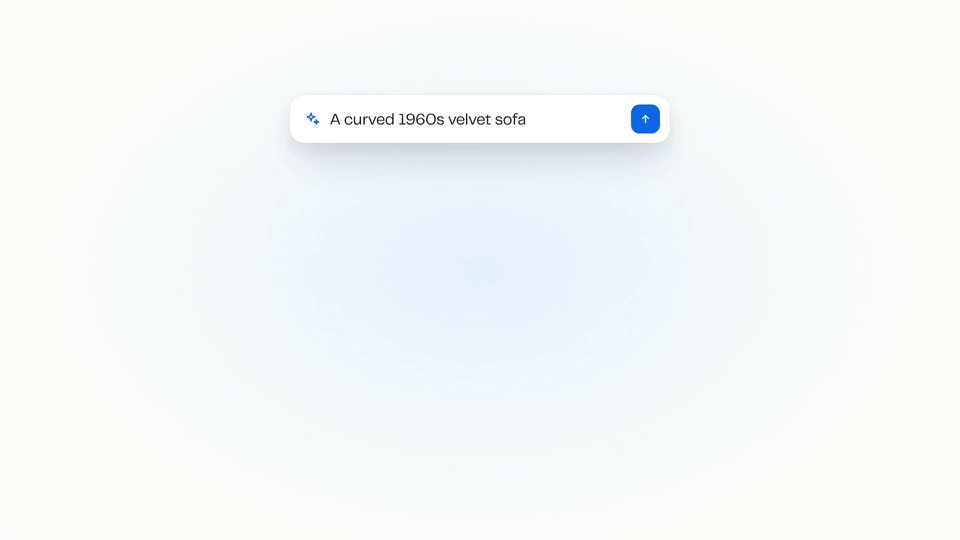
Maket’s 0:26 launch film runs 14 scenes, about 1.9 s each. The product shows up at 0:02. There is no explicit call to action. The video is built as one continuous text-to-asset workflow: a lone prompt bar types a query, result cards resolve, the asset is recolored, dropped into a floor plan, and rendered, all in locked-off soft off-white frames with gentle fades. A single blue accent and a pale isometric grid tie the UI to the brand mark, which is revealed by typing the name into the same bar so the sparkle icon snaps into the cube logo.
No filming indicatedEstimated needs: 3 capture groups — your screens or recordings · 1 official logo — reused across the film
Is this your launch? to your site or press kit.
More like this
0:42
Unveil | Intelligent Eyewear | Samsung
Samsung · Aug 2026
1:43

Anthropic - We’re expanding Claude for Financial Services, with an Excel add-in,
Anthropic · AI · Oct 2025
Maket - Describe it. Create it. See it in your space. Turn a text prompt int, scene by scene
· 14 scenes as text
01 · Hook · 0:00–0:02
A white rounded prompt bar with a sparkle icon and a blue up-arrow button is centered on a soft cream-to-blue gradient. The placeholder 'Describe any object...' gives way to a typed query, 'A curved 1960s velvet sofa', entering character by character behind a blinking caret.
Techniques: Kinetic type
Camera: Static
02 · Demo · 0:02–0:03
A white search bar holding the prompt 'A curved 1960s velvet sofa' with a blue send button slides up, and two result cards fade in below it. The left card shows a gray curved sofa with a caption, the right card is still fading in.
Camera: Static
03 · Demo · 0:03–0:05
Three white option cards on a pale background hold sofa renders that fade from flat gray to full color. A cursor glides to the left card, which takes on a blue selection outline.
Techniques: Cursor demo
Camera: Static
04 · Demo · 0:05–0:07
A white card holds a 3D terracotta curved sofa that rotates slightly. Below, a prompt field types “Nice. Now in emerald green?” character by character, then the message pops up as a bubble above the card while the sofa lightens, starting a color change.
Techniques: 3D mockup
Camera: Static
05 · Demo · 0:07–0:09
A white card frames a curved channel-tufted sofa that resolves from faded beige to solid emerald green with brass legs. A chat line sits above the card and a rounded input bar with a blue send button sits below on a plain off-white background.
On-screen text: “Nice. Now in emerald green?”
Techniques: 3D mockup
Camera: Static
06 · Demo · 0:09–0:10
A white rounded search bar with a blue sparkle icon and a blue up-arrow button sits centered on a pale background with a soft blue glow. A text caret types out the query “A brass lamp, tansu and burl table” letter by letter.
Camera: Static
07 · Demo · 0:10–0:12
A prompt bar with a typed query and a blue arrow button hovers above two faint product cards. The cards resolve into sharp white tiles and a third tile appears at the right as the bar fades, leaving three furniture renders with a mouse cursor at the base.
Camera: Static
08 · Demo · 0:12–0:15
A cursor clicks Objects in a floor-plan editor, opens a furniture list, and drops a green curved sofa onto the 2D plan. The view then tilts into a 3D perspective of the furnished room.
Techniques: Cursor demo, Morph
Camera: Static
09 · Demo · 0:15–0:18
A floating configurator window shows a Parisian apartment in a washed-out, unrendered state. A cursor clicks the Render button, the room fills with color as the button reads Rendering, then a crossfade shifts to a second angle of the green curved sofa.
Techniques: Cursor demo
Camera: Static
10 · Demo · 0:18–0:20
A white interface card on a light background shows a rendered apartment with a green velvet sofa, a right sidebar listing the sofa's dimensions and material, and a top bar with a 2D/3D toggle and Export button. The frame is static and locked off.
Camera: Static
11 · Other · 0:20–0:21
Off-white background holds two centered lines. The dark gray line stays still while the blue italic line below fades from faint to full opacity. Locked-off frame, slow and quiet pace.
On-screen text: “From a sentence”, “to your living room.”
Camera: Static
12 · Outro · 0:21–0:22
A white rounded prompt bar sits centered on a pale isometric cube pattern. The gray placeholder fades out as dark text types in letter by letter behind a blue caret, while a blue arrow button holds on the right.
Techniques: Cursor demo
Camera: Static
13 · Outro · 0:22–0:23
A white command bar holding the typed word 'maket' collapses into the brand lockup: the blue sparkle icon resolves into an isometric cube and the text scales up into a large blue wordmark, all on a pale isometric grid.
On-screen text: “maket”
Techniques: Morph, Kinetic type
Camera: Static
14 · Outro · 0:23–0:26
A blue cube logo and the wordmark sit inside a thin selection box tagged Generated on a pale isometric grid. The box and tag fade out as the lockup sharpens, while the corner captions fade in at the top-left and bottom-right.
On-screen text: “Generated”, “TEXT TO ASSET”, “NOW LIVE”
Camera: Static