0:23
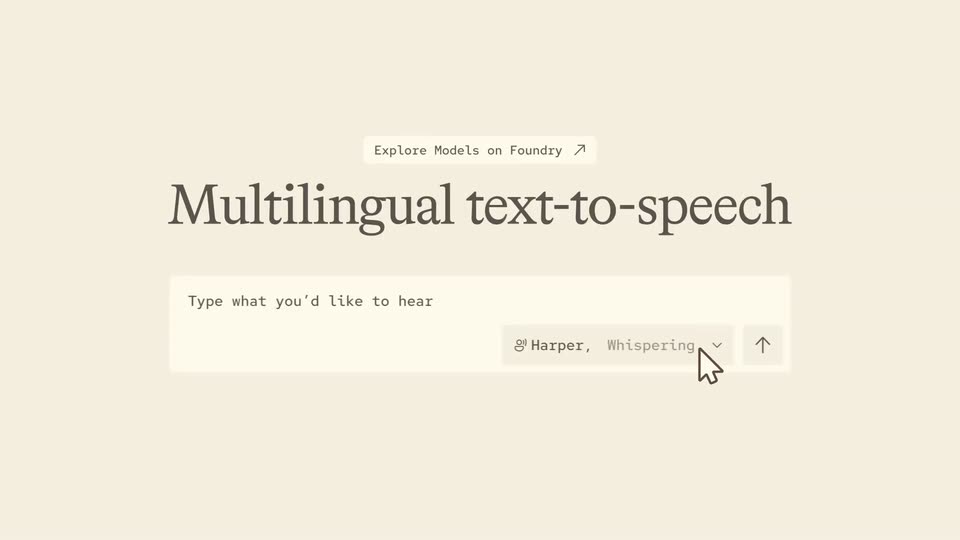

Introducing MAI-Voice-2 | Microsoft AI Models
Microsoft · AI · Jun 2026
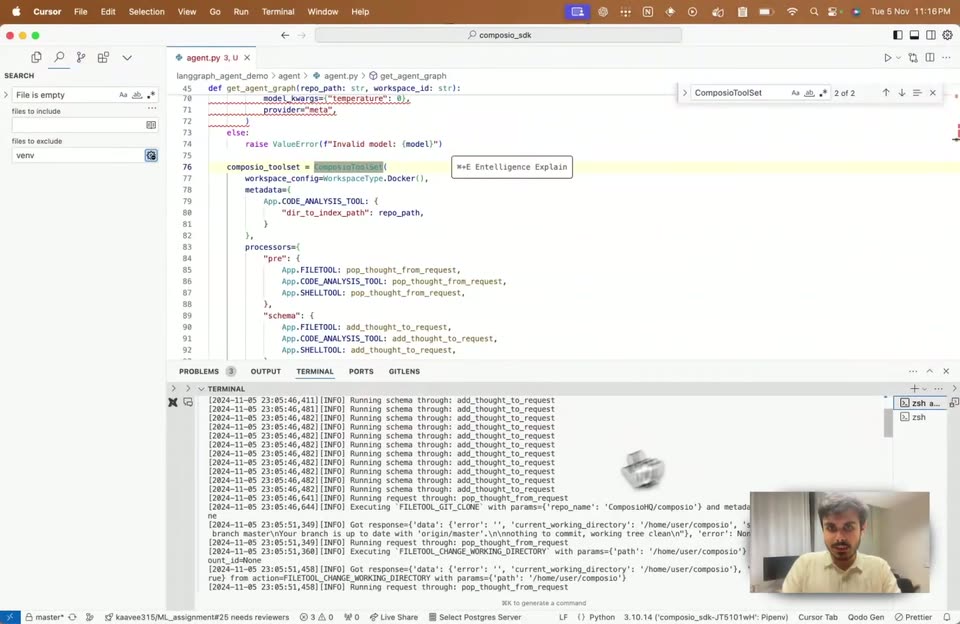
Composio’s 2:09 launch film runs 9 scenes, about 14 s each. The product is on screen from the first frame and 2 features are revealed. There is no explicit call to action; a voiceover carries the film. A founder's webcam address hands off to a static screen recording in which a single hand cursor walks through install commands, streaming terminal logs, and the resulting GitHub pull request. Pacing is slow and uncut, with one cross-dissolve bridging the terminal to GitHub, so the code and logs carry the story.
Is this your launch? to your site or press kit.
Microsoft · AI · Jun 2026
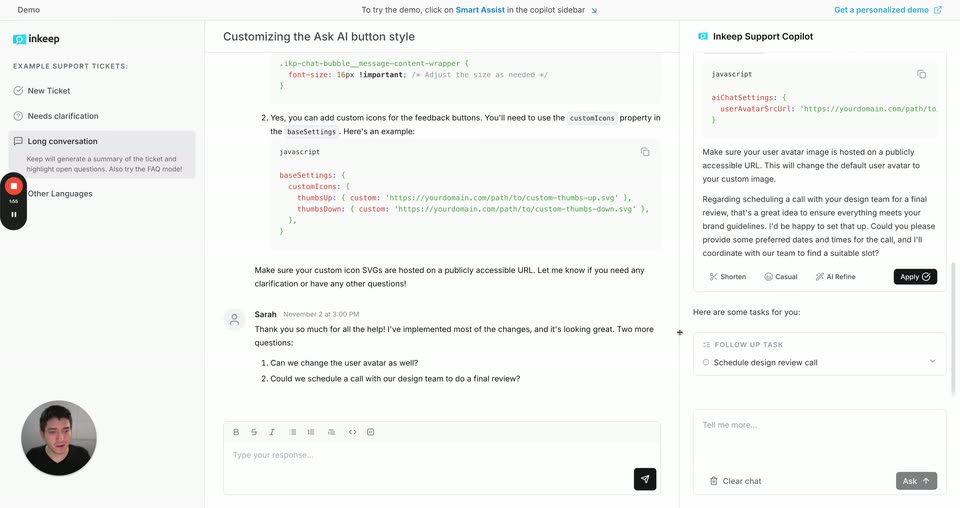
Inkeep · B2B · Nov 2024
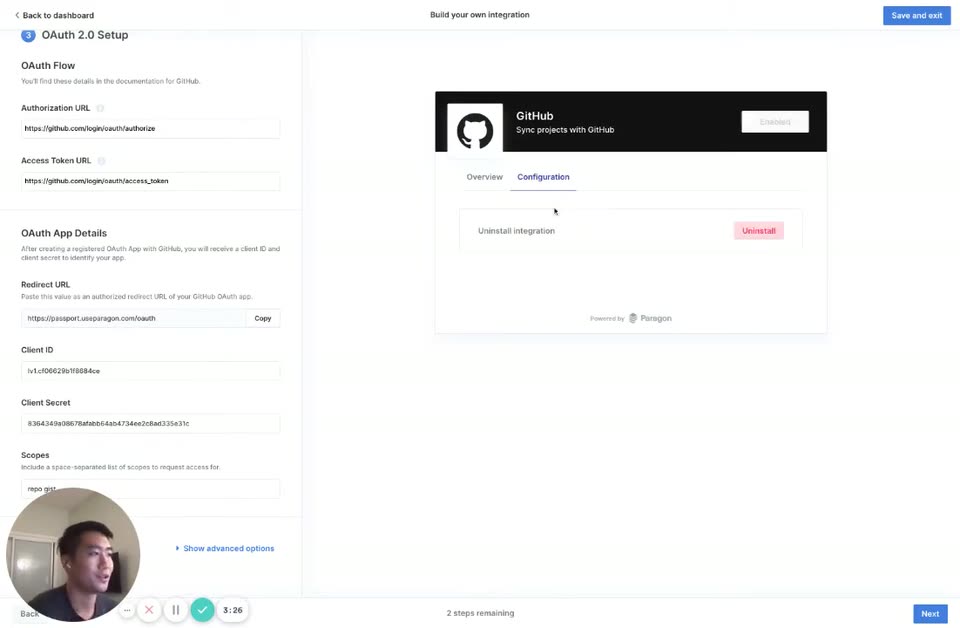
Paragon · Oct 2021
A bearded man in a cream shirt sits at a desk and speaks directly to the camera, gesturing with his right hand. Behind him, a black monitor, a whiteboard with red notes, and a white curtain fill the office. The fixed webcam framing holds steady throughout.
Camera: Pull out
A static Cursor IDE screen: Python code in the editor, terminal below. The cursor types 'pip install swekit' and a scaffold command, hovers over a generated file list, then log lines scroll in the terminal. A small webcam feed of the presenter sits bottom-right.
Techniques: Cursor demo
Camera: Static
A light-themed code editor shows a Python file above a terminal panel. The terminal log streams new lines in sequence as the agent clones the repo, changes the working directory, and creates the code analysis, with a hand cursor hovering over the log.
Camera: Static
The Cursor IDE fills the frame: Python code in the top pane, a terminal of scrolling log lines below. A hand cursor hovers over the terminal as new entries stream in, and a small face-cam inset of the speaker sits in the bottom-right corner.
Techniques: Cursor demo
Camera: Static
A code editor window fills the frame, its lower terminal pane scrolling through log lines and a git diff as a hand cursor moves over the output. A small video of a bearded presenter sits in the bottom-right corner.
Techniques: Cursor demo
Camera: Static
A code editor screen cross-dissolves into a browser window showing a GitHub pull request page, both floating over a desk background. A small webcam feed of a man holds the bottom right corner while a hand cursor hovers over the terminal.
Techniques: Cursor demo
Camera: Pull out
A GitHub pull request page loads in Chrome, the title and a member comment fading in from blank. Two animated hand cursors drift across, pausing on the Files changed tab and the comment. A small webcam feed of a man stays fixed in the lower right corner.
Techniques: Cursor demo
Camera: Static
A browser window shows a GitHub pull request diff for a README file, with green added lines. The page scrolls down to reveal a new contributors section. A small face-cam of a man in a light shirt sits in the bottom right corner.
Camera: Static
A GitHub pull request page fills the browser window, showing a diff with a green block that adds a Contributors section. A cursor drifts across the lines while a small webcam feed of a man in a beige shirt sits in the bottom right corner.
Techniques: Cursor demo
Camera: Static