
0:39
Explore
00:00:00 / 01:10:02
- Length
- 1:10
- Scenes
- 35 · 2.0 s avg
- Product on screen
- 0:00
- Features shown
- 2
- Call to action
- 0:57 · 82%
- Voiceover
- Yes
- Views
- 18K on YouTube
as of November 27, 2026
ClickUp’s 1:10 launch film runs 35 scenes, about 2.0 s each. The product is on screen from the first frame and 2 features are revealed. The call to action lands at 0:57 (82% in), over a voiceover. The video is built as a talking-head pitch intercut with flat UI mockups and 3D calendar fly-throughs, cutting at a steady pace of about fifteen cuts per minute on a 117 BPM track. Its signature moves are the radial zoom whip transitions, self-writing note panels with pink particle bursts, and a persistent purple caption bar that tracks every spoken line.
Footage neededEstimated needs: 6 capture groups — your screens or recordings · 1 official logo — reused across the film · 12 filmed passages — shoot, supply or replace · 2 graphic passages — draw or supply · 1 3D passage — build or supply
Is this your launch? to your site or press kit.
More like this

Similar soundtrack
Films whose music sounds like this one, voice left out
1:43
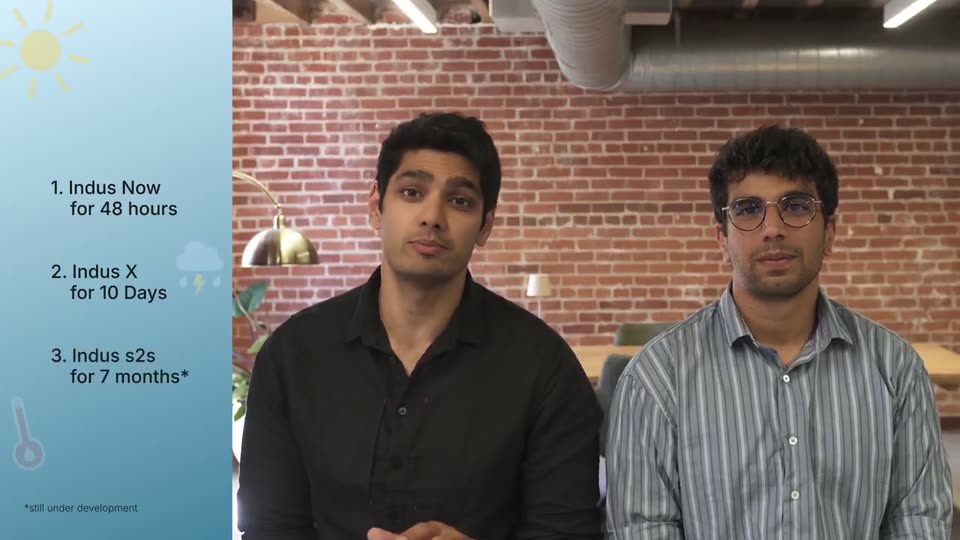
Pravah - Today we're launching Indus-wx, the best AI weather model for India's
Pravah AI · Electronic, Corporate
2:03
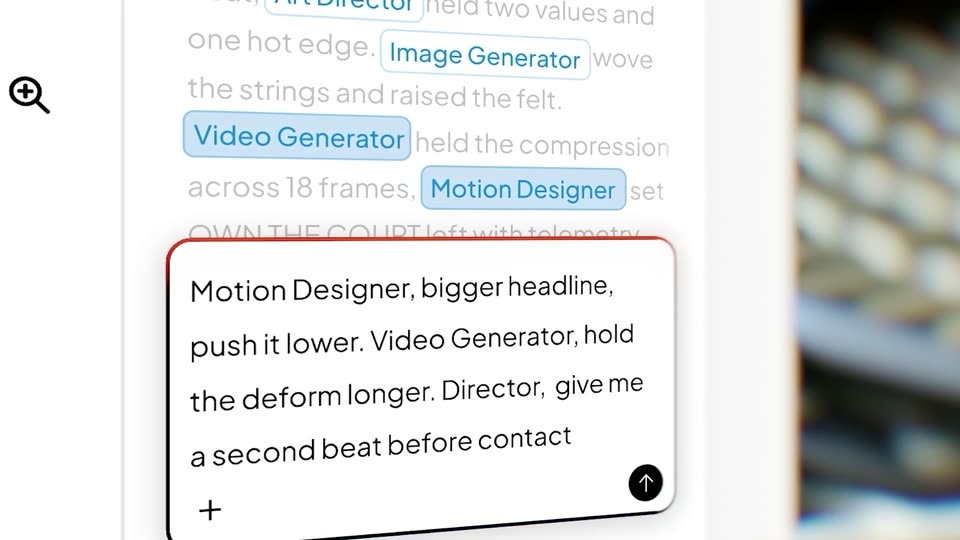

Lottielab - Introducing Burp! ✨ Your AI editor for video and motion. 🔮 Generate
Lottielab · Modern electronic, cinematic
1:06
Veeza AI (YC F26) - AI Tourist Visa Agent for People with Weak Passports.
Veeza AI · Upbeat electronic
Introducing ClickUp AI Notetaker, scene by scene
· 35 scenes as text
01 · Product intro · 0:00–0:00
A presenter in a cream polo sits at a white desk against a purple wall, laptop and branded tumbler beside him, hands clasped then clapping as a ClickUp wordmark pops in on the wall. A purple caption bar holds the line at the bottom, then the whole frame whips into a radial zoom blur.
On-screen text: “ClickUp AI Notetaker is different than all the rest...”
Techniques: Speed ramp
Camera: Push in
02 · Product intro · 0:00–0:01
A purple textured wall fills the frame with the ClickUp logo above a white pill toggle reading AI Notetaker. A hand cursor taps the switch, flipping it on with a pink glow, while a person's shoulder holds the right edge and a caption bar runs along the bottom.
On-screen text: “ClickUp AI Notetaker is different than all the rest...”
Techniques: Cursor demo
Camera: Push in
03 · Product intro · 0:01–0:02
A white pill toggle labeled AI Notetaker sits under the ClickUp logo on a grainy purple field, a cartoon hand cursor pressing its orange switch. The logo and toggle then scale down and slide up while the caption bar stays fixed at the bottom.
On-screen text: “ClickUp AI Notetaker is different than all the rest...”
Techniques: Cursor demo
Camera: Static
04 · Demo · 0:02–0:04
A blurred ClickUp calendar in 3D perspective sharpens into focus as the cursor hovers the Ops weekly event. A white card with a man's photo pops open from the event, and the bottom caption bar swaps to a new line.
On-screen text: “ClickUp AI Notetaker is different than all the rest...”, “It allows you to focus on your meetings, not your notes.”
Techniques: 3D mockup, Cursor demo
Camera: Pull out
05 · Demo · 0:04–0:06
A video call card with a curly-haired host and two smaller participant tiles slides left over a purple background, revealing a monthly calendar behind it. A purple caption pill at the bottom carries the line about focusing on meetings.
On-screen text: “It allows you to focus on your meetings, not your notes.”
Techniques: UI zoom
Camera: Pan
06 · Demo · 0:06–0:11
A flat product screen on a purple background: a three-tile video call on the left, and a notes panel on the right that writes itself, with the summary, action items and transcript appearing line by line amid bursts of pink particles. A purple caption pill at the bottom swaps phrases.
On-screen text: “It allows you to focus on your meetings, not your notes.”, “It captures everything”, “from action items to key decisions.”
Techniques: Particles
Camera: Static
07 · Demo · 0:11–0:11
A flat interface mockup sits on a purple grain background: a video call with three participants on the left, a white meeting-notes panel with action items on the right. A purple caption bar at the bottom carries the line. The frame drifts gently right.
On-screen text: “And after every call you get a clear summary.”
Camera: Pan
08 · Demo · 0:11–0:14
A white meeting-notes card tilts in from the left and settles flat on a purple textured background, its gradient title banner sharpening into view. The ClickUp wordmark then slides into the card's center with a soft glow, while a bottom caption bar swaps lines.
On-screen text: “And after every call you get a clear summary.”, “But where it really goes to the next level”, “ClickUp”
Techniques: 3D mockup, Light sweep
Camera: Static
09 · Feature reveal · 0:14–0:15
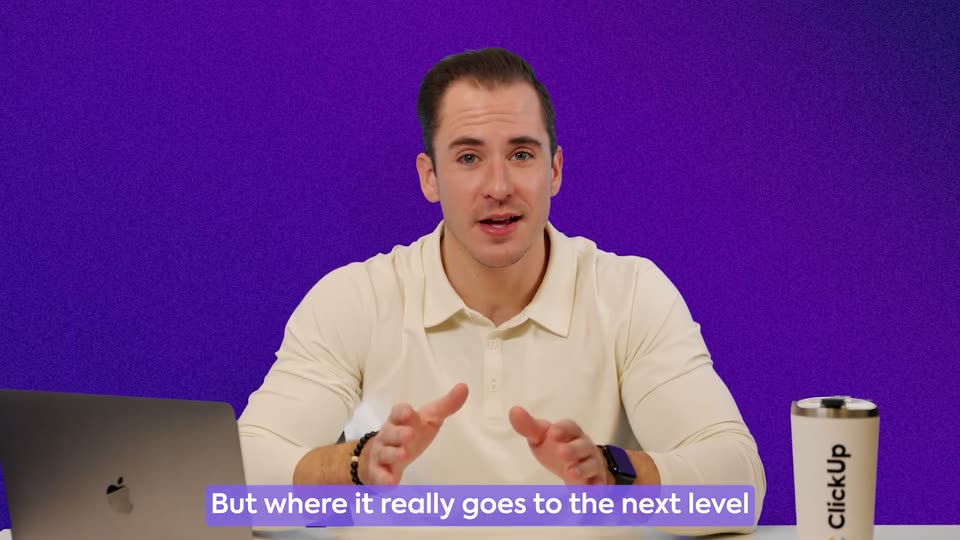
A man in a cream polo sits at a white desk against a solid purple backdrop, gesturing with both hands while speaking. A laptop and a white branded tumbler sit on the desk. A lavender caption banner holds the line at the bottom.
On-screen text: “But where it really goes to the next level”
Camera: Static
10 · Feature reveal · 0:15–0:17
A man in a cream polo sits at a white desk against a purple backdrop, gesturing with both hands as he speaks. A closed laptop sits left and a branded tumbler right. A purple caption bar at the bottom carries the spoken line.
On-screen text: “But where it really goes to the next level”, “is that it's the only AI notetaker”, “ClickUp”
Techniques: Kinetic type
Camera: Static
11 · Feature reveal · 0:17–0:18
A white meeting-notes document card sits centered on a purple gradient background. It blurs and slides left as a second card slides in from the right, while a purple caption bar at the bottom swaps its text.
On-screen text: “is that it's the only AI notetaker”, “that connects your meetings to the rest of your work.”
Camera: Pan
12 · Feature reveal · 0:18–0:19
On a purple background, a white circle with a multicolor swirl logo sits at center while three gradient app icons labeled Docs, Chat and Tasks slide in from the edges and settle around it. A light purple caption bar holds the line at the bottom.
On-screen text: “that connects your meetings to the rest of your work.”
Camera: Static
13 · Feature reveal · 0:19–0:21
A purple background holds a white circle with a gradient swirl logo, ringed by three gradient icons labeled Docs, Tasks, and Chat. The circle shrinks to a glowing dot as the icons slide outward, and the bottom caption swaps to a new line.
On-screen text: “that connects your meetings to the rest of your work.”, “Because it all lives in ClickUp.”
Camera: Pull out
14 · Feature reveal · 0:21–0:23
A glowing purple ring pulses and expands to the frame edges around the ClickUp logo, which sharpens from a soft glow into a crisp gradient mark inside a thin white circle. A caption pill sits at the bottom.
On-screen text: “Because it all lives in ClickUp.”, “So instead of just recording a meeting”
Camera: Static
15 · Demo · 0:23–0:26
A man in a cream polo sits at a white desk against a purple wall, speaking and gesturing with open hands. A closed laptop sits to his left, a white ClickUp tumbler to his right. Subtitles in a lavender bar read across the bottom of the locked-off frame.
On-screen text: “So instead of just recording a meeting”, “and never actually doing anything with it...”
Camera: Static
16 · Demo · 0:26–0:27
A man in a black t-shirt sits at a desk in a sunlit office, talking and gesturing toward a MacBook. He reaches out and closes the laptop lid as a purple caption box reads at the bottom of the frame.
On-screen text: “and never actually doing anything with it...”, “Now you finish every meeting”
Camera: Static
17 · Demo · 0:27–0:28
A man in a black t-shirt sits at a white table, smiling, then leans in to close his laptop. A white document panel slides in from the right, covering him, while a purple caption bar with white text sits along the bottom edge.
On-screen text: “Now you finish every meeting”
Techniques: Masking
Camera: Static
18 · Demo · 0:28–0:30
A white meeting-notes document card floats over a blurred office set where a person walks past on the left. The card scales up to reframe onto its overview and next-steps sections as a purple caption box holds at the bottom.
On-screen text: “Now you finish every meeting”, “with a doc of structured notes”
Techniques: UI zoom
Camera: Push in
19 · Demo · 0:30–0:33
A white meeting-notes card on a purple background: a cursor clicks the audio play button, name chips for Isabella Young and Dean Joseph pop in, and a task card slides up over the text. Then it cuts to a presenter at a desk.
On-screen text: “and your team can start moving on their action items”, “Isabella Young”, “Dean Joseph”, “Getting started now!”, “And ClickUp Brain can put all the key insights into action:”
Techniques: Cursor demo
Camera: Static
20 · Feature reveal · 0:33–0:37
A man in a cream polo sits at a white desk against a purple wall, gesturing as he speaks. A glowing pink circle with a white brain icon fades in to his left. A laptop and a branded tumbler sit on the desk.
On-screen text: “And ClickUp Brain can put all the key insights into action:”
Camera: Static
21 · Feature reveal · 0:37–0:40
On a purple gradient, a meeting-notes card sits left of a tilted task-list panel. A white tooltip reading Create tasks from this meeting fades in over the card, then a Done! bubble with a sparkle icon pops below it as the card dims. A bottom caption reads like creating tasks from your meeting.
On-screen text: “like creating tasks from your meeting”, “And ClickUp Brain can put all the key insights into action:”, “Create tasks from this meeting”, “Done!”
Techniques: 3D mockup, Split screen
Camera: Static
22 · Feature reveal · 0:40–0:42
A meeting notes card blurs and recedes while a voice command bubble stays in focus, then the frame settles on a team chat where two action items appear under a posted message.
On-screen text: “Post action items to team chat.”, “or sharing the summary to your team chat”
Camera: Static
23 · Feature reveal · 0:42–0:44
A flat team chat window on a purple background displays a posted message with an embedded action items card. On the right, a prompt bubble and an input field reading Done! appear beside a sparkle button, while a purple caption bar sits at the bottom.
On-screen text: “to make sure everyone is aligned.”
Camera: Static
24 · Demo · 0:44–0:46
A calendar app fills the frame on a purple background, showing a week view with colored event blocks and a left sidebar of task lists. A rounded caption bar at the bottom center swaps from one line of text to another.
On-screen text: “And nothing gets forgotten.”, “You can easily access the AI Notes from any meeting.”
Camera: Push in
25 · Demo · 0:46–0:49
A calendar screen shows an event popup as a cursor glides to the View AI Notes button. The shot then cuts to a man in a beige polo at a desk with a laptop and tumbler, gesturing as a caption appears at the bottom.
On-screen text: “You can easily access the AI Notes from any meeting.”, “Or if you have no idea when you talked”
Techniques: Cursor demo
Camera: Push in
26 · Demo · 0:49–0:50
A man in a cream polo sits at a white desk against a purple wall, gesturing with both hands while speaking. A laptop and a branded travel mug sit on either side. A purple caption bar holds the line at the bottom of the frame.
On-screen text: “Or if you have no idea when you talked”
Camera: Static
27 · Demo · 0:50–0:53
A dimmed weekly calendar view sits behind a centered white search bar that types out a query word by word, ending with a purple send button. A lavender lower-third caption with white text is locked at the bottom of the frame.
On-screen text: “about that brilliant new marketing slogan...”
Techniques: Kinetic type
Camera: Static
28 · Demo · 0:53–0:53
A dimmed weekly calendar sits behind a white search bar holding a typed query. A white result card expands over the calendar while a purple caption chip stays fixed at the bottom.
On-screen text: “AI will find it for you.”
Camera: Static
29 · Demo · 0:53–0:57
A dimmed weekly calendar sits behind a centered white ClickUp Brain chat panel showing a question bubble, two source chips and an answer. Caption pills swap in at the bottom while a cursor hovers over the first source row.
On-screen text: “AI will find it for you.”, “Even from a meeting that happened months ago.”, “So stop stressing about taking notes”
Techniques: Cursor demo
Camera: Static
30 · CTA · 0:57–0:59
A man in a cream polo sits at a white desk against a purple backdrop, gesturing with both hands as he talks. A closed laptop sits at left, a white ClickUp tumbler at right. The frame is locked off with a purple caption bar at the bottom.
On-screen text: “So stop stressing about taking notes”
Camera: Static
31 · CTA · 0:59–1:02
Over-the-shoulder shot of a man at a desk watching a laptop showing a four-person video call, one tile a purple AI Notetaker panel. A white ClickUp tumbler sits beside the laptop. A lavender caption bar at the bottom reads the tagline while the frame stays locked off.
On-screen text: “and get the AI Notetaker that works for you.”
Camera: Static
32 · CTA · 1:02–1:04
A man in a cream polo gestures at the left against a purple textured background, beside a white notepad icon with a sparkle and the title AI Notetaker. A purple bar below reads Get ClickUp AI Notetaker for your next meeting. The frame stays locked off.
On-screen text: “AI Notetaker”, “Get ClickUp AI Notetaker for your next meeting.”
Techniques: Kinetic type
Camera: Static
33 · Outro · 1:04–1:05
A purple gradient field crossfades to white while a small rainbow chevron-and-arc mark holds center. The mark slides left as the black wordmark clickup appears beside it, a rainbow line sweeping under the letters, then the caption AI Notetaker scales in.
On-screen text: “AI Notetaker”
Techniques: Kinetic type
Camera: Static
34 · Outro · 1:05–1:06
The ClickUp logo and wordmark sit centered on a white field as small multicolor particles scatter off the mark, then the logo is replaced by a magenta pill button reading Try ClickUp AI Notetaker.
On-screen text: “Try ClickUp AI Notetaker”
Techniques: Particles
Camera: Static
35 · Outro · 1:06–1:10
On a plain off-white background, the ClickUp wordmark and gradient chevron mark sit above a purple-to-coral button. The logo and button slide in and settle, then the frame holds static for the close.
On-screen text: “Try ClickUp AI Notetaker”
Camera: Static