0:33
Nano Banana 2.1 On Pika
Pika · AI · Oct 2026
Explode · Jan 2025 · 0:34 · AI-annotated
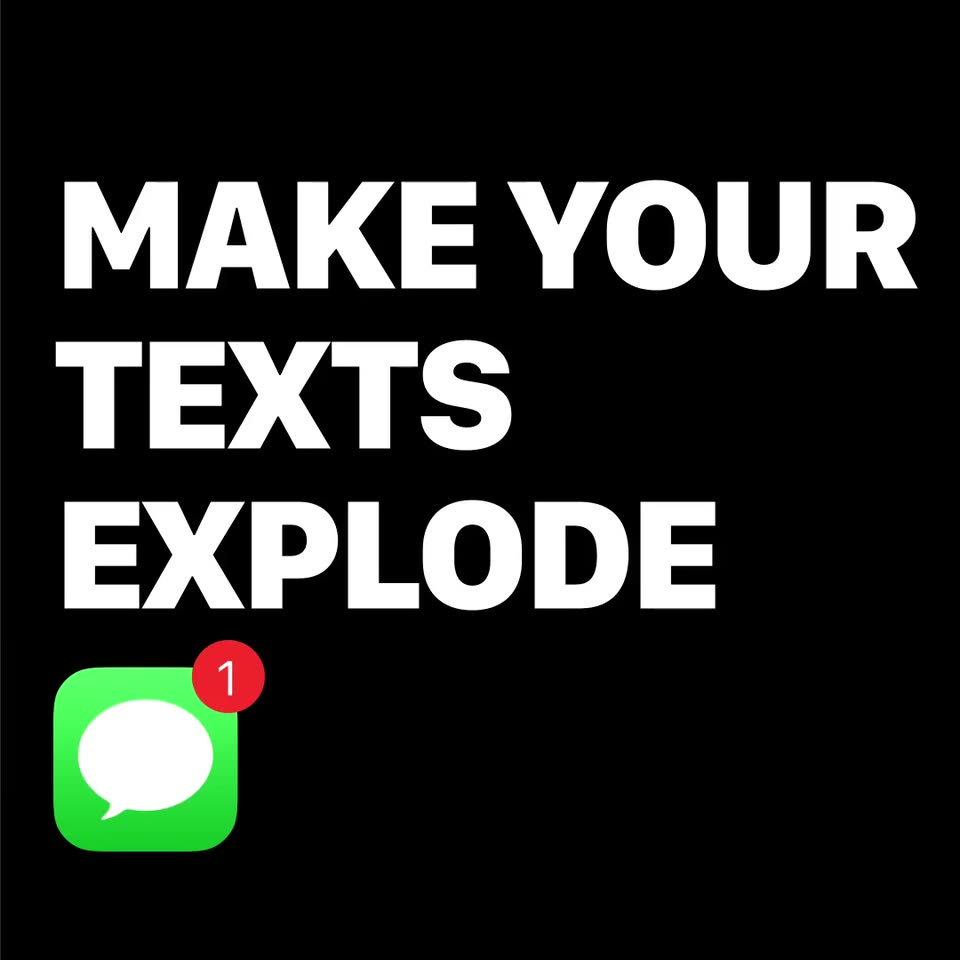
Explode’s 0:34 launch film runs 18 scenes, about 1.9 s each. The product is on screen from the first frame and 1 feature is revealed. The call to action lands at 0:24 (70% in), over a voiceover. The video opens on a black title card pairing the tagline with the chat icon, then cuts to a white iMessage thread that flows into live beach footage, which is masked by a pixel mosaic that snaps into a rounded card and later shatters into tumbling tiles. Statement cards on black restate the privacy features and end on a locked-off Get the App card, bookended by the same opening composition. The style is built on hard cuts between flat UI, live action, and tile-based transitions, with a glitchy,
Is this your launch? to your site or press kit.
Pika · AI · Oct 2026
Decawork · B2B · Aug 2026
Black field with the white headline MAKE YOUR TEXTS EXPLODE above a green iMessage icon, a red 1 badge popping onto it. A tilted phone mockup right shows an iMessage thread with a photo bubble and winking emoji, beside a round avatar of a smiling woman in red sunglasses.
On-screen text: “MAKE YOUR TEXTS EXPLODE”
Techniques: 3D mockup
Camera: Static
A tilted iPhone mockup slides left over a black background, showing an iMessage thread with a pixelated photo and a blue reply bubble. The bold white headline and a green iMessage icon with a red badge sit on the left, drifting down as the phone repositions.
On-screen text: “MAKE YOUR TEXTS EXPLODE”
Techniques: 3D mockup
Camera: Static
A flat iMessage thread on white shows a blue “what are you up too” bubble and a gray “can’t say but........” reply with a typing indicator. A keyboard row and red app icon slide in, then the UI fades out before cutting to a smiling woman on a beach.
Camera: Static
A woman in a pink floral bikini and white cardigan holds the camera selfie-style on a sandy beach, laughing. A circular white shutter button with a gold ring scales in at the lower center, then a second woman in a wide straw hat leans in to pose beside her.
Camera: Pull out
A beach selfie of two smiling women, one in a straw hat, breaks into a grid of colored squares, then resolves into a white rounded card holding a blurred copy of the photo on a pale background.
Techniques: Masking, Morph
Camera: Pull out
A pixelated mosaic figure in muted earth tones, olive, rust and pale blue squares sits centered on a plain off-white background. The colored blocks shift and snap into a clean rounded-square grid, settling into a low-resolution portrait.
Camera: Static
A low-resolution pixel mosaic in a rounded square, built from brown, black and pale blue blocks, sits centered on a white field and fades out until the frame is blank.
Camera: Static
Two chat bubbles slide into place on a plain white background. A blue bubble on the right reads “what are you up too” and a gray bubble on the left reads “can't say but........”.
Techniques: Kinetic type
Camera: Static
A gray bubble “can’t say but........” and a blue bubble “what are you up too” slide into a white chat screen. A photo card with a color-block mosaic slides up, pushing the blue bubble off the top. A white tap circle pulses over the blue Open button, pressing it.
Techniques: Cursor demo
Camera: Pan
Two laughing women take a beach selfie, one in a straw hat waving at the camera. A white progress ring fades out, then translucent squares mosaic over the photo as a masking transition while the caption slides in.
On-screen text: “can't say but...”, “Open”, “Rachel sent you a”, “photo”
Techniques: Masking
Camera: Static
A full-frame grid of muted brown, tan and pale blue squares holds, then the tiles detach and tumble outward, rotating into a scattered swarm of rectangles over a dark field.
Camera: Static
Flat squares in white, light blue, pink, orange and brown tumble and overlap on a black background, then drift outward to the frame edges, clearing the center.
Techniques: Particles
Camera: Static
On a black background, the white headline builds line by line above a green chat app icon in the lower left. A red badge with a 1 pops onto the icon, then a gray boxed word FRIENDS flashes over the headline.
On-screen text: “MAKE YOUR”, “TEXTS”, “EXPLODE”, “FRIENDS”
Techniques: Kinetic type
Camera: Static
A stacked white headline, FRIENDS DON'T NEED THE APP, builds on black as a mosaic of dark squares clears the last word. It cuts to BLOCK SCREENSHOTS with a red crossed-out camera icon, then fades to black.
On-screen text: “FRIENDS DON'T NEED THE APP”, “BLOCK SCREENSHOTS”
Techniques: Kinetic type, Masking
Camera: Static
A black card holds bold white text BLOCK SCREENSHOTS above a red no-camera icon. The card scrolls up to reveal GET THE and a white down chevron at the bottom.
On-screen text: “BLOCK”, “SCREENSHOTS”, “GET THE”
Techniques: Kinetic type
Camera: Static
Bold white “GET THE APP” sits in the lower left of a black frame, with a white down chevron beneath it. Faint dark-gray rectangular blocks flicker in and out across the frame like a subtle glitch while the text and chevron stay locked off.
On-screen text: “GET THE APP”
Camera: Static
From black, a green iMessage icon and a circular portrait of a smiling woman fade in on the left. The white headline TEXTS EXPLODE pops in at top left while a tilted photo-notification card slides in from the right.
On-screen text: “TEXTS EXPLODE”
Techniques: Kinetic type
Camera: Static
On a black field, bold white text reads MAKE YOUR TEXTS EXPLODE stacked at left above a green iMessage icon, with a circular portrait of a smiling woman below. A tilted phone on the right shows an iMessage thread with a photo card and a blue reply bubble, holding steady.
On-screen text: “MAKE YOUR TEXTS EXPLODE”
Techniques: 3D mockup
Camera: Static