2:41

Introducing Vercel Storage: KV, Postgres, and Blob
Vercel · Developer tools · May 2023
Click · Nov 2026 · 1:24 · AI-annotated
Click’s 1:24 launch film runs 12 scenes, about 7.0 s each. The product is on screen from the first frame and 1 feature is revealed. The call to action lands at 1:16 (91% in), over a voiceover. The video stitches a locked-off talking head on a blush set with cream diagram cards and a black terminal, cutting at a steady mid-tempo. Its signature moves are rounded white label pills that stack in the corner and a beige arrow mark that recurs across the logo, agent cards, and the closing banner.
Is this your launch? to your site or press kit.
Vercel · Developer tools · May 2023
Poke & Wiggle · Sep 2026
Alibaba Cloud · Nov 2026
Films whose music sounds like this one, voice left out
SynScience · Modern, upbeat electronic music with a mid-tempo beat, synthesized bass, and atmospheric pads.
Decagon · Corporate Tech
Replit · Electronic
A man in a dark shirt sits on a beige sofa with rust cushions, a laptop on his lap, talking and gesturing. At 2s the Click Managed Agents logo appears top left, and Backed by with an orange Y square appears top right.
On-screen text: “Click”, “Managed Agents”, “Backed by”, “Y”
Camera: Static
A dim shot of a man on a sofa under the Click Managed Agents title fades to a cream diagram. App and Agent boxes link via arrows; a BYOK line feeds a slot where model icons cycle. Tools Inputs and Outputs labels appear, then Sandbox, Browser, Sessions chips stack below.
On-screen text: “Click”, “Managed Agents”, “Backed by”, “App”, “Agent”, “BYOK”, “Tools Inputs”, “Outputs”, “Sandbox”, “Browser”
Camera: Static
A labeled diagram shows an App box sending Tools Inputs into a central Agent card, with BYOK to the right and Sandbox, Browser, Sessions below. The diagram shrinks and fades out, revealing a full-screen grid of Agent cards.
On-screen text: “App”, “Tools Inputs”, “Outputs”, “Agent”, “BYOK”, “Sandbox”, “Browser”, “Sessions”
Camera: Pull out
A grid of white cards labeled 'Agent' with a paper airplane icon fills the screen on a light background. The top-left card is highlighted with bold text and a subtle shadow, standing out from the uniform grid.
Camera: Static
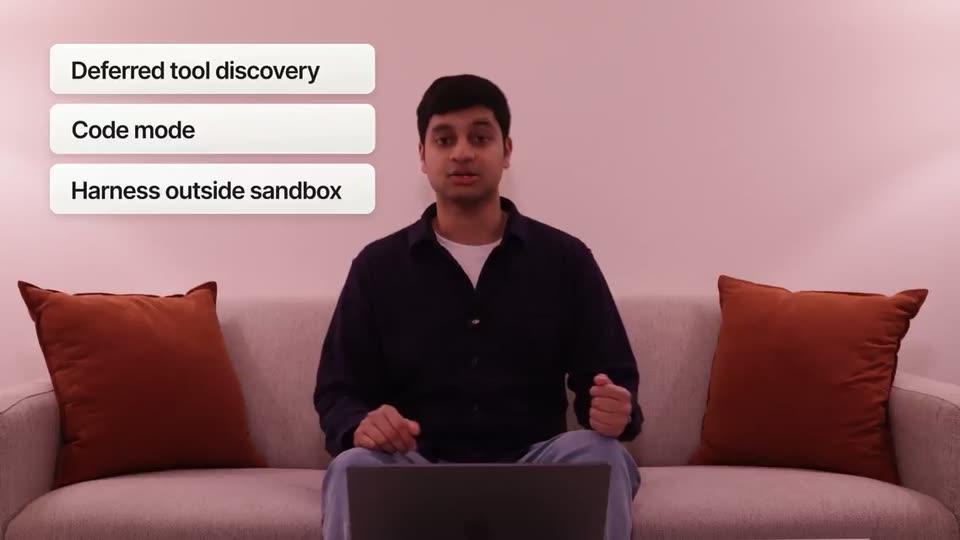
A presenter sits centered on a beige sofa between two rust cushions, a laptop on his lap, talking to camera and gesturing. White rounded label pills fade in one by one at the top left. Locked-off static shot.
On-screen text: “Deferred tool discovery”, “Code mode”, “Harness outside sandbox”
Camera: Static
Split layout: a Python code block sits top-left on black while a man in a dark shirt sits on a couch at right, holding a laptop and shifting his hands. The code stays static as he talks.
Techniques: Split screen
Camera: Static
A split screen shows a Python code editor on the left, where lines highlight in sequence as new code for a session appears, while a man sits on a couch with a laptop on the right against a pink wall.
Techniques: Split screen
Camera: Static
A black terminal on the left scrolls Python code and green JSON tool events, while a man in a dark shirt sits on a beige couch with a silver laptop on the right, looking down at the screen and then up to speak.
Techniques: Split screen
Camera: Static
A split screen shows a black terminal on the left, where JSON tool logs and Python code stream in line by line, beside a man on a couch on the right, head down at an open laptop, talking.
Techniques: Split screen
Camera: Static
A 1040 tax form PDF with red filled-in name and address fields fills the left side. On the right, a man sits on a couch with a laptop, looks down at it, then lifts his head and smiles at the camera.
Techniques: Split screen
Camera: Static
A man in a dark shirt sits cross-legged on a gray couch with rust pillows, a laptop on his lap. A white panel wipes in from the right to reveal him full frame; he smiles and looks at the camera.
Techniques: Masking
Camera: Push in
A man in a dark shirt sits on a beige sofa between two rust cushions, a laptop on his lap, talking to the camera, then stands and exits right. A white rounded banner with a beige cursor icon and useclick.ai stays locked at the bottom.
On-screen text: “useclick.ai”
Camera: Static