1:30

Qwen - Cowork: Any role, build beyond
Qwen · Aug 2026
Clerk · Apr 2026 · 1:25 · Full motion · AI-annotated
Clerk’s 1:25 launch film runs 37 scenes, about 2.3 s each. The product shows up at 0:05 and 7 features are revealed. There is no explicit call to action. The video alternates centered headline cards with perspective-tilted interface demos, each feature opened by a bold line that scales or slides and then a camera-angled UI shot. Pacing is fast and rhythmic near 155 bpm, with signature moves of 3D-tilted panels, parallax card fields, and typing code lines on near-black.
Is this your launch? to your site or press kit.
Qwen · Aug 2026
Rivian · Jun 2024
A centered headline reads “You started with users” on a pale background, “users” in violet. Small violet dots pop in above the word, then “You started with” blurs and slides out, leaving “users” alone.
On-screen text: “You started with users”
Techniques: Kinetic type
Camera: Static
A pale lavender gradient fills the frame as the sentence Now you have teams slides into the center, with teams set in purple. Above it, a thin line diagram of three connected nodes draws itself, the top node a purple circle holding a person icon.
On-screen text: “Now you have teams”
Techniques: Kinetic type
Camera: Static
A plain lavender background holds the centered headline Now you have teams, the last word in purple. To its right a small network tree of purple avatar icons fades in, the lower nodes appearing last. The whole composition slides right on a locked frame.
On-screen text: “Now you have teams”
Techniques: Kinetic type
Camera: Static
A light sign-up form with email and password fields sits centered on a pale background. The mouse cursor leaves the focused password field, moves down and rests on the dark Continue button as the footer bar slides in.
Techniques: Cursor demo
Camera: Static
A white 'Set up your organization' form card sits centered on a pale lavender field and slowly scales down. A cursor glides to the dark Continue button and clicks it, then the headline 'You need to be enterprise-ready' scales in.
On-screen text: “You need to be enterprise-ready”
Techniques: Cursor demo, Kinetic type
Camera: Static
A centered line reads “You need to be” in black, then “enterprise-ready” in purple joins it. The whole line scales up steadily on a locked-off frame until the words fill and crop the frame.
On-screen text: “You need to be enterprise-ready”
Techniques: Kinetic type
Camera: Static
A single line of code types itself out in the center of a dark background, keywords in purple, the component name in white, the package path in teal. Once the semicolon lands, the headline “You need to be enterprise-ready” scales in.
On-screen text: “import { OrgSwitcher } from @clerk/nextjs;”, “You need to be enterprise-ready”
Techniques: Kinetic type
Camera: Static
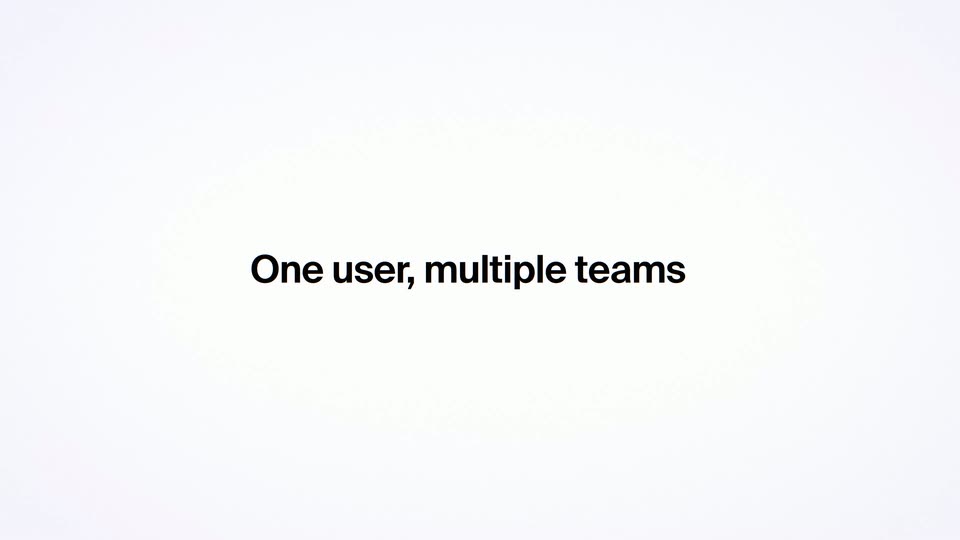
A bold black headline fades in and out on a pale background, then cuts to a browser window mockup angled in 3D on the right. The app shows a team switcher dropdown, a sidebar, and a table of rows with checkboxes.
On-screen text: “One user, multiple teams”
Techniques: 3D mockup
Camera: Push in
A light web app window shows an open organization dropdown over a blurred table. A black cursor enters from the bottom and glides up to hover the third entry, Josh Anderson Design, while the first row stays highlighted with a Manage button.
Techniques: Cursor demo
Camera: Static
A black cursor glides across an open organization dropdown and hovers the Manage button, then the interface fades to a plain white field and the word Frictionless fades in beneath the cursor.
On-screen text: “Frictionless”
Techniques: Cursor demo, Kinetic type
Camera: Pan
On a pale lavender field, the centered line “Frictionless invites” holds still while a black cursor arrow with a soft shadow drifts from above the text to below it, flipping its point. The word “invites” fades from light gray to black during the first second.
On-screen text: “Frictionless invites”
Techniques: Kinetic type
Camera: Static
Three email pills settle from a tilted pose into a horizontal row on a pale lavender field, while a black cursor glides from the middle pill to the right one.
On-screen text: “Frictionless invites”
Techniques: Cursor demo
Camera: Static
A light settings panel shows an email field holding three address chips and a Role dropdown set to Member. A black cursor slides in from the left, stops over the dark Send invitations button, and the button darkens on hover.
Techniques: Cursor demo
Camera: Static
On a pale lavender background, the bold black headline “Granular control, out of the box” holds, the word “box” sliding in from the right, then crossfades to “Production-ready permissions” as a white invitation card with email rows slides in from the top-left corner.
On-screen text: “Granular control, out of the box”, “Production-ready permissions”
Techniques: Kinetic type
Camera: Static
A pale lavender background holds a profile photo card on the right. A light headline fades in and out at center while three monospace permission pills scale and slide into a stack beneath the card.
On-screen text: “Production-ready permissions”
Techniques: Kinetic type
Camera: Pull out
A bright white 3D field of floating rounded profile cards and pill-shaped permission tags drifts in depth. The camera pushes forward, bringing the blonde woman's card and the dark-haired woman's card into focus while the tags scale and slide past in parallax.
Techniques: Parallax
Camera: Pull out
The camera glides left through a 3D field of user cards. A sharp headshot of a smiling woman floats above stacked permission labels, while a male headshot card grows large in the left foreground and background cards blur and recede.
Techniques: 3D mockup, Parallax
Camera: Pull out
A field of profile cards floats in 3D perspective on a pale lavender background. The front card with a man's photo grows and slides toward center as pill-shaped scope labels scale in beneath it, while smaller cards and an empty card drift across the depth.
Techniques: 3D mockup, Parallax
Camera: Pull out
A flat user-profile interface with permission labels fades out on a light background as the gray headline Single sign-on, enterprise-ready slides in and locks off at center.
On-screen text: “Single sign-on, enterprise-ready”
Techniques: Kinetic type
Camera: Static
A bold dark headline “Single sign-on, enterprise-ready” slides left across a pale background and exits, then thin gray lines draw a flowchart of two rounded boxes, and the top box fills white with the Microsoft logo and “Microsoft Entra ID” label.
On-screen text: “Single sign-on, enterprise-ready”, “Microsoft Entra ID”
Techniques: Kinetic type
Camera: Static
A white pill badge with a logo and label floats centered over faint card outlines on a pale background. The label swaps in place: Microsoft Entra ID, Google Workspace, then a small CUSTOM that scales in, then Custom SAML provider with a red triangular mark.
On-screen text: “Microsoft Entra ID”, “Google Workspace”, “CUSTOM”, “Custom SAML provider”
Techniques: Kinetic type
Camera: Static
A flat white UI card with the Okta Workforce title, a Microsoft Entra ID row and three action buttons zooms in at the center while a black cursor slides in and hovers the Add user button. Thin connector lines link the card to faint panels on either side.
Techniques: UI zoom, Cursor demo
Camera: Pull out
A flat UI diagram on a pale background: an Okta Workforce card with Add user, Update, Deactivate buttons, a Service Provider card with a person icon, and an Application Users list. The view zooms in from a wide frame to center the diagram. A cursor rests over the Add user button.
Techniques: UI zoom
Camera: Pull out
A bold black headline types in at center on a pale lavender field, reading “First-class billing, built in.” As it completes, a white organization settings panel with a menu list slides in from the right edge.
On-screen text: “First-class billing, built in”
Techniques: Kinetic type
Camera: Static
A 3D billing settings panel, tilted and fanned into stacked copies, rotates to a flat front view while a large black headline, First-class billing, slides off the left edge. A cursor arrow rests at the right.
On-screen text: “First-class billing,”
Techniques: 3D mockup
Camera: Pan
A light settings panel shows the Billing tab with a Silver plan and a Visa payment method. The view zooms in on the subscription row as a black cursor slides up from the lower right and stops beside the Switch plans button.
Techniques: UI zoom, Cursor demo
Camera: Push in
A tilted 3D view of a billing page rotates to reveal three pricing cards, Bronze, Silver and Gold. A black cursor then moves to the Gold card and hovers its Subscribe button as the card switches to Active.
Techniques: 3D mockup, UI zoom, Cursor demo
Camera: Pull out
A tilted 3D pricing modal with three plan columns floats over a billing dashboard. A cursor hovers the Gold Subscribe button, then the modal fades out and the perspective flattens to the flat billing page showing the active Gold subscription and a saved Visa card.
Techniques: 3D mockup, Cursor demo
Camera: Pull out
A billing settings panel slides out to the left, uncovering a large dark headline that reads Skip the boilerplate, with the word stay in pale gray fading in to its right.
On-screen text: “Skip the boilerplate, stay”
Techniques: Kinetic type
Camera: Pan
A black sans-serif headline slides in from the right, settling in the center of a pale background.
On-screen text: “Skip the boilerplate, stay in control”
Techniques: Kinetic type
Camera: Static
Glowing monospace code lines tilt along a diagonal on a near-black background and cycle in place. One import statement fades out as the next fades in, swapping the component name.
On-screen text: “Skip the boilerplate, stay in control”
Techniques: Kinetic type
Camera: Pull out
The headline Infrastructure that helps you grow sits centered on a pale gradient, the word grow turning from light gray to bold black. The plain field then opens into a tilted 3D dashboard with purple bars while the headline stays fixed.
On-screen text: “Infrastructure that helps you grow”
Techniques: Kinetic type, 3D mockup
Camera: Static
A white analytics dashboard sits tilted in 3D perspective, its edges softened by a shallow depth of field. A row of stacked violet bars spans the chart beneath four KPI cards, the whole view held static.
Techniques: 3D mockup
Camera: Static
A product dashboard with purple stacked bar charts sits at a tilted 3D angle, a white tooltip card listing weekly active users floating above the bars. The camera drifts slowly forward while the outer edges stay soft-focused.
Techniques: 3D mockup
Camera: Static
A pale lavender frame holds a wide Member Activity heatmap card. Purple cells of varying intensity fill the January to September columns, spelling ARCLIGHT, while October to December stay empty grey. The card sits low in frame and slowly scales up.
Camera: Static
A contribution heatmap of purple and gray rounded squares sits tilted in 3D perspective on a white background. A white tooltip fades in at the center reading 52% Active, Thu, May 12, 2026, with the month label May at the bottom right.
Techniques: 3D mockup
Camera: Static
The Clerk logo, a purple person mark inside an open C beside the white lowercase wordmark, sits centered on a near-black background and holds perfectly still for the entire shot.
On-screen text: “clerk”
Camera: Static