1:30
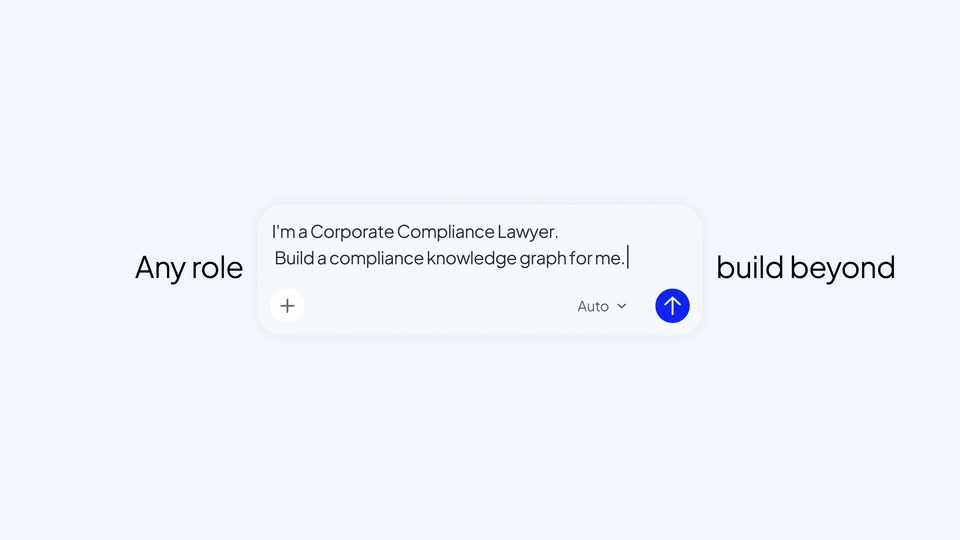

Qwen - Cowork: Any role, build beyond
Qwen · Aug 2026
Vibiz · Jun 2026 · 0:38 · Full motion · AI-annotated
Vibiz’s 0:38 launch film runs 21 scenes, about 1.9 s each. The product shows up at 0:07 and 2 features are revealed. There is no explicit call to action; a voiceover carries the film. A launch video for Vibiz, an AI business builder, shown as a rapid pipeline of UI beats: a numeric hook, a prompt-to-workspace build, a run-ads feature, an autopilot checkout and a wordmark close. The style is defined by flat white cards pushed and pulled in 3D, motion-blurred tile grids, and ripple rings on a pale blue field.
Is this your launch? to your site or press kit.
Qwen · Aug 2026
Samsung Galaxy S26 Ultra · Mar 2026
Galaxy S26 Ultra · Feb 2026
Films whose music sounds like this one, voice left out
A pale blue field with concentric rings; a blurred center dot resolves into a large dark gray counter rolling up to 12,367 above the caption “Businesses built this week using Vibiz”. Grids of small website thumbnails fade in at the left and right edges alongside scattered dash marks.
On-screen text: “12,367”, “Businesses built this week using Vibiz”
Techniques: Kinetic type, Particles
Camera: Static
A white rounded input field slides left across a light blue dotted background. A black text cursor blinks as the letters C, r, e type in one by one, the first letter in dark teal and the rest in gray.
Techniques: Kinetic type
Camera: Static
Close-up of a white rounded input bar on a pale blue dotted background. The query text slides left to settle on 'for AI engineer' with a blinking caret, while a blue up-arrow button appears at the right end and a mouse pointer hovers just below it.
Techniques: Kinetic type, Cursor demo
Camera: Static
A light blue chat interface scrolls vertically through an AI workflow: a clarifying question with three option cards, then two team member cards, then offer cards, settling on a dark Confirm & build button that a cursor hovers. White dots drift in the background.
Techniques: Cursor demo
Camera: Pan
A settings panel with color swatches, typography and language cards floats on a light blue field, then recedes upward as a row of logo cards scatters into a 3D layout around a central heading. Tiny specks drift across the background throughout.
Techniques: 3D mockup, Particles, Parallax
Camera: Static
A light blue onboarding screen shows the heading Choose the logo surrounded by six white cards holding blue logo variants. A cursor hovers over the bottom card, then moves down and clicks the dark Launch my workspace button.
Techniques: Cursor demo
Camera: Pull out
A light console panel titled Build Stream shows a log stream: monospace timestamped lines type in one by one, green checkmarks confirming steps of the Synapse AI pipeline.
Techniques: Kinetic type
Camera: Static
On a pale blue field, a monospace log scrolls up the left while a flat wireframe builds on the right, its NAV-BAR, HERO and FEATURES blocks fading in one by one with placeholder shapes.
On-screen text: “NAV-BAR”, “HERO”, “FEATURES”
Techniques: Split screen
Camera: Pull out
A pale blue screen splits into two panes. On the left, a terminal scrolls green log lines upward. On the right, a wireframe of a web page reveals its PRICING block at the bottom. A gray counter reading Time saved 12h 47 sits in the lower left corner.
On-screen text: “Time saved 12h 47”
Techniques: Split screen
Camera: Static
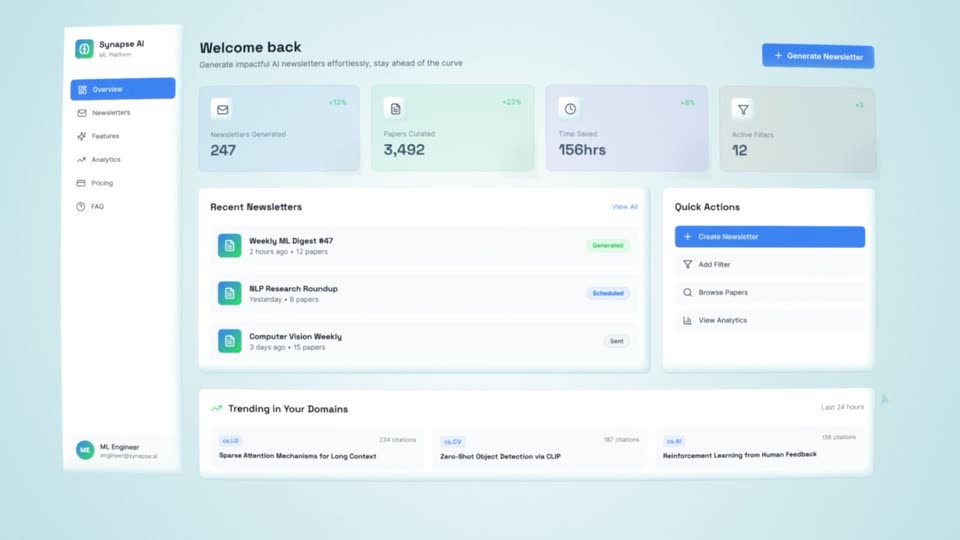
A tilted, motion-blurred 3D view of a light blue dashboard settles into a flat, front-on screen. The dashboard shows a sidebar, a Welcome back header, four stat cards, a Recent Newsletters list, a Quick Actions panel, and a Trending row.
Techniques: 3D mockup
Camera: Pull out
A tilted 3D dashboard mockup of the Synapse AI app sits on a pale blue field. The camera pushes in on the right-hand panel, isolating the dark Run ads button as a cursor hovers over it.
Techniques: 3D mockup, UI zoom, Cursor demo
Camera: Static
A close-up of a light dashboard shows an ADS panel with a dark Run ads button and an EMAIL panel. A blue cursor hovers at the button as the view scrolls up and zooms out, revealing a Cash out heading above.
Techniques: Cursor demo, UI zoom
Camera: Pull out
A single dark Synapse AI card floats tilted on a pale blue field, then the camera pulls back to reveal a 3x3 grid of feature cards around it. Cards like ADS, EMAIL and Cashout slide and scale into place as the grid settles.
On-screen text: “Address: [email protected]”
Techniques: 3D mockup, UI zoom
Camera: Pull out
A light dashboard grid of Synapse AI ad creatives fills the frame, a dark rounded Run ads button centered. The tiles blur and fly apart into 3D depth while the button stays sharp.
Techniques: 3D mockup, Parallax
Camera: Pull out
A 3D collage of floating cards shows a central video of a man holding a phone with the text 'AI newsletters on autopilot'. The cards move rapidly upward with motion blur, revealing a progress bar at the bottom.
On-screen text: “AI newsletters on autopilot”, “AI Newsletters. Effortlessly.”
Techniques: Parallax, 3D mockup, Speed ramp
Camera: Pan
A dotted globe rotates on a pale blue field with small data labels on the continents. The top counter climbs from 100K to 551.0K Impressions while the Uploading Campaign bar at the bottom fills, then the globe drifts right out of frame into a white glow.
On-screen text: “263.0K Impressions”, “Uploading Campaign”, “18%”
Camera: Push in
A 3D smartphone mockup floats on a pale blue field with a thin circular ring. The device, showing a social feed of a man holding a phone plus a Follow button, rotates from a tilted left angle to a centered upright stance. The camera stays locked off.
Techniques: 3D mockup
Camera: Static
A phone mockup sits centered on a pale blue field of faint circles. Inside, a man in a green hoodie talks and gestures, holding a second phone showing a newsletter. A follow pill and shop bar overlay the video; a fixed icon rail runs down the right edge.
Techniques: 3D mockup
Camera: Static
A white checkout card tilts in soft 3D perspective over a pale blue field with a thin ring outline. The card eases upward, sliding the header off the top and revealing the secure footer. A currency dropdown, line items, total and a blue Subscribe button fill the panel.
Techniques: 3D mockup
Camera: Static
Close-up of a checkout screen on white: three benefit lines with blue check marks sit above a blue Subscribe Now button with a lock icon. The button turns light green and reads Succeeded, then the view punches in on the check mark until it fills the frame.
Techniques: UI zoom
Camera: Pull out
A black abstract logo shrinks at the center of pale blue ripple rings as the lines “Business Ideas” and “that runs itself” scale in below it. The frame then settles on the blue Vibiz.ai wordmark with the tagline “Build your business today”.
On-screen text: “Business Ideas”, “that runs itself”, “Build your business today”, “Vibiz.ai”
Techniques: Kinetic type
Camera: Static