0:30

Cursor - Origin, our code hosting platform, is now live. It's fast, easy to u
Cursor · Developer tools · Aug 2026
Claude’s 0:52 launch film runs 14 scenes, about 3.7 s each. The product shows up at 0:04 and 3 features are revealed. There is no explicit call to action. The video is built as one continuous camera piece on a flat warm beige field, with no hard cuts: an abstract shape-and-line hook resolves into a phone mockup that then plays a single chat session across three capability beats (a chart, a Figma diagram, a Canva deck) before closing on the wordmark. Its signature moves are slow push-ins and pans inside a fixed phone frame, scroll-revealed cards, caret typing, and the recurring starburst loader, all set in a calm serif-and-sans system with a muted,
Is this your launch? to your site or press kit.
Cursor · Developer tools · Aug 2026
On a flat beige field, a loose cluster of off-white geometric shapes, two triangles and three squares, drifts and tightens toward the left. A black hand-drawn curved stroke draws itself in on the right, ending in a hook.
Camera: Static
On a beige background, off-white geometric shapes cluster at the center as a hand-drawn black line with dot nodes is sketched across them. The shapes then morph into a large off-white circle on the right, the line forming a connected graph.
Techniques: Morph
Camera: Static
A cream phone mockup on a beige field loads a chat interface: a menu icon and model name scale in at top, a red starburst and gray greeting line appear center, an input bar with plus, mic and waveform icons settles at bottom.
Camera: Static
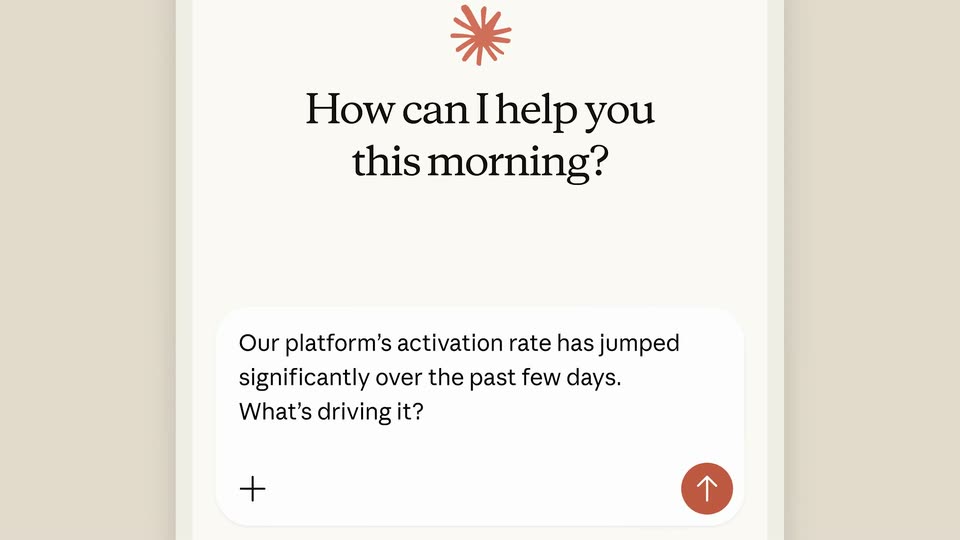
A phone chat interface on a plain beige backdrop. The frame zooms into the top message, then follows a question typed into the input bar and sent as a bubble, after which an Amplitude attachment and a loading spinner appear below it.
Techniques: UI zoom
Camera: Push in
A card scrolls up to reveal an Activation rate chart; the blue cohort line spikes after a Deploy marker while serif caption text types in below. The frame zooms into the chart as a tooltip slides from Mar 8 to Mar 10, reading 31.4% against a 19.2% baseline.
On-screen text: “jumped significantly over the past few days. What's driving it?”, “Found it. A new onboarding flow was deployed on Monday that has already improved activations by 40%. Early results look strong!”
Techniques: Kinetic type, UI zoom
Camera: Push in
A chat feed scrolls upward. A line-graph card labeled Activation rate moves out of frame, revealing a paragraph about a new onboarding flow, a red starburst icon, and a second message with a red circular send button at the bottom.
Camera: Push in
A chat screen close-up: a reply types itself into the input box with a caret, then sends as a gray bubble on the right, and a Figma logo with a spinning red star loader appears below.
Techniques: Cursor demo
Camera: Static
A Figma canvas pans and zooms in on a flowchart comparing two sign-up flows. The top flow ends at a gray node marked 22% activation, the bottom at a green node marked 61%. A red dotted spinner turns in the lower corner.
Techniques: UI zoom
Camera: Static
A phone-shaped frame on a beige background holds a flowchart with Before and After sections. The diagram zooms in and pans upward inside the fixed frame, revealing pink and green nodes and yellow diamonds, while an Open in Figma pill stays pinned at the bottom.
Techniques: UI zoom
Camera: Static
A flat phone mockup on a beige dotted background shows two Figma flowcharts. The canvas scrolls inside the fixed frame, bringing a Login node and a pink profile box into view at the top while the green diagram and the Open in Figma button move off the bottom.
Camera: Static
A phone on a beige background shows a chat thread with two Figma flowcharts labeled Before and After. The camera slowly pushes in until the message at the bottom fills the frame.
Techniques: UI zoom
Camera: Push in
A locked-off close-up of a user-flow diagram with gray, yellow and green nodes on a dotted canvas. Below, on a cream field, a dark serif headline scales in over two lines, with a small red asterisk at the lower left.
On-screen text: “Here's how the two paths compare. Want to turn this into something you can share with the team?”
Techniques: Kinetic type
Camera: Static
A cream phone card sits on a beige field, opening zoomed in under a serif headline that scales out. Inside, a chat prompt builds a skeleton card that fills with an outline, then swaps to green slide previews that scroll horizontally.
On-screen text: “Here's how the two paths compare. Want to turn this into something you can share with the team?”
Techniques: UI zoom
Camera: Push in
On a flat beige field, two small orange starburst marks sit center frame, then resolve into the Claude lockup: the orange asterisk mark left of the black serif word Claude. The lockup holds static and centered for the rest of the clip.
On-screen text: “Claude”
Camera: Static