0:49
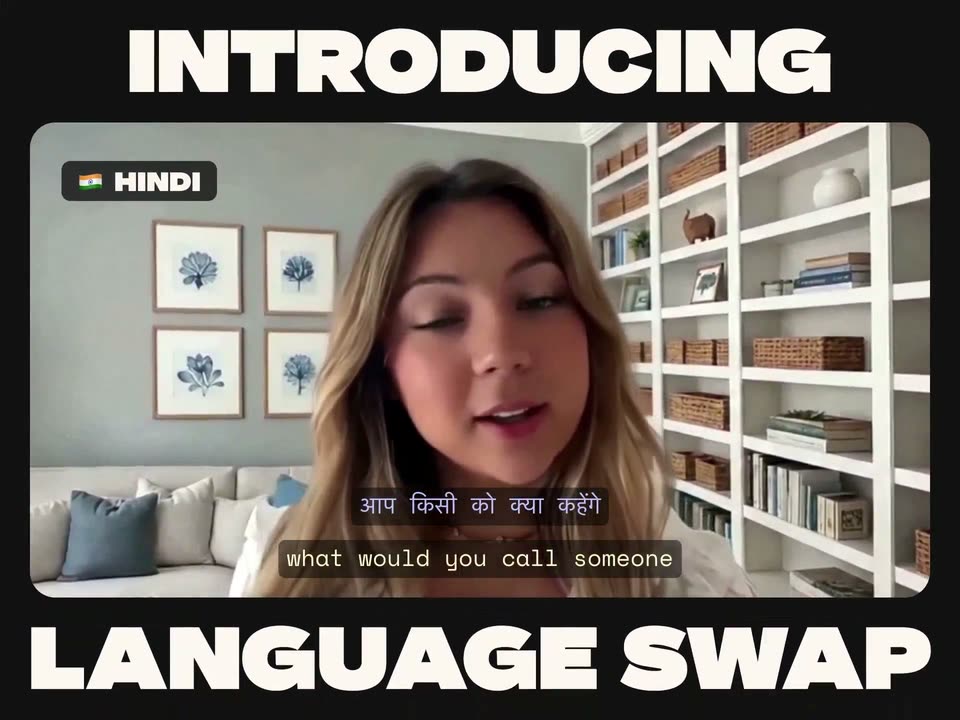

Pika - Take your content global, already! The Language Swap skill via Pika
Pika · AI · Jun 2026
Claude · Jun 2024 · 1:16 · Full motion · AI-annotated
Claude’s 1:16 launch film runs 20 scenes, about 3.8 s each. The product is on screen from the first frame and 1 feature is revealed. There is no explicit call to action. A single continuous screen recording of the Claude web app, cut into tight zooms and pans that track the cursor as it types prompts and watches artifacts render. The signature move is the two pane layout, a chat column on the left and a live artifact preview (code, SVG, or pixel game) on the right, all framed on a warm peach backdrop with a cream and slate palette.
Is this your launch? to your site or press kit.
Pika · AI · Jun 2026
GitHub · Developer tools · Oct 2024
Anthropic · AI · Mar 2024
Films whose music sounds like this one, voice left out
Claude · Chiptune, electronic
Marey · Cinematic electronic, Eurodance/Trance, Chiptune/Dubstep fusion
OpenAI · Lo-fi hip-hop, chillhop, and modern electronic
A close-up of the Claude web interface shows an open account dropdown on the right. A white hand cursor glides from the avatar down the menu and hovers over Feature Preview, which tints darker.
Techniques: Cursor demo
Camera: Static
A flat Claude chat screen shows a greeting and a code editor card; the view zooms in to center the Python code window as a hand cursor hovers over it.
Techniques: UI zoom
Camera: Push in
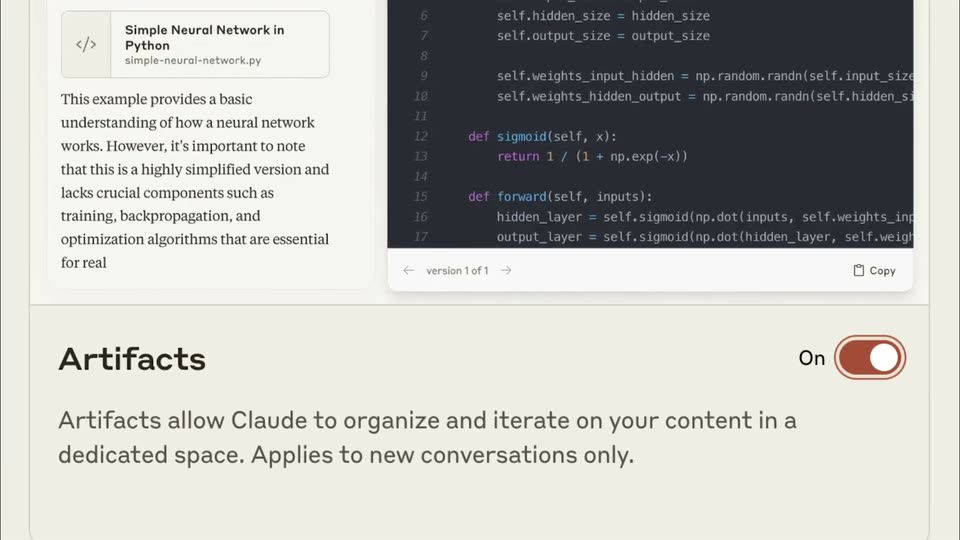
A close-up of a settings panel shows a code card above an Artifacts row; a hand cursor clicks the toggle, flipping it from Off to On in orange. The camera then pulls back to reveal the full Feature Preview window of the Claude interface on a dark gray backdrop.
Techniques: UI zoom
Camera: Pull out
The Claude chat window fills the frame as the view zooms in on the prompt field. The question types out character by character, and the orange send button switches to a loading spinner.
Techniques: UI zoom
Camera: Push in
A flat chat screen titled Untitled holds a user bubble at the top. A reply bubble fades in below with a sentence, then a Generating crab SVG card slides in next to a spinner. An orange starburst loader pulses at the lower left.
Camera: Static
A flat two-panel app window on a peach background. The left chat shows a prompt and reply, with a loading card resolving into a small orange asterisk. The right dark panel types SVG code line by line. The shot opens zoomed in and pulls back to the full window.
Techniques: UI zoom
Camera: Pull out
A cream chat interface on a peach backdrop displays a red 8-bit crab in a side panel. The frame zooms into the chat column as a new prompt is typed in the input field and an AI reply streams in with a generating card.
Techniques: UI zoom
Camera: Push in
A two-pane interface sits on a tan backdrop. The left chat thread shows a user request and a reply with a small red starburst icon, while the right dark panel scrolls down to reveal more SVG shell code line by line.
Camera: Pull out
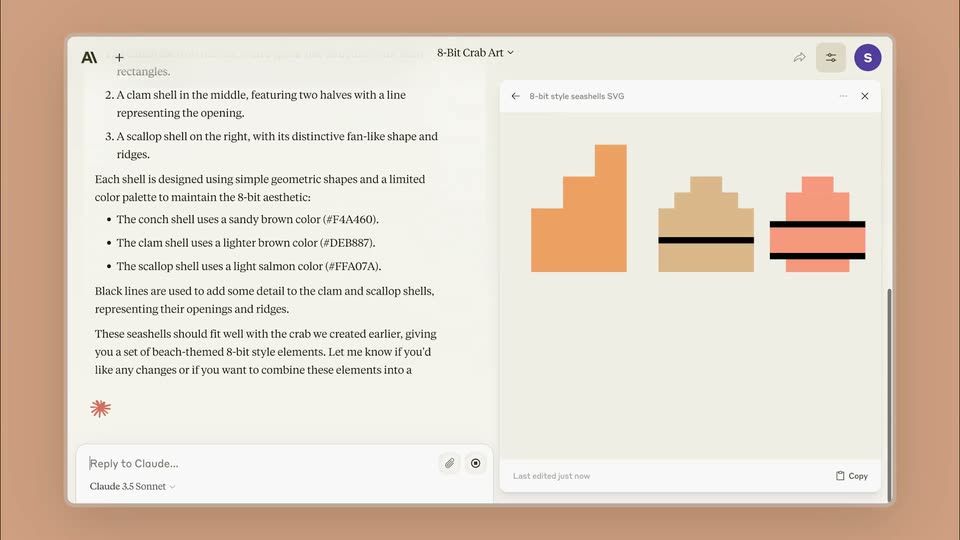
A chat app window sits on a peach backdrop. The left panel streams a conversation about 8-bit seashells, lines appearing in sequence, while the right panel holds a static preview card showing three pixel shells in orange, tan, and salmon. The framing stays fixed throughout.
Techniques: Kinetic type
Camera: Static
A cream chat panel shows a user bubble and an orange spinner; the frame jumps up to the header showing the conversation title, then settles back as the assistant's reply text fills the white card.
Techniques: UI zoom
Camera: Static
A light cream chat window scrolls downward, moving past a pixelated cloud SVG preview card to settle on the assistant's closing message and the empty input bar with a paperclip icon.
Techniques: UI zoom
Camera: Static
Close-up of the chat interface. The assistant's reply about a pixelated beach scene sits above the input box, where a prompt types out letter by letter, then posts as a bubble with a purple avatar; the field clears and the view scrolls up.
Techniques: Cursor demo
Camera: Static
A chat interface shows a request for an HTML5 side-scrolling game; the reply types itself out word by word, then the frame pans right to a blank beige panel.
Techniques: Kinetic type
Camera: Pan
A dark code editor panel slides in from the right over a light text document, then the HTML and CSS source scrolls upward, revealing the markup and styles for an 8-bit beach scene.
Camera: Pull out
A split view pairs a chat window on the left, its text scrolling up, with a preview card sliding in from the right. Inside, an 8-bit beach scene loops as pixel clouds, a red crab and a shell drift across the water and sand.
Techniques: Split screen
Camera: Push in
A chat panel on the left; a prompt types in character by character, then converts to a user bubble as the reply streams in. On the right, a flat pixel game preview shows a red crab and beige seashell scrolling across blue and orange bands.
Techniques: Cursor demo
Camera: Static
A white chat panel with a user prompt and an AI reply fills the left side, while the right shows a pixel-art crab on a striped beach. The view zooms out to bring the game preview into frame beside the conversation.
Techniques: UI zoom
Camera: Pan
A dark code editor fills the frame as JavaScript source scrolls upward line by line, a thin light chat panel with partial text peeking from the left edge.
Camera: Pan
A retro pixel game settles into a centered rounded card on a tan background. A red crab hops across a beach strip as the score counts up, then GAME OVER and a red RETRY button pop in. The card crossfades to a Claude chat screen.
Camera: Pull out
A cream Claude web interface shows a greeting and a chat input bar. A cursor moves up and clicks the user avatar in the top right, opening an account dropdown menu as the view zooms in on the menu.
Techniques: Cursor demo, UI zoom
Camera: Push in