0:17

Drafted Shaping Feature
Drafted · Consumer · May 2026
Careforce · Nov 2024 · 0:55 · Full motion · AI-annotated
Careforce’s 0:55 launch film runs 4 scenes, about 14 s each. The product is on screen from the first frame. There is no explicit call to action; a voiceover carries the film. The video is one continuous screen-recording tour of the NextGenCare outreach workflow, cut at a slow, even pace of about two cuts per minute so each UI state can settle. Its look is flat and literal, built on pastel pill grids, a magenta accent bar and a cyan-on-black waveform, with no motion graphics beyond the cursor and native interface animation.
Is this your launch? to your site or press kit.
Drafted · Consumer · May 2026
Google · AI · Apr 2026
Compyle · B2B · Oct 2025
Films whose music sounds like this one, voice left out
Canva · Electronic dance music with funk and house influences
Alkera AI · Upbeat, modern electronic promotional music
A1Zap · Upbeat electronic
A product dashboard shows a grid of pastel campaign pills under the heading My Outreach Campaigns. A cursor travels from the lower right across the empty space and stops on the PAP Screening card, which tints blue on hover.
Techniques: Cursor demo
Camera: Static
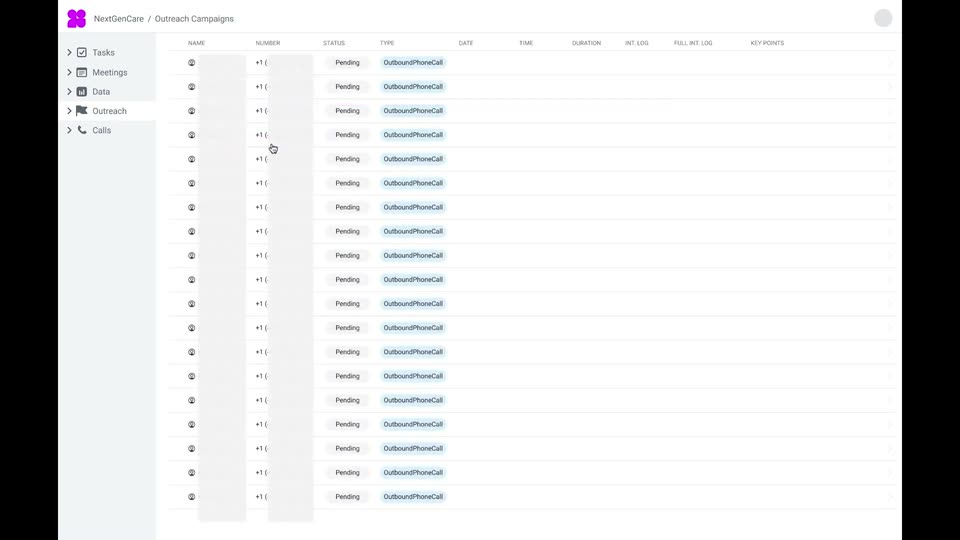
A magenta progress bar fills under the heading 435 Patients Uploaded while the cursor hovers and clicks the Start Outreach button. The view cuts to a call log table; the top rows flip from Pending to In Progress, then the first row turns Successful and its log cells populate.
Techniques: Cursor demo
Camera: Static
A product dashboard plays a blue call-audio waveform on black while a cursor drifts over the page. It scrolls down to a blurred scheduling screen recording, which wipes diagonally to another calendar view and zooms in.
Techniques: Cursor demo, Masking, UI zoom
Camera: Static
A 'New Appointment - Walk-in' dialog sits over a blurred schedule grid. A cursor types the first name, opens a date picker, enters the birth date, and fills the cell phone field. The screen fades to black.
Techniques: Cursor demo
Camera: Static