0:54
Work Without Boundaries
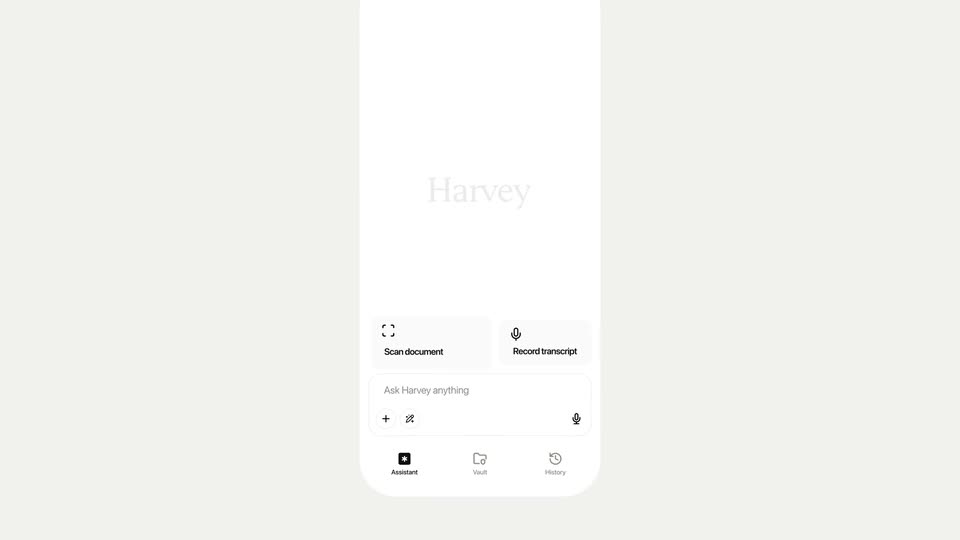
Harvey · Oct 2025
BridgeOpsOne · Jun 2026 · 0:38 · Full motion · AI-annotated
designed • NOC Teams
BridgeOpsOne’s 0:38 launch film runs 12 scenes, about 3.2 s each. The product shows up at 0:09 and 1 feature is revealed. There is no explicit call to action; a voiceover carries the film. The video runs a problem-to-demo arc: a flat chat fills the frame, the camera pulls back to a 3D laptop, flat panels slide and scroll to show the paste workflow, then a tilted browser window demos the extension over a dark ticketing screen. Pacing is steady at about five cuts per minute, with signature moves of pull-backs from tight UI, panel slide-offs that hand off screens, and in-place headline swaps over locked 3D frames.
Is this your launch? to your site or press kit.
Films whose music sounds like this one, voice left out
Notte · Modern electronic
MangoDesk · Upbeat electronic
Subvocal · Electronic
A flat chat view on a pale gray field fills with rounded speech bubbles from gray and pink avatars, each sliding in in turn. The list then scrolls up to reveal a green reply bubble and a typing dash.
Camera: Static
The frame opens tight on a chat thread, then pulls back to a silver laptop in 3D perspective on a dark blue field. Green and gray message bubbles stack upward as the incident conversation grows.
Techniques: UI zoom, 3D mockup
Camera: Pull out
A 3D laptop at the left edge slides off screen as a blue icon of a person at a desk and a gear icon hold a dashed-arrow loop on a dark navy field. The headline scales in above them, the final phrase in blue.
On-screen text: “You're trying to make sense of scattered updates”
Techniques: 3D mockup, Kinetic type
Camera: Static
A blue rounded square icon morphs through a bell, a support agent, and a checklist with a warning triangle on a dark navy field. A 3D laptop with a status-screen UI scales in behind it as the headline holds at the top.
On-screen text: “While also managing the incident.”
Techniques: Morph, 3D mockup
Camera: Static
A 3D laptop mockup sits centered on a dark blue background, its screen showing a team chat with initial avatars and message bubbles. The laptop eases slightly smaller as the headline “Take your operational notes” fades in above it, “notes” in blue, while a cursor drifts across the screen.
On-screen text: “Take your operational notes”
Techniques: 3D mockup
Camera: Pull out
A flat laptop mockup in perspective shows a chat thread with avatar bubbles; it slides left out of frame as the BridgeOpsOne interface panel slides in from the right under a static headline.
On-screen text: “Take your operational notes”
Techniques: 3D mockup
Camera: Pan
A flat dark-blue product form sits centered beneath the headline. The panel scrolls upward to reveal a workflow section, then the camera zooms in on the panel as the headline exits the top. A white cursor hovers at the right edge.
On-screen text: “Paste them into BridgeOpsOne”
Techniques: UI zoom
Camera: Push in
A dark blue interface panel centered on a navy background scrolls upward, pushing the privacy notice and terminal box off the top and revealing the Operational Intelligence fields and Recommended Actions. A white cursor drifts right and out of frame.
Techniques: Cursor demo
Camera: Static
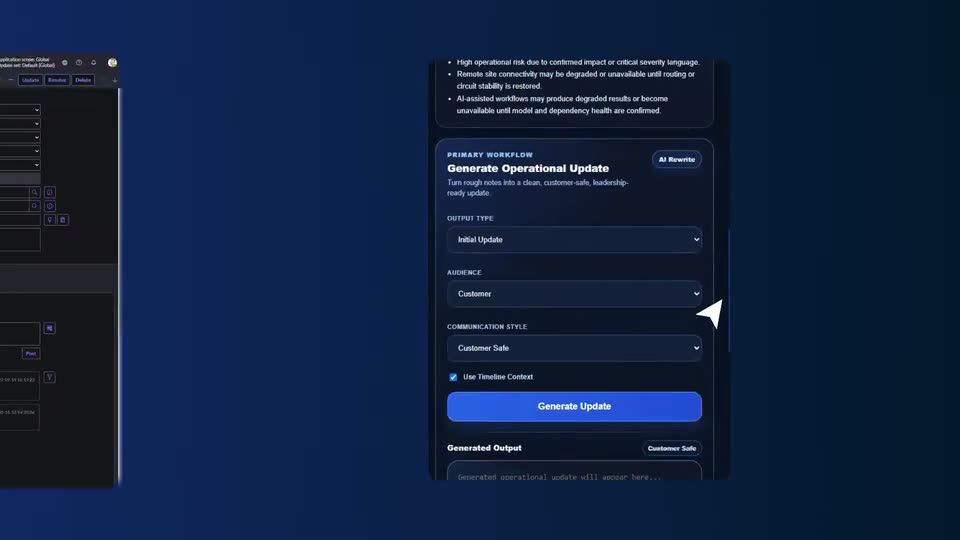
A dark blue grid background holds a tilted 3D interface card that rotates to face the camera and slides right, revealing a workflow form with a blue Generate Update button, while a white cursor hovers at the right edge.
Techniques: 3D mockup
Camera: Static
A dark ticketing screen in a tilted 3D browser window on a blue gradient. A cursor clicks the blue Generate Update button, a spinner appears, then a generated update fills the right panel and pastes into the work notes field. Headlines swap above the window.
On-screen text: “BridgeOpsOne runs as a browser extension”, “Working seamlessly with your ticketing platform.”, “Right where your analysts already work”
Techniques: 3D mockup, Cursor demo
Camera: Push in
A dark navy background holds a thin rounded-rectangle outline. Inside, the headline “Less time writing updates” scales in, the last word blurred and blue. It then switches to “More time solving incidents,” with “incidents” softening in at the end.
On-screen text: “Less time writing updates”, “More time solving incidents”
Techniques: Kinetic type
Camera: Static
On a white background, the BridgeOpsOne mark assembles from separate navy and blue strokes, the wordmark fades in beneath it, and the gray tagline settles under the name to hold the lockup.
On-screen text: “AI-POWERED OPERATIONAL INTELLIGENCE”
Techniques: Kinetic type
Camera: Static