
1:38
Explore
BridgeOpsOne Platform Overview | Incident Communications for Operations
BridgeOpsOne · Jun 2026 · 1:18 · Full motion · AI-annotated
- Length
- 1:18
- Scenes
- 43 · 1.8 s avg
- Product on screen
- 0:06
- Features shown
- 5
- Call to action
- 1:14 · 95%
- Voiceover
- Yes
- Views
- 19 on YouTube
as of November 28, 2026
00:00:00 / 01:18:18
- Length
- 1:18
- Scenes
- 43 · 1.8 s avg
- Product on screen
- 0:06
- Features shown
- 5
- Call to action
- 1:14 · 95%
- Voiceover
- Yes
- Views
- 19 on YouTube
as of November 28, 2026
BridgeOpsOne’s 1:18 launch film runs 43 scenes, about 1.8 s each. The product shows up at 0:06 and 5 features are revealed. The call to action lands at 1:14 (95% in), over a voiceover. The video alternates full-bleed text cards on blue gradients with 3D-tilted product mockups that rotate flat into frame, pairing each feature as a left-side headline and a right-side interface panel. Pacing is slow at about three cuts per minute, built on blur-to-sharp text reveals, word-by-word type builds, and a consistent blue grid backdrop.
No filming indicatedEstimated needs: 6 capture groups — your screens or recordings · 1 official logo — reused across the film · 16 3D passages — build or supply
Is this your launch? to your site or press kit.
More like this
1:11

Minara AI - Quant trading is solved. Introducing: Minara Strategy Studio. Desig
Minara Strategy Studio · Apr 2026
1:23
Glass YC Health tech launch
Glass Health · Sep 2026
Similar soundtrack
Films whose music sounds like this one, voice left out
2:08
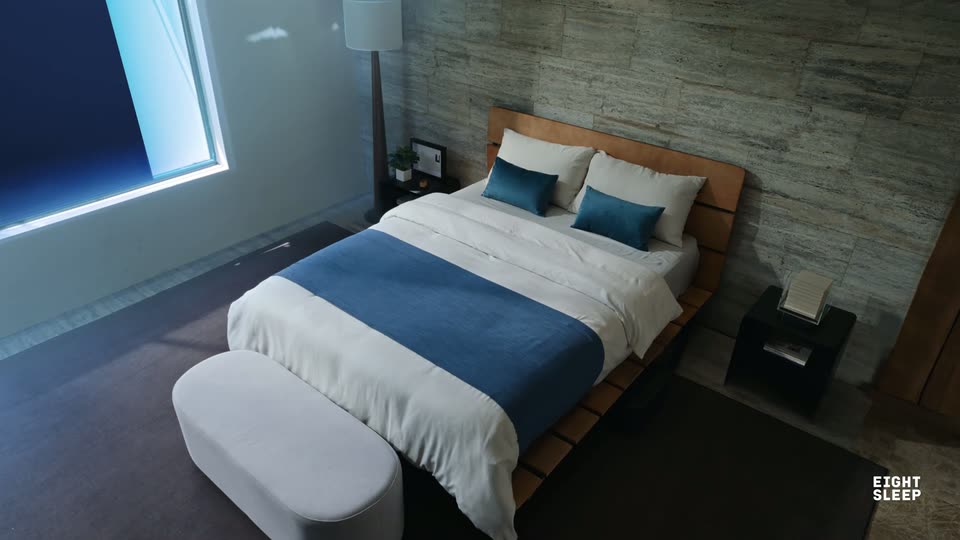
Introducing Pod 6: A smaller Pod for bigger dreams | Eight Sleep
Eight Sleep · Modern electronic
4:52
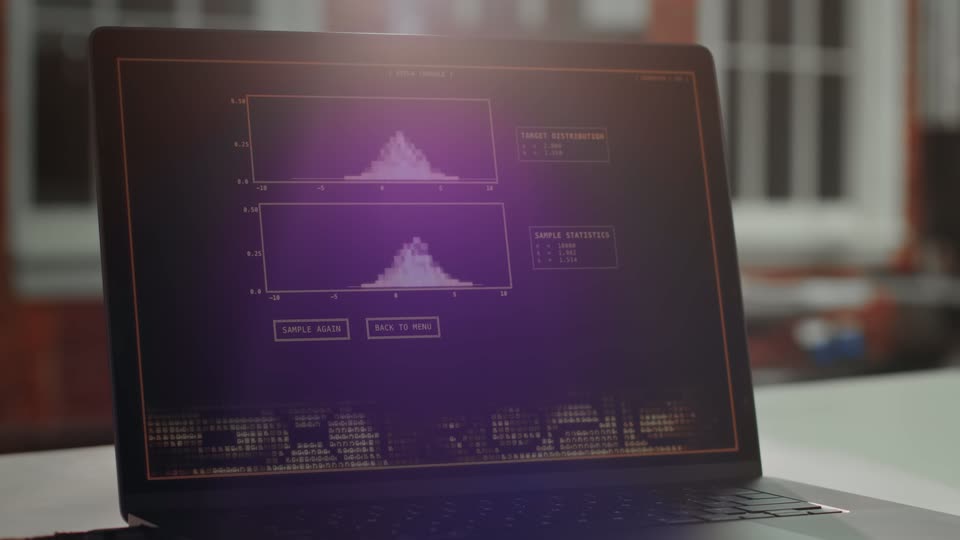
Hello Thermo World | Extropic
Extropic · Cinematic electronic
0:55
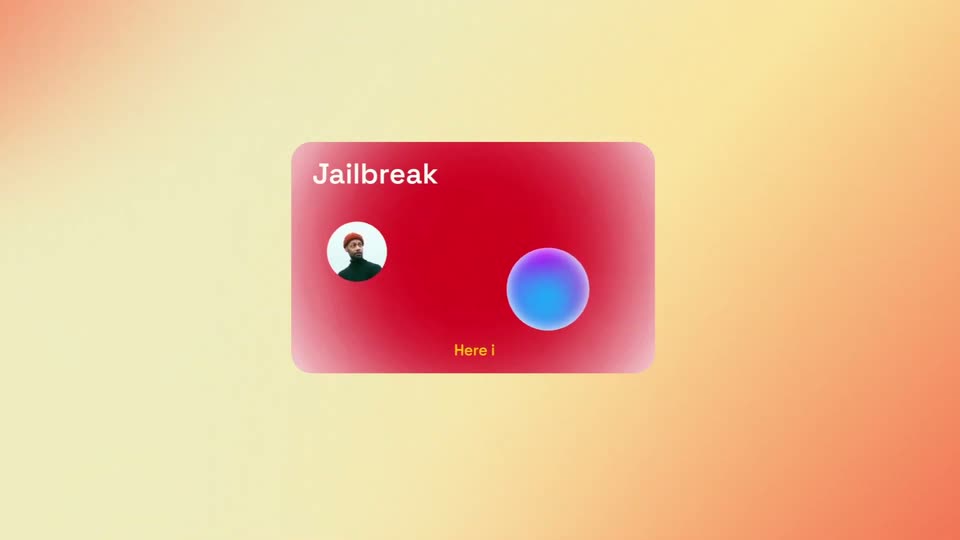

Red Teaming Voice AI Agents: Jailbreak, Bias and Toxicity | Cekura
Cekura · Electronic
BridgeOpsOne Platform Overview | Incident Communications for Operations, scene by scene
· 43 scenes as text
01 · Problem · 0:00–0:02
A dark 3D field of red and white alert panels floats around a central Critical Error dialog. The composition fades in from black and slowly pushes in, while corner glows and warning triangles pulse.
Techniques: 3D mockup, Parallax
Camera: Pull out
02 · Problem · 0:02–0:05
On a dark blue gradient, white text builds word by word to read the first line, then blurs out of focus as the second line fades in sharp and centered.
On-screen text: “But operational communication”, “often falls behind”
Techniques: Kinetic type
Camera: Static
03 · Problem · 0:05–0:06
A soft blue gradient fills the frame, a darker patch drifting slowly across it, while the phrase often falls behind holds steady in the center.
On-screen text: “often falls behind”
Camera: Static
04 · Product intro · 0:06–0:06
On a blue gradient with a faint grid, the word Introducing types out letter by letter in white, a thin cursor trailing the last letter, then the whole word scales down toward the center.
On-screen text: “Introducing”
Techniques: Kinetic type
Camera: Static
05 · Product intro · 0:06–0:08
On a dark blue gradient with a faint grid, the white word Introducing holds center, then gives way to a white-and-blue stylized R logo that assembles from separate strokes. The wordmark BridgeOpsOne settles beneath it, letters sliding into place. Locked-off frame.
On-screen text: “Introducing”, “BridgeOpsOne”
Techniques: Kinetic type
Camera: Static
06 · Product intro · 0:08–0:10
A dark blue gradient fills the frame. Two centered lines of white text read “An operational” and “communication platform”; the lower line fades in from a soft blur to full clarity while the upper line holds still.
On-screen text: “An operational”, “communication platform”
Camera: Static
07 · Product intro · 0:10–0:11
A blue gradient backdrop holds centered white text reading An operational communication platform. The text shifts to Designed for NOCs on the left as a 3D-angled BridgeOpsOne interface card slides in from the right on a dark panel.
On-screen text: “An operational communication platform”, “Designed for NOCs”
Techniques: 3D mockup
Camera: Static
08 · Product intro · 0:11–0:12
A dark blue grid backdrop holds a tilted 3D phone mockup on the right, displaying the BridgeOpsOne interface, while the headline 'Designed for NOCs' rests on the left. The mockup drifts slowly rightward.
On-screen text: “Designed for NOCs”
Techniques: 3D mockup
Camera: Static
09 · Product intro · 0:12–0:13
A 3D phone mockup of the BridgeOpsOne interface tilts on the right over a blue grid, drifting slowly rightward, while the white headline 'Designed for SOCs' stays static on the left.
On-screen text: “Designed for SOCs”
Techniques: 3D mockup
Camera: Static
10 · Product intro · 0:13–0:14
A 3D-tilted dark dashboard mockup sits on a blue gridded backdrop; it rotates toward a flat frontal view while a white headline fades in sharp at the top center.
On-screen text: “Command centers”
Techniques: 3D mockup
Camera: Static
11 · Product intro · 0:14–0:15
A locked-off frame of a blue radial gradient, brighter at the top center and darker at the edges. The white line “Infrastructure teams” sits centered and fades in from low opacity to full over the first half of the clip, then holds still.
On-screen text: “Infrastructure teams”
Camera: Static
12 · Product intro · 0:15–0:15
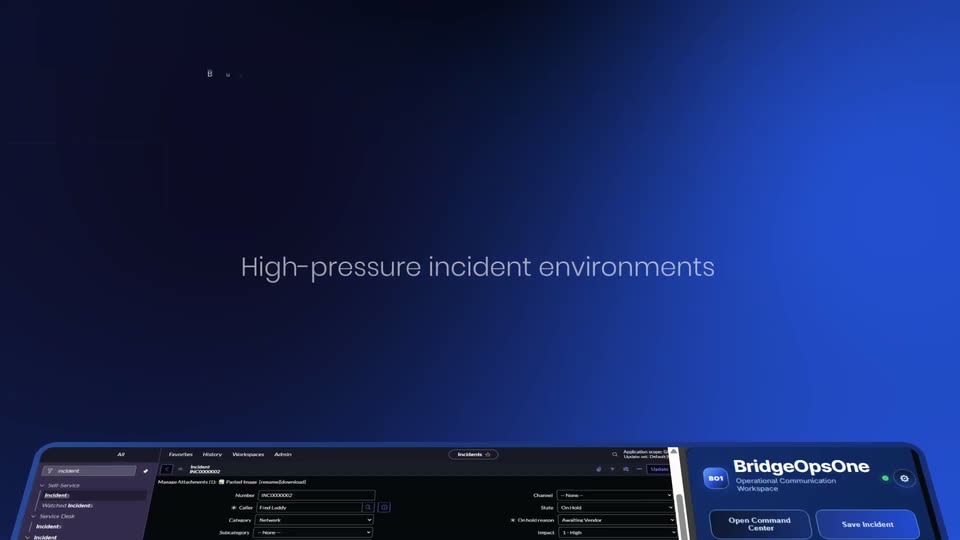
A blue gradient fills the frame with centered white text. “Infrastructure teams” cuts to “High-pressure incident environments”, each phrase held static and centered.
On-screen text: “Infrastructure teams”, “High-pressure incident environments”
Camera: Static
13 · Product intro · 0:15–0:17
A single line of white text sits centered on a blue gradient field, dark navy at the left edge fading to a brighter blue on the right. The frame is locked off with no movement throughout the clip.
On-screen text: “High-pressure incident environments”
Camera: Static
14 · Feature reveal · 0:17–0:18
A white headline holds center on a blue gradient, then a tilted 3D mockup of the BridgeOpsOne interface rises from the bottom over a faint grid while the text stays locked in place.
On-screen text: “High-pressure incident environments”
Techniques: 3D mockup
Camera: Static
15 · Feature reveal · 0:18–0:22
A blue grid backdrop holds a white headline above a desktop incident console and a tilted phone mockup of the BridgeOpsOne app. The view then reframes onto the phone's text field, where a cursor hovers over a sample incident note.
On-screen text: “Built from real operational experience”
Techniques: 3D mockup, UI zoom, Cursor demo
Camera: Push in
16 · Feature reveal · 0:22–0:27
A tilted smartphone mockup on a dark blue grid background shows an incident report card scrolling upward while a paper airplane cursor hovers over it. On the right, the headline crossfades from 'Rough Technical updates into clear' to 'Professional communication in seconds'.
On-screen text: “Rough Technical updates into clear”, “Professional communication in seconds”
Techniques: 3D mockup, Kinetic type, Cursor demo
Camera: Pan
17 · Feature reveal · 0:27–0:32
A dark blue grid backdrop holds a static headline on the left as a form panel fades in on the right. A cursor clicks the Generate Update button, then the panel scrolls up to reveal the generated output text and a new section below it.
On-screen text: “Generate leadership ready updates”
Techniques: Cursor demo
Camera: Static
18 · Feature reveal · 0:32–0:33
On a blue grid backdrop, a 3D phone mockup on the right displays an incident timeline interface with buttons and an update card, its content scrolling. On the left, the headline builds word by word, ending with 'real-time' in blue. A blue cursor sits at the phone's base.
On-screen text: “Track incident timelines in real-time”
Techniques: Kinetic type, 3D mockup
Camera: Static
19 · Feature reveal · 0:33–0:34
A dark blue grid backdrop holds a 3D-tilted UI panel on the right, showing an incident timeline and command buttons, with a blue cursor hovering at its base. On the left, large white text reads “Track incident timelines in real time”, the last phrase in blue.
On-screen text: “Track incident timelines in real time”
Techniques: 3D mockup, Cursor demo
Camera: Static
20 · Feature reveal · 0:34–0:35
A dark blue grid background holds a left-aligned headline and a product panel on the right. The panel and headline crossfade from an incident-timeline view to an executive-snapshot view, a blue cursor resting over the timeline text.
On-screen text: “Track incident timelines in real time”, “Executive”
Techniques: Morph
Camera: Push in
21 · Feature reveal · 0:35–0:38
A headline fades in line by line on the left over a blue grid, while a phone on the right scrolls its incident feed upward, revealing status cards beneath a hovering blue cursor.
On-screen text: “Executive snapshots for operational visibility”
Techniques: Kinetic type, Cursor demo
Camera: Static
22 · Feature reveal · 0:38–0:42
A dark blue command-center dashboard sits in 3D perspective, tilting toward the camera as a white headline fades in above it. The interface shows four stat cards, an incident detail panel with SLA timer buttons, and a row of note cards.
On-screen text: “Centralized command workflow”
Techniques: 3D mockup
Camera: Static
23 · Feature reveal · 0:42–0:42
A dark blue dashboard card sits on a grid backdrop. The interface scrolls upward, the headline sliding out the top edge while the Operational Timeline and Incident History sections slide into view.
On-screen text: “Centralized command workflow”
Camera: Pan
24 · Feature reveal · 0:42–0:47
A dark incident-management interface sits on a blue grid, its timeline and history panels panning to reveal the panel's rounded top edge. A white caption, Designed to support communication, fades in at the bottom, then clears as the pan continues.
On-screen text: “Designed to support communication”
Camera: Pan
25 · Other · 0:47–0:48
On a dark blue gradient with a faint grid, a dark UI panel slides off-screen to the left as the headline 'Reduce communication delays' fades in letter by letter across the center.
On-screen text: “Reduce communication delays”
Techniques: Kinetic type
Camera: Pan
26 · Other · 0:48–0:51
A white headline reading Reduce communication delays stays centered and static on a deep blue gradient background. The gradient slowly shifts in brightness and position while the frame remains locked off.
On-screen text: “Reduce communication delays”
Camera: Static
27 · Other · 0:51–0:52
A dark blue gradient fills the frame while the white phrase “Improve consistency” scales up from a small size to full size at center, fading in during the first half of the clip. The frame stays locked off throughout.
On-screen text: “Improve consistency”
Techniques: Kinetic type
Camera: Static
28 · Other · 0:52–0:53
White headline “Improve consistency” sits centered on a blue gradient, then slides left as a 3D card mockup of an incident report tilts in from the right. The word “Maintain” fades in at the left edge.
On-screen text: “Improve consistency”, “Maintain”
Techniques: Kinetic type, 3D mockup
Camera: Static
29 · Other · 0:53–0:56
A tilted 3D phone mockup on the right shows an operational intelligence panel with a monospace incident note and a labeled field list, beside a three-line headline on the left. The phone drifts and rotates slowly against a dark blue gradient.
On-screen text: “Maintain operational clarity”
Techniques: 3D mockup
Camera: Static
30 · Other · 0:56–0:58
On a blue gradient background, white text builds line by line in the center while a UI panel slides out of frame right at the start. The phrase reveals word by word, each new word fading in.
On-screen text: “From network”, “outages and failover events to security”, “and infrastructure instability”
Techniques: Kinetic type
Camera: Static
31 · Other · 0:58–1:00
Centered white text on a blue gradient background swaps words in place, moving from network outages and failover to security incidents and infrastructure instability. The background shifts from bright blue to dark navy as the phrases crossfade.
On-screen text: “From network outages and failover events”, “Security incidents and infrastructure instability”
Techniques: Kinetic type
Camera: Static
32 · Other · 1:00–1:03
Centered white two-line headline on a deep blue gradient background with a soft dark vignette. The text holds still while the gradient shifts slowly behind it.
On-screen text: “Security incidents”, “and infrastructure instability”
Camera: Static
33 · Other · 1:03–1:04
On a blue gradient that lightens toward the left, a centered white headline fades out as the BridgeOps lockup, a white and blue B with a bridge arch over the wordmark, fades in at the center of the frame.
On-screen text: “Security incidents”, “and infrastructure instability”
Camera: Static
34 · Other · 1:04–1:05
A white and blue BridgeOpsOne logo sits centered on a dark blue gradient, then fades out. The white headline 'The gap between' fades in at center on the same gradient.
On-screen text: “The gap between”
Camera: Static
35 · Other · 1:05–1:06
On a blue gradient, the white line 'The gap between' drifts up and right and fades as the large words 'Technical' and 'Response' fade in on the left. A translucent blue incident-detail card slides in from the right.
On-screen text: “The gap between”, “Technical”, “Response”
Techniques: Kinetic type
Camera: Static
36 · Other · 1:06–1:07
A dark blue backdrop holds a large two-line headline, Technical in white and Response in blue, on the left. On the right a 3D-tilted document panel titled OPERATIONAL INTELLIGENCE glows, drifting slowly rightward.
On-screen text: “Technical Response”
Techniques: 3D mockup
Camera: Static
37 · Other · 1:07–1:07
A dark blue grid background holds the white headline Operational communication. A dark UI panel, BridgeOpsOne Command Center, rotates from a tilted 3D angle and settles flat into the lower frame, revealing stat tiles, an incident workspace, SLA timer buttons and status cards.
On-screen text: “Operational communication”
Techniques: 3D mockup
Camera: Pan
38 · Other · 1:07–1:09
A white headline sits above a dark dashboard mockup tilted in 3D perspective on a blue grid background. The interface shows an incident workspace with timer controls, SLA fields, and a row of update cards, framed by a glowing blue border.
On-screen text: “Operational communication”
Techniques: 3D mockup
Camera: Static
39 · Other · 1:09–1:10
A dark blue 3D scene shows a phone mockup on the left displaying an incident intelligence panel, while the headline builds word by word on the right, the final word extruding into a 3D outline.
On-screen text: “Because during critical incidents...”
Techniques: Kinetic type, 3D mockup
Camera: Pan
40 · Other · 1:10–1:11
A tilted 3D panel of the product interface sits on the left against a blue gradient, while the headline types out on the right, the word critical in light blue.
On-screen text: “Because during critical incidents...”
Techniques: Kinetic type, 3D mockup
Camera: Static
41 · Other · 1:11–1:14
A blue incident dashboard labeled BridgeOpsOne Command Center settles from a tilted side card into a flat front view, while a large white headline slides from the right edge to the top and swaps to Clear communication matters.
On-screen text: “Because during critical incidents...”, “Clear communication matters”
Techniques: Kinetic type
Camera: Pan
42 · CTA · 1:14–1:15
On a dark blue field with a faint grid, a centered logo mark assembles. A white vertical stem and a blue upper arc draw in, then a white curved leg completes the stylized letter.
Camera: Static
43 · CTA · 1:15–1:18
A white and blue B logo with a bridge arch sits centered on a dark blue gradient as a soft glow drifts across the top. The wordmark BridgeOpsOne and the URL www.bridgeopsone.com fade in below, holding as the sign-off.
On-screen text: “BridgeOpsOne”, “www.bridgeopsone.com”
Camera: Static