0:19
Explore
00:00:00 / 00:30:02
- Length
- 0:30
- Scenes
- 12 · 2.5 s avg
- Product on screen
- 0:02
- Features shown
- 2
- Voiceover
- Yes
- Views
- 0 on YouTube
as of November 27, 2026
Bolna’s 0:30 launch film runs 12 scenes, about 2.5 s each. The product shows up at 0:02 and 2 features are revealed. There is no explicit call to action; a voiceover carries the film. The video is built as one continuous phone call: a fixed white call card stays anchored at the bottom while the background crossfades from office to metro to coffee shop, with preset pills and toasts marking each ambient swap. Pacing is even at about 100 bpm with slow dissolves, and the signature move is the persistent UI card over changing live-action plates, closing on a scrolling list of locations and a black logo card.
Footage neededEstimated needs: 3 capture groups — your screens or recordings · 1 official logo — reused across the film · 4 filmed passages — shoot, supply or replace
Is this your launch? to your site or press kit.
More like this




Similar soundtrack
Films whose music sounds like this one, voice left out
1:38
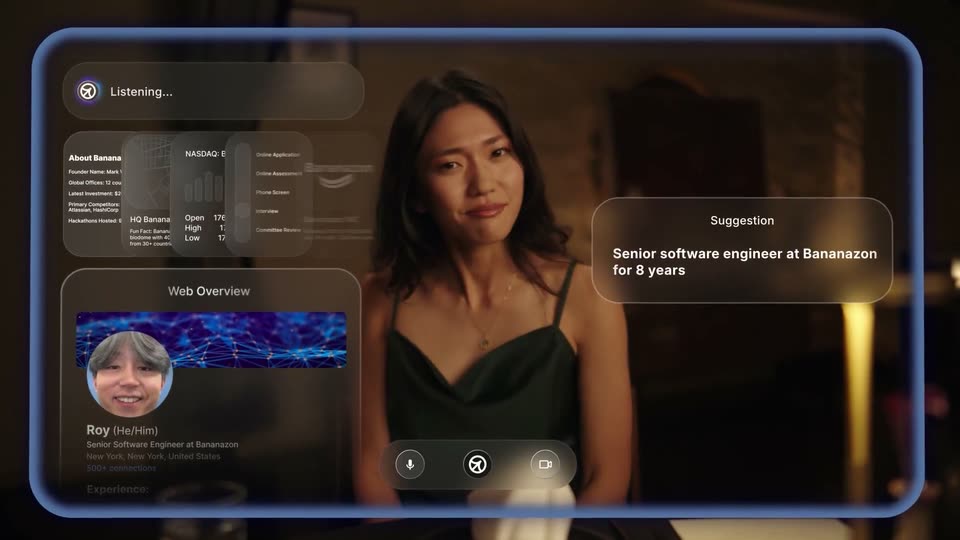

Roy - Cluely is out. cheat on everything.
Cluely · Dialogue-driven comedic sketch with ambient electronic backing
1:40

The all-new NEXO Global Unveil – Clearly Committed | Main Film
Hyundai · Motivational spoken word over electronic and cinematic music
1:00

Work Magic | Rippling.com
Rippling · Upbeat electronic
Ambient Noise for AI Voice Agents | Bolna, scene by scene
· 12 scenes as text
01 · Hook · 0:00–0:02
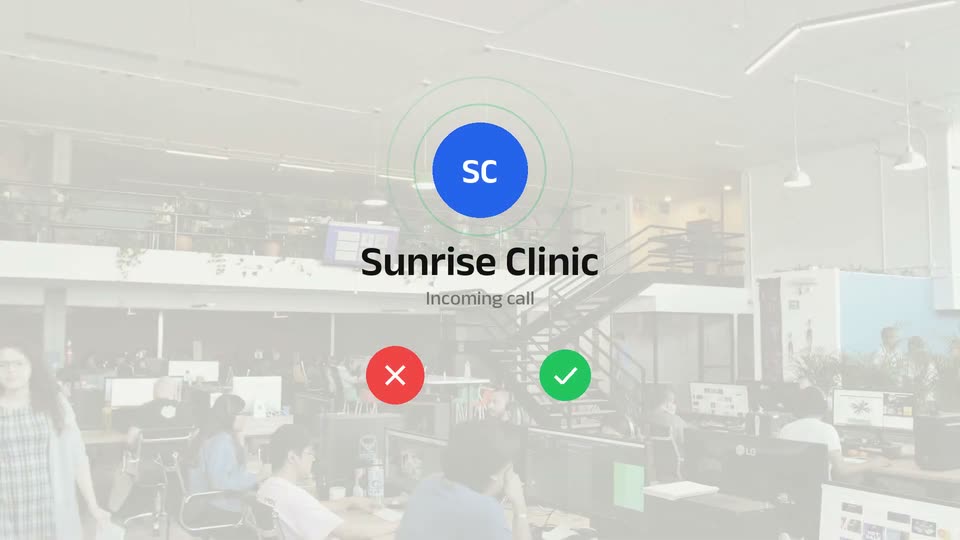
A bold charcoal headline builds on a cream background, “Where is Priya” then “calling from?”, with a blue audio waveform pulsing beneath. The frame cuts to a flat incoming-call screen with a blue SC avatar, pulsing rings, and red and green round buttons.
On-screen text: “Where is Priya”, “calling from?”
Techniques: Kinetic type
Camera: Static
02 · Feature reveal · 0:02–0:04
A blue SC avatar with concentric rings sits above the bold name Sunrise Clinic and a gray Incoming call caption, flanked by red and green round buttons. A desaturated office with seated staff and a staircase fades in behind the static call interface.
Camera: Static
03 · Feature reveal · 0:04–0:09
Wide shot of a busy open-plan office with a white voice-agent call card centered below, its waveform pulsing and timer counting. Dialogue bubbles appear above it, a toast reads Office added, and the preset pill flips to Railway station as the background crossfades into a station platform.
On-screen text: “Hello?”, “Hi Rohan, this is Priya, from Sunrise Clinic.”, “Oh, hi Priya! Yes, tell me.”
Camera: Static
04 · Feature reveal · 0:09–0:14
A metro train glides into a dim tiled platform and passes the camera. A white call card overlays the bottom with caller Priya, a live waveform, and a preset chip that switches from Railway station to Coffee shop. A dark caption bar carries the voiceover line.
On-screen text: “Oh, hi Priya! Yes, tell me.”, “Just calling about your appointment with Doctor Mehta, tomorrow at eleven.”
Camera: Static
05 · Feature reveal · 0:14–0:15
A motion-blurred train rushes past a tiled subway platform while a white voice-agent card and a dark caption bar hold steady in the center. The caption carries the agent's line and the dotted waveform pulses beside the name Priya.
On-screen text: “Just calling about your appointment with Doctor Mehta, tomorrow at eleven.”
Camera: Static
06 · Feature reveal · 0:15–0:20
Close-up of a barista's hands working an espresso machine, steam rising. A white voice-agent card with a pulsing waveform and ticking timer sits at the bottom; the dark caption bubble above it swaps to the confirmation line as the 'Coffee shop added' toast fades.
On-screen text: “Does that time still work for you?”, “Yes, eleven o'clock works perfectly. Thank you, Priya!”
Camera: Pull out
07 · Feature reveal · 0:20–0:20
A voice-agent chat card sits over a coffee bar where a barista works the espresso machine. The backdrop dissolves into the settings screen as a cursor types Rainy Wind into the Name field of the Add Ambient Noise dialog.
Techniques: Cursor demo
Camera: Static
08 · Feature reveal · 0:20–0:22
A white Add Ambient Noise modal fades in over a dimmed settings screen. A file chip settles below the drop zone with a green check, the cursor moves onto the blue Upload button, and a black caption pill appears at the bottom.
On-screen text: “Upload your own sound in Agent Studio”
Techniques: Cursor demo
Camera: Static
09 · Feature reveal · 0:22–0:24
A call settings panel shows the Ambient Noise dropdown open; the cursor clicks Rainy Window, the menu closes and the field updates, then the whole screen dissolves into faint floating sound labels.
On-screen text: “Upload your own sound in Agent Studio”
Techniques: Cursor demo
Camera: Static
10 · Other · 0:24–0:27
A vertical list of location names scrolls upward on a pale beige field behind a circular blue waveform icon. A large bold headline beside it cycles from Rainy window to Beach waves to a blue Or upload your own; a small uppercase caption holds at the bottom.
On-screen text: “Rainy window”, “ANY BACKGROUND, BEHIND ANY CALL”, “Beach waves”, “Or upload your own”
Techniques: Kinetic type
Camera: Static
11 · Other · 0:27–0:28
A light gray card shows a vertical list of background names in soft gray, with “Or upload your own” in bold blue beside a small white circle icon. The list and the bottom tagline fade out as the background darkens, leaving the blue line dimmed.
On-screen text: “Beach waves”, “Bus stand”, “Showroom”, “Or upload your own”, “Studio”, “Lobby”, “Garden”, “ANY BACKGROUND, BEHIND ANY CALL”
Techniques: Kinetic type
Camera: Static
12 · Outro · 0:28–0:30
On a black background, the white bolna logo scales up at the center of the frame while the tagline and the URL platform.bolna.ai fade in beneath it, settling into a static sign-off.
On-screen text: “Ambient Noise, now in Agent Studio”, “platform.bolna.ai”
Camera: Static