0:46
Explore
Spenser Skates - Introducing Headless Amplitude. Say bye bye to the user interface. Ag
Amplitude · Sep 2026 · 1:14 · AI-annotated
- Length
- 1:14
- Scenes
- 7 · 10.6 s avg
- Product on screen
- 0:25
- Features shown
- 3
- Voiceover
- Yes
00:00:00 / 01:14:11
Amplitude’s 1:14 launch film runs 7 scenes, about 11 s each. The product shows up at 0:25 and 3 features are revealed. There is no explicit call to action; a voiceover carries the film. A static talking-head presenter alternates with pale blue data cards where monospace labels, bold headlines, and animated numbers carry each feature. The motion stays restrained: crossfades between before and after states, typing terminal text, and bars that shrink to reveal percentages, keeping the pace steady and every stat legible.
Footage neededEstimated needs: 2 capture groups — your screens or recordings · 2 filmed passages — shoot, supply or replace · 2 graphic passages — draw or supply
Is this your launch? to your site or press kit.
More like this
0:22
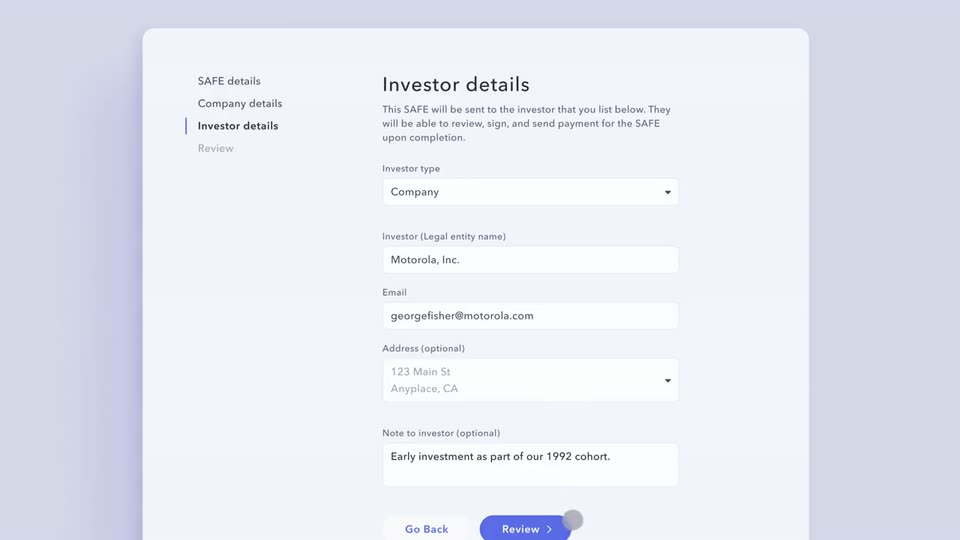

Mercury - Introducing: SAFEs by Mercury for C-Corps. You can now customize, si
Mercury · Finance · Aug 2023
0:19


Spenser Skates - Introducing Headless Amplitude. Say bye bye to the user interface. Ag, scene by scene
· 7 scenes as text
01 · Hook · 0:00–0:25
A man in a black polo shirt addresses the camera in a centered medium close-up, set against a blue vertically ribbed wall with a leafy plant at the left edge. The frame stays locked off as he speaks, his head and shoulders shifting slightly.
Camera: Static
02 · Feature reveal · 0:25–0:33
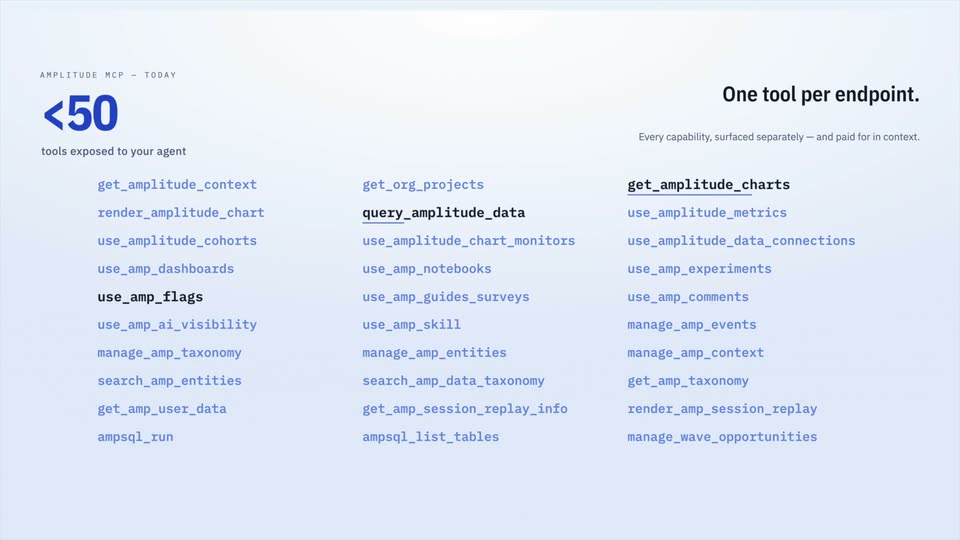
A light card opens on a BEFORE label, a large orange 120+, and four columns of monospace tool names fading in beside the headline One tool per endpoint. It crossfades to a blue <50 TODAY view with a shorter list, then the headline becomes Outcome-based tools with three names underlined.
On-screen text: “AMPLITUDE MCP — BEFORE”, “120+”, “tools exposed to your agent”, “One tool per endpoint.”, “Every capability, surfaced separately — and paid for in context.”, “AMPLITUDE MCP — TODAY”, “<50”, “Outcome-based tools.”, “get_amplitude_charts · use_amp_flags · query_amplitude_data”
Techniques: Kinetic type
Camera: Static
03 · Feature reveal · 0:33–0:34
A pale-blue screen holds a three-column list of MCP tool names beside a '<50' stat and the headline 'Outcome-based tools.', then the layout swaps to a two-bar chart comparing context loaded versus conversation length under 'Room to think.'
On-screen text: “Outcome-based tools.”, “Room to think.”, “Same capability surface, less of your agent's context spent reaching it.”
Camera: Static
04 · Feature reveal · 0:34–0:44
Two full blue bars sit under a previous-tool-surface line on a pale blue gradient. The left bar shrinks, exposing a hatched cream cap marked −35%, then the right bar shrinks to reveal −19%. Headline and subline stay locked top right.
On-screen text: “Room to think.”, “Same capability surface, less of your agent's context spent reaching it.”, “−35%”, “−19%”
Camera: Static
05 · Feature reveal · 0:44–0:57
A macOS terminal window on a pale gray background shows the amp CLI help in green and white monospace on black. A white arrow cursor glides across the right side, then the prompt types 'amp auth status' and prints output, before a long 'amp events create' command is entered.
Techniques: Cursor demo
Camera: Static
06 · Feature reveal · 0:57–1:08
A flat light-blue UI mockup shows a service account header on the left and a white Daily Product Report card on the right. Query log lines type in down the left column while the card's gray placeholder bars swap for numbers row by row, ending with a READY stamp.
Camera: Static
07 · Other · 1:08–1:14
A man in a black polo shirt speaks to the camera in a medium close-up, centered against a blue slatted wall with a leafy plant at the left edge. He gestures with his hand as he talks, and the camera holds a static position.
Camera: Static