0:41

Meet Jockey, TwelveLabs' video intelligence agent, now in general availability
TwelveLabs · AI · Oct 2026
Claude · Jul 2025 · 0:43 · AI-annotated
Claude’s 0:43 launch film runs 10 scenes, about 4.3 s each. The product is on screen from the first frame. There is no explicit call to action. The video is one continuous morph: an abstract white mark becomes the chat card, which zooms into a demo of prompting, uploading, analyzing and sharing a data app, then settles on the wordmark. Pacing is slow and smooth at about 92 bpm, with flat terracotta fields, hand-drawn accents and card-to-card morphs as the signature moves.
Is this your launch? to your site or press kit.
TwelveLabs · AI · Oct 2026
OpenAI · AI · Dec 2025
A white abstract mark made of a triangular pointer and a rounded dome rotates and shifts on a terracotta background. A rounded white bar slides in to the right of the dome as the mark continues to turn.
Techniques: Morph
Camera: Static
A white blob on a terracotta field morphs into a rounded card, revealing a chat interface that greets “What’s new, Priya?” Two hand-drawn squiggles thicken and darken from rust to black at the top right and bottom left.
Techniques: Morph
Camera: Static
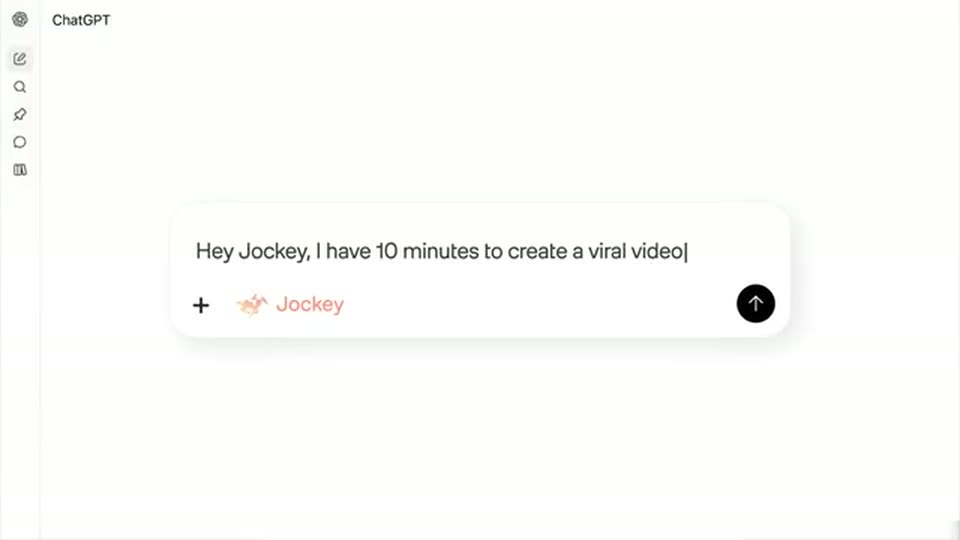
A hand-drawn chat panel with black corner scribbles on coral zooms into a clean cream screen showing the “What’s new, Priya?” greeting. A prompt to build a CSV Data Visualizer app types into the input box.
Techniques: Morph, UI zoom, Cursor demo
Camera: Static
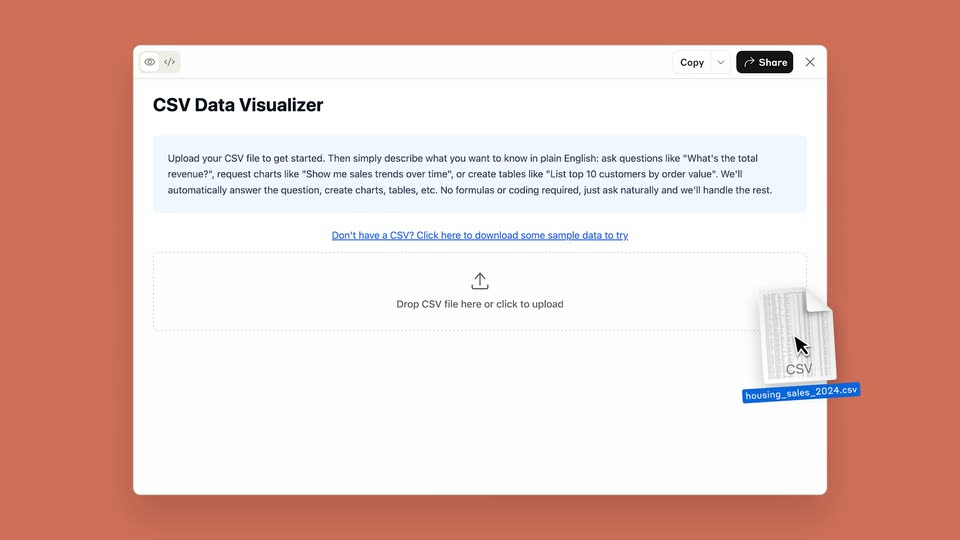
A white CSV Data Visualizer panel slides onto a coral background, then a cursor drags a CSV file icon into the dashed upload box, which fills blue on drop.
Techniques: Cursor demo
Camera: Pan
A white card on a terracotta background shows a property CSV table. The dashed upload box is replaced by a text field and a blue Run Analysis button that scales in, then the frame zooms in on the table.
Techniques: UI zoom
Camera: Static
On a terracotta background, a white Analysis Request card settles into place below a fading table row. A hand cursor types a prompt into the input field, then clicks the blue Run Analysis button, which changes to Processing...
Techniques: Cursor demo
Camera: Static
A white analysis-request card on a terracotta background. A hand cursor types a query, a blue line chart draws across monthly axes, a second query swaps it for a filling data table, then a third query is typed as the cursor heads to the Run Analysis button.
Techniques: Cursor demo
Camera: Static
A white analysis card sits on a terracotta background. A data table crossfades into a growing bar chart of sales by city while a hand cursor taps the Processing button, then slides to the Share button as the label switches to Run Analysis.
Techniques: Cursor demo
Camera: Static
A flat UI card on a coral background shows a city sales bar chart. A hand cursor clicks Share, a Share artifact modal scales in, the cursor clicks Share & copy link, the panel flips to Shared, then fades as a small confetti burst pops in the middle.
Techniques: Cursor demo, Particles
Camera: Static
A terracotta field holds a small white asterisk that gathers from loose strokes into a radial burst. The black serif wordmark Claude appears to its right, letters settling into place, then the lockup remains static.
On-screen text: “Claude”
Techniques: Morph
Camera: Static