0:59

Introducing the New Flow, Your AI Creative Studio
Google · AI · Feb 2026
Billabex’s 1:26 launch film runs 23 scenes, about 3.7 s each. The product shows up at 0:12 and 6 features are revealed. The call to action lands at 1:11 (83% in), over a voiceover. The video alternates dark navy promise cards with cream interface demos, building headlines word by word and flipping status chips to show state changes. Signature moves are fast horizontal wipes, blur-to-focus reframes, and 3D tilts that rotate UI cards out of frame.
Is this your launch? to your site or press kit.
Google · AI · Feb 2026
NVIDIA · Feb 2024
reMarkable · Hardware · Mar 2020
Films whose music sounds like this one, voice left out
Armorer Labs · Corporate tech electronic
Wajo AI · Upbeat electronic
ShogunAI · Cinematic electronic
A dark circular mask opens from a small lens to full frame, revealing a glowing 3D logo sphere at the center surrounded by tilted white invoice cards floating in perspective. The white headline “Un agent” appears on the left as the camera eases back.
On-screen text: “Un agent”
Techniques: Masking, 3D mockup, Parallax
Camera: Static
Dark navy field. A glowing orb logo sits left of a bold white headline that types in word by word. Right, six white invoice cards slide into a column, status pills flipping from overdue to Relancée then Réglée, while three outlined feature pills pop in at bottom left.
On-screen text: “Un agent IA suit vos factures impayées.”, “Relance par email”, “Comprend les réponses”, “Suit les engagements”
Techniques: Kinetic type
Camera: Static
A dark navy layout shows a glowing blue logo, a bold white French headline and three outlined tags on the left, beside a vertical stack of white invoice cards on the right. The frame blurs and lifts as a white panel wipes up from the bottom.
On-screen text: “Un agent IA suit vos factures impayées.”, “Relance par email”, “Comprend les réponses”, “Suit les engagements”
Techniques: Masking
Camera: Pan
A dark navy band holds pill tags and two invoice cards above a cream section. The navy headline builds in word by word while a cursor clicks the Approuver button, which flips to a green Approuvé par Olivier badge, then the whole scene fades out.
On-screen text: “Votre équipe garde les décisions.”
Techniques: Kinetic type, Cursor demo
Camera: Pan
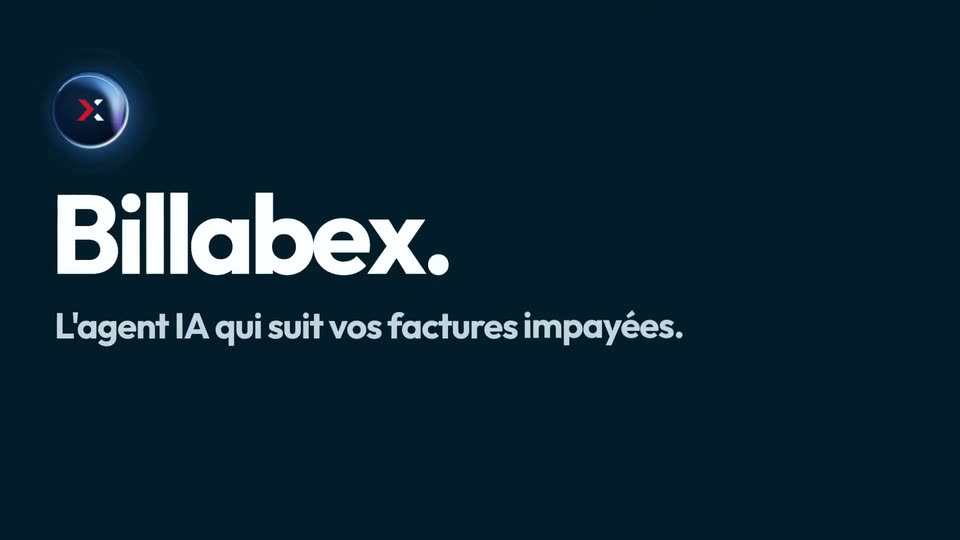
A glossy circular logo badge sits top-left on a dark navy field. The white wordmark Billabex. slides in beneath it, then the tagline L'agent IA qui suit vos factures impayées. fades in word by word.
On-screen text: “Billabex.”, “L'agent IA qui suit vos factures impayées.”
Techniques: Kinetic type
Camera: Static
A dark navy title card with the glowing sphere logo and white headline slides left out of frame, wiping to reveal a light product interface listing email reminders with small red alert icons. The transition is a single fast horizontal move.
On-screen text: “Billabex.”, “L'agent IA qui suit vos factures impayées.”
Techniques: Masking
Camera: Static
A messaging screen fades in as a draft email types itself out letter by letter in a white card. The view then reframes right to reveal a pre-send control checklist with three empty checkboxes.
Techniques: Kinetic type, UI zoom
Camera: Push in
A messaging screen shows a draft payment reminder on the left. On the right, three checkmarks fill in sequence on a pre-send checklist, revealing the amount, due date, and invoice number, then the draft card tilts in 3D and blurs as it rotates away.
Techniques: 3D mockup
Camera: Pull out
A messaging inbox sharpens from a blurred checklist overlay into a clear email thread. The view zooms onto the message, highlights the line about the missing order form, then the Document manquant chip fills dark with a checkmark while the other reason chips pulse in turn.
Techniques: UI zoom
Camera: Push in
A light email UI: a left list with green status pills and a right activity panel, then the view zooms onto a centered card with a reply from Claire promising payment on Friday. The card sharpens as the side panels slide out.
Techniques: UI zoom
Camera: Static
A white email card sits over a faint inbox list on a cream ground. The view scrolls down as a promise timeline draws its line and fills its nodes, then a typed agent message slides in at the bottom.
Camera: Pull out
A light task dashboard fills the frame, sidebar on the left, a table of tasks in the center. A right-hand panel titled “Vos dossiers” fades in listing client files, and a cursor hovers over the first row.
Techniques: Cursor demo
Camera: Pan
A task detail screen in a light UI sharpens from a soft blur. The panel shows an AI agent message and a client context card, then scrolls down to a three-row payment schedule and an Approve button. A cursor clicks it, swapping the buttons for a green approval note.
Techniques: Cursor demo
Camera: Push in
A task panel shows an agent message asking to choose between SMS or letter. The second option button fades in, a cursor glides to it and clicks, filling it dark navy, then a small confirmation card with a green badge slides up beneath.
Techniques: Cursor demo
Camera: Pan
A blurred, magnified fragment of the interface pulls back and sharpens into a clean white card on a light gray field. The card holds a plug icon, the bold headline, a gray subtitle and a dark blue Connecter button; the headline scales in while the rest stays fixed.
On-screen text: “Votre outil de facturation”, “Synchronisation automatique, lecture seule”, “Connecter”
Techniques: UI zoom, Kinetic type
Camera: Pan
A white card with a plug icon and a dark Connecter button sits on a cream background. A cursor clicks the button, then the card slides left and shrinks as a second card with a large 0 and a Corrigé badge slides in from the right.
Techniques: Cursor demo
Camera: Pull out
Two white cards sit on a cream field. The left billing card, with a plug icon and a Connecté pill, holds still as blurred paper invoices fly to the right card, where a big number rolls up from 0 to 123 and a progress bar fills.
Techniques: Particles
Camera: Static
On a cream background, a white UI card titled “Comptes à suivre” floats in 3D perspective between two cropped cards, resolving from a blurred overlap into sharp focus. A cursor clicks the checkbox next to “Menuiserie Vasseur” while a second card “Règles de relance” peeks in at the right.
Techniques: 3D mockup, Cursor demo
Camera: Static
On a cream background, the view pans right from a card listing four accounts with checkboxes to a rules card. A speech-bubble cursor hovers the last checkbox, then flips the three toggle switches on one by one.
Techniques: Cursor demo
Camera: Pan
A white stats card on a cream background resolves from a blurred, ghosted state into sharp focus, centered. Three counters tick up while four horizontal bars grow left to right, filling with green and blue tones.
Camera: Static
A white dashboard card titled “L'activité de votre agent” shows three stat numbers and a horizontal bar chart. The card then slides down as the background shifts to dark navy and a circular logo with the label “L'agent” appears at the top left.
Camera: Pan
A two-tone split, navy over cream, shows a glowing logo and a white headline typing in at top while tilted status chips drift on the right. Below, a navy headline builds word by word above name chips, then a gray URL caption fades in.
On-screen text: “L'agent assure le suivi.”, “Votre équipe garde les décisions.”, “Le fonctionnement détaillé : bilabex.com”
Techniques: Kinetic type
Camera: Static
On a plain off-white background, the billabex wordmark sits top left while a dark blue sphere bearing the red X mark holds the right side, a bright highlight sweeping across its surface. Two tagline lines and the URL fade in on the left.
On-screen text: “Le dialogue reprend.”, “Le paiement avance.”, “billabex.com”
Techniques: Light sweep
Camera: Static