2:04
Explore
Toru.T - Your AI forgets you every time you close it. Every assistant today
ShogunAI · Oct 2026 · 2:11 · AI-annotated
- Length
- 2:11
- Scenes
- 77 · 1.7 s avg
- Product on screen
- 1:03
- Call to action
- 1:59 · 91%
- Voiceover
- Yes
00:00:00 / 02:11:22
ShogunAI’s 2:11 launch film runs 77 scenes, about 1.7 s each. The product shows up at 1:03. The call to action lands at 1:59 (91% in), over a voiceover. The video opens with a cinematic history of information transfer, pivots to the fragmentation problem, then introduces Shogun and walks through its workflow before a tight claim-your-spot call to action. It is built on a single warm blue-and-orange gradient, slow 3D camera moves over floating UI cards, and word-by-word headline reveals that punctuate a steady, measured pace.
Footage neededEstimated needs: 3 capture groups — your screens or recordings · 1 official logo — reused across the film · 18 filmed passages — shoot, supply or replace · 10 graphic passages — draw or supply · 30 3D passages — build or supply
Is this your launch? to your site or press kit.
More like this
1:15

Best AI SaaS Product Launch Video | Visually
Visually · Oct 2026
0:35


Viral SaaS Product Launch Video Idea | Commas Webinar
Commas · Sep 2026
Toru.T - Your AI forgets you every time you close it. Every assistant today, scene by scene
· 77 scenes as text
01 · Hook · 0:00–0:00
A vintage film projector fades up from black against a warm amber gradient. A hand enters from the lower left and presses a finger to the projector's side, just below a small red button.
Camera: Static
02 · Hook · 0:00–0:01
A hand turns a knob on a vintage film projector against a warm orange backdrop, then the shot dissolves into an extreme macro of the circular metal lens filling the frame.
Camera: Push in
03 · Hook · 0:01–0:02
A macro close-up of interlocking metal gears and a cylindrical shaft turns slowly against a dark background. Warm rim light catches the brushed surfaces while a shallow depth of field blurs the surrounding mechanism into soft bokeh.
Camera: Push in
04 · Hook · 0:02–0:03
A grid of grainy black-and-white portraits fills the frame, the rectangular cells sliding as the montage pans and a large O scales up over the faces.
On-screen text: “O”
Camera: Push in
05 · Hook · 0:03–0:05
A dark grid of rounded frames drifts slowly left: a vintage car, a sepia mountain range, a rocket launch and a young man's portrait fade in while a human-evolution line walks across the bottom, ending at a desk.
On-screen text: “ANAAA”
Techniques: Parallax, Split screen
Camera: Push in
06 · Hook · 0:05–0:06
A collage of cut-out walking figures, caveman to office worker, slides left while photos above drift right, then the frame cuts to a torch-lit cave where a caveman paints on the rock wall.
Techniques: Parallax
Camera: Pan
07 · Hook · 0:06–0:07
A bearded man in animal-skin clothing crouches in a torchlit cave, rubbing pigment onto a wall covered in black animal drawings. Small images of a caveman statue and a carved tablet float at the edges while the word “Stone.” appears below him.
On-screen text: “Stone.”
Camera: Static
08 · Hook · 0:07–0:07
A caveman crouches, painting a horse on a cave wall while a torch flickers at left; inset images of a Neanderthal statue and a pale stone artifact sit in the corners. The word Stone. slides in at the bottom as the frame shifts right and a gray panel wipes in.
On-screen text: “Stone.”
Techniques: Kinetic type
Camera: Pan
09 · Hook · 0:07–0:08
A desaturated close-up of an old letter with a pen fills the frame, bordered by torn tan paper pieces drifting at the edges. The word Paper. sits in white at the bottom center.
On-screen text: “Paper.”
Camera: Pan
10 · Hook · 0:08–0:10
A grayscale brushstroke background pans slowly while three small photo cards of library shelves drift at different depths. The white caption Libraries. slides in at the bottom center with a brief motion blur.
On-screen text: “Libraries.”
Techniques: Parallax, Kinetic type
Camera: Pan
11 · Hook · 0:10–0:12
A black-and-white archival letter from the Office of Thomas E. Dewey fills the frame, the typed address and a postal stamp slowly enlarged by a gentle zoom. A small inset at the lower right shows hands turning a second envelope. The caption Letters. holds at the bottom center.
On-screen text: “Letters.”
Camera: Pan
12 · Hook · 0:12–0:13
A black-and-white envelope addressed to a New York prosecutor fills the frame, a hand at the bottom and a small inset of fingers holding a letter at the right. The envelope dissolves into archival footage of a soldier riding a horse. The caption Letters. sits at the bottom.
On-screen text: “Letters.”
Techniques: Split screen
Camera: Pan
13 · Hook · 0:13–0:14
A black-and-white archival shot frames a loaded horse at close range while a person in dark trousers adjusts the sacks on its back. The caption Horses. slides in at the bottom center.
On-screen text: “Horses.”
Techniques: Kinetic type
Camera: Pan
14 · Hook · 0:14–0:15
A quick blurry black-and-white shot of a horse cuts to a vintage biplane with a pilot in the open cockpit, while the captions 'Horses.' and 'Planes.' slide in at the bottom left.
On-screen text: “Horses.”, “Planes.”
Techniques: Kinetic type
Camera: Pan
15 · Hook · 0:15–0:17
A vintage jet with landing gear down flies through a hazy sky, then the footage becomes the player view inside a video platform interface, with a sidebar of related videos at right. The video title and Subscribe button slide in below the player.
Camera: Pull out
16 · Hook · 0:17–0:18
A dark 3D globe with a wireframe grid sits centered on a black background, glowing blue arcs sweep across Europe and Asia as data routes. White bold text scales in at the upper left.
On-screen text: “Transfer of information”
Camera: Static
17 · Hook · 0:18–0:19
A sphere of small video thumbnails, wrapped in blue electric arcs, floats on a dark blue field under the headline “Transfer of information.” It resolves into a flat full-screen grid of clips as the text switches to “Jumped again.”
On-screen text: “Transfer of information”, “Jumped again.”
Techniques: Kinetic type
Camera: Push in
18 · Hook · 0:19–0:21
A man in a suit types on a vintage desktop computer while a woman in a headscarf stands behind him, pointing at the monitor. The faded archival footage, held in a locked-off frame, shows a CRT screen and a paper-fed printer on the desk, with a framed photo on the wall.
On-screen text: “Work went digital.”
Camera: Push in
19 · Problem · 0:21–0:21
A vintage office shows a man typing at a beige computer while a woman stands behind him, the caption Work went digital. held still. The frame then cuts to a tilted 3D presentation board where the word Every appears and Notion, Slack, and Gmail icons float in on the right.
On-screen text: “Work went digital.”, “Every”
Techniques: 3D mockup
Camera: Pull out
20 · Problem · 0:21–0:23
A ring of colorful app icons (Notion, Slack, Gmail, OpenAI, Runway and others) scales and slides into a circular arrangement around a centered white headline on a dark blurred background. The headline “Every task got its own app.” fills in word by word as the icons settle into place.
On-screen text: “Every task got its own app.”
Techniques: Kinetic type
Camera: Push in
21 · Problem · 0:23–0:24
A tilted Notion home window, with its greeting, recent pages and task list, floats in 3D over a dark blue and orange bokeh backdrop and scales slightly. A large white headline holds still in the frame.
On-screen text: “Every task got its own app.”
Techniques: 3D mockup
Camera: Push in
22 · Problem · 0:24–0:25
A Slack workspace window holds in 3D perspective against a dark gradient background, its purple sidebar, message list and details panel fully legible. The interface stays still, presented as a floating mockup.
Techniques: 3D mockup
Camera: Static
23 · Problem · 0:25–0:26
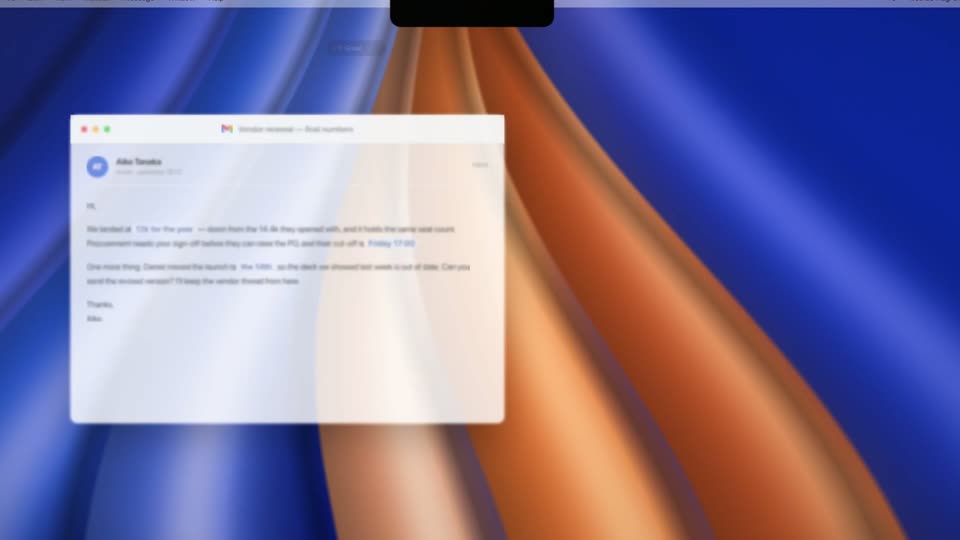
An email window titled 'Vendor renewal' sits in sharp focus at center over a blurred 3D field of other app windows. The camera eases forward as a task-list panel and a small window drift into the background, the email pulling from soft to crisp.
Techniques: 3D mockup, Parallax
Camera: Static
24 · Problem · 0:26–0:27
Five product interface windows float in 3D perspective over a dark blue-brown gradient: a white email thread, a dark Grok chat, a ChatGPT card, a Claude Code panel with an orange pixel robot, and a code editor. The layers drift and tilt at different speeds.
Techniques: 3D mockup, Parallax
Camera: Push in
25 · Problem · 0:27–0:30
A dim desk set: a vintage CRT TV sits between a green lamp and a brass desk lamp. The screen cycles through news clips: an anchor, reporters walking, a hand holding a phone with the ChatGPT app. The date November 30, 2022 builds in at the top.
On-screen text: “November 30, 2022”
Camera: Push in
26 · Problem · 0:30–0:32
A stack of newspapers rests on a dark surface, the front page showing a bold serif headline reading ChatGPT 3.5 shipped, a green ChatGPT logo, and a photo of hands typing on a laptop. The camera holds a slow, subtle drift over the still 3D mockup.
On-screen text: “WEDNESDAY, NOVEMBER 30, 2022”, “ChatGPT 3.5 shipped”, “ChatGPT”
Techniques: 3D mockup
Camera: Push in
27 · Problem · 0:32–0:32
A 3D newspaper mockup displays the headline 'ChatGPT 3.5 shipped'. It transitions to a 3D smartphone mockup showing the ChatGPT app interface.
On-screen text: “ChatGPT 3.5 shipped”
Techniques: 3D mockup
Camera: Push in
28 · Problem · 0:32–0:33
A presenter stands at the left of a dark stage while a large screen shows two phone mockups, a dark loading screen and a ChatGPT chat with keyboard. The screen cuts to a ChatGPT Enterprise title above a grid of customer logos, with audience silhouettes in the foreground.
On-screen text: “ChatGPT Enterprise”
Camera: Static
29 · Problem · 0:33–0:35
Hands type on a MacBook whose screen shows the ChatGPT chat interface. A white ChatGPT Enterprise title with a row of customer logos fades out over the display, and the caption I touched it. appears at the bottom.
On-screen text: “ChatGPT Enterprise”, “I touched it.”
Camera: Push in
30 · Problem · 0:35–0:36
A person sits at a desk at night, seen from behind, typing on a laptop that shows the ChatGPT interface. A lit Tokyo skyline with the orange Tokyo Tower fills the window behind. A slow push-in tightens the frame on the figure and the screen.
Camera: Push in
31 · Problem · 0:36–0:37
A radial burst of blue, purple and pink light blurs outward around a faint ring, then fills the frame with a swirling warp. The white headline fades in at the center, locked off while the abstract background keeps spinning.
On-screen text: “I was electric.”
Camera: Static
32 · Problem · 0:37–0:38
A vintage photograph of a man in a white shirt typing at an old desktop computer sits as a rounded card centered on a dark blurred backdrop. The white caption reads From that, locked at the bottom of the frame.
On-screen text: “From that”
Camera: Static
33 · Problem · 0:38–0:40
A vertical live-action clip of a man working at a laptop, captioned “to this one.”, sits centered on a dark blurred background, then recedes as a 3D field of floating cards, a ranked app list and logo tiles, spreads around it.
On-screen text: “to this one.”
Techniques: 3D mockup
Camera: Static
34 · Problem · 0:40–0:42
A wall of app cards and a white list card, plus a photo of a man at a laptop, tilts in 3D and flattens to face the camera. Green checkmarks pop onto several cards as the grid settles.
On-screen text: “The Top 100 Gen AI Consumer Apps”
Techniques: 3D mockup
Camera: Pull out
35 · Problem · 0:42–0:44
A dark grid of app icon tiles fills the frame and slowly zooms. The word Efficient. sits in large white letters at the center, then a red line strikes through it from left to right while small red number badges pop onto a few tiles.
On-screen text: “Efficient.”
Camera: Pull out
36 · Problem · 0:44–0:45
A tilted flat-lay of app cards, each carrying a logo and a red notification badge, fills the dark frame. The cards fade to near black over the shot, leaving the bold white headline centered.
On-screen text: “It hadn't.”
Techniques: 3D mockup
Camera: Pull out
37 · Problem · 0:45–0:48
A white card holds a black scribble that draws itself into a profile head with tangled lines above it. The caption builds word by word beneath. The card fades as 3D puzzle pieces bearing app logos float in, then a new caption starts.
On-screen text: “The real problem never got solved.”, “Each”
Techniques: Kinetic type
Camera: Pull out
38 · Problem · 0:48–0:48
Glossy 3D puzzle pieces carrying app logos orbit slowly in a loose ring against a dark, blurred backdrop, while a white caption builds word by word at the lower left.
On-screen text: “Each tool holds a fragment of your work.”
Camera: Push in
39 · Problem · 0:48–0:51
A ring of glossy 3D puzzle pieces, each stamped with an app logo, floats over a dark background with a warm central glow. The pieces drift inward and clump in the middle, then scatter back out, while two captions appear at the bottom and center.
On-screen text: “Each tool holds a fragment of your work.”, “None of them connect.”
Camera: Static
40 · Problem · 0:51–0:52
Glossy 3D puzzle pieces bearing app logos (Slack, Drive, Notion, Chrome, Discord) drift in a loose ring around a dark, warm-glowing background, while the white line “None of them connect.” holds center. The frame blurs toward the end as a transition.
On-screen text: “None of them connect.”
Techniques: 3D mockup
Camera: Push in
41 · Problem · 0:52–0:54
A 3D wall of product interface cards and logos drifts past the camera as it glides across the grid. A large white headline, “Dozens of agents.”, scales in at the center over the moving tiles.
On-screen text: “Dozens of agents.”
Techniques: 3D mockup, Kinetic type
Camera: Push in
42 · Problem · 0:54–0:56
A tilted 3D wall of app interface cards, including Grok Build, Luma and a Telegram chat, drifts slowly across the frame. In the center the white headline builds up word by word, ending on the full phrase over the grid.
On-screen text: “Dozens of tools.”, “Meet Your Personal Agents in Chats”
Techniques: 3D mockup, Kinetic type
Camera: Push in
43 · Problem · 0:56–0:58
A 3D grid of small blue robots fills the frame behind a thin cross divider, as the white headline builds up word by word. The shot then cuts to a Last Supper parody where app icons sit at a table around a laptop.
On-screen text: “No sub-agent.”
Techniques: Kinetic type
Camera: Push in
44 · Problem · 0:58–1:00
A parody of the Last Supper shows robed figures with app icons for faces, speech bubbles of demands around them, and a central figure at a laptop. The white headline builds word by word across the top of the static painting.
On-screen text: “The bottleneck is you.”
Techniques: Kinetic type
Camera: Static
45 · Problem · 1:00–1:01
A parodied Last Supper illustration shows Jesus at a laptop while the disciples wear app-icon faces and speech bubbles. The bold headline builds word by word on the left, turning red as it completes.
On-screen text: “Absorbing more”
Techniques: Kinetic type
Camera: Pull out
46 · Problem · 1:01–1:01
A blurred photo of a team meeting fills a dark gradient background as angled notification cards from Slack, Notion, Jira and other tools float in 3D perspective around the frame. Large white bold text reads 'Absorbing more cognitive load' across the center, the final word fading in.
On-screen text: “Absorbing more cognitive load”
Techniques: 3D mockup, Kinetic type
Camera: Static
47 · Problem · 1:01–1:02
Large white text reveals word by word across a dark field of floating notification cards in 3D perspective. The cards, from Slack, Linear, Notion and Jira, drift slowly at varying depths.
On-screen text: “Absorbing more cognitive load than any human should.”
Techniques: 3D mockup, Kinetic type
Camera: Pull out
48 · Problem · 1:02–1:03
The white line “than any human should.” slides left across a dark, blurred gradient. Each word snaps into focus in sequence as it moves, then the whole line fades to black.
On-screen text: “than any human should.”
Techniques: Kinetic type
Camera: Static
49 · Product intro · 1:03–1:04
A black frame fades up to a soft-focus dark background. The word Meet appears in white at the center as small blue diamond and arrow shapes drift around it.
On-screen text: “Meet”
Camera: Static
50 · Product intro · 1:04–1:06
A blue origami star assembles from scattered shards over a blurred blue and orange background. Meet Shogun fades in word by word below it, then a smaller gray a personal AGI. The logo rises as the frame shifts to a dark blue field with an orange beam.
On-screen text: “Meet Shogun”, “a personal AGI”
Techniques: Morph, Kinetic type
Camera: Static
51 · Product intro · 1:06–1:08
The camera pulls back from a close-up of a laptop screen, showing a flowing blue and orange ribbon wallpaper, to reveal the full laptop with keyboard on a dark gradient backdrop. A small dark pill with a blue logo and the label ShogunAI sits at the top of the display.
Techniques: 3D mockup
Camera: Pull out
52 · Demo · 1:08–1:09
The shot opens zoomed into a flowing blue and orange desktop wallpaper, then pulls back to the full laptop screen, revealing an open email window on the left, a blurred calendar window on the right, and small status pills along the top edge.
Techniques: UI zoom
Camera: Push in
53 · Demo · 1:09–1:12
A desktop mockup stacks a Mail window, a Calendar view, and a Slack thread over a blue-orange gradient. A row of status pills sits at the top. The windows drift left and blur out of focus while the top pills stay sharp and new ones slide in.
Camera: Push in
54 · Demo · 1:12–1:14
A dark status panel floats centered over a blurred Mac desktop. It shows app chips for Gmail, Calendar, Slack and Meeting with a green waveform, a listening Weekly sync bar with due and waiting pills, and a counter that ticks up from 216 to 1,204 events today.
Camera: Push in
55 · Demo · 1:14–1:16
A dark dashboard panel floats over a blurred white document. Four stat counters tick upward across people, projects, commitments and open loops, while a purple 'Why?' pill fades out and a green 'High' tag flips to a 'Ready' check.
Camera: Push in
56 · Demo · 1:16–1:19
A dark keyboard rests in 3D perspective on a wood surface under blue and orange light. The camera pushes in on the option key, which glows blue, lifts off the board, and morphs into a floating black icon.
Techniques: 3D mockup, UI zoom, Morph
Camera: Push in
57 · Demo · 1:19–1:22
A light email client scrolls down from the message body to the reply composer while a black option keycap floats at right. The reply types itself word by word, the status flips to Draft ready, and three context chips fade in.
On-screen text: “option”
Techniques: Kinetic type
Camera: Push in
58 · Demo · 1:22–1:23
A draft email card sits in a product interface. The view scrolls up and pulls back to reveal the document heading and chat thread above the card, framing the draft within the page.
Techniques: UI zoom
Camera: Pan
59 · Demo · 1:23–1:24
A pale interface shows a dark pill at top with a green dot and a timer; the view zooms out to reveal a search field as a red asterisk and the serif greeting 'Back at it, Michael' slide into the center.
Techniques: UI zoom
Camera: Pull out
60 · Demo · 1:24–1:29
A cream UI screen shows a composer box under the serif headline 'Back at it, Michael', which slides into place. The typed prompt grows into a full sentence, a black option key pops in, the text highlights, then the frame reframes onto a listening pill with a 32:14 timer.
On-screen text: “Back at it, Michael”
Techniques: Kinetic type, UI zoom
Camera: Static
61 · Demo · 1:29–1:30
A four-tile video call grid of participants in headsets starts dimmed beneath a macOS menu bar and a 'listening Weekly sync' timer pill, then brightens to full view; a cursor rests on the red End button as the caption 'Back at it, Michael' slides in.
On-screen text: “Back at it, Michael”
Techniques: Cursor demo
Camera: Pull out
62 · Demo · 1:30–1:34
A dark Minutes card floats centered over a blurred blue and orange ribbon background. The summary line types out character by character, then three green-checked decision rows and three next-step rows fade in in sequence, and the whole card fades away at the end.
Techniques: Kinetic type
Camera: Push in
63 · Demo · 1:34–1:36
A tight crop of a MacBook lock screen with a flowing blue and orange wallpaper and white date and time, then the camera pulls back to reveal the full laptop in 3D against a dark background.
Techniques: UI zoom, 3D mockup
Camera: Pull out
64 · Demo · 1:36–1:37
A laptop in 3D perspective against a dark gradient shows a lock screen reading 7:02, then the screen wakes to the desktop as a notification banner slides in at the top and clears. The camera slowly pushes in on the device.
Techniques: 3D mockup
Camera: Push in
65 · Demo · 1:37–1:43
A dark task card fills a blue and orange gradient, its counters ticking up as rows slide in under While You Slept and Today First. The view pushes in, then pulls back to reveal the card on a laptop screen in a dark room.
Techniques: UI zoom, 3D mockup
Camera: Pull out
66 · Demo · 1:43–1:44
A heavily defocused shot with warm orange tones in the center and deep blue edges holds still. Small white words appear centered: first “But”, then “it's” is added beside it.
On-screen text: “But”, “it's”
Techniques: Kinetic type
Camera: Static
67 · Demo · 1:44–1:45
White text “But it's loyal.” sits centered over a defocused laptop, the warm brown and blue background out of focus. The focus racks to reveal a silver laptop in 3D perspective, screen showing a document, as the text clears.
On-screen text: “But it's”, “loyal.”
Techniques: 3D mockup
Camera: Static
68 · Demo · 1:45–1:48
A 3D MacBook on a dark gradient shows an email draft. A white pill “Re: Vendor renewal” fades in beside it, dashed to a blue “AT” avatar labeled “Aiko Tanaka.” A dark “Waiting for your approval” pill appears below, then the camera pushes into the screen.
On-screen text: “Re: Vendor renewal”, “to Aiko Tanaka”, “AT”, “Aiko Tanaka”, “Waiting for your approval”
Techniques: 3D mockup, UI zoom
Camera: Push in
69 · Demo · 1:48–1:50
A MacBook in 3D perspective against a blurred blue and orange backdrop shows an email draft on screen, with a cursor resting beside the Confirm & send button. The camera pulls back to reveal the laptop body and keyboard.
Techniques: UI zoom, 3D mockup
Camera: Pull out
70 · Demo · 1:50–1:51
A 3D MacBook mockup sits on the left, its screen showing an open email thread. To the right, a white contact chip labeled “Vendor renewal” with the name “Aiko Tanaka” morphs into a blue circular “AT” avatar ringed in green, joined to the laptop by a dashed line.
On-screen text: “AT”, “Vendor renewal”, “Aiko Tanaka”
Techniques: 3D mockup, Morph
Camera: Pull out
71 · Demo · 1:51–1:54
White bold text builds word by word over a blurred blue and orange backdrop: “With great memory”, then “comes great privacy.” with privacy in blue. A front-facing 3D MacBook with a black camera cover on its screen appears, with the caption “Everything stays on your Mac.” below.
On-screen text: “With great memory”, “comes great privacy.”, “Everything stays on your Mac.”
Techniques: Kinetic type, 3D mockup
Camera: Static
72 · Demo · 1:54–1:59
A 3D gray MacBook sits centered in a thin rounded border labeled THIS MAC, its screen showing a Privacy panel over a blue-orange wallpaper. Caption pills sit below the laptop, then a permission dialog appears on screen as the camera pushes in. The bottom headline builds word by word.
On-screen text: “THIS MAC”, “Captured locally”, “Memory and search index on this Mac”, “Nothing leaves unless you allow it”, “Everything stays on your Mac.”, “Nothing leaves without”
Techniques: 3D mockup, Kinetic type, UI zoom
Camera: Push in
73 · CTA · 1:59–2:00
On a dark, blurred backdrop, four blue angular shards fly inward from the edges and lock together into a symmetrical geometric emblem at the center of the frame.
Techniques: Morph
Camera: Static
74 · CTA · 2:00–2:04
A blue origami maple-leaf logo and the ShogunAI wordmark settle at the top over a blurred brown-and-blue backdrop. Below, the tagline 'First month free.' appears while a large counter climbs from 370 to 500, then 'people' slides in.
On-screen text: “First month free.”, “500”, “people”
Techniques: Kinetic type
Camera: Static
75 · CTA · 2:04–2:07
A dark X post card from ShogunAI sits over a blurred background. A cursor clicks the reply field, types ShogunAI character by character, then moves to the blue Reply button. The card eases in with a slow push.
Techniques: Cursor demo
Camera: Push in
76 · CTA · 2:07–2:07
A dark social-post card shows a typed reply with a cursor on the blue Reply button. The card blurs and darkens as the blue ShogunAI leaf logo and wordmark scale in at center over a blue-to-orange gradient.
Techniques: Cursor demo
Camera: Pull out
77 · Outro · 2:07–2:11
A dark, blurred backdrop holds the blue ShogunAI mark and white wordmark, a gray tagline, a blue CTA pill, and a fine-print line. A cursor taps the pill, then the tagline, pill, and fine print fade out while the logo and wordmark scale up to a centered sign-off.
On-screen text: “Your personal AGI. Runs on your Mac.”, “Comment “ShogunAI” to claim yours”, “First month free · 500 people”
Techniques: Cursor demo
Camera: Push in