0:32


BOSE x LISA Ultra Open Earbuds
Bose · May 2025
Attio · Feb 2025 · 4:54 · Full motion · AI-annotated
Attio’s 4:54 launch film runs 15 scenes, about 20 s each. The product is on screen from the first frame. There is no explicit call to action; a voiceover carries the film. A screen-recording tutorial that opens on a dark wireframe title card, then holds a single light CRM interface with a small presenter webcam pinned in the lower-left while a cursor walks through menus, dialogs and tables in long, slow takes. The motion language is minimal and functional: cursor glides, modal slides, status chips cycling from queued to calculating, and a final left-to-right white fill that resolves the logo from a construction grid.
Is this your launch? to your site or press kit.
Bose · May 2025
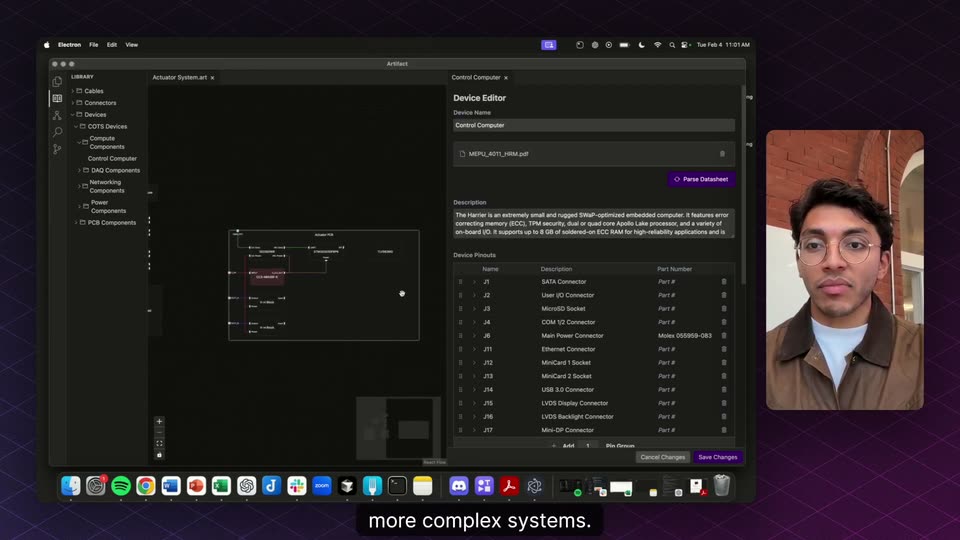
Artifact · B2B · Feb 2025
MindFort · B2B · Apr 2026
A static title card on a dark grid background: the label Intros sits above the bold headline AI Attributes on the left, with the attio logo at bottom left. On the right, a wireframe diagram shows four globe circles linked by lines to a central hatched pill shape.
On-screen text: “Intros”, “AI Attributes”
Camera: Static
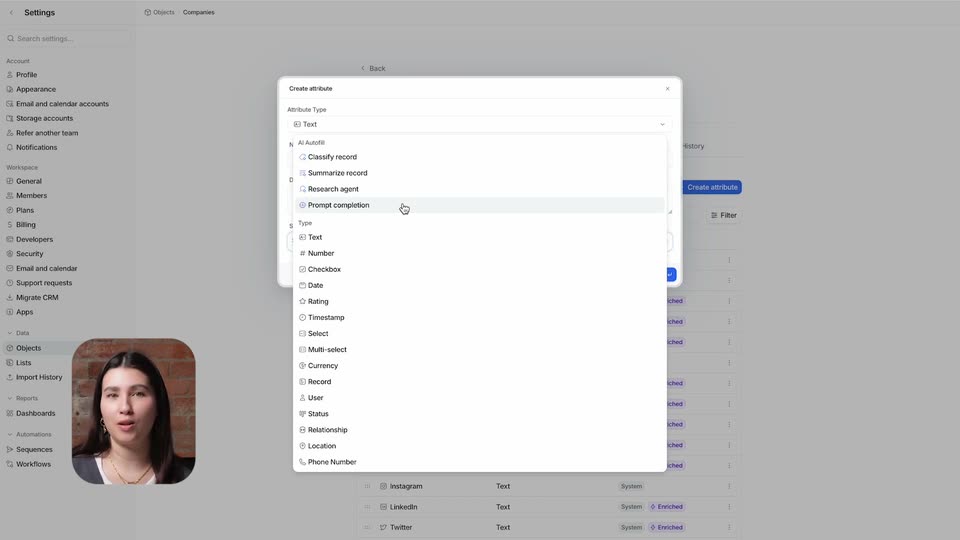
A settings screen shows a Create attribute modal with its attribute-type dropdown open. A cursor glides down the list, pausing on the AI options such as Research agent and Prompt completion. A small video of a woman talking sits in the lower-left corner.
Techniques: Cursor demo
Camera: Static
A settings screen shows the Companies page with a table of attributes listing type, constraints and properties. A small webcam clip of a woman plays in the lower-left corner while a cursor drifts across the top of the page.
On-screen text: “app.atto.com/progression-ai-.../6face7f1-6fd4-42e8-a33e-a2768267cc20”
Techniques: Cursor demo
Camera: Static
A screen recording of a CRM table of companies fills the frame, with a small talking-head video of a presenter in the lower left. A cursor scrolls the table right, opens the Add column menu, and a Create attribute panel slides in showing an AI autofill option.
Techniques: Cursor demo
Camera: Pan
A Basepoint screen shows an onboarding pipeline table beside a small video of a presenter in the lower left. A cursor opens a create-attribute dialog, toggles AI autofill, types a name and guidance, and adds a Summary column to the table.
Techniques: Cursor demo
Camera: Static
A Basepoint grid view with a 'Recalculate values' dialog centered over a Zapier row. A cursor glides to the blue Confirm button and clicks it; the dialog blurs out as the Summary cell fills with 'AI calculation queued...'. A small presenter video plays in the lower-left corner.
Techniques: Cursor demo
Camera: Static
A screen recording of the Basepoint interface fills the frame, with a small webcam of a presenter in the lower left. The cursor scrolls a deals table sideways, then opens a column menu and a settings panel cycling through ICP, Team Routing and Location autofill options.
Techniques: Cursor demo
Camera: Static
A Basepoint deals list sits behind a centered Recalculate values dialog; a cursor glides to the blue Confirm button and clicks it, triggering a ripple. A small webcam feed of a presenter holds the bottom-left corner.
Techniques: Cursor demo
Camera: Static
A light CRM deals table fills the frame with a small presenter webcam inset at bottom left. A confirmation modal pops up center, the cursor clicks Confirm, and the modal closes. A status cell cycles from queued to calculating while a toast notification sits bottom right.
Techniques: Cursor demo
Camera: Static
A CRM deals table fills the screen as a cursor clicks a recalculate icon in the Location column. A confirmation modal opens and the cursor clicks Confirm, triggering a toast at the bottom right. A small talking-head video sits in the lower-left corner.
Techniques: Cursor demo
Camera: Static
A CRM deals table fills in as AI placeholders resolve to values: Support, US, then ICP. A small webcam video of a presenter sits in the lower left corner. Near the end the cursor moves up and opens the Basepoint workspace menu.
Techniques: Cursor demo
Camera: Static
A screen recording of the settings page. The cursor clicks Billing in the left sidebar, the billing page loads after a brief spinner, then the cursor opens the automation credits usage view. A small video of the presenter sits in the bottom-left corner.
Techniques: Cursor demo
Camera: Static
The settings page titled “Automaton credits usage” fills the frame, showing a stacked bar chart and a usage table. A small rounded video of a woman speaking sits in the bottom-left corner as she wraps up the video. The mouse cursor drifts along the right edge while the page stays still.
Camera: Static
A dark interface scrolls upward as the top bar with its breadcrumb slides off the frame, leaving a faint wireframe grid of thin vertical and horizontal lines centered on the gradient background.
Camera: Static
On a dark charcoal background, the attio logo and wordmark appear as a faint wireframe with construction grid lines. White fill sweeps in from left to right across the mark and letters, the grid lines fade away, and a small URL fades in below.
On-screen text: “attio.com/help/academy”
Techniques: Masking
Camera: Static