0:55

Introducing GPT-5.5
OpenAI · AI · Apr 2026
Asakana’s 1:24 launch film runs 30 scenes, about 2.8 s each. The product is on screen from the first frame and 4 features are revealed, with social proof. There is no explicit call to action; a voiceover carries the film. The video is built from white UI cards that slide and fade into place, each feature introduced by a short headline and then shown filling a sales order. The pacing is steady, with blue accents marking resolved items and simple transitions between demos.
Is this your launch? to your site or press kit.
OpenAI · AI · Apr 2026
Cursor · Developer tools · Oct 2025
Anthropic · AI · Apr 2026
An email card titled “Order for tomorrow” with an xlsx attachment sits centered on a light gray background. A second identical card slides in from the left and settles in front, while the first card shifts right and fades slightly behind.
Camera: Static
An email on the left and a sales order form on the right sit side by side. The form, initially empty, fills in three line items one by one while the total counts up from $0.00 to $1,745.20. A cursor rests on the email's spreadsheet attachment.
Techniques: Split screen, Cursor demo
Camera: Static
Two panels side by side: an Excel spreadsheet left, a draft sales order right. Highlighted rows appear one by one in the sheet, matching line items enter the order and the total updates; a green Order processed check fades in at the bottom, then both panels dim.
Techniques: Split screen
Camera: Static
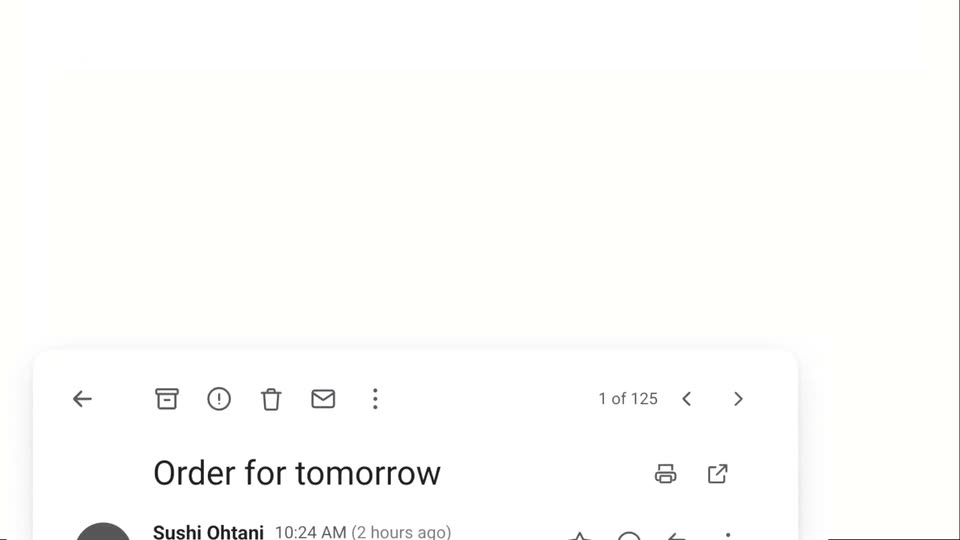
A washed-out document view of a purchase list and a sales order panel zooms down to a bottom toolbar, where the page indicator 1 of 125 and arrows slide into place. The heading Order for tomorrow starts to rise at the bottom edge.
Techniques: UI zoom
Camera: Static
A pale email card slides up from the bottom, covering a duplicate header, and locks into a centered view of an open message from Sushi Ohtani titled Order for tomorrow. The line AC Tuna 20 stays highlighted in light blue.
Camera: Pan
On a plain white background, a light blue rounded chip reading “AC Tuna 20” slides up and to the right as the bold gray word “Resolving” fades in to its left.
On-screen text: “Resolving”
Techniques: Kinetic type
Camera: Static
White stage: the headline reads Resolving AC Tuna 20, then the frame pulls back to reveal an email card on the left and a laptop in 3D perspective on the right. The line AC Tuna 20 in the email is highlighted blue and a blue arrow points from it to the spreadsheet on the laptop screen.
On-screen text: “Resolving AC Tuna 20”, “by recognizing their language habits...”
Techniques: 3D mockup, Split screen
Camera: Static
A white layout pairs an email card on the left with a front-facing laptop on the right showing an order spreadsheet. A blue arrow links the highlighted line in the email to a row that glows blue in the sheet, while the headline spans the top.
On-screen text: “Resolving AC Tuna 20 by recognizing their language habits...”
Camera: Static
A white screen holds a top headline, “Resolving AC Tuna 20”, with a blue phrase that swaps between lines. Below, a column of sales-order cards scrolls upward while a Price Book panel slides up from the bottom edge.
On-screen text: “Resolving AC Tuna 20 by recognizing the patterns...”, “by reviewing their past orders...”, “by checking the catalog and pricing...”
Techniques: Kinetic type
Camera: Static
A bold black-and-blue headline sits above a flat browser window showing a Price Book table. A blue outline highlights the first row, then the view reframes onto the eel row with a red box on the Sushi Restaurant column, before the screen clears to the AC Tuna 20 chip.
On-screen text: “Resolving AC Tuna 20 by checking the catalog and pricing...”
Techniques: UI zoom
Camera: Static
A pale lavender chip reading AC Tuna 20 sits at left, a blue arrow points right to a white product row showing a fish thumbnail, blue title, SKU, weight and prices. The chip eases down then up while the arrow and row fade in, holding a static diagram.
On-screen text: “AC Tuna 20”
Camera: Static
On a plain off-white background, a large blue 99% and the black phrase accuracy on orders fade in together, then hold still on a locked-off frame.
On-screen text: “99%”, “accuracy on orders”
Camera: Static
A gray stat “99% accuracy on orders” fades as a phone slides up, showing a chat with a photo of a handwritten note. A sales order form builds on the right, adding a line each time a handwritten line is boxed in blue, then fades out.
On-screen text: “99% accuracy on orders”
Techniques: Split screen
Camera: Pan
On a white field, a blue chat bubble with white Chinese text pops in at left while a gray SALES ORDER form fades in at right, fills with line items and a total, then both fade out as the phone edge slides down at the bottom.
On-screen text: “珠江橋牌生抽 2箱”, “冠珍海鮮醬 1箱”, “味全豬肉水餃 3箱”, “SALES ORDER”, “Sales Order SO-00131”, “Sep 15, 4:05 PM - Delivery Monday”, “BILLING ADDRESS”, “Golden Dragon Restaurant”, “ITEM & DESCRIPTION”, “QTY RATE AMOUNT”
Camera: Static
A blue speech bubble with a Chinese order message holds at left while a white sales order form at right populates row by row, each line item fading in until the sub total row completes the table.
Camera: Static
A blue chat bubble with Korean order text sits left of a white SALES ORDER card. The bubble text resolves and the line items plus the Sub Total row update to match the message, settling on three catalog products.
Camera: Static
A blue speech bubble listing a Spanish grocery order slides in on the left while a sales order form on the right fills in row by row, each item matching the bubble. The sub total appears last.
On-screen text: “2 cajas de Maseca”, “3 cajas de frijoles La Costeña”, “1 caja de sofrito Goya”
Techniques: Kinetic type
Camera: Static
A white sales order document sits at right beside a blue speech bubble listing three items in Spanish at left. The pair slides off the frame to the right across a cream background, leaving only the empty field.
On-screen text: “2 cajas de Maseca”, “3 cajas de frijoles La Costeña”, “1 caja de sofrito Goya”
Camera: Static
A grid of green messaging icons (phone, LINE, chat, voice, WhatsApp, WeChat) slides in left under '...and more!'. A panel of business logos (sage, QuickBooks, SAP, Zoho) slides in right, both get blue rounded frames as '→ ASAKANA →' appears between them, then the scene fades out.
On-screen text: “...and more!”, “...and more!”, “ASAKANA”
Techniques: Split screen
Camera: Pull out
A faded infographic of Asakana linking messaging app icons and ERP logos dissolves to white, then a washed-out live shot of a fish market with vendors and baskets fades in.
On-screen text: “ASAKANA”, “...and more!”, “...and more!”
Camera: Static
A close-up of fresh fish laid out on a market table fills the frame, the camera held still. A white rectangle fades in at the center carrying the headline, the brand name and key words in blue, the rest in black.
On-screen text: “ASAKANA is live today with seafood and Asian food distributors”
Camera: Static
A close-up of fresh fish on a market table fills the frame with shallow depth of field. A white caption box holds the line across the center, static throughout the shot.
On-screen text: “ASAKANA is live today with seafood and Asian food distributors”
Camera: Static
A blurred macro shot of dumplings topped with orange roe and chopped green herbs fills the frame behind a white caption box. The box first shows the Asakana launch line, then swaps to the line about complicated orders.
On-screen text: “ASAKANA is live today with seafood and Asian food distributors”, “handling some of the most complicated orders in the industry.”
Camera: Static
Close-up of sushi rolls coated in orange sauce and topped with tempura on a ceramic plate, chopsticks resting at the top left. A white caption box with black and blue text sits centered over the food, locked off.
On-screen text: “handling some of the most complicated orders in the industry.”
Camera: Static
A close-up of sushi rolls on a ceramic plate, chopsticks resting at the top left. A white caption box with black and blue text sits over the center, then fades to transparent and disappears, leaving the food in frame.
On-screen text: “handling some of the most complicated orders in the industry.”
Camera: Static
A white rounded card on a pale gray field fades in, headed 'Connect your system'. Blue dots and checkmarks pop in beside 'Messaging Channel' then 'ERP System', and 'You're ready.' appears in blue before the whole card fades out.
Camera: Static
A white card fades in from blank, carrying the heading Connect your system with two integration rows, then a sales order document with a header block and column labels fills the frame.
On-screen text: “Connect your system”, “We sync with your existing systems”, “Messaging Channel”, “ERP System”
Camera: Static
A white sales order form on a light gray background fills in line by line, adding item rows and a sub total, then fades out to a blank white screen.
Camera: Static
A plain cream card holds a large blue 30% on the left and two lines of black text on the right. The block fades in from low opacity over the first second, then stays locked off for the rest of the clip.
On-screen text: “30%”, “less time entering orders.”, “more time for your reps to sell.”
Camera: Static
On a white background, the two-tone blue “Let's Talk.” text slides in at center, then shifts left as a thin vertical line draws and the blue ASAKANA logo with wordmark appears on the right.
On-screen text: “Let's Talk.”, “ASAKANA”
Techniques: Kinetic type
Camera: Static