
1:14
Explore
Introducing GPT-5.5
OpenAI · Apr 2026 · 0:55 · Full motion · AI-annotated
- Length
- 0:55
- Scenes
- 20 · 2.8 s avg
- Product on screen
- 0:00
- Features shown
- 3
- Voiceover
- No
- Views
- 274K on YouTube
as of November 21, 2026
00:00:00 / 00:55:06
- Length
- 0:55
- Scenes
- 20 · 2.8 s avg
- Product on screen
- 0:00
- Features shown
- 3
- Voiceover
- No
- Views
- 274K on YouTube
as of November 21, 2026
OpenAI’s 0:55 launch film runs 20 scenes, about 2.8 s each. The product is on screen from the first frame and 3 features are revealed. There is no explicit call to action. The video alternates flat white claim cards with flat-lay UI mockups, each claim capping a short task demo on a locked-off near-white stage. Signature moves are the left-to-right text resolve, the character-by-character typing prompt, and the split-window reveal, all cut at a steady 139 bpm pulse.
No filming indicatedEstimated needs: 3 capture groups — your screens or recordings · 1 official logo — reused across the film
Is this your launch? to your site or press kit.
More like this

2:12

Introducing the new Craft Assistant, MCP & API and more!
Craft · Productivity · Nov 2025
1:33

The new Copilot: where work comes together
Microsoft · AI · Sep 2026
Similar soundtrack
Films whose music sounds like this one, voice left out
1:38

Best SaaS Product Demo Video | Teamble
Teamble · EDM / Dance-Pop
2:56
Anduril Industries - Thunder. The New Era of Attack Aviation.
Thunder · Electronic, synthwave, and heavy metal
1:06

DJI - Meet DJI Mini 2
DJI · Electronic dance, pop
Introducing GPT-5.5, scene by scene
· 20 scenes as text
01 · Product intro · 0:00–0:04
Centered black text on a white background holds on “Introducing GPT-5.5”, then swaps to “A new class of intelligence”; a browser window mockup of the app with a purple hexagon icon and prompt field fades in.
On-screen text: “Introducing GPT-5.5”, “A new class of intelligence”
Camera: Push in
02 · Feature reveal · 0:04–0:09
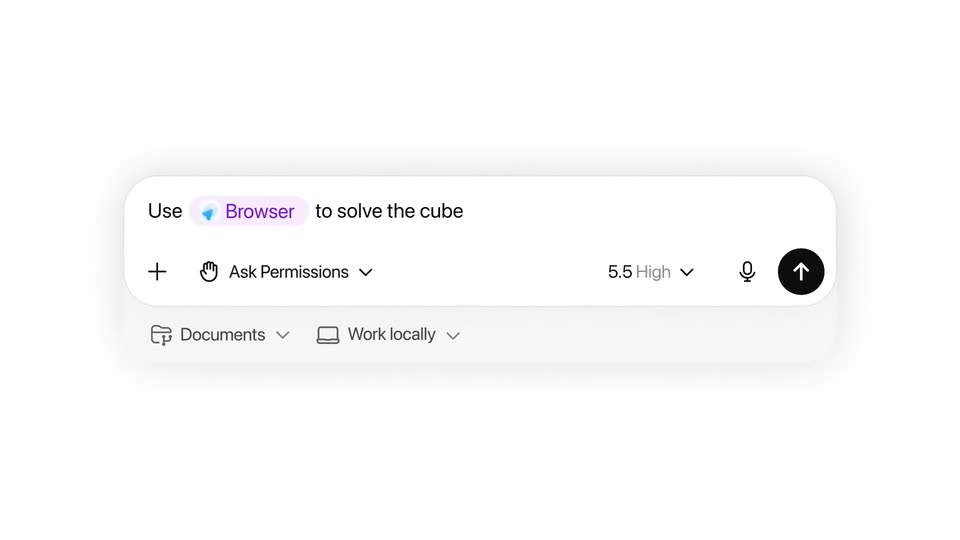
A light browser-style window showing a blue hexagon logo and the heading 'What are you working on in Documents?' zooms into the rounded input bar, where 'Use @Browser to solve the cube' is typed, @Browser as a purple chip.
Techniques: UI zoom
Camera: Push in
03 · Feature reveal · 0:09–0:13
A flat browser window on pale gray streams chat lines on the left while a 3D wireframe Rubik's cube with sky-image faces turns on the right, dark tooltips naming each move. It cuts to an off-white card with the word That left of center.
On-screen text: “That”
Techniques: 3D mockup
Camera: Push in
04 · Feature reveal · 0:13–0:16
A black sans-serif headline assembles word by word at center on a white background, then dissolves as a rounded white prompt card with a green circular send button fades in beneath it.
On-screen text: “That takes action across your apps”
Techniques: Kinetic type
Camera: Static
05 · Feature reveal · 0:16–0:19
A white rounded prompt field on a pale background types out a task sentence, a purple Slack chip appears mid-line, then a Using Gmail status card drops in below with a search-result line.
Techniques: Kinetic type
Camera: Static
06 · Feature reveal · 0:19–0:25
A white browser window shows an agent activity log. Rows with Gmail, Slack, and GitHub icons fade in one after another, their headers switch from Using to Used, then a Thinking line and file entries appear as the list scrolls up.
Techniques: Kinetic type
Camera: Pan
07 · Feature reveal · 0:25–0:30
A flat browser window titled AcmeCo scrolls vertically through a task line and a code-change summary on a light background. The page then blurs as a dark Slack thread window scales in at center.
Camera: Pull out
08 · Feature reveal · 0:30–0:32
A dark thread interface card sits on a light gray background. A reply message containing code references types into the text box, and the card then scales down to reveal the full thread view.
On-screen text: “Sent using @ChatGPT”
Techniques: UI zoom
Camera: Push in
09 · Feature reveal · 0:32–0:34
A dark code-review comment card fills the frame, then the comment body and like count fade out while the Sent using @ChatGPT badge scales up to center. A waving-hand reaction pill with the count 1 pops in below, then the frame fades to white.
On-screen text: “Sent using @ChatGPT”
Techniques: Kinetic type
Camera: Push in
10 · Feature reveal · 0:34–0:36
A white card holds a line of black text centered on screen. The sentence fades in from left to right, the opening words already solid while the trailing words resolve from gray to black on a locked-off frame.
On-screen text: “Sent using @ChatGPT”, “1”, “And keeps going until the task is done”
Techniques: Kinetic type
Camera: Static
11 · Feature reveal · 0:36–0:37
A white rounded prompt bar floats on a plain off-white background. The instruction text types out character by character in the field while the permission, model, and context chips below stay static.
Camera: Static
12 · Feature reveal · 0:37–0:39
A white rounded input bar sits on a plain background. The prompt text 'Turn this Q3 financial forecast into a presentation' is displayed, with the final words transitioning from gray to black.
Techniques: Kinetic type
Camera: Static
13 · Feature reveal · 0:39–0:41
A file browser window titled Q3-Financials fades in, listing two spreadsheet files. A gray highlight marks the first row, then moves to the third row as the Q3 file joins the list.
Camera: Static
14 · Feature reveal · 0:41–0:46
Two app windows separate from an overlap into a side-by-side split: a chat panel on the left and a QBR spreadsheet on the right. A file card slides into the chat, a cursor clicks Open, and the spreadsheet pane blanks to a Preparing preview state.
Techniques: Split screen, Cursor demo
Camera: Push in
15 · Feature reveal · 0:46–0:48
A code-agent window and a PowerPoint preview sit side by side, the agent chat listing a generated MBR deck. The view then reframes onto the presentation, expanding the Executive Summary slide so its KPI cards fill the frame. A cursor hovers over the file row before the reframe.
Techniques: UI zoom
Camera: Static
16 · Feature reveal · 0:48–0:50
A light editor window frames a dark slide titled Executive Summary beside a left thumbnail strip. On the slide, the exit ARR figure slides in and the cash figure scales up while the other KPI numbers hold. A chat input bar with a model picker sits below.
Camera: Static
17 · Feature reveal · 0:50–0:51
A plain light-gray frame holds a centered black tagline. The line “A new way to get computer” crossfades into the longer “new way to get computer work done”, the second phrase sliding slightly right as the first fades out.
On-screen text: “A new way to get computer”, “new way to get computer work done”
Techniques: Kinetic type
Camera: Static
18 · Outro · 0:51–0:53
The black text GPT-5.5 sits centered on a plain off-white background. The frame remains locked and static for the full duration.
On-screen text: “GPT-5.5”
Camera: Static
19 · Outro · 0:53–0:54
A black line-drawn knot mark, three interlocking rounded loops forming a hexagonal outline, sits centered on a white field and scales up to full size over the clip.
Camera: Static
20 · Outro · 0:54–0:55
A black line-art logo, a rounded hexagon enclosing an isometric cube, holds centered on a plain white field. The frame stays locked and motionless across the whole clip.
Camera: Static