0:53

Lucent Launch Video
Lucent · B2B · Mar 2026
Arvist’s 1:01 launch film runs 20 scenes, about 3.1 s each. The product shows up at 0:08 and 1 feature is revealed, with social proof. The call to action lands at 0:52 (86% in), over a voiceover. Opens with a dark stat-and-pain block, names the product, then runs one continuous UI walkthrough of the claims cycle (intake, dock proof, verification, dispute letter) before a metrics card and a CTA. Signature moves are 3D panels that rotate flat over warehouse backdrops, a cyan corner-bracket selection frame, and live-action dock footage embedded inside UI players.
Is this your launch? to your site or press kit.
Lucent · B2B · Mar 2026
Arvist · Sep 2026
Films whose music sounds like this one, voice left out
StoreTrack · Upbeat electronic
Sable · Upbeat electronic
Artisan · Modern Electronic
A dark teal background holds a scattered collage of small rounded video clips showing warehouse forklifts, stacked boxes and conveyor lines. Large white text starts as 30%, expands to 30% of Freight Claims, then swaps to Are Fraudulent while the clips drift slowly and their cyan borders glow.
On-screen text: “30% of Freight Claims”, “Are Fraudulent”
Techniques: Kinetic type, Parallax
Camera: Pull out
A dimmed dark transactions table with red Refunded rows sits behind centered white text. Phrases swap in sequence: Most Warehouses, Pay Them Anyway, To Fight Back. The interface stays static and slightly blurred while the text changes.
On-screen text: “Most Warehouses”, “Pay Them Anyway”, “To Fight Back”
Techniques: Kinetic type
Camera: Pull out
On a pale cyan field, the word Claims sits centered in bold teal sans. A light teal highlight bar grows behind it as the line extends to Claims Management, and four corner brackets snap into place around the phrase, framing it like a selection.
On-screen text: “Claims Management”
Techniques: Kinetic type
Camera: Static
The ARVIST logo and a bracketed teal “Claims Management” label sit on the left while a tagline types in below them. On the right, the claims dashboard renders in 3D perspective, rotating into frame, then the camera pushes in on the table.
On-screen text: “Claims Management”, “Automated Full-Cycle Claims Management With Visual Proof”
Techniques: Kinetic type, 3D mockup, UI zoom
Camera: Pull out
A claim form interface floats over a live-action warehouse aisle. A white notification card with a green envelope icon, reading New claim email received, slides in from the right while the form pans left and scales up, reframing onto the card.
Techniques: UI zoom, Parallax
Camera: Static
A claim-management interface floats in 3D perspective over a warehouse backdrop. A frosted notification card on the right sharpens in, showing an envelope icon and reference numbers, then fades out while form fields in the main panel fill with values.
On-screen text: “From [email protected]”
Techniques: 3D mockup
Camera: Static
A product interface panel floats in 3D perspective over a warehouse aisle. The view inside the panel shifts from an email-parsed claim draft to a claims list, while a glass notification card with a teal envelope icon holds focus on the right.
On-screen text: “New claim email received”, “From [email protected]”
Techniques: 3D mockup
Camera: Push in
A flat Claims Management dashboard hovers over a blurred warehouse aisle. A small dark tooltip with the new-claim email address sits beside the New Claim button, and the whole card drifts slightly left and right.
On-screen text: “New claim email received”, “From [email protected]”
Techniques: Parallax
Camera: Static
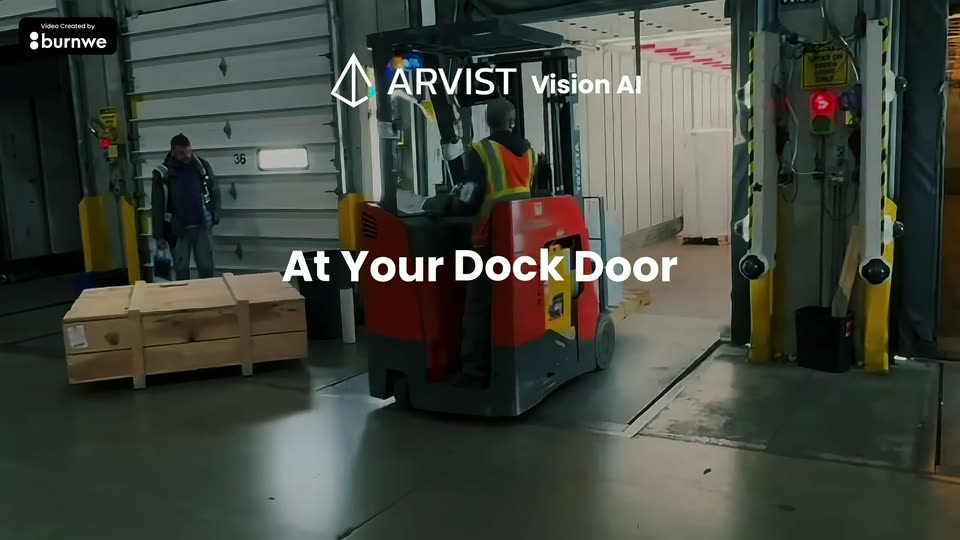
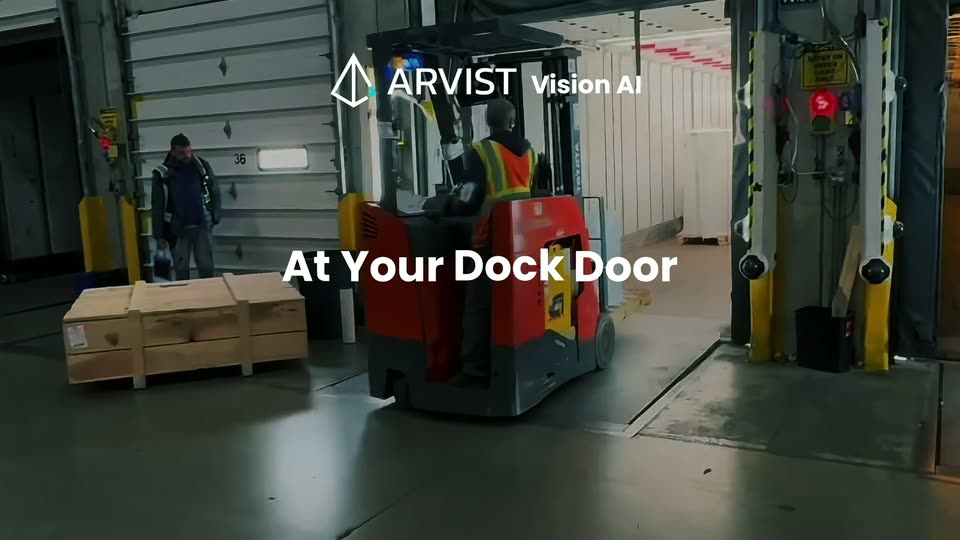
A worker in a hi-vis vest stands at a warehouse dock door as an orange forklift carrying a pallet of white boxes drives in from the left toward the open trailer. The ARVIST logo holds top center while a white headline swaps lines. Camera locked-off.
On-screen text: “ARVIST Vision AI”, “The Proof Was Captured”, “At Your Dock Door”
Camera: Pull out
A claims detail panel scrolls into place at the top while an Inspection Evidence timeline adds its steps one by one on the right. Below, a cyan-bordered player plays warehouse footage of a forklift and a worker, the visual evidence being attached.
Techniques: Light sweep
Camera: Static
A light-themed claims interface fills the top of the frame, its sidebar and risk checklist drifting down slowly while a rounded video player below plays warehouse footage of a worker driving a Toyota forklift. The player is outlined with a cyan glow.
Camera: Static
A product interface fills the upper frame, showing a claim detail card and a list of risk scores, while a rounded video panel below shows a warehouse worker near a forklift. The interface zooms out to reveal the full sidebar and claim fields.
Techniques: UI zoom
Camera: Pan
A warehouse interior sits behind the ARVIST app window, which scales up and zooms into the Wrong Load Detected alert. Six pallet photos with red outlines and labels fill a grid, then the full window with sidebar and action buttons settles into frame.
Techniques: UI zoom
Camera: Static
A 3D mockup of the inspection screen floats over a warehouse, angled at first. It rotates flat to face the camera as the green verification card resolves from a glitch, then tilts and fades as a dispute letter document slides in behind it.
Techniques: 3D mockup
Camera: Static
A white email-draft card floats over a dim warehouse as the letter body scrolls down, revealing the dispute text, a three-item attachments list, and the Approve & Send button row.
Camera: Pan
A white assessment card with a row of action buttons sits on a pale cyan background. A second white card, a draft dispute letter, slides in from the top and pushes the first card down. Locked-off frame.
Camera: Static
A white document card on a pale background shows a dispute letter. The body text begins as overlapping, offset lines that settle into a single clean layout, with a teal Approve & Send button at the bottom.
Techniques: Kinetic type
Camera: Push in
A claims management dashboard appears tilted in 3D perspective on a dark glowing backdrop, then rotates to face the viewer and settles into a flat, locked-off front view.
Techniques: 3D mockup
Camera: Static
A tilted 3D panel shows a glowing cyan line graph with a dot tracing the curve, a percentage counting up to 15%, and the labels Saved Per Claim and 3 Days /Month. It then flattens into a full-frame claims table with cyan Dispute tags as the camera pushes in.
On-screen text: “15 hours saved per claim”, “Saved Per Claim”, “3 Days /Month”, “15%”
Techniques: Masking, 3D mockup
Camera: Pull out
A pale blue card holds the ARVIST logo above a 'Claims Management' highlight bar framed by corner brackets. Smaller captions cycle beneath it, scaling in one after another, and finally a teal Book a Demo button drops in.
On-screen text: “Claims Management”, “Claims Handling”, “Investigation & Management”, “100% Automated”, “Book a Demo”
Techniques: Kinetic type
Camera: Static