0:32

ElevenLabs Launch Video
ElevenLabs · AI · Sep 2026
Arvist’s 1:44 launch film runs 25 scenes, about 4.2 s each. The product is on screen from the first frame and 3 features are revealed. There is no explicit call to action; a voiceover carries the film. Presenter-led explainer built as a branded title card, a numbered problem list over stock and 3D warehouse shots, then three feature reveals each opened by a teal title card and shown in a split screen of live camera feed plus product UI, closing on an animated logo. Signature moves: word-by-word cyan highlight captions synced to the voiceover, a steady ~14 cuts per minute, and the persistent split-screen demo layout with a circular presenter inset.
Is this your launch? to your site or press kit.
ElevenLabs · AI · Sep 2026
AtlasGrid · B2B · Nov 2025
A bald man in a black polo stands at left on a black background, speaking. On the right, the Arvist logo sits above a white headline with cyan dots and a subtitle, beside an isometric illustration of yellow robotic arms, a conveyor and a worker with a tablet.
On-screen text: “Detect. Resolve. Transform.”, “Tackling OSD Checks With Vision AI”, “Presented by Eitan Hefetz, Head of Product & Partnerships at Arvist.”
Camera: Static
A locked-off container-port shot, with a blue container truck, stacked containers, and an airplane overhead, carries a caption that highlights words in light blue one by one. At 4.2s it cuts to a warehouse aisle where a blue wireframe box and a quality-inspection HUD panel frame a pallet of cartons.
On-screen text: “Detect. Resolve. Automate. with AI”, “If you are running a large logistics operation or ”
Camera: Static
A warehouse aisle shows a pallet of boxes inside a translucent blue wireframe cube with red warning icons, a 3D camera at top right and a quality-inspection panel below. A centered white caption lights up cyan word by word, then fades to “You want”.
On-screen text: “I'm sure that you are putting a lot of attention into your shipment quality checks.”, “You want”
Techniques: Kinetic type, 3D mockup
Camera: Static
A warehouse aisle holds a pallet inside a blue wireframe cube with red warning markers, a 3D security camera floating top right. The caption 'You want to' swaps to the headline '1. Reduce to the minimum the the OS&D claims:', then the background wipes to blurred damaged boxes.
On-screen text: “You want to”, “1. Reduce to the minimum the the OS&D claims:”
Techniques: 3D mockup, Masking
Camera: Static
A static warehouse shot shows stacked cardboard boxes behind crushed parcels on a shelf. Centered white sans-serif captions appear, with key words flashing teal in time with the voiceover. The first line reads Over, Short, and Damage claims, then a four-line numbered tip replaces it.
On-screen text: “Over, Short, and Damage claims”, “2. Make sure that your shipments contains exactly the quantities that should be there”
Camera: Static
A locked-off wide shot of a container yard, stacked red and blue containers and orange port machinery under a pale sky. Centered white captions with cyan word highlights cycle through numbered points two to four over the static background.
On-screen text: “2. Make sure that your shipments contains exactly the quantities that should be there”, “3. You enjoy the “Perfect Order Rate””, “4. Minimise disputes or be able to deal with them effectively”
Techniques: Kinetic type
Camera: Static
A 3D warehouse grid of FRAGILE boxes on glowing scanner pads with floating data panels holds still behind numbered captions that swap from point 4 to 5, key words highlighted in teal. The render then dissolves into a live-action warehouse with workers and holographic overlays.
On-screen text: “4. Minimise disputes or be able to deal with them effectively”, “5. Reduce the labour that you are investing into quality checks.”
Techniques: 3D mockup
Camera: Static
3D warehouse with workers in orange vests and a yellow forklift, overlaid by a holographic AR panel with an eye icon and safety labels. A centered white caption holds still while its words light up cyan in sync with the voiceover; the ARVIST logo fades in top right.
On-screen text: “And today, I want to show you what we are building in Arvist in order to help you with it!”
Techniques: Kinetic type
Camera: Static
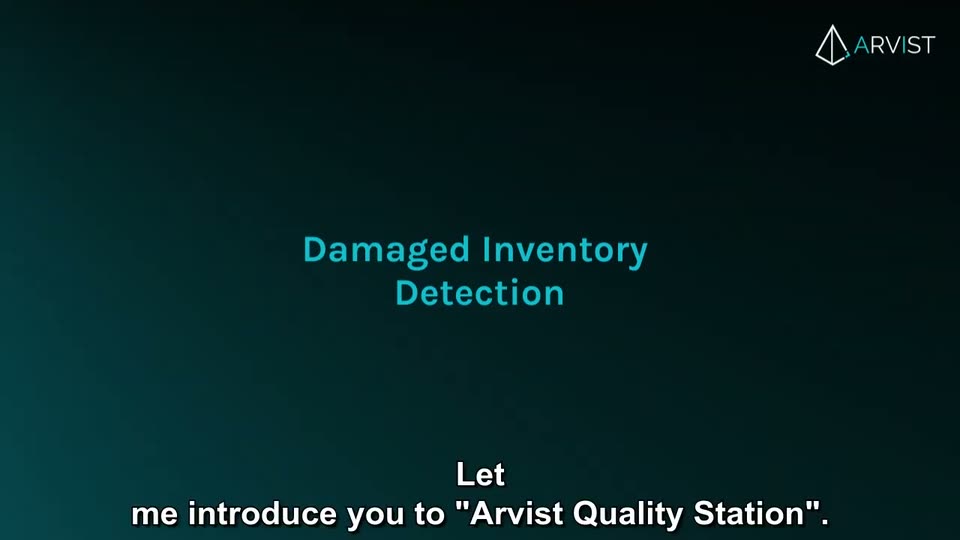
A dark teal card holds the centered blue heading “Damaged Inventory Detection” as a faint warehouse backdrop fades to black. A white caption reads at the bottom, and the ARVIST logo stays locked in the top right corner.
On-screen text: “Damaged Inventory Detection”, “Let me introduce you to “Arvist Quality Station”.”
Camera: Static
Split screen: a live warehouse camera feed with a forklift and pallet of boxes on the left, the Arvist shipments interface on the right, and a small presenter webcam circle at lower left. A caption bar at the bottom reads the introduction line while the UI stays static.
On-screen text: “Let me introduce you to 'Arvist Quality Station'.”
Techniques: Split screen
Camera: Static
A split screen pairs a live warehouse camera feed of stacked boxes on the left with the Arvist interface on the right, where a Let's Start dialog highlights the Start Counting button. A presenter's circular avatar sits bottom left as white outlined subtitles appear at the bottom.
On-screen text: “Let me introduce you to ”
Techniques: Split screen
Camera: Static
Left: a warehouse feed shows a boxed pallet rotating on a turntable as a red box locks onto it; a presenter's webcam sits in a corner circle. Right: the app's Summary screen holds a white 'Awaiting pallet placement' card, then flips to a Pallet 1 image grid.
On-screen text: “With the Quality Station,”, “we are making use of an”, “existing turntable stretch wrapper,”, “we are positioning a single camera nearby it,”, “and we are analysing”, “automatically your shipment”
Techniques: Split screen
Camera: Static
Split screen: left shows a warehouse camera feed of a forklift rotating a boxed pallet on a turntable, with a circular inset of a speaking man; right shows the product Summary page where a fourth side thumbnail fills in. Subtitles swap at the bottom.
On-screen text: “automatically your shipment”, “- each and every pallet.”, “We are four photos of the”, “capturing four photos of the”
Techniques: Split screen
Camera: Static
Split screen: left, a warehouse camera feed shows a pallet of boxes moving, with a webcam icon and a circular presenter photo; right, a white Damages Detected dialog fades in, lists overhang issues and four thumbnails, then a red oval circles the Resolve button.
On-screen text: “four sides of each pallet,”, “analysing them for damages,”
Techniques: Split screen
Camera: Static
Split layout: left half is a black panel holding a warehouse camera feed of a forklift moving a wrapped pallet, a white security-camera icon with blue arcs, and a circular presenter headshot. Right half is a static white app screen showing a Summary page with four damage thumbnails. A subtitle bar runs along the bottom.
On-screen text: “and if we detect damages,”, “we automatically alert and”
Techniques: Split screen
Camera: Static
Left half: a security camera icon above a live warehouse feed of a wrapped pallet, with a circular presenter inset below. Right half: the app's Summary page, dimmed behind a Processing images modal. A white caption bar sits at the bottom.
On-screen text: “we automatically alert and”
Techniques: Split screen
Camera: Static
A split screen pairs a warehouse camera feed on the left with the product interface on the right. The feed shows a shrink-wrapped pallet moving past a forklift while a pop-up modal on the interface fades out to reveal a matched product row.
On-screen text: “we automatically alert and”, “your operator will see a pop”, “resolve the damages.”
Techniques: Split screen
Camera: Static
A warehouse camera feed and a product results screen sit side by side under a centered cyan headline, then both panels fade out, leaving the headline on a dark teal gradient as white captions appear at the bottom.
On-screen text: “Scan Over And Short Inventory”, “resolve the damages.”, “We are also automatically”
Techniques: Split screen
Camera: Static
A cyan headline overlays the dimmed layout, then the screen brightens into a split view: a frozen warehouse camera feed and a presenter's circular webcam left, the ARVIST quality interface right with a red-circled Matched badge. A second cyan headline closes the scene.
On-screen text: “Scan Over And Short Inventory”, “We are also automatically”, “counting the number of boxes”, “on each pallet and showing you the results.”, “So, if there is any mismatch,”, “the operator have a chance to fix it.”, “Types Of Damages Detected”
Techniques: Split screen
Camera: Static
A cyan heading “Types Of Damages Detected” holds centered on a dark teal background as faint ghost text fades out. A darkened dashboard listing damage types fades in behind it, and a white caption “Here is a list of the type” appears at the bottom.
On-screen text: “Types Of Damages Detected”, “Here is a list of the type”
Camera: Static
A slide crossfades in over a teal title, then holds: two phone mockups of the damage app, a radar chart and a numbered list fill the frame, a circular webcam of the presenter sits bottom left, and white outlined subtitles cycle below.
On-screen text: “Types Of Damages Detected”, “Here is a list of the type”, “of damages that Arvist Quality Station automatically detects.”, “As you can see, some of them related to”, “damages on the pallet level,”, “others on the packaging or the box level.”, “And we even detect expiry”, “date as well as labelling issues.”, “I invite you to read more about Arvist Quality Stations in our website.”, “Thank you very much.”
Camera: Static
A white line logo of two overlapping triangles draws itself in the center of a black screen. As the strokes complete, a small blue square at the lower right corner lights up with a soft glow.
Techniques: Light sweep
Camera: Static
On black, a white wireframe triangle mark sits left of the wordmark ARVIST, its first and fifth letters in cyan. A teal cone of light projects from the mark across the word. The wordmark and beam vanish, leaving the mark with a small glowing teal dot at its lower corner.
Techniques: Light sweep
Camera: Static
A white geometric logo and the word ARVIST sit on a black background. A blue, cone-shaped light beam expands from the logo, sweeping across the text.
On-screen text: “ARVIST”
Techniques: Light sweep
Camera: Static
The ARVIST lockup, a white triangular line mark with a glowing cyan dot beside the wordmark, sits centered on black. It scales gently, then fades to black.
On-screen text: “ARVIST”
Camera: Static