1:17
Motion Graphics Product Video | Agents Security Platform
Manifold · Nov 2026
Lucent’s 0:53 launch film runs 21 scenes, about 2.5 s each. The product shows up at 0:15 and 2 features are revealed, with social proof. The call to action lands at 0:46 (86% in), over a voiceover. The video alternates a live presenter in a bright office with dark green gradient UI panels, cutting on a steady beat. Signature moves are browser mockups that burst into or zoom out of a wall of session thumbnails, a diagonal light glare sweeping tilted 3D panels, and Slack and Linear cards popping in on the narration.
Is this your launch? to your site or press kit.
Manifold · Nov 2026
Scalar Field · Fintech · Jul 2026
Films whose music sounds like this one, voice left out
DJI · Upbeat corporate electronic
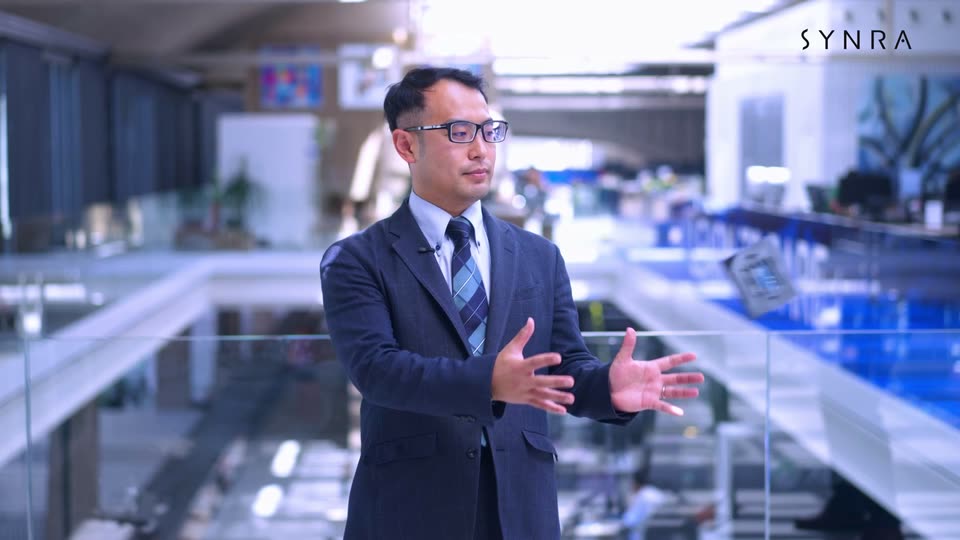
SYNRA · Modern electronic
Windsurf · Electronic
A blonde woman holds a laptop in a modern office, lifting it then facing the camera as she speaks. A white caption appears at the bottom left. The shot is locked off.
On-screen text: “You're recording thousands of user sessions every day.”
Camera: Pull out
A blonde woman in a black blazer talks to camera in a bright lounge with a beige sofa. A browser window showing a grid of property photos fades in on the right. A white caption sits at the bottom.
On-screen text: “You're recording thousands of user sessions every day.”
Camera: Static
A blonde woman in a black top speaks to camera in a bright loft office. A 3D browser mockup of a real estate listing floats at her right, then bursts into a scattered field of small session thumbnails across the frame.
On-screen text: “You're recording thousands of user sessions every day.”, “But here's the thing no one talks about.”
Techniques: 3D mockup, Particles
Camera: Static
A blonde woman speaks to the camera in an office as a wall of product UI screenshots behind her fades out one by one. A caption scales in at the bottom, then a large white headline appears on the left.
On-screen text: “But here's the thing no one talks about.”, “Nobody's”, “Watching Them”
Techniques: Kinetic type
Camera: Static
A blonde woman in a black top with a white collar talks to the camera in a bright office lounge. Floating browser windows with product interfaces drift around her, one enlarging into a hotel booking page. A caption bar at the bottom states the voiceover line.
On-screen text: “Nobody's”, “Watching Them”, “Bugs are hiding in your products right now”
Techniques: 3D mockup
Camera: Static
A dark green backdrop holds a large white headline that fades out as a flat browser window scales up to center, showing a cottage listing page. A blue cursor drifts across the page while a black caption bar at the bottom swaps its line.
On-screen text: “Nobody's Watching Them”, “Bugs are hiding in your products right now”, “Users hit them, get frustrated and leave.”
Techniques: Cursor demo
Camera: Push in
A centered browser window with a beach cottage listing zooms out over one second, shrinking into a wall of many small screens on a dark green gradient. A static white caption on a black bar sits at the bottom.
On-screen text: “Users hit them, get frustrated and leave.”
Techniques: UI zoom
Camera: Pull out
A flat grid of dozens of small web app screenshots fills the frame on a dark green gradient. Several tiles turn red one after another, marking broken screens, while the bottom caption swaps to a second line.
On-screen text: “Users hit them, get frustrated and leave.”, “And you'd never even know.”
Camera: Static
A blonde woman in a black top talks to camera in an office, palm up; a green play icon hovers over her hand, then shrinks and moves to the top right as a gray panel with an 'An AI' pill fades in. 'Introducing Lucent' holds at the bottom.
On-screen text: “Introducing Lucent”, “An AI”, “And you'd never even know.”
Camera: Static
A woman speaks to the camera in a white brick room, gesturing with her hand, while a floating screen showing a grid of property listings hovers to her right. A diagonal light beam sweeps across the screen, and white captions appear at the bottom.
On-screen text: “Introducing Lucent”, “An AI”, “that automatically watches”, “your session replays and finds”
Techniques: Light sweep
Camera: Static
A woman in a black top talks to camera in a bright room while a tilted 3D panel of a property-listing web app floats to her right. A diagonal glare sweeps across the panel as white captions appear at the bottom.
On-screen text: “your session replays and finds”, “bugs and UX issues for you.”
Techniques: 3D mockup, Light sweep
Camera: Static
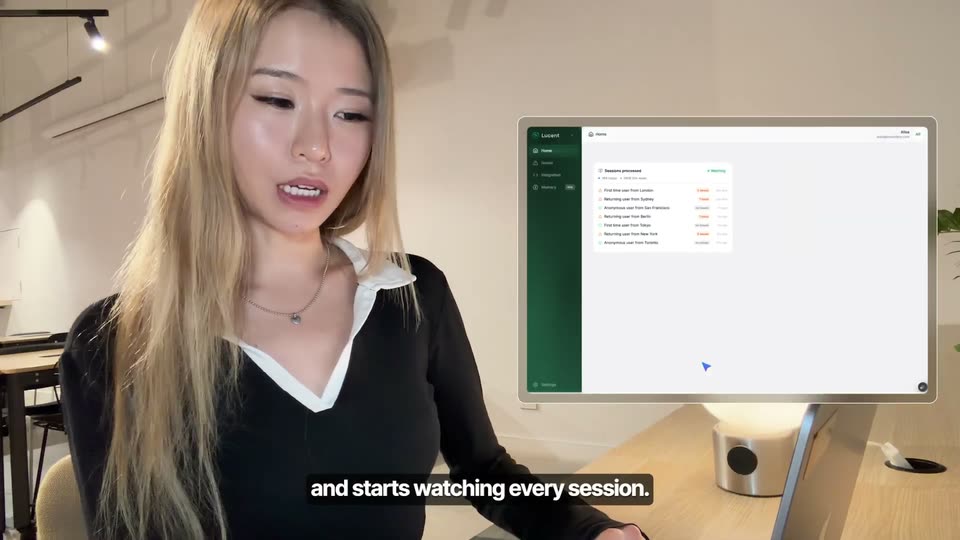
A blonde woman in a black top sits at a desk in a bright office, talking to camera, while a monitor beside her cycles through Lucent screens: a property grid with a welcome modal, a PostHog map panel, and a session dashboard. Bottom subtitles name the PostHog connection.
On-screen text: “bugs and UX issues for you.”, “Lucent connects to PostHog”, “and starts watching every session.”
Techniques: Cursor demo
Camera: Static
A woman in a black top sits at a desk in a bright office. A floating Lucent dashboard panel hovers to her right, switching from the home view to a booking form as a cursor clicks the Book button. A caption sits at the bottom.
On-screen text: “and starts watching every session.”
Techniques: 3D mockup, Cursor demo
Camera: Static
A blonde woman in a black top sits at a desk in a bright office and speaks to camera. A flat booking payment UI panel floats on the right as the bottom caption swaps to “When a user hits a bug”.
On-screen text: “and starts watching every session.”, “When a user hits a bug”
Camera: Static
A blonde woman in a black top speaks to camera at a bright office desk. A booking checkout UI floats top right; a Slack alert card, then a Linear bug report card, pop in by the laptop. Bottom subtitles follow the narration.
On-screen text: “When a user hits a bug”, “Lucent detects it and sends”, “it straight to your slack”, “and Linea with a full bug reports.”
Camera: Static
Two columns of dark testimonial cards scroll vertically at different speeds on a dark green gradient. A static white and orange headline sits on the left while white subtitles appear at the bottom in sync with the voiceover.
On-screen text: “TRUSTED BY 30+ YC COMPANIES”, “YC companies are already using Lucent”, “they'd never find on their own.”
Techniques: Parallax
Camera: Push in
A dark green gradient holds the left side, where the headline TRUSTED BY 30+ YC COMPANIES sits static in white and orange. On the right, two columns of dark testimonial cards with green highlighted phrases scroll slowly upward. A black caption box reads they'd never find on their own. at the bottom left.
On-screen text: “TRUSTED BY 30+ YC COMPANIES”, “they'd never find on their own.”
Camera: Static
A tilted 3D mockup of the Lucent issue tracker sits centered on a dark green gradient, a cursor drifting between the issue list and the detail panel. White caption phrases pop in one by one along the bottom.
On-screen text: “Your session replays”, “are the richest data source”, “you're ignoring.”, “Lucent watches them”, “so you can focus on building products”, “people love.”
Techniques: 3D mockup, Cursor demo
Camera: Static
Three numbered feature cards with green line icons fade in one by one on a dark green gradient, a blue cursor pointing at each icon. A white caption types in word by word below, then switches to a second line.
On-screen text: “You can set up Lucent in one minute”, “That's about the same time it took for you to watch this video”
Techniques: Kinetic type
Camera: Static
Three dark feature cards with green icons and step badges 1 to 3 fade out, then the Lucent eye logo settles in the center of a dark green gradient. A white caption line stays at the bottom throughout.
On-screen text: “That's about the same time it took for you to watch this video”
Techniques: Masking
Camera: Static
On black, the teal Lucent logo and wordmark fade in at center. The URL types out below it, then an orange Y Combinator badge fades in. The lockup holds steady, then dims to black.
On-screen text: “lucenthq.com”, “Backed by Y Combinator”
Camera: Static