0:22
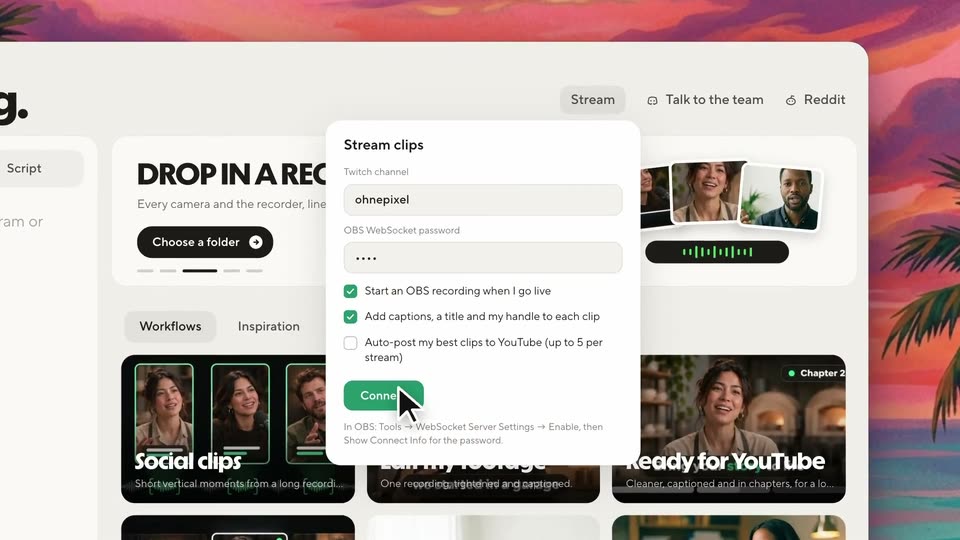
HyperFrames - we couldn't get the day off to play GTA VI, so we found a way to play
HyperFrames · Nov 2026
arcads AI’s 1:08 launch film runs 37 scenes, about 1.8 s each. The product shows up at 0:03 and 4 features are revealed. The call to action lands at 1:03 (93% in), over a voiceover. Dark, near-black stage with a single magenta accent and a recurring white face mascot; the video is built as a step by step workflow demo where each feature is announced by a centered white headline that wipes or blurs into the next. Pacing is steady at about 115 bpm with short locked-off UI shots, glow pulses on active elements, and 3D card clusters for the brand memory, so motion work should keep transitions clean, use the magenta glow as the only highlight, and let the mascot carry the status
Is this your launch? to your site or press kit.
HyperFrames · Nov 2026
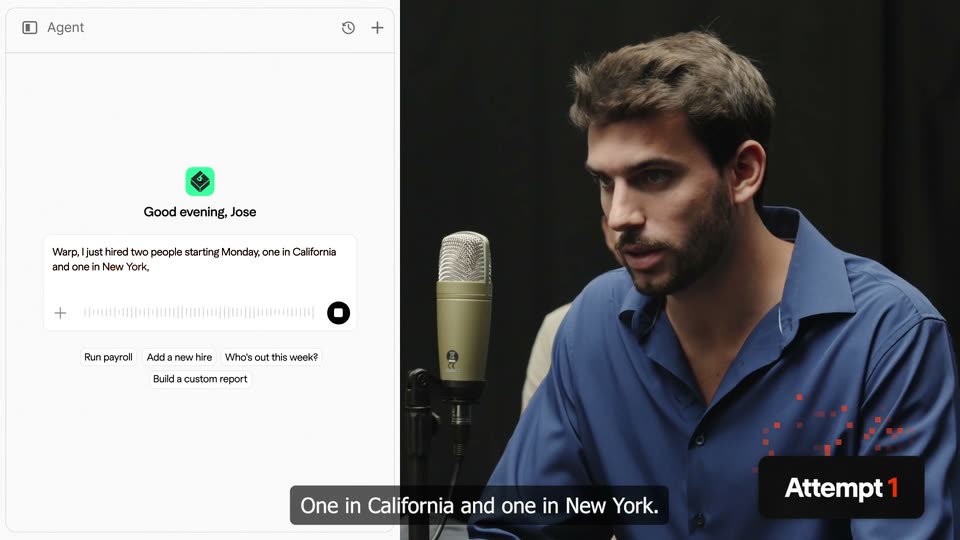
Warp · Developer tools · Sep 2026
Lovable · Developer tools · Oct 2025
On a light gray field, the black word Imagine sharpens into Imagine if claude beside a coral starburst mark. A yellow spray can drops in from the left as the line becomes could run your ads?, then a white Studio panel slides up from the bottom.
On-screen text: “Imagine”, “Imagine if claude”, “could run your ads?”
Techniques: Kinetic type
Camera: Static
A locked-off close-up of a white panel's top bar on a gray gradient background. A dark slash logo sits left of a three-tab segmented control reading Studio, Workflow, Agent, with Studio highlighted. The Workflow and Agent labels scale subtly while the frame stays still.
Techniques: Kinetic type
Camera: Static
A dark tab bar with Studio, Workflow and Agent labels sits on a black background. The Agent pill glows, then lifts out of the bar toward the camera, scaling up and drifting to the upper right while the remaining tabs blur behind it.
Techniques: 3D mockup
Camera: Static
The word meet in white lowercase scales into focus at the center of a dark background. A smaller line, AI marketer, by arcads, fades in beneath it, the byline in gray. The frame stays locked off.
On-screen text: “meet”, “AI marketer, by arcads”
Techniques: Kinetic type
Camera: Static
On a near-black gradient background, the white wordmark “mark” glitches into place beside a round white face topped with animated magenta squiggles. Below, the gray tagline “AI marketer, by arcads” sits static with the arcads mark. The frame stays locked while the hair squiggles shift.
On-screen text: “mark”, “AI marketer, by arcads”
Techniques: Kinetic type
Camera: Static
On a near-black background, a small 3D head with a white face and magenta hair sits at left. A bright light edge sweeps rightward, revealing the white headline word by word until the full line holds.
On-screen text: “Drop your brand URL to get started”, “AI marketer, by arcads”
Techniques: Light sweep
Camera: Static
A close-up of a dark input field types a brand URL, then the frame pulls back to reveal the full prompt with a toothpaste thumbnail above the box. The cursor glides toward the up-arrow button as the view zooms in on it.
On-screen text: “www.dazltoothpaste.com”
Techniques: UI zoom, Cursor demo
Camera: Static
A white round face with two black oval eyes and a magenta scribbled hair sits left of the gray wordmark, the letters “in” glowing pink. The lockup starts motion blurred, snaps into focus, then shrinks to the top left corner.
Techniques: Speed ramp
Camera: Static
Dark gradient background, locked-off frame. A small mascot icon with a green check sits beside the word Thinking at the top. Three green check lines then stack above it, pushing the Thinking row down as the list builds.
On-screen text: “Thinking”, “Searched the web”, “Analyzing the brand”, “Thought 2s”
Camera: Static
A dark rounded card with a glowing purple border settles in the center of a black background. The Overview header, category and positioning lines type out word by word, the positioning sentence still filling as the shot ends.
On-screen text: “Thinking”, “Searched the web”, “Analyzing the brand”, “Thought 2s”
Camera: Static
Dark UI cards float in 3D perspective on a black background. A glowing Tone of Voice card sits in front, listing tone traits and sample phrasings, while a positioning card and a market card drift behind it at different depths.
Techniques: 3D mockup, Parallax
Camera: Static
A dark board of rounded cards glows with magenta light. The central Target Audience card sharpens from a soft pink blur into a crisp dark panel, revealing demographics and pain points, while a hand holding a yellow toothpaste tube and adjacent product cards sit softly out of focus.
Camera: Pull out
A cluster of glowing purple-edged brand cards floats in 3D perspective over a dark background, while a large white headline slices in across the middle reading 'It learns about your brand'. A green check and 'Brand memory updated' sit at the bottom.
On-screen text: “It learns about your brand”, “Brand memory updated”
Techniques: Kinetic type, 3D mockup
Camera: Static
A glowing white face icon with magenta scribbled hair slides left on a dark gradient as the gray line “Scraping competitors ads” scales in. A green checkmark pops above it, a white caption appears, and a row of ad cards with view counts scrolls left across the lower frame.
On-screen text: “Scraping competitors ads”, “Here's some of the best performing ads from your competitors”
Techniques: Kinetic type
Camera: Pan
A dark results screen shows a green check with the line Scraping complete above a brain icon and a headline, then a row of five vertical ad thumbnails each with a trend arrow and view count. The whole composition blurs and dims as it slides out.
Techniques: Speed ramp
Camera: Static
Centered white sans-serif text on a black background. 'Researches competitors ads' builds word by word, then a horizontal blur wipes it into 'recreates for your brand'.
On-screen text: “Researches competitors ads”, “recreates for your brand”
Techniques: Kinetic type
Camera: Static
Two tilted social-media post cards float center on black, each with a green view count beneath. A yellow glow on the left card and a purple glow on the right fade away, revealing the ads. White text 'recreates for your brand' sits behind them, split across the frame.
On-screen text: “recreates for your brand”
Techniques: 3D mockup
Camera: Pull out
A vertical feed of dark rounded recommendation cards scrolls through a dark frame. Each card pairs a small thumbnail, a bold white title, gray body text, and a yellow lightbulb icon at the right edge.
Camera: Pull out
A dark list of idea cards on a near-black background. The cursor moves to the top card, which lifts with a magenta glow while the rest of the list blurs and the camera pushes in; the lightbulb icon turns into a magenta progress ring.
Techniques: Cursor demo, Morph, UI zoom
Camera: Push in
On a dark gray stage, the headline “Personalized suggestions” slides in with motion blur and sharpens, while a rounded suggestion card with a magenta glow and a claymation thumbnail slides upward beneath it as its copy fades to gray.
On-screen text: “Personalized suggestions”
Techniques: Kinetic type
Camera: Pull out
A dark B-Roll Library panel sits center frame. Product video thumbnails fly in from the right and snap into a grid as the cursor hovers. The panel then blurs and a large white word, edits, slides in from the left edge.
On-screen text: “Claymation ads are trending”, “Remake your top UGC ad in claymation style;”, “the format's all over TikTok right now. · Trending”, “Personalized suggestions”, “edits”
Techniques: Cursor demo, Kinetic type
Camera: Pull out
A blurred grid of colorful thumbnails fills the dark frame behind a centered white headline, which holds completely still for the duration of the shot.
On-screen text: “Edits with exisiting footage”
Camera: Static
A dark prompt field types out “Create an unboxing style review video, use some of my B-roll assets,” then the frame zooms onto the up-arrow send button as a white cursor arrow glides in and presses it.
Techniques: Kinetic type, UI zoom, Cursor demo
Camera: Static
A small white cartoon face with magenta scribbly hair sits left of center on a dark gradient background. The text “Searching existing assets” fades in to its right, with “existing” in magenta and the rest in white.
On-screen text: “Searching existing assets”
Camera: Static
On a dark chat screen, a prompt bubble sits top right while a pink-haired avatar on the left shows a searching status. A green checkmark pops on the avatar, the label updates to selected, and a glowing yellow thumbnail of an open box slides in below.
Camera: Static
A dark chat interface scrolls up so the Generating UGC review video status line with a purple-haired avatar centers, while two thumbnails above drop their yellow glow to reveal a hand holding a yellow DAZL box and a toothbrush.
Camera: Pan
On a dark screen, video thumbnails and a glowing pink video card drift upward while a green check and the line “Generation complete” sit above the card. The card rises and scales, and a caption “Editing together the final” slides in beside a small avatar.
On-screen text: “Generation complete”, “Editing together the final”
Camera: Static
A vertical clip of a man in a gray hoodie plays at top center on a dark field. Below, a purple-haired avatar icon and the gray caption hold still in a locked-off frame.
On-screen text: “Editing together the final video”
Camera: Static
On a dark canvas, a vertical video tile of a smiling person sits above a white headline, with a small magenta-haired avatar icon to the left. The layout blurs and scatters as each element flies off in a different direction and a new video tile rises from the bottom.
On-screen text: “Editing together the final video”
Camera: Static
Three vertical clips slide into a staggered row on a black background. The left shows hands opening a yellow box, the center shows hands squeezing blue toothpaste onto a pink toothbrush, the right shows a smiling man in a gray hoodie moving toward the camera.
Techniques: Split screen
Camera: Pull out
On a dark background, portrait video thumbnails blur into two short rows and a long bottom row while a gray box with the label Tiktok Light Style scales in at the top, then the whole layout whips up and out of frame.
On-screen text: “Text Overlay:”, “Tiktok Light Style”
Techniques: Kinetic type, Speed ramp
Camera: Push in
A flat phone frame with a purple glow resolves from blur to sharp, showing a man with an afro and glasses in a bright room. Above it, a small pink-haired face logo and the gray header text settle into place on a dark background.
Camera: Static
A vertical clip of a hand holding a yellow and blue toothpaste tube plays inside a rounded card on a dark background with a purple glow. Above it a pink-haired avatar and gray header text sit, while a white caption bubble overlays the clip as the hand twists the cap.
On-screen text: “Analyzing final video”, “the toothpaste thats all”, “over my fyp”
Camera: Static
Dark card with a pink-haired avatar and “PROBLEM! Text Overlay is covering his face. Let me fix that..”, a magenta highlight moving word by word. It swaps to “Text Overlay position corrected” with a green check, and a purple-glow phone video pops in below, caption above the man’s head.
On-screen text: “PROBLEM! Text Overlay is covering his face.”, “Let me fix that..”, “Text Overlay position corrected”
Camera: Pan
A vertical phone video of a person in a gray hoodie sits on a dark gray field, with a green check and the gray heading above it. The phone slides left until it crops at the frame edge while the heading drifts up and blurs out.
On-screen text: “Text Overlay position corrected”
Camera: Pan
On black, white text assembles word by word into “Let mark run the marketing”, the word “mark” set in italic. The line is replaced by “even while you sleep”, “while” italic, then fades to black. A faint glow surrounds each line.
On-screen text: “Let mark run the marketing”, “even while you sleep”
Techniques: Kinetic type
Camera: Static
A glowing white orb topped with a pink wireframe brain resolves into a small face icon left of center. The tagline fades in beside it, with the white arcads logo below, all on a black background.
On-screen text: “Try mark now”, “/ arcads”
Camera: Static