
1:14
Explore
00:00:00 / 00:57:15
- Length
- 0:57
- Scenes
- 38 · 1.5 s avg
- Product on screen
- 0:01
- Features shown
- 8
- Voiceover
- Yes
- Views
- 34K on YouTube
as of November 28, 2026
Apple’s 0:57 launch film runs 38 scenes, about 1.5 s each. The product shows up at 0:01 and 8 features are revealed. There is no explicit call to action; a voiceover carries the film. Built as a feature by feature tour on a near black stage, where each capability is announced by a glowing white title card and then proven with a 3D render or a live UI shot. The signature moves are the left to right glow wipe on type, vertical light streaks that assemble into shapes, and camera dives that push from the laptop bezel into the on screen content.
Footage neededEstimated needs: 2 capture groups — your screens or recordings · 1 official logo — reused across the film · 2 filmed passages — shoot, supply or replace · 3 graphic passages — draw or supply · 15 3D passages — build or supply
Is this your launch? to your site or press kit.
More like this
Similar soundtrack
Films whose music sounds like this one, voice left out
1:59
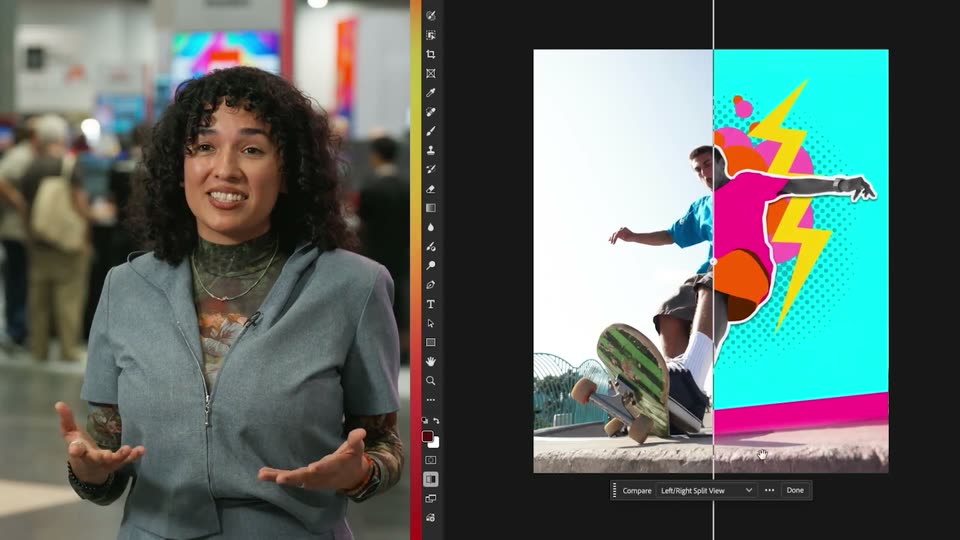

These Features Came From Your Feedback | The Update | Adobe Creative Cloud
Adobe · Upbeat electronic
0:44
Totalis - Introducing Combos on HIP-4 markets Pick outcomes across sports, cry
Totalis · Electronic dance music (drum and bass / UK Hardcore)
0:50

Hera Video - Introducing Hera for launch videos. Opus 5.5 is great at animating.
Hera · Drum and bass, UK Garage
New MacBook Pro with PROLED XDR Display and Touch: The world’s best laptop display, scene by scene
· 38 scenes as text
01 · Hook · 0:00–0:01
A dark laptop sits at a 3/4 angle, its screen edge lit by a thin line of light. A hand enters from the right and reaches toward the glowing edge.
Camera: Static
02 · Product intro · 0:01–0:03
On a black background, a white Apple logo scales up on the left as the title MacBook Pro and the line PROLED XDR Display fade in beside and below it, then hold on a locked-off frame.
On-screen text: “MacBook Pro”, “PROLED XDR Display”
Camera: Static
03 · Product intro · 0:03–0:04
Vertical light bars rise and brighten across a black field, building a blue and amber grid in perspective. The still titles 'MacBook Pro' and 'PROLED XDR Display' hold over the abstract motion.
On-screen text: “MacBook Pro”, “PROLED XDR Display”
Camera: Static
04 · Product intro · 0:04–0:04
A dark laptop keyboard anchors the foreground while vertical light streaks rise from the screen, forming a glowing corridor that snaps into flat panels. The view settles on the hinge, where a bright horizontal line of light runs across the frame.
Techniques: Light sweep
Camera: Pull out
05 · Product intro · 0:04–0:06
A dark laptop rests on a black stage, its open screen filling the frame with vertical blue-white light streaks that form a layered letter shape, a thin stylus standing in the center. The camera pulls back to reveal the full device and its keyboard.
Techniques: 3D mockup
Camera: Pull out
06 · Feature reveal · 0:06–0:07
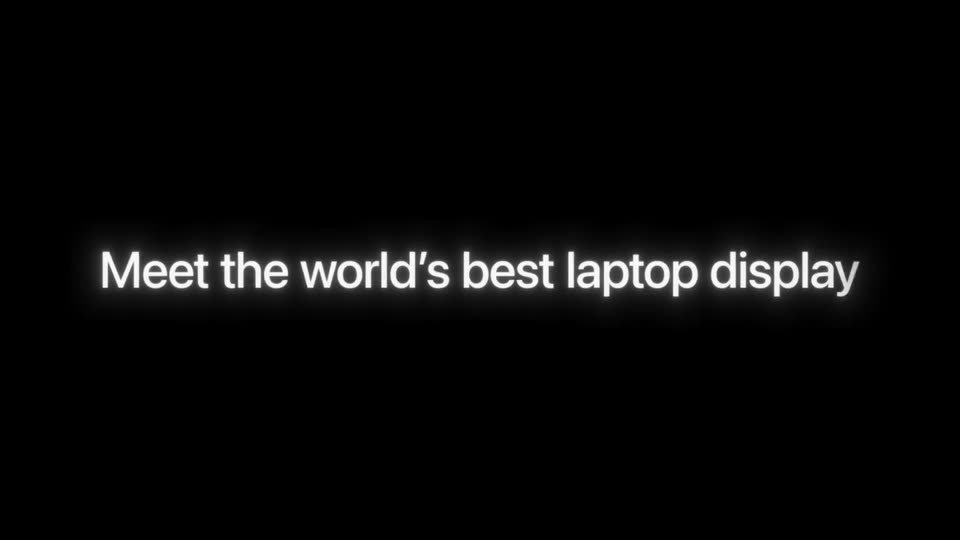
A black screen holds a white, glowing headline that wipes in from left to right, then holds still.
On-screen text: “Meet the world's best laptop display”
Techniques: Masking
Camera: Static
07 · Feature reveal · 0:07–0:08
A white headline reads centered on a plain black background, held static and locked off for the full clip.
On-screen text: “Meet the world's best laptop display”
Camera: Static
08 · Feature reveal · 0:08–0:09
A centered headline reads PROLED XDR on a black field. It opens with a bright yellow-and-blue glow that fades to flat white as the type scales into place.
On-screen text: “PROLED XDR”
Techniques: Kinetic type
Camera: Static
09 · Feature reveal · 0:09–0:11
A dark laptop sits in 3D perspective, its screen filled with a swirling iridescent liquid. The camera dives into the display, reframing onto a macro butterfly in vivid green and pink, as white caption text fades in across the center.
On-screen text: “with true-to-”, “PROLED XDR”
Techniques: 3D mockup, UI zoom
Camera: Push in
10 · Feature reveal · 0:11–0:12
A line of white text on a black background begins with a bright, blurred glow and sharpens into clear focus.
On-screen text: “with true-to-life colour”
Camera: Static
11 · Feature reveal · 0:12–0:14
A dense field of glossy 3D shapes in pink, orange and teal fills the frame, with fuzzy magenta patches, black circular voids and chrome claw-like forms. The layers drift slowly forward while a small white caption holds at the lower left.
On-screen text: “with true-to-life colour”
Techniques: Parallax
Camera: Push in
12 · Feature reveal · 0:14–0:15
A black screen holds one line of white text that materializes with a soft glow, the words resolving from a blurred left edge into a crisp centered caption.
On-screen text: “and unparalleled brightness and contrast”
Techniques: Kinetic type
Camera: Static
13 · Feature reveal · 0:15–0:16
Four dancers in glossy black costumes strike dynamic poses on a wet black stage, water spraying around them. White spheres float above and rest on the floor at the edges, while a caption line sits across the frame.
On-screen text: “and unparalleled brightness and contrast”
Camera: Push in
14 · Feature reveal · 0:16–0:18
A white sans-serif headline sits centered on a black background. A bright glow sweeps across the words from left to right, then fades so the text settles into flat gray.
On-screen text: “A magical Touch experience”
Techniques: Light sweep
Camera: Static
15 · Feature reveal · 0:18–0:20
A hand swipes across a smartphone screen displaying a vibrant, abstract image. The camera holds a tight, angled close-up of the interaction against a black background.
On-screen text: “A magical Touch experience”
Techniques: 3D mockup, UI zoom
Camera: Push in
16 · Feature reveal · 0:20–0:21
A single white sentence sits centered on a black field. The line carries a soft glow at the start, which fades as the type dims toward the end of the clip. The frame stays locked and the text remains still throughout.
On-screen text: “Drag, scroll and pinch onscreen”
Camera: Static
17 · Feature reveal · 0:21–0:23
Locked-off close-up of a laptop screen running a music app, showing a virtual piano keyboard over a piano-roll grid. Two hands rise from the base and the fingers press the on-screen keys, playing chords to demonstrate touch control.
On-screen text: “Drag, scroll and pinch onscreen”
Camera: Push in
18 · Feature reveal · 0:23–0:24
A dark laptop in 3D perspective displays a colorful 3D viewport. A hand reaches into the screen, and the camera pushes in until the floating blue disc shapes and red backdrop fill the frame as the fingers close around them.
Techniques: 3D mockup, UI zoom
Camera: Push in
19 · Feature reveal · 0:24–0:25
A centered white line reads “Fly through demanding tasks” on a black background, blooming in from a soft glow and holding still.
On-screen text: “Fly through demanding tasks”
Camera: Static
20 · Feature reveal · 0:25–0:27
A 3D wireframe city of white and cyan circuit traces fills a black night sky, then the frame cuts to a glass interior, ceiling and car dashboard in front of a dark city beyond. A locked-off headline holds over the moving render.
On-screen text: “Fly through demanding tasks”
Camera: Push in
21 · Feature reveal · 0:27–0:28
A tight crop of a neon 3D city viewport with a render settings panel pulls back to reveal the screen on a laptop, angled in a dark space.
Techniques: UI zoom, 3D mockup
Camera: Pull out
22 · Feature reveal · 0:28–0:30
White text “with superfast chips” glows and scales in at the center of a black screen, then fades out. Two glowing Apple M5 marks, captioned PRO and MAX, fade in side by side.
On-screen text: “with superfast chips”, “M5”, “PRO”, “M5”, “MAX”
Techniques: Kinetic type
Camera: Static
23 · Feature reveal · 0:30–0:31
Two square tiles on a black background, the left with a blue gradient, the right with a purple gradient, each bearing the Apple logo, M5 and PRO or MAX. The tiles brighten from a dark glowing outline to a full gradient fill, and the right M5 slides slightly to the right.
On-screen text: “M5”, “PRO”, “M5”, “MAX”
Techniques: Kinetic type
Camera: Push in
24 · Feature reveal · 0:31–0:33
A white headline with a soft glow reveals left to right on black, then a dark ComfyUI node editor fades in and rises behind it, showing a VAE Encode node and a Set_Latent node linked by red and blue wires inside a blue selection box.
On-screen text: “A powerful platform for AI”
Techniques: Light sweep
Camera: Static
25 · Feature reveal · 0:33–0:33
A dark node editor fills the frame; a top toolbar shows a blue Run button with a hand cursor hovering over it, above a graph of VAE Encode and SetLatent nodes joined by blue, red and pink wires.
On-screen text: “A powerful platform for Al”
Techniques: Cursor demo
Camera: Static
26 · Feature reveal · 0:33–0:34
A dark node editor fills the frame, its top toolbar holding a blue Run button under a hand cursor. A status dropdown lists running and queued jobs, while a connected node graph sits below.
Techniques: Cursor demo
Camera: Static
27 · Feature reveal · 0:34–0:35
A dark node editor fills the frame with three panels of connected nodes and code blocks. A cursor rests on the blue Run button at the top right, and a night city image appears in a node at the bottom of the middle panel.
Techniques: Cursor demo
Camera: Static
28 · Feature reveal · 0:35–0:37
Two 3D environments sit side by side behind a sharp vertical seam: a neon cyberpunk city on the left and a cream blocky tower under a pale sky on the right. The neon side widens from a thin sliver to half the frame as the seam slides right, a hand cursor resting at the edge.
Techniques: Split screen
Camera: Pull out
29 · Feature reveal · 0:37–0:38
On a black background, the line up to 24 hours of battery life fades in with a soft white glow that quickly settles. A rounded battery icon between the words fills from a thin outline to solid white, its 24 hours label in black. A small disclaimer sits at the bottom.
On-screen text: “up to”, “24 hours”, “of battery life”, “Battery life varies by use and configuration.”
Camera: Static
30 · Feature reveal · 0:38–0:39
A dark 3D close-up of a laptop's side edge rotates slowly, exposing the port row. White labels fade in beneath each port, naming SDXC, HDMI and Thunderbolt 5.
On-screen text: “SDXC”, “HDMI”, “Thunderbolt 5”
Techniques: 3D mockup
Camera: Static
31 · Feature reveal · 0:39–0:40
Close-up of the bottom edges of two silver devices on a black surface, ports facing the camera. White labels name the SDXC, HDMI and Thunderbolt 5 ports. The frame is locked off with no movement.
On-screen text: “SDXC”, “HDMI”, “Thunderbolt 5”
Techniques: 3D mockup
Camera: Static
32 · Feature reveal · 0:40–0:41
Two laptop edges sit on black, a close-up of their ports labeled SDXC, HDMI and Thunderbolt 5. The camera pulls back to reveal the full thin profiles of a silver and a black laptop, and a small weight disclaimer appears below.
On-screen text: “SDXC”, “HDMI”, “Thunderbolt 5”, “Weight varies by configuration and manufacturing process.”
Techniques: 3D mockup
Camera: Static
33 · Feature reveal · 0:41–0:42
Two laptops float edge-on against a black background, a silver model above and a black one below. The white headline a lighter design glows between them as weight labels fade in above and below each device.
On-screen text: “a lighter design”, “1.38 kg (3.0 lb.)”, “1.82 kg (4.0 lb.)”, “Weight varies by configuration and manufacturing process.”
Techniques: 3D mockup
Camera: Pull out
34 · Feature reveal · 0:42–0:45
A dark laptop is angled in 3D against black, its DAW screen glowing while translucent speaker cones and expanding sound rings animate over the keyboard. The white headline fades in above the device.
On-screen text: “and the best audio system in a laptop”
Techniques: 3D mockup
Camera: Pull out
35 · Other · 0:45–0:47
On a black background, the caption “It's a stunning display of perfection.” fades in with a soft glow sweeping from the left, holds centered, then fades out to black.
On-screen text: “and the best audio system in a laptop”, “It's a stunning display of perfection.”
Techniques: Kinetic type, Light sweep
Camera: Static
36 · Other · 0:47–0:49
A laptop with a tri-panel display showing vertical blue and white stripes rotates slowly from a head-on view to a three-quarter angle on a black stage, revealing the keyboard and base.
On-screen text: “It's a stunning display of perfection.”
Techniques: 3D mockup
Camera: Pull out
37 · Outro · 0:49–0:52
On a black stage, a dark MacBook stands half-open at a three-quarter angle with a stylus beside it. The lid closes and the device turns to face the camera while the Apple logo brightens at the center of the lid.
On-screen text: “Apps are sold separately. Some apps and services may require a subscription.”
Techniques: 3D mockup
Camera: Static
38 · Outro · 0:52–0:57
A white Apple logo sits centered on a plain black background, static for the full duration. A small gray legal line is locked at the bottom edge of the frame.
On-screen text: “Apps are sold separately. Some apps and services may require a subscription.”
Camera: Static