0:38
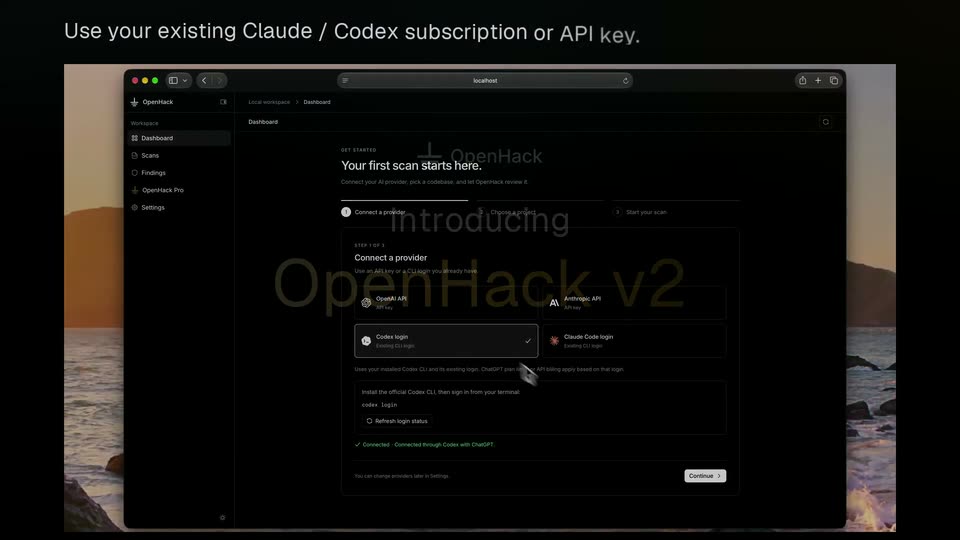

Introducing OpenHack v2
OpenHack · B2B · Nov 2026
Anthropic’s 2:12 clip runs 24 scenes, about 5.5 s each. The product is on screen from the first frame and 2 features are revealed. The call to action lands at 2:03 (93% in), over a voiceover. Flat terracotta serif title cards divide two screen-recording demos built from locked-off notebook and editor shots, with slow zooms, pans and a scramble-to-resolve text move as the signature gestures. Pacing holds at about 9.5 cuts per minute, letting streaming code, spinners and filling progress bars carry the motion while the voiceover explains.
Is this your launch? to your site or press kit.
OpenHack · B2B · Nov 2026
Nessie · B2B · Nov 2025
Lotas · B2B · Aug 2025
A white serif headline in three centered lines fades in on a solid rust-orange background, holds, then fades out to the plain color. The frame is locked off and the text stays still while its opacity animates.
On-screen text: “Tool use with the Claude 3 model family”
Techniques: Kinetic type
Camera: Static
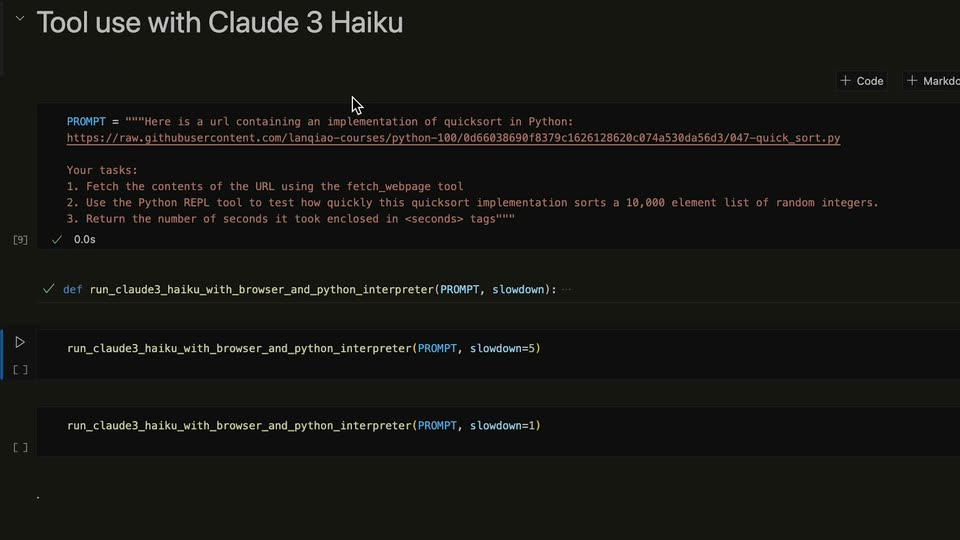
A dark Jupyter notebook fills the frame and holds still. A white heading sits top left, a code cell lists a prompt with a URL and numbered tasks, and two lower cells hold function calls. A mouse cursor hovers over the prompt cell. No motion occurs.
Camera: Static
A dark code editor window with red, yellow and green dots sits centered on a beige background. It shows two JSON tool definitions, fetch_webpage and python, in syntax-highlighted monospace text, with keys in purple and strings in cyan. The frame holds static.
Camera: Static
A dark code editor window with red, yellow and green dots rests on a beige background, showing a JSON schema for a fetch_webpage tool in purple and blue syntax colors. The frame holds static with no motion.
Camera: Static
A static block of JSON tool-definition code with syntax highlighting sits on a black background, then the view cuts to a dark notebook titled “Tool use with Claude 3 Haiku” showing a prompt cell and two function-call cells.
Camera: Static
A dark code editor displays a prompt cell with a URL and a task list, above two function-call cells. A white mouse cursor hovers near the top. The frame holds still, then zooms in on the lower code cells.
On-screen text: “Tool use with Claude 3 Haiku”
Techniques: UI zoom
Camera: Static
A dark notebook screen shows two code cells. A hand cursor clicks the first cell's run control; the cell expands and streams output text as a small 'Cell Execution 1s' tag appears. A serif caption at the bottom reads 'Slowed down by 5x for demo purposes.'
On-screen text: “Slowed down by 5x for demo purposes.”
Techniques: Cursor demo
Camera: Static
A dark code editor interface scrolls vertically, moving past a function header and a webpage fetch block to reveal a Python QuickSort class implementation.
Camera: Pan
A dark code editor fills the frame as Python code for a QuickSort class types out line by line, the view scrolling up. A function call line sits at the bottom, then a white panel labeled PYTHON appears showing the executed code and a runtime of 0.026 seconds.
Camera: Pan
A flat code editor view holds still. A dark panel shows a Python quicksort script, with two white cards below giving the code summary and a runtime of 0.026 seconds, and a caption line at the bottom.
Camera: Static
On a flat terracotta background, the white serif title fades in centered on two lines and holds still, then dissolves into a dark Jupyter notebook screen showing a code cell and a cursor.
On-screen text: “Combining”, “Opus & Haiku”
Techniques: Kinetic type
Camera: Static
A dark Jupyter notebook view holds a markdown heading and a code cell with a prompt string; the mouse cursor rests in the upper right. A large two-line caption stays locked on screen, and the frame never moves.
On-screen text: “Combining”, “Opus & Haiku”
Camera: Static
A dark code editor shows salmon monospaced prompt lines. The frame pans right across the text, revealing the end of the first line, then holds on the remaining code.
Camera: Pan
A dark code editor window with three colored dots sits centered on a beige background, displaying a syntax-highlighted JSON schema for a dispatch_subagents tool. The frame holds static for the full duration.
Camera: Static
A dark code editor window on a beige background shows a JSON definition for a dispatch_subagents tool, syntax highlighted in blue and purple monospace. The view holds still, then pans horizontally to the right to reveal the full length of the long description lines.
Camera: Pan
A block of blue monospace code fills a near-black screen, its left edge cropped. The characters scramble and overlap, then resolve into a clean JSON snippet describing a prompt template and a CSV file. The text then holds static for the rest of the clip.
Techniques: Kinetic type
Camera: Static
A dark notebook editor holds a prompt block above an empty cell. A mouse cursor clicks the cell reading claude_with_subagents(PROMPT); a spinner and a 0.2s timer appear beneath it as the call begins.
Techniques: Cursor demo
Camera: Static
A black interface screen holds a white status line at upper left, Writing Function Call: DISPATCH_SUBAGENTS..., while a small circular spinner rotates below it; a cursor rests lower-left in a locked-off frame.
Camera: Static
Locked-off dark log view with white panels showing a GitHub search and a subagent dispatch. The bottom blue progress bar fills from 93 to 98 of 100 while a cursor sits at the lower left.
On-screen text: “Writing Function Call: DISPATCH_SUBAGENTS...”
Camera: Static
A dark terminal window shows stacked white panels of colored monospaced output scrolling upward, with a blue progress bar filling and a counter ticking from 96 to 98 out of 100. A blue line marks the left edge and a cursor rests at the bottom left.
Camera: Static
A dark code editor with numbered lines on the left; the right pane drifts upward, revealing a green status line, a red DISPATCH_SUBAGENTS block with a prompt template, and blue progress bars that fill. A mouse cursor rests at the lower left.
Camera: Static
A dark terminal log sits above a chat field where a message types out, revealing a URL and timing data.
Techniques: Kinetic type
Camera: Static
A dark code editor shows a Python quicksort file; the listing scrolls down to reveal the rest of the functions, then holds. A white mouse cursor hovers in the empty right margin.
Camera: Pan
A flat terracotta end card holds a centered two-line white serif message. The frame is locked off and the type stays static, with code from the prior shot fading out of the background in the first second.
On-screen text: “Learn more at”, “anthropic.com/claude”
Camera: Static