
2:44
Explore
00:00:00 / 00:59:28
- Length
- 0:59
- Scenes
- 20 · 3.0 s avg
- Product on screen
- 0:00
- Features shown
- 4
- Call to action
- 0:51 · 85%
- Voiceover
- Yes
- Views
- 559 on YouTube
as of November 24, 2026
Nessie’s 0:59 launch film runs 20 scenes, about 3.0 s each. The product is on screen from the first frame and 4 features are revealed. The call to action lands at 0:51 (85% in), over a voiceover. The video loops through four feature blocks, each opened by a full-bleed title card over the arctic sunset that sharpens from a soft blur, then cut to a clean screen recording with a dark caption pill that highlights words in sync with the voiceover. Live-action presenter shots bookend the flow, and dissolve transitions plus a steady 8-cuts-per-minute pace keep the mood calm.
Footage neededEstimated needs: 4 capture groups — your screens or recordings · 1 official logo — reused across the film · 2 filmed passages — shoot, supply or replace
Is this your launch? to your site or press kit.
More like this
0:42

SHIFT_Improper Payment Detection_Integrated Case Management_Video_V4
Shift Technology · Feb 2023
0:38

Introducing OpenHack v2
OpenHack · B2B · Nov 2026
Similar soundtrack
Films whose music sounds like this one, voice left out
1:09

Cal.com introducing Dynamic Group Links
Cal.com · Upbeat electronic
1:52
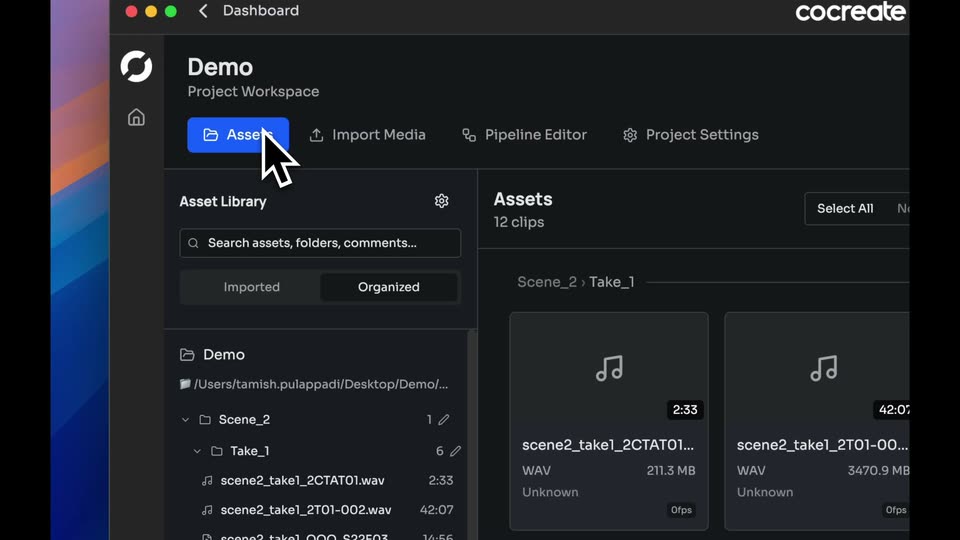

Cocreate demo video
cocreate · Electronic
1:09

Cursor on Web and Mobile
Cursor · Modern electronic; Lo-fi hip-hop
Nessie - AI knowledge base for your mind, scene by scene
· 20 scenes as text
01 · Product intro · 0:00–0:13
A woman speaks to the camera in a home office, centered in frame. Subtitle lines cycle at the bottom. App icons pop in at the top right, then swap for the Nessie logo and wordmark. The shot dissolves into a sunset app screen reading “Turn chat into insight”.
On-screen text: “Are your best ideas scattered”, “across different AI chats”, “and random notes?”, “Nessie organizes your”, “Nessie”, “AI conversations into”, “a personal knowledge”, “base where you can search,”, “ask questions, and come”, “up with new ideas. Turn chat into insight”
Techniques: Morph
Camera: Static
02 · Feature reveal · 0:13–0:14
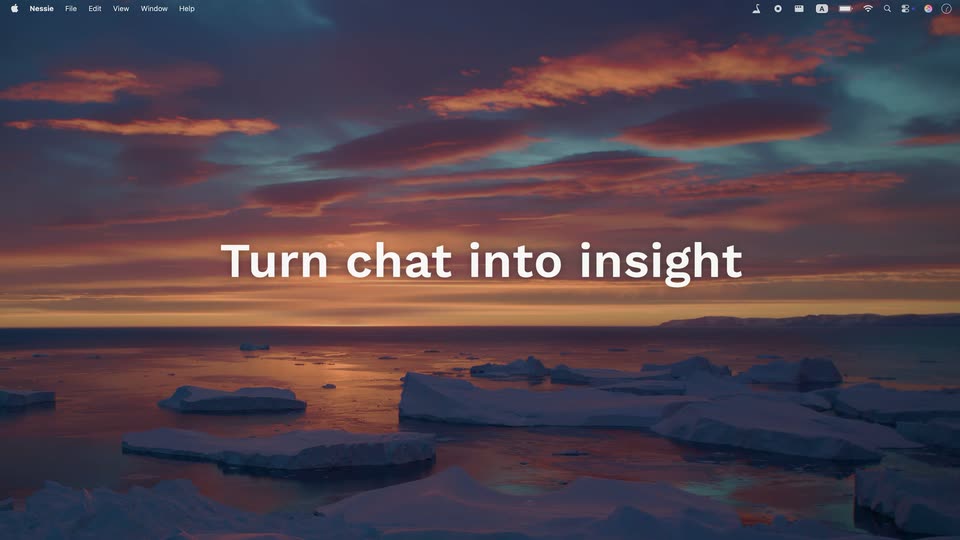
A macOS desktop with a sunset-over-icebergs wallpaper. A centered white headline reads 'Turn chat into insight,' sharpening from a soft blur into focus, while a dark caption box at the bottom holds the line 'up with new ideas.' The menu bar shows the app name Nessie.
On-screen text: “Turn chat into insight”, “up with new ideas.”
Camera: Static
03 · Feature reveal · 0:14–0:15
A sunset-over-icebergs desktop shows the white headline Turn chat into insight centered, with a gray caption Never lose a great idea below. A ChatGPT browser window scales up from the center, covering the headline as the caption turns white.
On-screen text: “Turn chat into insight”, “Never lose a great idea”
Camera: Static
04 · Feature reveal · 0:15–0:16
A ChatGPT browser view types “Explain quantum entanglement” into the prompt box, then a response streams in line by line. A faint headline “Turn chat into insight” overlays the center while a bottom caption highlights the words “chat” then “history” in sequence.
On-screen text: “Turn chat into insight”, “Never lose a great idea”, “to your chat history”
Camera: Static
05 · Feature reveal · 0:16–0:18
A note answer fills the frame, then the view zooms out to a full app window as a cursor hovers over Summarize. A dark caption pill sits at the bottom.
On-screen text: “One click curates,”
Techniques: UI zoom, Cursor demo
Camera: Pan
06 · Feature reveal · 0:18–0:22
A note app window fills the frame as a note titled Quantum Entanglement Explainer types itself into the editor with bulleted sections. A caption pill sits at the bottom, then the window fades out to reveal a sky backdrop and a large white headline.
On-screen text: “idea into a structured note,”, “saved to your knowledge base.”, “Build knowledge effortlessly”
Camera: Pan
07 · Feature reveal · 0:22–0:23
A macOS desktop shows an arctic sunset wallpaper with icebergs and the Nessie menu bar along the top. The white headline Build knowledge effortlessly sits centered over the horizon, held static on a locked-off frame.
On-screen text: “Build knowledge effortlessly”
Camera: Static
08 · Feature reveal · 0:23–0:25
Locked-off screen recording of the Nessie app with an Import ChatGPT data modal open over a note; a cursor hovers near the upload buttons. A large white headline spans the center and a caption in a dark rounded box sits at the bottom.
On-screen text: “Build knowledge effortlessly”, “entire chat history at once”
Techniques: Cursor demo
Camera: Static
09 · Feature reveal · 0:25–0:33
A file picker over the Nesse note app closes after the cursor clicks Open. The sidebar then fills with folders that expand into subfolders and notes. The window fades to the sunset desktop as the headline “Search your memory” appears.
On-screen text: “entire chat history at once”, “and watch as Nesse”, “mind, structured and”, “mind, turning hundreds”, “of conversations into”, “organized, explorable”, “idea spaces.”, “Search your memory”
Techniques: Cursor demo, Kinetic type
Camera: Push in
10 · Feature reveal · 0:33–0:35
A macOS desktop shows a sunset over icebergs with the app menu bar at top. The white headline scales up in the center as a dark rounded pill reading “idea spaces.” beneath it fades out.
On-screen text: “Search your memory”, “idea spaces.”
Techniques: Kinetic type
Camera: Static
11 · Feature reveal · 0:35–0:40
A search dialog opens over a blurred note app, and the view zooms in as a typed query returns an AI answer that expands on click. A large white headline scales in, then word-by-word captions roll along the bottom.
On-screen text: “Search your memory”, “Now you can search across”, “your entire knowledge”, “base, pull up the exact”, “insight you need right”
Techniques: Kinetic type, UI zoom, Cursor demo
Camera: Push in
12 · Feature reveal · 0:40–0:41
A note app interface crossfades from one document to another, settling on a database decision note with a left folder tree and a mouse cursor resting in the body. A gray caption box at the bottom updates its text in sync with the voiceover.
On-screen text: “insight you need right”, “when you need it”
Techniques: Kinetic type
Camera: Static
13 · Feature reveal · 0:41–0:43
The Nessie editor window with a database note fades out to a sunset over an icy sea. A white headline stays centered while a dark pill caption below swaps from one phrase to the next.
On-screen text: “Compound your ideas”, “when you need it”, “but don't just find your”
Camera: Static
14 · Feature reveal · 0:43–0:45
A macOS window shows the Nessie search bar over a sunset sky. The white headline fades out as the background turns plain white and a prompt is typed into the field, while a caption at the bottom highlights each spoken word in a dark box.
On-screen text: “Compound your ideas”, “but don't just find your”, “ideas, build on them.”
Techniques: Kinetic type
Camera: Static
15 · Feature reveal · 0:45–0:46
A flat white chat interface holds an empty input field, then the layout shifts to a two-pane document where AI feedback text fills the right column. A bottom caption keeps the phrase ideas, build on them. while a dark box highlights build, then them.
On-screen text: “ideas, build on them.”
Camera: Static
16 · Feature reveal · 0:46–0:48
A note app shows a long writing-feedback document scrolling upward beneath a chat prompt, while a bottom caption builds the line “Chat with entire topics and watch your past ideas,” highlighting the active word in a dark box.
On-screen text: “Chat with entire topics”, “and watch your past ideas”
Techniques: Kinetic type
Camera: Static
17 · Feature reveal · 0:48–0:51
A flat note-taking interface fills from an empty loading state with a folder sidebar and a long article, while a lower-third caption swaps from “and watch your past ideas” to “spark new insights,” each last word flashing in a darker box.
On-screen text: “and watch your past ideas”, “spark new insights.”
Techniques: Kinetic type
Camera: Pan
18 · CTA · 0:51–0:56
A woman with long dark hair in a blue camo jacket speaks to camera in a home office with a lamp and books behind her. A document app screen cross-dissolves out over her at the start, and white captions on a dark bar swap at the bottom.
On-screen text: “Everything stays on your”, “device. Completely private.”, “There's no limit to your”, “ideas. Download Nessie”
Camera: Static
19 · CTA · 0:56–0:57
A faded live-action shot of a woman dissolves into a plain light background, leaving the blue Nessie app icon centered. A caption reading ideas. Download Nessie stays locked at the bottom, with Download highlighted in a black box.
On-screen text: “ideas. Download Nessie”
Camera: Static
20 · CTA · 0:57–0:59
A light gray end card holds the Nessie app icon and black wordmark centered. The gray URL nessielabs.com fades in below, and a bottom caption box switches its dark text from Download Nessie to nessielabs.com while the at prefix stays.
On-screen text: “at Download Nessie”, “nessielabs.com”, “at nessielabs.com”
Camera: Static