1:18
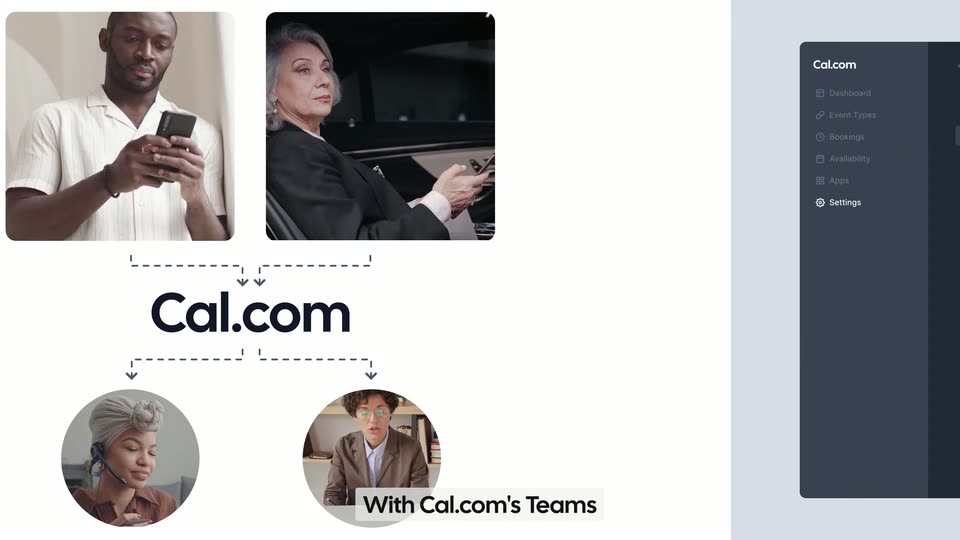

Cal.com introducing Teams
Cal.com · Productivity · Aug 2022
Anthropic’s 1:34 launch film runs 32 scenes, about 3.0 s each. The product shows up at 0:03 and 3 features are revealed. There is no explicit call to action. One unbroken chat session produces slides, social designs and a doc in turn, cut at about nine cuts per minute to the cursor's next action. The style is cream and charcoal with a serif headline voice, letter-by-letter typing, slow push-ins on the artifact, and the orange starburst as the recurring punctuation mark.
Is this your launch? to your site or press kit.
Cal.com · Productivity · Aug 2022
Perplexity · AI · Jun 2026
Films whose music sounds like this one, voice left out
Kineto · Upbeat electronic
Claude Design · Electronic, Lo-fi Hip-Hop, Dance
Runway · Electronic
A black serif headline builds line by line on a cream background, then three rounded icon chips labeled Docs, Slides, Design slide in over the matching words. A small gray pill reading Now in beta sits above the text.
On-screen text: “Now in beta”, “Create docs,”, “slides, and designs.”, “Same conversation.”
Techniques: Kinetic type
Camera: Static
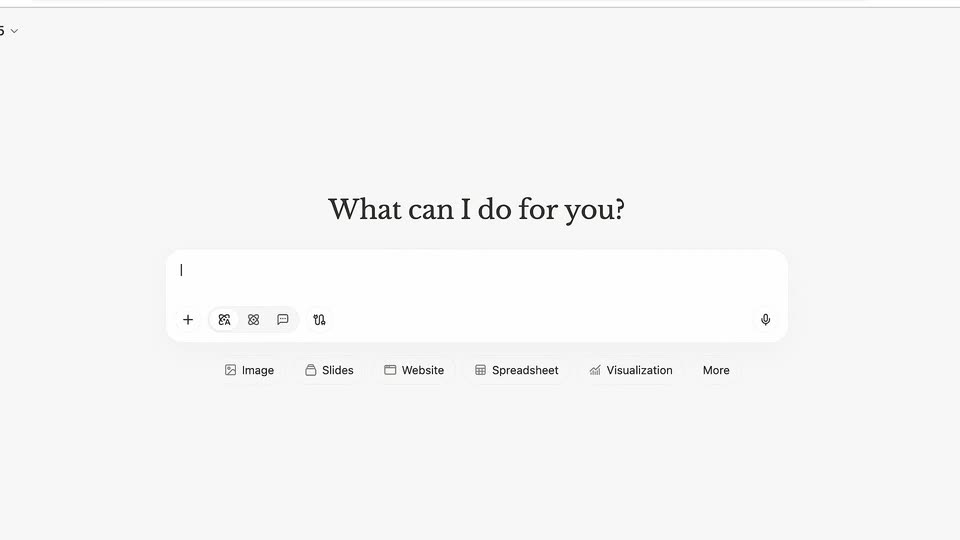
On a cream background, a serif greeting with an orange spark mark fades in above a rounded prompt box. The box, its placeholder and the row of labels slide into place, while a vertical menu listing Docs, Slides, Design and Artifact settles at the bottom.
Camera: Pull out
A light cream interface with the heading Good morning, Frankie and an input box. A cursor selects Slides from an output dropdown, the placeholder switches to What should this deck be about?, then the screen blurs as a zip file icon is dragged in from the bottom right corner.
Techniques: Cursor demo
Camera: Static
A blurred composer screen snaps into focus as a cursor drops a zip file into the chat, its chip landing under the Good morning, Frankie greeting. The prompt then types out letter by letter, and the file chip slides up out of the card.
Techniques: Cursor demo
Camera: Static
A light interface shows a gray chat bubble top right holding the Varde 2.0 launch-kit prompt, while a task line below cycles from 'Building the launch deck' to 'Adding the final touches', then a serif 'Your deck is ready, eight slides, one job each.', the orange starburst icon sliding down.
Camera: Static
A close-up of a chat message and a document card zooms out to reveal the full interface: a left chat panel and a right panel showing a dark slide titled VARDE 2.0, with a cursor and a thumbnail strip below.
Techniques: UI zoom
Camera: Pull out
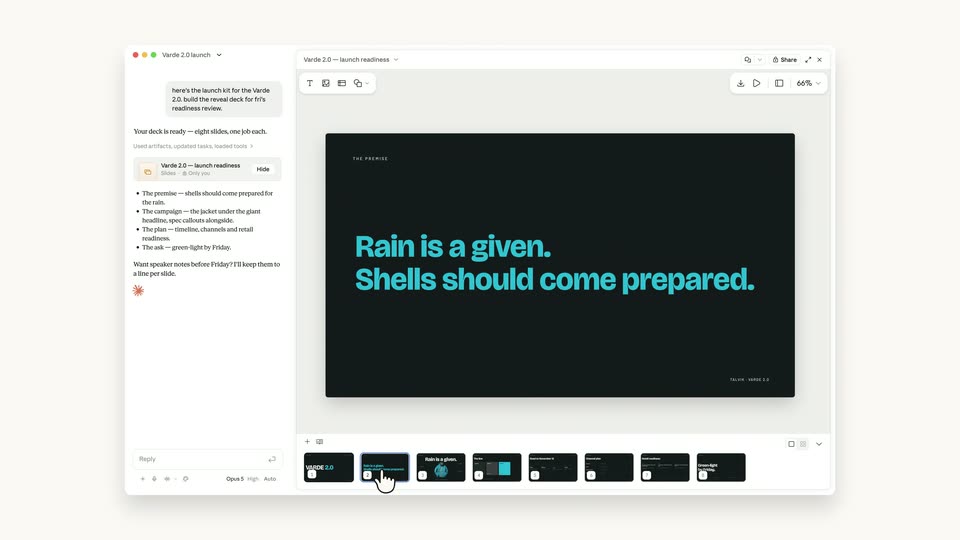
A chat panel and a presentation editor sit side by side. A cursor clicks the second slide thumbnail, and the main slide swaps from the VARDE 2.0 title to a dark slide whose cyan lines, Rain is a given. Shells should come prepared., scale in.
Techniques: Cursor demo, Kinetic type
Camera: Static
A collaboration tool window shows a left comment thread and a dark presentation slide on the canvas. The cyan two-line headline on the slide scales up in a slow zoom while a white cursor hovers near its lower edge.
Techniques: UI zoom
Camera: Static
A dark artboard holds a cyan headline inside a selection box. A cursor clicks the highlighted words, a formatting toolbar slides in, and the second line is retyped from 'come prepared.' to 'act like it.' The frame then zooms in on the text.
On-screen text: “Rain is a given.”, “Shells should come prepared.”, “Shells should act like it.”
Techniques: Cursor demo, Kinetic type, UI zoom
Camera: Push in
A white floating toolbar hovers over a dark canvas with a large cyan headline. The cursor taps the color swatch, opening a theme panel listing palette options; the cursor picks an entry, the panel fades out and the headline vanishes.
Techniques: Cursor demo
Camera: Static
A solid cyan screen holds the black headline while an open theme dropdown with color swatches closes and the cursor drifts down to rest over the first line. The frame stays locked off, the type static, the small corner labels fixed.
On-screen text: “THE PREMISE”, “Rain is a given. Shells should act like it.”
Techniques: Cursor demo
Camera: Static
Locked-off view of a presentation tool. A large outline cursor glides down from the canvas and hovers across the numbered thumbnail strip, highlighting cards 3 and 4 as the main canvas switches from a cyan panel to a dark slide.
Techniques: Cursor demo
Camera: Static
A close-up of a light toolbar on a cream background. A pointing-hand cursor taps the comment icon, which fills light blue, while a thin arrow cursor at the lower left disappears. The whole panel drifts down a few pixels as the hand presses.
On-screen text: “Shells should act like it.”
Techniques: Cursor demo
Camera: Static
A dark presentation screen with a teal rain jacket and the headline “Rain is a given.” sits flat in frame. The camera zooms in on a white “Send to Claude” popover that grows to fill the center as the headline slides up out of view.
Techniques: UI zoom
Camera: Static
A white comment card floats over a dark slide showing a teal hooded jacket. The typed prompt to @Claude finishes, the card expands into a thread with Claude's reply typing out, then the frame zooms into the reply and cuts to a full-screen white panel with the message in serif type and a loading spinner.
On-screen text: “TALVIK”, “Rain is a given.”
Techniques: Morph, UI zoom
Camera: Push in
A white card on a cream background holds a black serif paragraph about starting a design canvas in four sizes. A gray link line below it crossfades from Working on it to Rebalancing layouts, above a small orange starburst mark.
On-screen text: “Read the deck, started a design canvas >”, “On it — I'll start a design canvas for these. Four sizes: landscape, square, portrait and story, each rebalanced around the shell.”, “Working on it... >”, “Rebalancing layouts >”
Camera: Static
A large caption fades out over a split view of a chat panel and a design canvas. The canvas reflows from one raincoat card into four social sizes, 16:9, 1:1, 4:5 and 9:16, each carrying the same blue-jacket image.
On-screen text: “Read the deck, started a design canvas >”, “On it — I'll start a design canvas for these. Four sizes: landscape, square, portrait and story, each rebalanced around the shell.”
Techniques: UI zoom
Camera: Pull out
A design canvas shows a dark social post with a teal jacket and the headline Rain is a given. A cursor selects the jacket, then the view zooms into the headline while the cursor drags a corner handle to resize the text.
Techniques: Cursor demo, UI zoom
Camera: Push in
A teal jacket on a dark background hosts a design-tool overlay: a palette panel, a text toolbar and a selected headline that turns orange. Feature labels slide in at the sides while the frame reframes to the hem and a context menu pops up.
On-screen text: “Rain is a given.”, “STORM HO”, “ONE-PULL CI”
Techniques: Kinetic type, Cursor demo, UI zoom
Camera: Push in
A white prompt card sits over a dark canvas showing a teal jacket photo and an orange caption in a blue selection box. The @Claude prompt types in word by word, then a large white cursor glides to the orange send button and presses it.
Techniques: Kinetic type, Cursor demo
Camera: Static
A pale gray design-tool canvas holds a dark social post card: a teal rain jacket with orange zipper, thin callout labels and a blue selection box. The frame zooms into the card while a second card peeks in at the right edge.
Techniques: UI zoom
Camera: Static
A design-tool canvas holds two dark social mockups of a teal jacket, titled 4:5 and 9:16, with annotation callouts around the garment. The view zooms and pans across the cards while a cursor types into a text field at the bottom of the left card.
On-screen text: “Social — 4:5”, “TALVIK”, “Rain is a given.”, “Social — 9:16”
Techniques: UI zoom, Cursor demo
Camera: Static
A chat agent interface on a light background. A user bubble sends a brief, an orange spinner shows Working on it, then a question card with two numbered options appears. A cursor clicks The weight, the card collapses, and serif reply text types out. The view zooms in on the typing status at the end.
Techniques: Cursor demo, UI zoom
Camera: Push in
The view reframes from a chat reply box to a blank document titled Varde 2.0, with date and author pills. A coral Claude tag and caret appear, then the AI types the one-pager, the page scrolling down past headings as it writes.
Techniques: Kinetic type
Camera: Pull out
A product document scrolls down from a weight bar chart to a line-up table and a dates block. A cursor labeled Claude types SKU codes and hardware values into the table cells as the page moves.
Techniques: Cursor demo
Camera: Pan
A launch brief in a document app scrolls down, revealing headings and a horizontal bar chart comparing shell weights. A cursor hovers over the green bar, popping a value tooltip, while comment cards sit in the right margin.
Techniques: Cursor demo
Camera: Pull out
Close-up of a white collaboration toolbar: five colored avatar circles with initials, a comment-count pill, and a Share button. The controls nudge into place while a cursor glides up from the lower right and stops beneath the Share button.
Techniques: Cursor demo
Camera: Static
A white Share button with a two-person icon sits centered on a cream background. A cursor hovers at its lower edge, then an orange glow blooms behind the button as blue, purple and orange line and capsule shapes burst outward.
Techniques: Cursor demo, Particles
Camera: Static
A white Share button with a people icon and a cursor sits in a coral glow on a cream field of scattered confetti shapes. The view pans left as a blue document card with gray placeholder lines slides in from the right.
Techniques: Cursor demo, Parallax
Camera: Pan
Three UI cards sit in 3D perspective on a cream field with floating shapes. The camera zooms into the right card, blurring the others, then a white card scales in centered with the tagline and a small Claude logo at the corner.
On-screen text: “Claude makes it. You steer it.”
Techniques: UI zoom, Parallax, Kinetic type
Camera: Static
A serif tagline types out word by word on cream under coral and blue speaker badges. The badges fade, the text turns black, a cursor drags a pink selection box around it, and the line clears. A coral asterisk logo scales in beside a gray steer it.
On-screen text: “Claude makes it. You steer it.”
Techniques: Kinetic type, Cursor demo
Camera: Static
On a cream field, a terracotta starburst mark scales in at center, then the black serif word Claude appears to its right. The lockup settles and holds, the mark rotating slightly.
On-screen text: “Claude”
Camera: Static