1:18
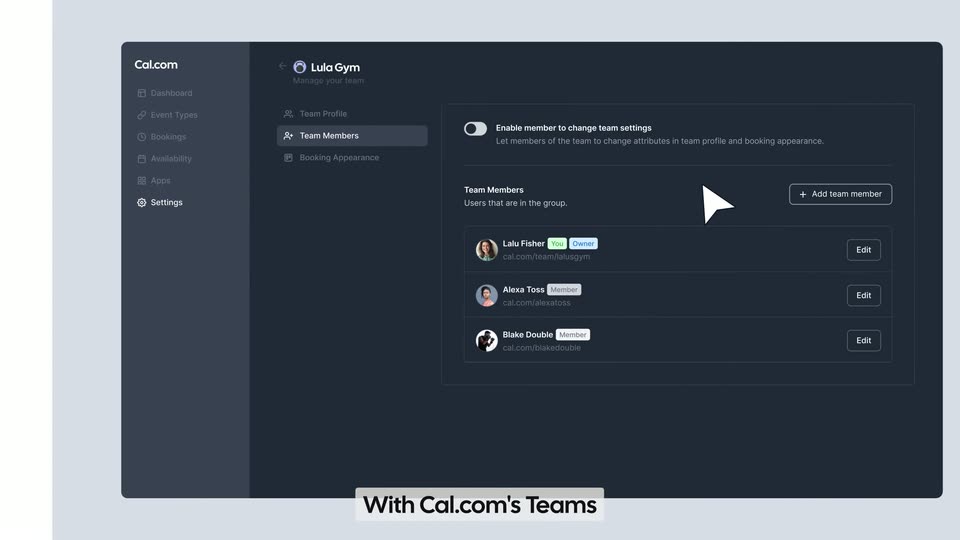

Cal.com introducing Teams
Cal.com · Productivity · Aug 2022
Manus · Nov 2025 · 0:59 · AI-annotated
Manus’s 0:59 launch film runs 35 scenes, about 1.7 s each. The product shows up at 0:02 and 1 feature is revealed. There is no explicit call to action; a voiceover carries the film. The video is built as a typed-text hook, a short product intro, two long end-to-end task demos of the My Browser feature, a tagline montage, and a logo card, cut at roughly 12 times per minute over a 103 bpm pulse. Its signature moves are letter-by-letter typing cards, slow zooms into flat UI recordings, and 3D-tilted browser windows that flatten into frontal shots.
Is this your launch? to your site or press kit.
A plain light gray background centers the dark gray text Your browser followed by a thin vertical bar. The locked-off frame remains still throughout the short clip.
On-screen text: “Your browser |”
Camera: Static
A dark gray phrase types out letter by letter in the center of a pale gray field, a thin blinking cursor trails the last character, then a horizontal line draws in beneath the completed sentence.
On-screen text: “Your browser already works”
Techniques: Kinetic type
Camera: Static
On a light gray field, five rounded browser icon tiles pop in above a thin horizontal line. A white cursor slides to the Chrome tile, which scales up and breaks free while the others dim. A circular hand icon fades in at the bottom.
On-screen text: “browser already works”
Techniques: Cursor demo
Camera: Static
A row of browser icons slides up and fades at the top as a white circular badge bearing a black pointing-hand icon scales up and settles onto a flat browser window, ringed by a purple glow. The window shows a search field and menu dots.
Camera: Static
A tight close-up of a browser toolbar centers on the glowing Manus extension icon, then the frame zooms out to reveal the full window: a tab, the address bar, and the app page with a serif prompt and a task input box.
Techniques: UI zoom
Camera: Pull out
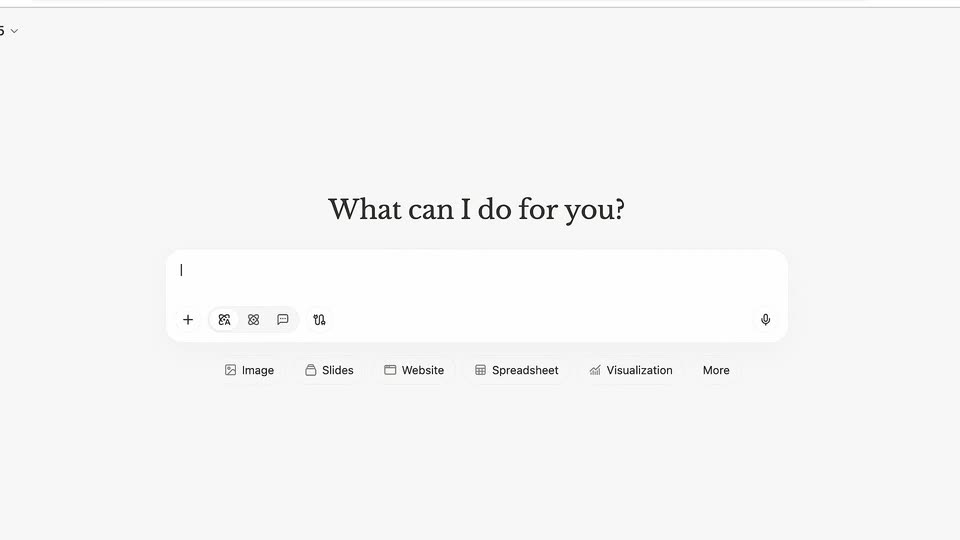
A flat browser window of the Manus app sits on a light gray field, its connectors dropdown open. A black serif headline reads “What can I do for you?” over the prompt bar, then the view zooms into the dropdown list.
On-screen text: “What can I do for you?”
Techniques: UI zoom
Camera: Push in
On a light chat screen, a connectors dropdown listing Gmail, Outlook, calendars, GitHub and a toggled My Browser hovers over the “What can I do for you?” prompt. It lingers, then closes as the text “Use My Browser to visit my” types itself into the input bar.
Camera: Static
A light gray interface shows a serif greeting above an empty input field and a row of category icons. It cuts to the prompt typed in large gray sans on white, then returns to the interface where the field holds the full prompt and the Manus agent replies.
On-screen text: “Use My Browser to visit my LinkedIn and search my 1st degree connections.”
Techniques: Kinetic type, UI zoom
Camera: Pull out
A chat window crossfades in and types out a response confirming a LinkedIn search task. The frame then pulls back to the full app window with a left sidebar, and a hand cursor hovers the Authorize button before tapping the task bar at the bottom.
Techniques: UI zoom, Cursor demo
Camera: Pull out
The interface settles into a clean two-panel split. The left chat panel lists three LinkedIn job URLs and an Authorize prompt; the right panel shows a flat monitor mockup with a loading spinner labeled inactive. A hand pointer rests at the bottom edge.
Camera: Pan
Split-screen view of the Manus app: a chat panel on the left updates its status from editing to creating a file, while the right panel switches from a LinkedIn job page to a code editor where markdown text types in.
Techniques: Split screen
Camera: Static
A two-pane product screen shows a chat on the left and a markdown file on the right filling with job-requirement lines. The view then reframes to reveal a browser window with tabs and a URL bar around the app.
Techniques: UI zoom
Camera: Push in
A browser window opens a LinkedIn job posting titled AI Product Manager. A cross-dissolve clears the agent chat overlay to reveal the full page, while a cursor glides from the tab to the Easy Apply button. A debugging banner runs across the top.
Techniques: Cursor demo
Camera: Pull out
A LinkedIn job posting fills a browser window, topped by a debug banner noting that Manus Browser Operator started debugging. The page scrolls vertically while a cursor hovers near the job header, then rests at the top as the content settles.
Techniques: Cursor demo
Camera: Pan
A LinkedIn results page sits behind a left agent panel that opens to show a step-by-step browsing log beside a markdown file preview. A top banner notes the Manus Browser Operator is browsing the page.
Techniques: Masking
Camera: Static
A two-pane interface fills the frame: an activity log on the left appends new action lines while a markdown document on the right scrolls down through candidate profiles. The camera holds still on the screen recording.
Techniques: Split screen
Camera: Push in
On a plain white background, a dark gray sans-serif sentence types itself out character by character, a thin vertical cursor trailing the end. The line grows until it wraps onto a second line, completing the instruction.
On-screen text: “Use My Browser to visit Ahrefs to analyze the Site Structure.”
Techniques: Kinetic type
Camera: Pull out
A gray headline scales and slides on a cream field, then shrinks to the top as a chat card assembles beneath it. The card tilts into a 3D browser window with a green debugging bar, and a hand cursor points at a task row.
On-screen text: “Use My Browser to visit Ahrefs to analyze the Site Structure.”
Techniques: Kinetic type, 3D mockup, Cursor demo
Camera: Pull out
A three-panel browser operator interface fills the frame on a light gray background. A hand cursor hovers in the left chat panel; the right panel holds a static Ahrefs dashboard with a Brand Adar illustration. The view stays still throughout.
Techniques: Cursor demo
Camera: Push in
A dark browser window fills the frame, showing a Manus task page with a paragraph of task text and a blue Cancel button in a debug banner. A hand cursor hovers over the active tab at the top while the page content stays still.
Techniques: Cursor demo
Camera: Static
A browser window mockup of the Ahrefs Site Explorer page tilts from a 3D perspective into a flat frontal view. A debugging banner runs across the top and a small 'Manus is browsing' pill sits at the bottom right.
Techniques: 3D mockup
Camera: Pan
A light gray Ahrefs search screen holds the typed query manus.im, then reframes into the full browser window as a spinner loads, resolving into a dashboard of metric panels and ranked keyword and domain lists.
Techniques: UI zoom
Camera: Pull out
A browser window on the Ahrefs overview for manus.im fills in automatically: empty metric fields count up to numbers, a traffic-by-location table and a line chart slide in from the right, while a debug bar and a 'Manus is browsing' tooltip sit at the top.
Camera: Static
A dark web interface displays a site structure table. The view zooms in on a top banner and a bottom toast, both featuring the text Manus.
On-screen text: “Manus”
Techniques: Kinetic type, UI zoom
Camera: Push in
A browser window with a dark teal page fills the frame, locked off. The address bar reads manus.im/app and the active tab's title, Manus, slides into place beside the logo.
Camera: Static
A dark browser window in 3D perspective rests on a light background. The page fills in from gray placeholder bars into a prompt screen with a serif heading and an input field.
Techniques: 3D mockup
Camera: Static
A 3D browser mockup of the Manus app on a white background. A serif prompt “What can I do for you?” sits above a task box and option buttons. The tab bar and address bar slide in at the top over a dark debugging banner with a Cancel button.
Techniques: 3D mockup
Camera: Static
A dark browser window sits in 3D perspective. A cursor clicks the active tab, swapping the page for a multi-step task list. The view then reframes to the top bar, where an Open in app button slides in at the right.
Techniques: 3D mockup, Cursor demo, UI zoom
Camera: Pull out
The Manus debugging window sits tilted in 3D on a white field, its left pane listing steps and its right pane switching from a spreadsheet to a markdown report to the Ahrefs Site Explorer page. A 3D circular badge with the letters ch scales in at the right edge.
Techniques: 3D mockup
Camera: Pan
A browser window at the left edge exits the frame, settling the Manus hand badge and the tagline “Manus extends your reach” in the center. The tagline crossfades to “Your browser extends manus's reach” while the badge slides to the right.
On-screen text: “Manus extends your reach”, “Your browser extends manus's reach”
Camera: Static
On a white background, the line 'Your browser extends manus's reach' sits centered beside a small circular hand icon. A 3D-tilted browser mockup slides in from the left as the line drifts up-right and blurs, and the large word 'Your logins' appears on the right.
On-screen text: “Your browser extends manus's reach”, “Your logins”
Techniques: 3D mockup
Camera: Static
A tilted 3D browser mockup of the Manus app sits left of a large “Your logins” headline. The window slides up and shrinks as a second window stacks behind it, while a blurred tagline stays in the background.
On-screen text: “Your logins”, “Your browser extends manus's reach”
Techniques: 3D mockup
Camera: Static
A browser window and a document canvas with gray placeholder blocks float on a white background, drifting upward at different speeds. The caption “Your setups” holds fixed on the right while the interface layers move.
On-screen text: “Your setups”
Techniques: Parallax
Camera: Pull out
A stack of browser windows sits in 3D perspective on a white field, the front window showing a search bar and a serif prompt, while the caption “Your habits” holds on the right.
On-screen text: “Your habits”
Techniques: 3D mockup
Camera: Static
A hand-drawn fist icon with three motion dashes pops in at center on a light gray dotted field, then settles left of center as the serif wordmark manus fades in beside it; the lockup holds still for the remainder of the clip.
Camera: Static