
1:56
Explore
Meet the New Adobe Spark Video! Featuring Video Clip Support! | Adobe
Adobe · Dec 2016 · 0:20 · Full motion · AI-annotated
- Length
- 0:20
- Scenes
- 4 · 5.0 s avg
- Product on screen
- 0:00
- Call to action
- 0:11 · 58%
- Voiceover
- No
- Views
- 3.8K on YouTube
as of November 27, 2026
00:00:00 / 00:20:03
- Length
- 0:20
- Scenes
- 4 · 5.0 s avg
- Product on screen
- 0:00
- Call to action
- 0:11 · 58%
- Voiceover
- No
- Views
- 3.8K on YouTube
as of November 27, 2026
Adobe’s 0:20 launch film runs 4 scenes, about 5.0 s each. The product is on screen from the first frame. The call to action lands at 0:11 (58% in). One phone mockup carries the first half, scrubbing the timeline and flipping the UI from dark to light, then an expanding circle wipe flattens the scene into a light end card with the logo morph and URL. Pacing is steady at about 100 bpm, and the signature moves are the timeline scrub, the theme flip, and the circle wipe into the icon morph.
No filming indicatedEstimated needs: 2 capture groups — your screens or recordings · 1 3D passage — build or supply
Is this your launch? to your site or press kit.
More like this

0:51

RACCOIN: Chaos Max Edition – Launch Trailer – Nintendo Switch 2
Nintendo · Nov 2026
0:48

Adside AI - AI agents for paid ads on Meta, Google, LinkedIn and more
Adside · B2B · Oct 2026
Similar soundtrack
Films whose music sounds like this one, voice left out
1:15
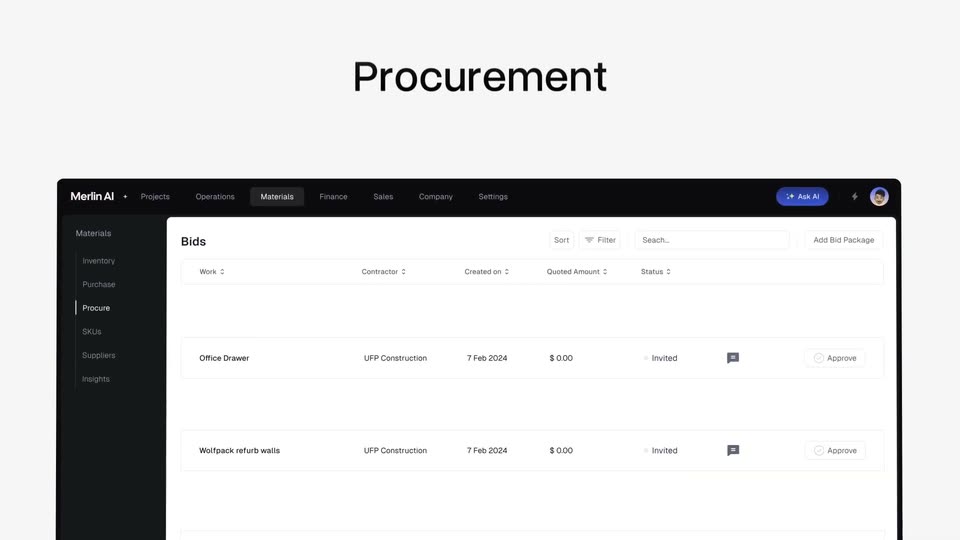
@MerlinAITechnology The AI Game-Changing Tool for your Construction Business
Merlin AI · Upbeat corporate electronic
1:07


Cortex by Aviro
Aviro · Electronic, Chiptune
0:48


New 3D imagery for Google Earth
Google · Upbeat electronic pop
Meet the New Adobe Spark Video! Featuring Video Clip Support! | Adobe, scene by scene
· 4 scenes as text
01 · Demo · 0:00–0:06
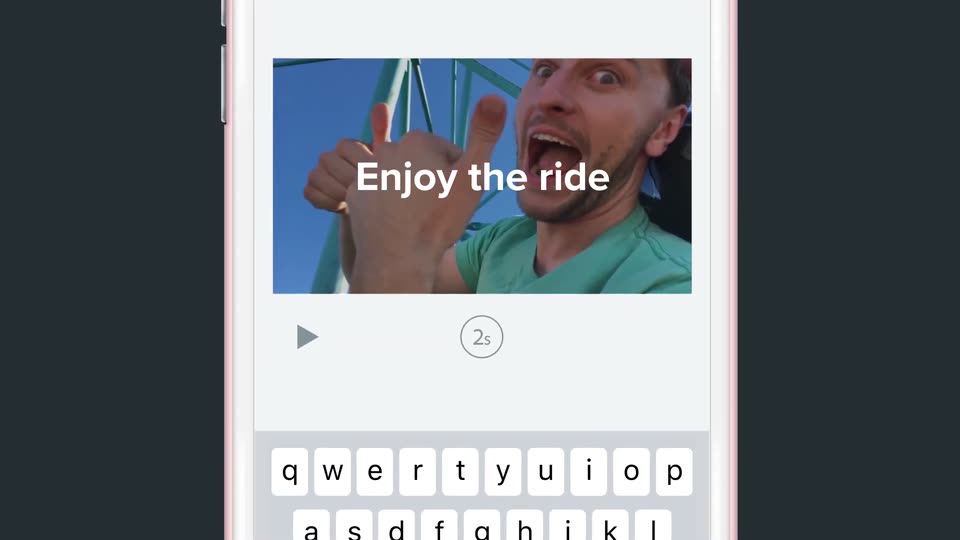
A smartphone mockup on a dark background shows a video editor: a timeline scrubs past numbered markers, the UI flips to light, and “Enjoy the ride” is typed over a roller-coaster clip above a keyboard. A waveform and red mic button appear, then the frame zooms into the interface.
On-screen text: “Enjoy the ride”
Techniques: Kinetic type, UI zoom
Camera: Push in
02 · Demo · 0:06–0:11
A rose-gold phone floats at a slight angle on a dark background, its screen showing a social feed. A video of men on a roller coaster slides into place under the white caption, while heart and thumbs-up icons pop up and drift over it.
On-screen text: “Enjoy the ride”
Techniques: 3D mockup, Particles
Camera: Static
03 · CTA · 0:11–0:12
A flat phone mockup shows a social feed with a photo of people and floating white heart and thumbs-up icons. A white circle expands from the center, wiping the phone away and revealing the words “Easily create”.
On-screen text: “Easily create”
Techniques: Particles, Masking
Camera: Push in
04 · CTA · 0:12–0:20
A yellow circle with a white plus sits above the caption Easily create on a light gray background. The circle turns dark with a film-strip icon and social videos, then becomes a square Adobe Spark logo as the caption changes to Adobe Spark and finally spark.adobe.com.
On-screen text: “Easily create”, “social videos”, “Adobe Spark”, “spark.adobe.com”
Techniques: Morph, Kinetic type
Camera: Static