1:37

Introducing AI Mode: A New Experiment in Google Search
Google · AI · Apr 2025
XChat · Apr 2026 · 0:41 · Full motion · AI-annotated
XChat’s 0:41 launch film runs 22 scenes, about 1.9 s each. The product is on screen from the first frame and 4 features are revealed. The call to action lands at 0:32 (79% in). A logo bookend frames a rapid parade of single-feature cards, each pairing a centered headline with a tight UI demo on pure black. Signature moves are line-drawn outlines, 3D metallic type, and blur or fade transitions that keep the pacing crisp and the style consistently dark and minimal.
Is this your launch? to your site or press kit.
Google · AI · Apr 2025
Perplexity · AI · Sep 2026
Rippling · Jun 2026
A rounded-square X logo emerges from black as a soft beam of light sweeps in from the lower left. Faint particles drift along the left edge while the mark brightens into view.
Techniques: Light sweep, Particles
Camera: Static
A dark 3D dock with rounded slots sits in perspective. A metallic X logo fills the middle slot as a 3D speech bubble inflates into the left slot, shifting from blue to white. The view widens to expose a third empty slot.
Techniques: 3D mockup, Morph
Camera: Pull out
A dark chat list in a phone mockup scrolls up to a Benji Taylor entry, then the view zooms into the row as the phone frame fades and the row becomes the conversation header, leaving one message bubble on black.
Techniques: UI zoom, Morph
Camera: Static
A dark chat screen scrolls down. A contact header with a round profile photo tops the frame, followed by a gray greeting bubble, a square photo of a breaking ocean wave, two blue bubbles on the right, and two gray replies at the bottom. The frame fades to black.
Techniques: Light sweep
Camera: Pan
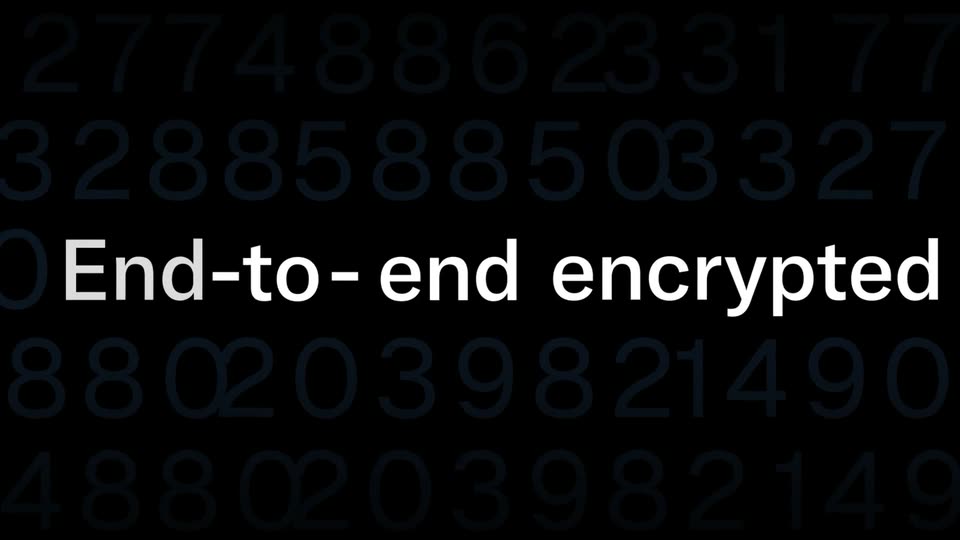
A thin white capsule outline glows on a black field of faint digit rows, then the letters E, n, d scatter and slide into alignment, forming the centered headline End-to-end encrypted.
On-screen text: “End-to-end encrypted”
Techniques: Kinetic type
Camera: Push in
A white headline sits over faint rows of dark digits, then fades as a thin white line draws a rounded outline around a settings row. The toggle flips on inside the outline, which then fades out on black.
On-screen text: “End-to-end encrypted”
Techniques: Masking
Camera: Static
A white line draws a rounded toggle switch on black, the knob resting left. The pill fills with a blue gradient as the knob slides right, the label Block screenshots sitting inside.
Camera: Static
A dark settings row with a glowing traced outline and a toggle labeled screenshots holds, then cuts to a chat view where a wave photo and two blue message bubbles slide in from the right.
Techniques: Light sweep
Camera: Pan
A front-facing phone in dark mode shows a chat thread with a wave photo and two blue message bubbles. The photo blurs into a soft gradient as the white headline Keep things private slides in beneath it.
On-screen text: “Keep things private”
Techniques: Kinetic type
Camera: Static
On a black background, a text-message conversation fades in: two gray bubbles on the left and two blue bubbles on the right. Above them, the white headline appears word by word while the last blue bubble slides up into place.
On-screen text: “Change your mind”
Techniques: Kinetic type
Camera: Static
A flat chat thread sits under the white headline 'Change your mind'. The camera pushes in on the highlighted sent bubble, opens the Edit message field, and the date is retyped from 18th to 19th.
On-screen text: “Change your mind”
Techniques: UI zoom
Camera: Push in
A blue chat bubble sits centered on black. White text reads with a blinking caret, then the bubble brightens and the line fades out as an edit label slides in.
On-screen text: “We are leaving on the 18th”, “Edit message”
Techniques: Kinetic type
Camera: Static
A clock icon and the label Disappearing messages slide in on black between faint list lines. The duration options scroll upward, and 1 day scales up to dominate the frame, then the frame fades to black.
Techniques: Kinetic type
Camera: Static
On a black background, a short chat thread builds up: a gray bubble on the left and two blue bubbles on the right. The earlier messages fade out in sequence, leaving the final blue question bubble and a small read-receipt line as the last frame.
Techniques: Kinetic type
Camera: Static
On a black field, the white line “Stay in the moment” reveals left to right, holding center-left. As it completes, a soft blue light streak fades up on the right and the text dissolves.
On-screen text: “Stay in the moment”
Techniques: Kinetic type, Masking
Camera: Static
Circular profile photos of people orbit the center on two thin rings against a black background with faint particles, while the headline fades in at the center.
On-screen text: “Upgrade your”, “group chats”
Techniques: Particles
Camera: Pull out
A ring of circular profile photos and thin orbit lines surrounds centered gray text on a black field, with scattered dots. The composition holds, then the avatars and text dim and fade to black.
On-screen text: “Upgrade your group chats”
Camera: Push in
On a black background, a rounded-square app icon holding a gradient speech bubble glows into view, its colors shifting from pink and teal to green. The white wordmark XChat fades in beneath the icon, then the whole lockup dims out.
On-screen text: “XChat”
Techniques: Light sweep
Camera: Static
On a black background, the white phrase “Reach anyone” sits centered and scales up into place. The frame stays locked off while the type settles at full size.
On-screen text: “Reach anyone”
Techniques: Kinetic type
Camera: Static
A bold white headline, Reach anyone, scales up on a black field, then gives way to a gray line, Now available on iOS, that slides in. Both fade as two thin white lines cross into an X over faint scattered dots.
On-screen text: “Reach anyone”, “Now available on iOS”
Techniques: Kinetic type
Camera: Static
A 3D outlined X logo scales up at center on a black starfield, its right stroke flaring bright before the mark settles into a steady white glow.
Techniques: Light sweep, Particles
Camera: Pull out
A white X logo on a black background scales and fades, transitioning into a dark metallic shape with a subtle edge highlight.
On-screen text: “X”
Techniques: Light sweep
Camera: Static