0:34

Reason Machines (YC F26) - Coding in the IDE is over, Introducing the New Reason Desktop App A
Reason Machines · B2B · Nov 2026
Keiki · Sep 2026 · 0:42 · AI-annotated
Keiki’s 0:42 launch film runs 14 scenes, about 3.0 s each. The product is on screen from the first frame and 1 feature is revealed. The call to action lands at 0:38 (91% in), over a voiceover. The video is built as one continuous morph where title cards, chat bubbles, and app panels dissolve, zoom, and unfold into each other over a soft blue gradient, so no hard cut breaks the flow. Pacing is steady and readable, with each workflow step held for a few beats, and the signature moves are the 3D-tilted panels and the card-to-card transformation from post to lead message to notification stack.
Is this your launch? to your site or press kit.
Reason Machines · B2B · Nov 2026
Raylight App · Sep 2026
Framer · Design · Oct 2025
A blurred blue gradient fills the frame as three white lowercase headlines fade in one after another, the last carrying a small unicorn mark. A white rounded chat input scales up in the center and the prompt types out, then the frame flashes to white.
On-screen text: “find leads on X”, “with a single prompt”, “using keiki”
Techniques: Kinetic type
Camera: Pull out
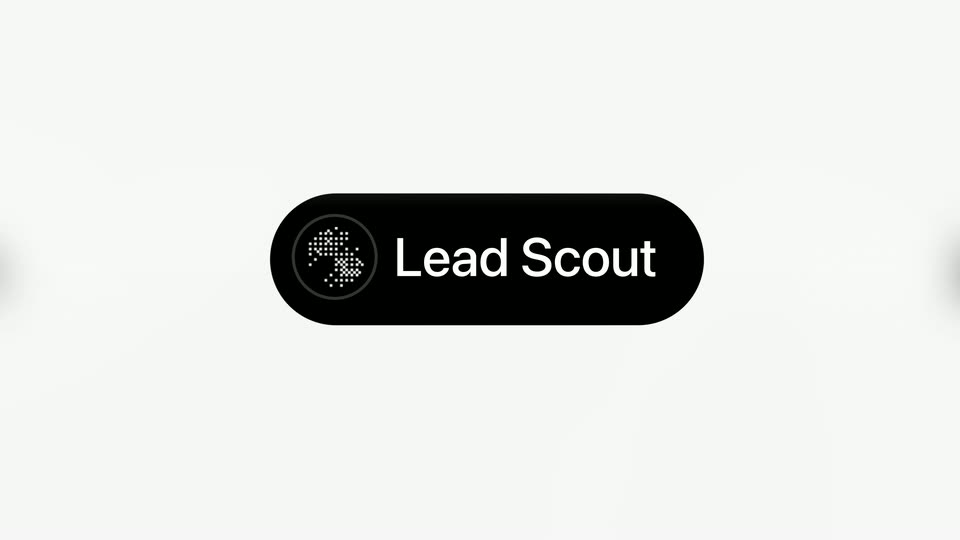
A dotted logo mark in a dark circle and the wordmark Lead Scout sit in a black pill on white. The circle widens into the pill, then the background turns into a light gray rounded card and the logo shrinks to its top-left corner.
On-screen text: “Lead Scout”
Techniques: Morph, Kinetic type
Camera: Static
A dark agent-setup panel scrolls down past a name field, an instructions box, and four capability cards whose toggles flip on, then to a Connections row where connect buttons become connected. A launch agent button sits below as the panel defocuses to a soft blur.
Camera: Pan
A dark, out-of-focus interface sits in the background as a white rounded-square icon with a black X mark scales up and snaps into sharp focus at center, tilted in 3D perspective. The icon holds steady against the blurred UI.
Techniques: 3D mockup
Camera: Static
The X app icon, a white rounded square with a black X mark, floats centered on a dark blurred background, tilting and rotating in 3D. It shrinks and drifts left as a white panel slides in from the right edge.
Techniques: 3D mockup
Camera: Static
A white X panel floats in 3D perspective on a dark ground, the icon flattening as the panel unfolds into the full X feed. The feed scrolls down, then blurs the surrounding posts to spotlight a single motion-designer request.
Techniques: 3D mockup, UI zoom
Camera: Pull out
A white post card from user Nizzy sits centered on a dark, blurred background. The body text crossfades between two wordings, overlapping for a beat, then settles on the final lines about finding a motion designer.
Techniques: Morph
Camera: Static
A white message card on a dark blurred background opens as a social post with raw text and reaction icons, then the body blurs into a NEW LEAD message with a score line and quoted signal, while the bottom toolbar swaps to composer icons and a green send button appears.
Camera: Static
A white lead card with a rich-text editor and green send button sits over a blurred blue field, then the view zooms out to expose the full app: a dark channel sidebar, a chat thread, and a second empty composer at lower right.
Techniques: UI zoom
Camera: Static
A close-up of a light-themed Slack chat window. A Panda Agency Bot message tagged NEW LEAD lists a scored contact and a quoted signal. The view holds with a slight vertical drift, beside a dark sidebar and a blue gradient below.
Camera: Static
A vertical stack of white Slack notification cards scrolls up over a blurred blue gradient. Each card, headed by the Panda Agency Bot name and a red NEW LEAD tag, fades in from the bottom as the list advances, revealing a candidate name, score, and quoted signal.
Camera: Pan
A vertical feed of notification cards on a soft blue gradient scrolls upward. Each white card from Panda Agency Bot flags a NEW LEAD with a handle, score, and quoted signal. A new card slides in from the bottom as the list moves.
Camera: Pan
A white notification card with a panda avatar and a red NEW LEAD tag slides up to center on a blue gradient. The card lists a lead name, score, and a quoted signal about a product launch video, with heart and reply icons below.
Camera: Static
A soft blue gradient holds centered white text reading “find new leads today”, split around a center pill. The line cross-fades to “using keiki” while a white rocking horse logo resolves into the pill.
On-screen text: “find new”, “leads today”, “using”, “keiki”
Camera: Static